Hello!
I would like to introduce you to Community Servers!
Yes, if you don’t like PVP, now you can create both private and public your own server!
You have more than 50 different settings at your disposal. There are 20 really useful things for you :)
Community Servers can be launched by anyone who has the game added to their library. You can do this too :)
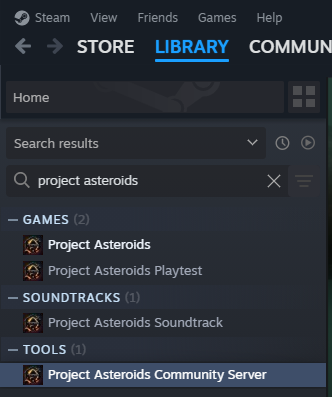
You can find everything you need directly in the Steam library in the Tools tab: "Project Asteroids Community Server"
In general, if you just want to start your local server just for yourself, then you just need to click “LAUNCH” and the server will start.
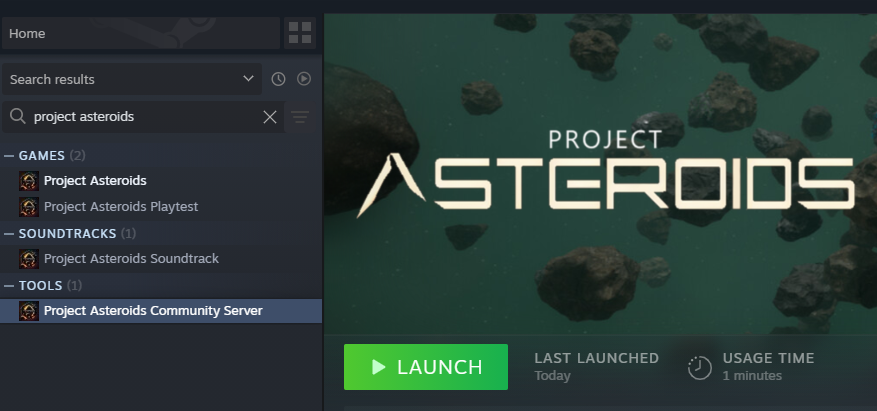
You can connect to it directly in the game via “Direct Connection” or find it on the “Community Server” tab*
* - if the server configuration file indicated that this is not a local server.
Brief information on how to make the server public:
- You need a public IP on the machine (Windows) where you run the server.
- Go to the folder with the downloaded servers
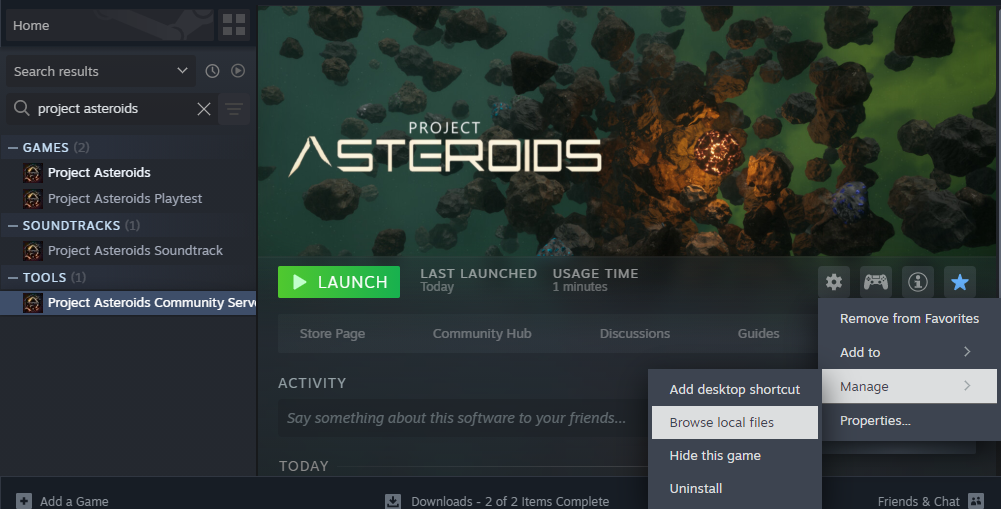
- Open the configuration file ServerSettings.json
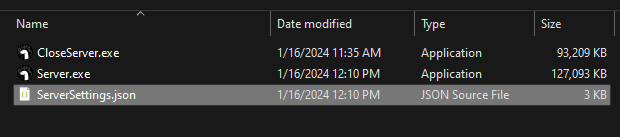
- Change the server name (SERVER_NAME) to the one you want
- Write in it your IP and the PORT on which you want to run the server
- specify LOCAL_TEST as false
- Start the server :)
During initial setup, run the server via cmd to see errors in your configuration file.
For more detailed information, please contact Discord. I will always be happy to help and answer questions!