Status
SteamPeaks
ChartsSalesUpcomingPatchesEventsCalculator
New on SteamEvery app, DLC and depot the minute Steam creates itAppsEvery app on Steam, newest change firstPackagesSubs and bundles, and what each containsDepotsDepots, manifests and install sizesTagsSteam's user tags and the games under themDevelopers & publishersCompanies and their cataloguesTechnologiesEngines, SDKs and anti-cheat found in the filesChange historyEvery PICS changelist as it lands
SignalsNineteen readings of the whole catalogueCompareAny games side by sideRecordsAll-time peaks and the days they were setReportsWeekly and monthly write-upsAlerts & newsroomWatch a game, get told when it movesSteam statusIs Steam up, right nowWeb API explorerTry the endpoints in the browser
EventsSteam's own events and the sales calendarCalculatorWhat a Steam account is worth, and its pile of shame
/
Sign in
/
SteamPeaks
The ultimate resource for Steam data.
ExploreChartsSalesSales and festsUpcomingPatchesEventsRecordsTrendingSignals
DatabaseAppsPackagesDepotsTagsDevelopersTechnologiesChange history
ToolsCalculatorCompareSearchAlertsSteam statusAPI
SiteMethodologyFAQDiscordSupportSign in via Steam
Not affiliated with Valve or Steam. Game names and artwork belong to their owners. All times UTC.
PrivacyCookiesFair useStatus
AudioTheory Piano KeysEventsAudioTheory Piano Keys 1.2.0 – ASIO support
In-game event

AudioTheory Piano Keys 1.2.0 – ASIO support

AudioTheory Piano Keys · published 15 Oct 2021, 11:45 UTC

All eventsPlayers around this dateRead on Steam

Update #2 for AudioTheory Piano Keys is here and this one makes some pretty big 'under the hood' changes. Following on from a similar update for AudioTheory Guitars last week, version 1.2.0 of AudioTheory Piano Keys adds support for the ASIO4ALL audio driver, designed to give lightning fast response times and improve the latency of the application.

AudioTheory Piano Keys and the ASIO4ALL driver

ASIO4ALL is a freeware audio driver designed for low latency playback. Most DAWs require the use of an ASIO driver, and whilst it is optional for AudioTheory Piano Keys, it's highly recommended. It's very easy to install and you are guaranteed to get better performance than the built-in Windows driver.

Oh and yes, to confirm this is a Windows specific feature. Mac and Linux come with audio drivers that can handle very low latencies out-of-the-box. More on how the settings have changed on these platforms in a bit.
Changes to the Windows version of AudioTheory Piano Keys

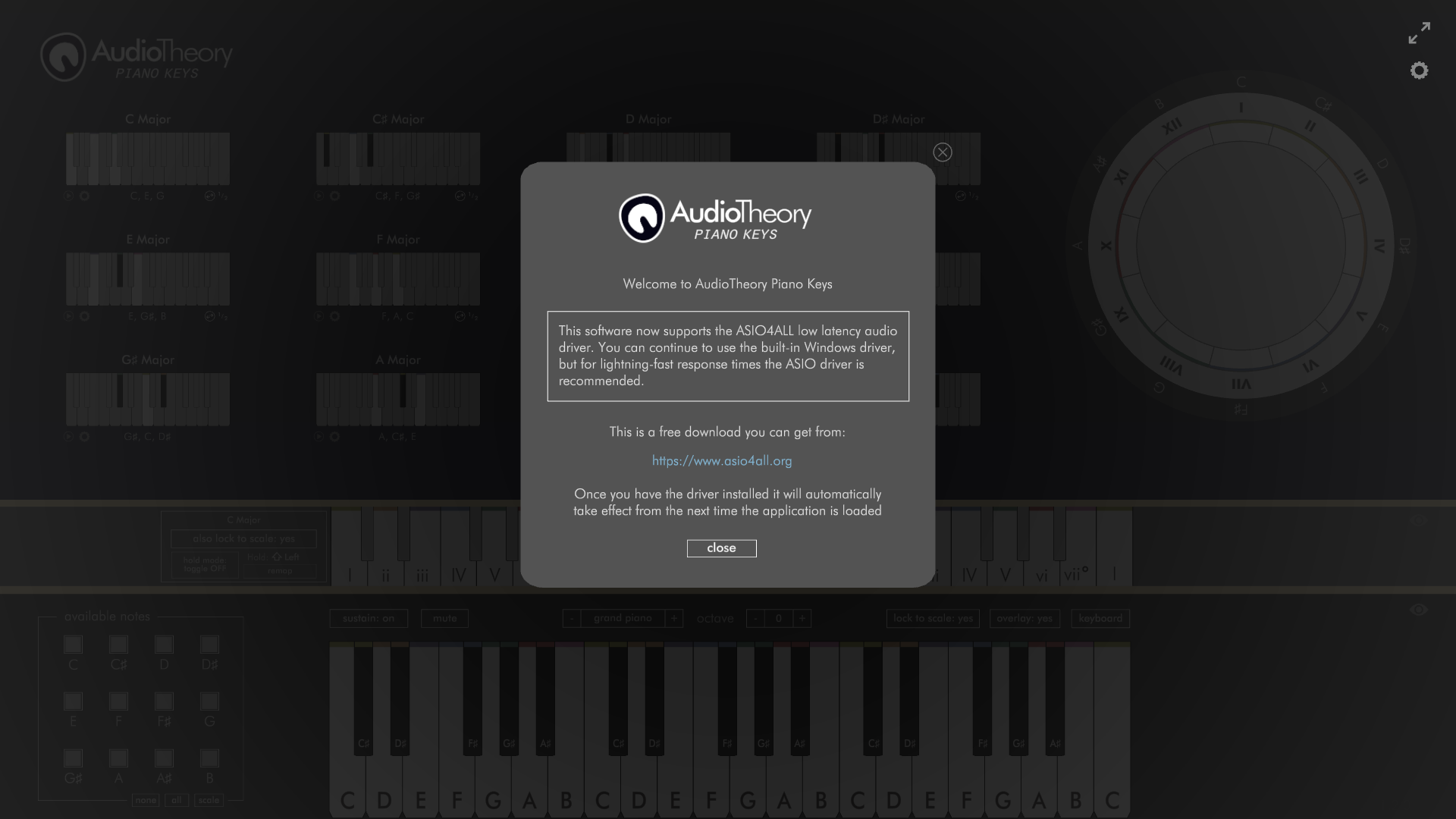
There are a few things now in place designed to help swap you over to the ASIO driver. If you load up the application without this installed you will see a one-time notification directing you to the ASIO4ALL website.

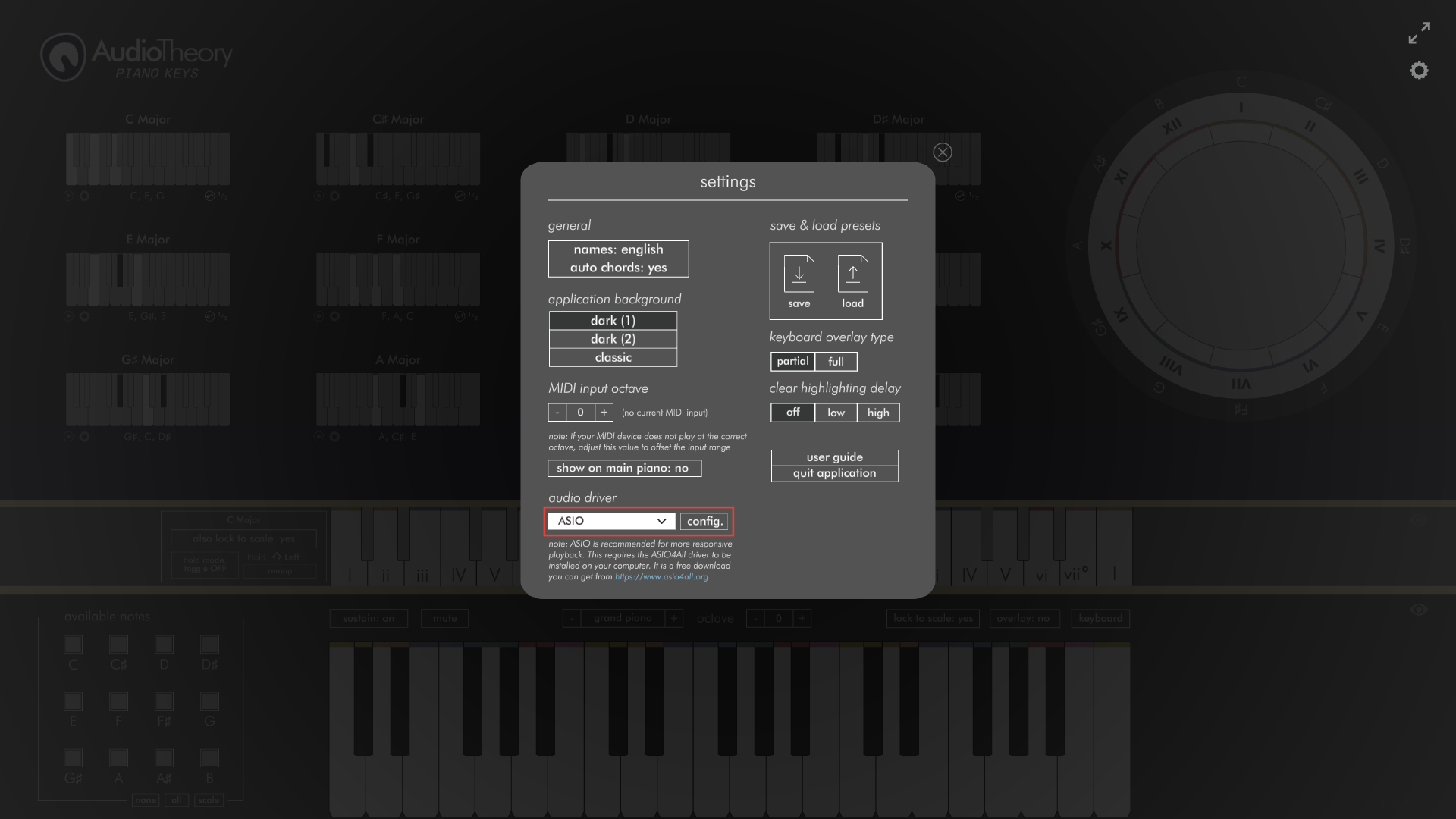
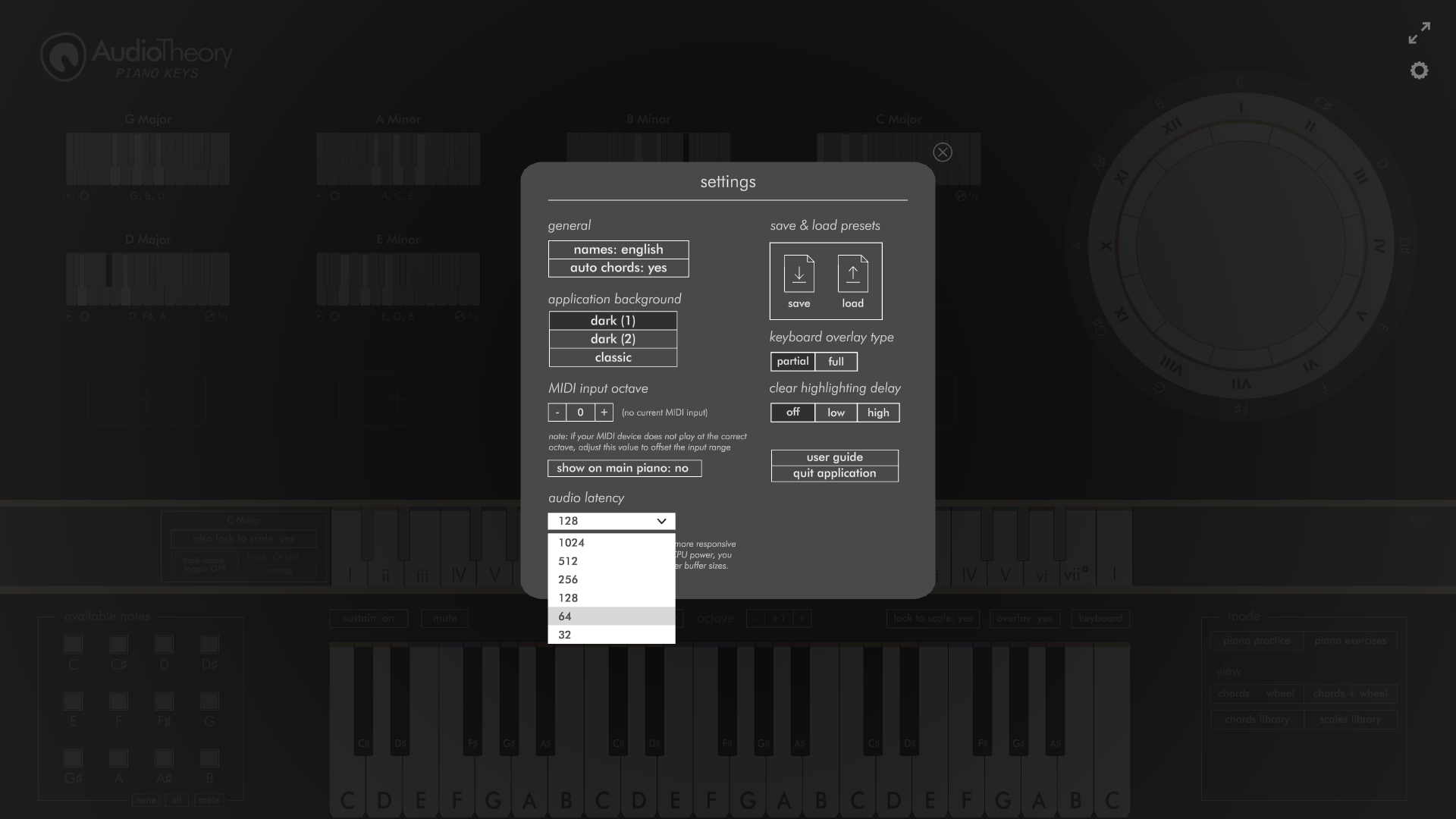
Once installed, the application will automatically swap to use the ASIO driver when its next loaded. You can see which driver is currently in use from the settings popup. Here can also swap driver using the dropdown, meaning you can revert back to the built-in driver if required. Please note that any driver changes here require the application to be restarted before they take effect. Oh, and if you swap to ASIO here but the driver isn't installed then it's not going to work. In this scenario the application will prompt you to install it on your machine.
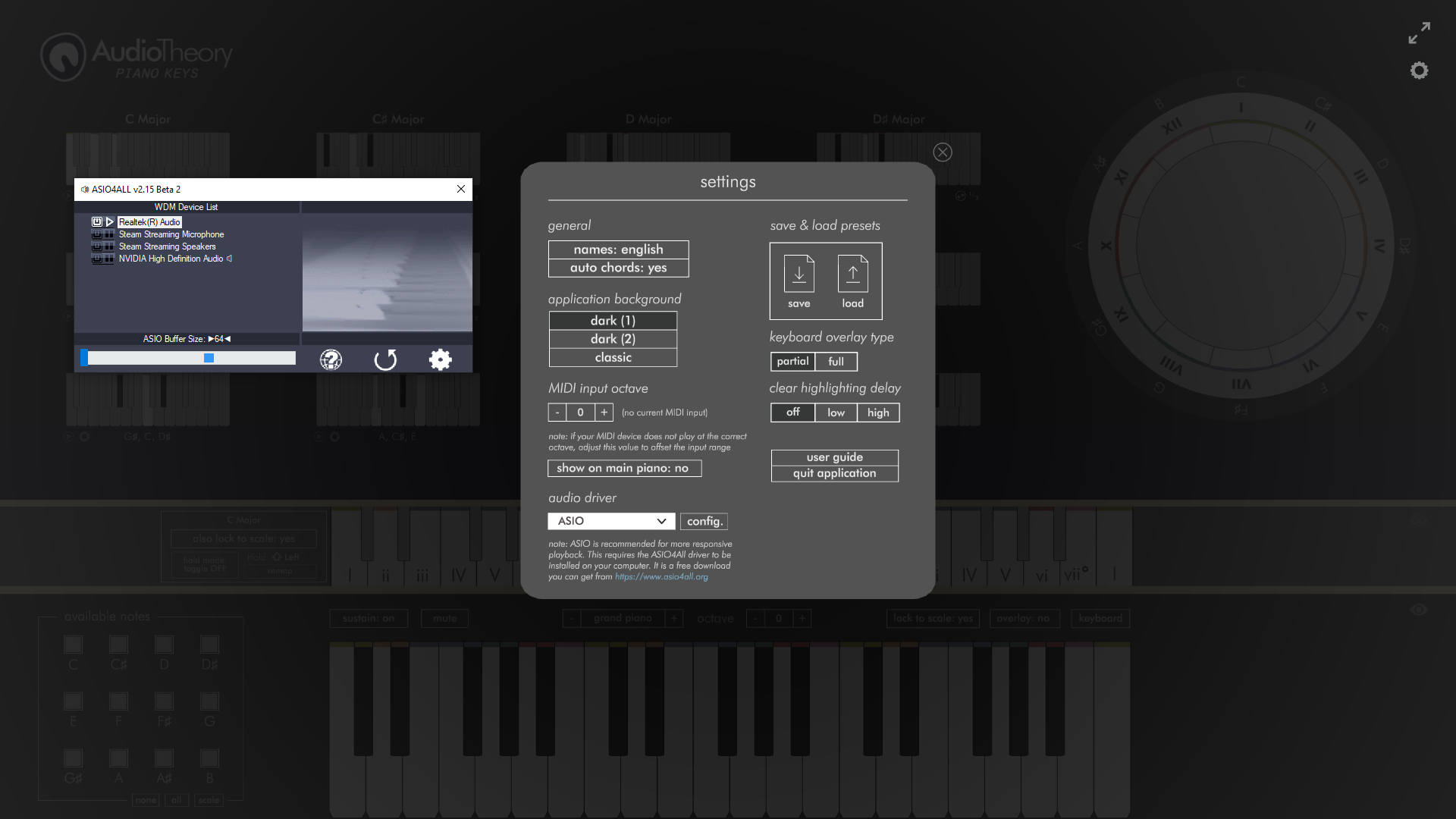
If the ASIO driver is in use, you will also see a 'config.' button that lets you open up the ASIO4ALL settings. Here is where you configure your output device as well as the DSP buffer size. If you are not receiving any audio, the likely cause is that the correct output has not been selected here.
Changes to the Mac and Linux versions of AudioTheory Piano Keys

These still use the DSP latency settings that were previously in place. As above, the built-in drivers are able to support low latency without the need for an external driver. However I have swapped over the selector to a new dropdown which makes it a bit quicker and easier to select the value you're after.
Velocity playback

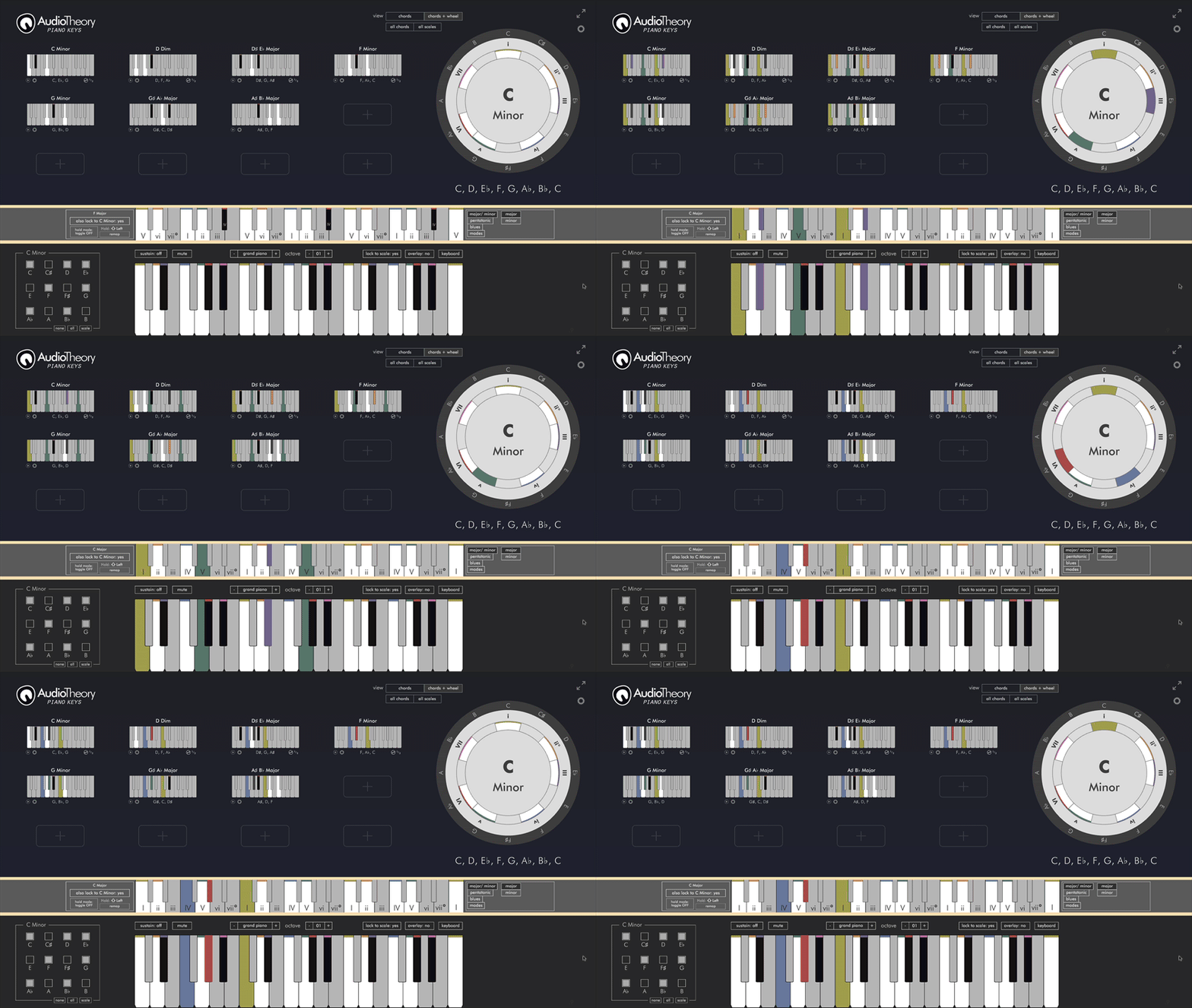
Oh, another change along the same lines. MIDI input playback now registered the note press velocity, meaning the playback volume is controlled by how hard you are pressing the notes. This helps better simulate the effect of a real instrument.
That's all for today. The same update will be arriving soon for AudioTheory Grids, there are a few extra changes I need to make it work here first however.

That's all for today. Thanks for reading.

More from AudioTheory Piano Keys

Other announcements

All events
In-game event28 Aug 2026AudioTheory Piano Keys 3.1.0A small update arrives today mostly focused on reworking some internal systems. The main new feature is improved support for ASIO, including the ability to output directly to an Audio Interface. Full changes are as follows: · Interface support for audio output · Swap audio drivers at runtime without the need for an application restart · Faster application load times specifically when using ASIO…Game update5 Feb 2026AudioTheory Piano Keys 3.0.1Just a small patch today to address the following: · Selecting Piano Exercises from the window nav dropdown now closes open popups/ inspectors · Loaded preset name no longer shows in ear training mode · Fixed a situation where the dropdowns for the scale inspector could show incorrectly · Fix for B displaying as H when German note name language is selected · Line style updated for ear training…Major update28 Jan 2026AudioTheory Piano Keys 3.0.0The biggest update yet is here for AudioTheory Piano Keys. It adds the following new features: Chord Inversions The double arrow icon below the bottom right of the piano chords was already here, but before it would just cycle the chord up an octave. Now it cycles the chord up one note at a time, so you can see the inverted positions for the chord too. Chord Inspector Next to this button is a ne…