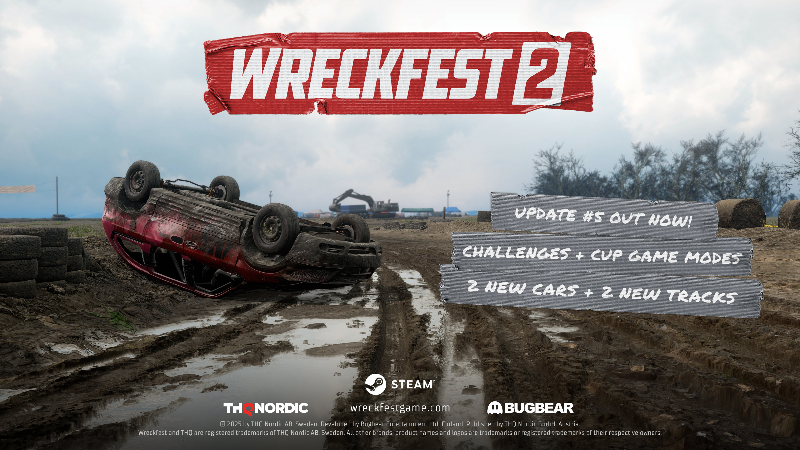
The fifth content update for Wreckfest 2 is now live. Watch the trailer below and we hope you thoroughly enjoy this update.
NEW CONTENT
- New American minivan car: Grandstar
- New Asian coupe: Phaser
- New tracks: Moorfeld with Racer and Crasher routes.
CHALLENGES
- Added 10 challenges, bite-size racing and derby events (with more on the way).
CRAP-IT
- Added a number of new decals, including new fonts.
- Added an ability to mirror decals to the other side.
- Decals can be now grouped and manipulated as a group or individually inside the group.
- Sticker decals can be now placed either on top or below material coats.
- Recreated all player and AI paint designs with Crap It (with more to come).
- It's now possible to use the default car design as a base for a custom one.
- Other minor improvements.
RENDERING & VISUALS
- Improved game stability and performance.
- Fixed background terrain flickering.
- Fixed rendering glitches on Intel Arc B580.
- It's now possible to use a different Super Resolution solution than that of the native GPU vendor.
- Super Resolution now defaults to "AUTO", fixing the issue of "CUSTOM" being shown in the Settings whenever Super Resolution is used.
- Updated XeSS to 2.1.1.
GAMEPLAY
- Added accumulating mud effect for cars (with more surfaces to be included later).
- Adjusted car weights across the roster to better match them being stripped down beaters.
- Improved consistency of suspension setups and fixed a number of oddities here and there.
- Improved car vs car collision physics.
- Improved attacker/defender logic to make it more likely to interpret the gameplay situation correctly.
- Improved attacker advantage to encourage crashing into other cars (normal damage mode).
- Adjusted hitpoints of many cars for improved balancing.
- Environmental damage is now more consistent regardless of the vehicle used.
- Car wheels no longer detach as easily when damaged.
- Tires can no longer get punctured from minor impacts.
- Using stability assist should be no longer faster than not using it.
- It's now easier to shift properly with a manual clutch.
- Offroad surfaces are now bumpy.
- Tires now sink into soft surfaces.
INPUT SYSTEM & FORCE FEEDBACK
- Improved DirectInput signal handling to reduce jitter.
- Revised force feedback: stronger ramp up, improved details, smoother signal.
- Added new low force boost force feedback setting especially for non-direct drive wheels to help with force ramp-up and details.
- Implemented 120Hz fixed rate force feedback for DirectInput devices.
ONLINE
- Fixed a number of multiplayer related crashes.
- Added Cup Mode (settings in the server config).
- Implemented server file logging (enable in the server config).
- Optimized work distribution for hybrid CPUs.
- Updated Playfab SDK to the latest version.
AI
- Improved AI overtaking behavior.
- Refined and improved overall AI racing line and turning behavior.
- Added more variety to AI racing lines.
- Improved AI awareness of other cars and the player.
- Improved pathfinding and obstacle detection in derby.
- Finetuned AI difficulty levels.
AUDIO
- Fixed issue where rev limiter effect of opponent cars ignored the 'Opponents' mix level setting of game.
- Added code support & preliminary sounds for per-wheel suspension movement and bump stop sound effects.
- Added unique collision sound for cargo containers.
- When using spherical camera to view & pan around the car, the blend / transition between engine and exhaust objects is now smoother. Support for dual exhaust cars work-in-progress.
- Pulling handbrake now plays mechanical clunk instead of ratcheting sound (of lever latch).
- Bumper view: Exhaust is now more present in the overall mix.
- Cockpit view: Overall player car mixdown is now balanced more towards the car having no windshields (less high frequency damping).
- Cockpit view: New version of surround reverb models. Downmix compatibility and perceived width of sound is greatly improved when playing on a stereo sound system.
- Cockpit view: Player car tire & suspension sounds are now more clearly directional. F.ex. if playing on a surround sound system, each tire is clearly panned at an appropriate angle relative to camera position.
- Cockpit view: Adjusted surround orientation of wind-on-car effects to improve L-R balance when mixdown is folded to stereo.
- Exterior views of player (camera target) car now have a effect applied to widen the stereo image.
- Various mixdown tweaks & changes, to smoothen transitions across camera views etc.
- Added basic tire sfx for wet mud surfaces.
DEVELOPER COMMENTS:
DETAILS ABOUT GAMEPLAY DAMAGE CHANGES
In a game like ours, crashing into others should be rewarded. Yet, previously the outcome could feel a bit arbitrary as there were situations in which you were confident you were going to score a good hit on your opponent, only to receive more damage yourself. In this update, we've refactored the attacker/defender detection to make sure we correctly interpret who is the attacker and who the defender. We've also improved the gameplay logic that determines the outcome of the crash to reward aggressive playing.
The gist of the changes is that like previously the damage calculations now favor the car with more mass and speed (just more reliably), but when using the normal damage mode the condition of the car is also taken into account. What the latter means is that exactly how much damage you receive yourself depends on the armor sector health of your car, allowing you to inflict damage while minimizing self-damage, provided you have the momentum advantage and the impacting armor sectors of your car remain healthy. As the condition of your car deteriorate, you will start receiving more damage yourself too. So, in short: to do well you need to have a heavier car as your opponent (as light cars are naturally at a disadvantage, as they should be), keep your car moving and make sure you're not caught out as a sitting duck.
We feel like the improvements make the gameplay more exciting but make sure to let us know what you think so we can plan the next steps.
FORCE FEEDBACK SETTINGS GUIDE
We have changed our default FFB settings and due to the revised force feedback everyone will get a gain reset to 50% (old default was 100%). You need to set gain again to your preferred value from the conservative 50%.
IMPORTANT! Even if you have a wheel that can do it, we do NOT recommend setting your wheel software's torque higher than 10Nm unless you know what you're doing. Due to the nature of our game, expect strong sudden force feedback. Set it up with that in mind.
Settings explained
Gain: Strength of the signal sent to your wheel
Main Force: Detailed forces from front tires, through suspension geometry, this contains most detail
Dynamic Damping: Wheel starts to resist turning as speed increases, wheel reacts to car's rotation with counter-steer
Low Force Boost: Amplifies low signal helping non-direct drive wheels to feel more saturated - it's of course also ok to experiment with this even if you have a direct drive wheel
As of this moment we don't have general damper in our own signal sent to wheels. So please add some in your wheel's software if you feel that the wheel is too easy or unnatural to rotate. Add damper and inertia, and friction if available. This also helps eliminate oscillation with high torque.