Greetings, Penitents!
Welcome to the second instalment of The Deadly Path tutorial series. Suppose you’ve just completed the tutorial or are starting your first unguided run. In that case, this guide will walk you through the essential mechanics and gameplay elements to ensure your path through the underworld is as smooth (and deadly) as possible. Let’s dive in!
Navigating the UI
Understanding the game’s interface is your first step to mastering the path:
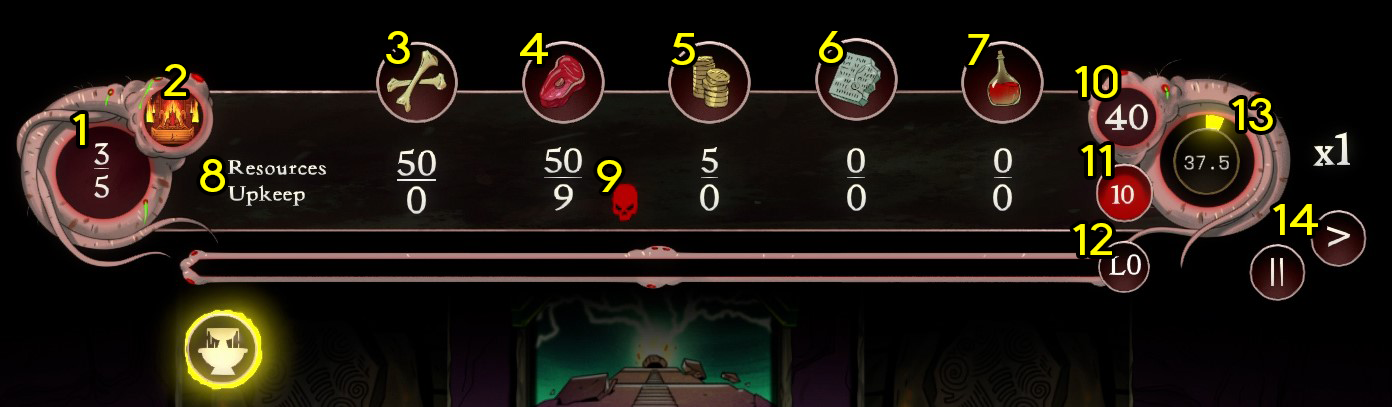
- Population
The top number represents the current population of minions.
The bottom number represents the population cap (which can be increased by constructing Hovels)
If population exceeds it’s cap then your upkeep will be increased. - Age
This represents what age you are currently in and what your technology level is.
Hovering your mouse over this will also remind you which God, Custodian and level you are playing with. - Bones
- Meat
- Gold
- Knowledge
- Blood
- Resurces / Upkeep
The number alongside Resources represents the amount of that resource that you have.
The number alongside Upkeep is the amount of that resource that will be deducted from your resource pool each cycle. - Resource Info Indicator
The colour of the skull represents if your production of the relevant resource is less than (red), equal to (yellow) or greater than (green) your upkeep cost.
Hovering over this skull will show a detailed breakdown for the relevant resource.
- Cycles Remaining
This represents how many cycles are remaining in the current run. You will lose the run if this reaches 0 before completing all objectives. - Cycles until killing moon
How many cycles remain before the next killing moon event begins (Greater upkeep costs) - XP Bar
This represents how much XP you have towards your next upgrade/building unlock. - Time left in current cycle
How much physical time is left for the current cycle. - Game speed / Pause buttons
Clicking on the pause symbol will pause the game.
Clicking on the arrow will speed up time in game, or reset back to normal time if clicked after reaching the max speed.
The Deadly Path Controls
Movement: Use WASD or hold the middle mouse button to move around the map.
Zoom: Use the mouse wheel or Q/E to zoom in and out.
Time Controls:
- Press the space bar or click the pause button to pause/unpause the game.
- Use the 1-3 number keys or the arrow buttons to adjust time speed.
- Note: Building on a tile will automatically unpause the game.
Excavating Tiles
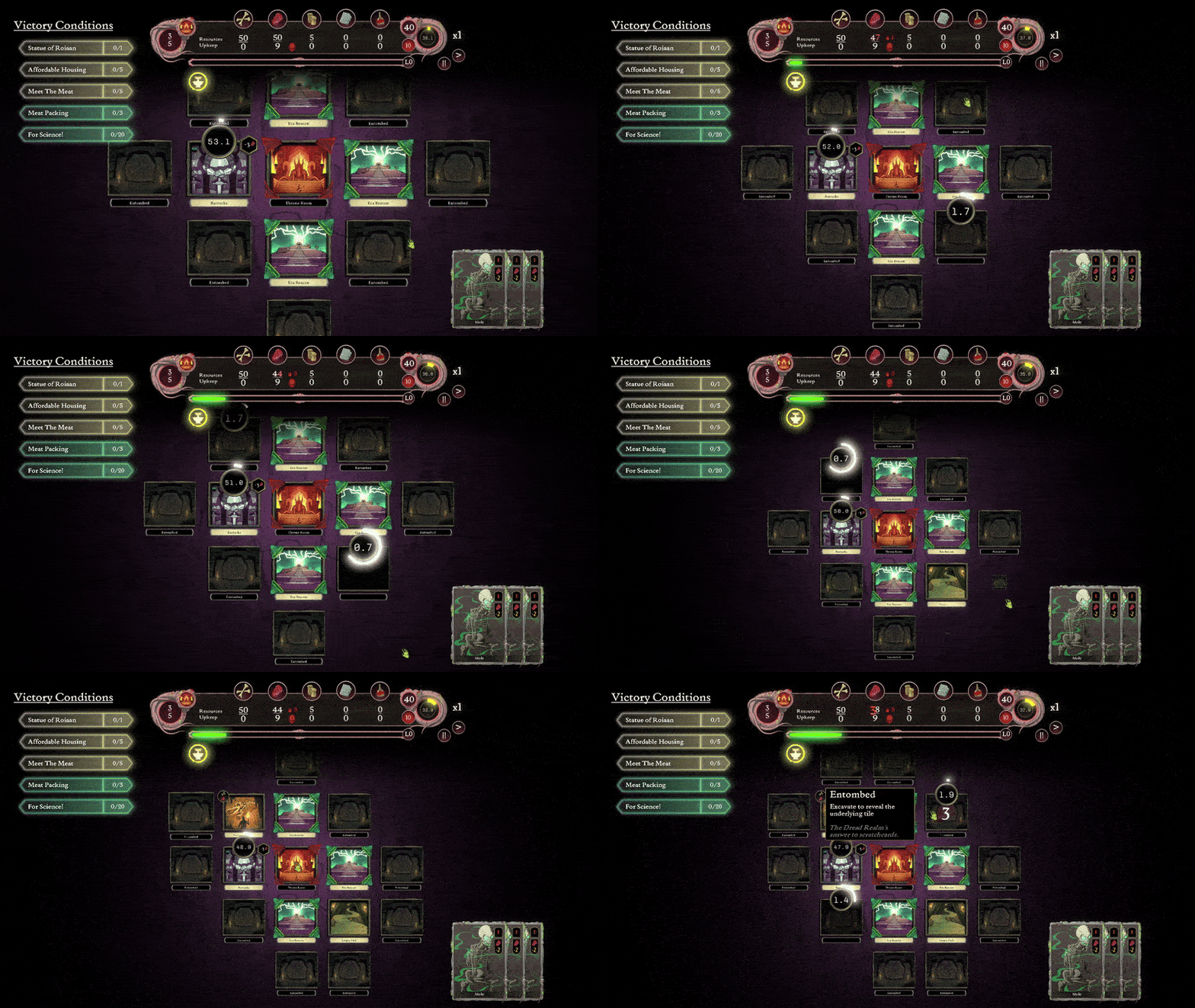
To expand your empire, you’ll need to excavate tiles:
- Click on an entombed tile to excavate it.
- Excavating costs Meat, and the cost increases the further the tile is from your throne room.
Extracting Resources
Resources are vital to survival and progression. Here’s how to gather them:
- Scavenger Hut: Extracts Bones (used for constructing new buildings).
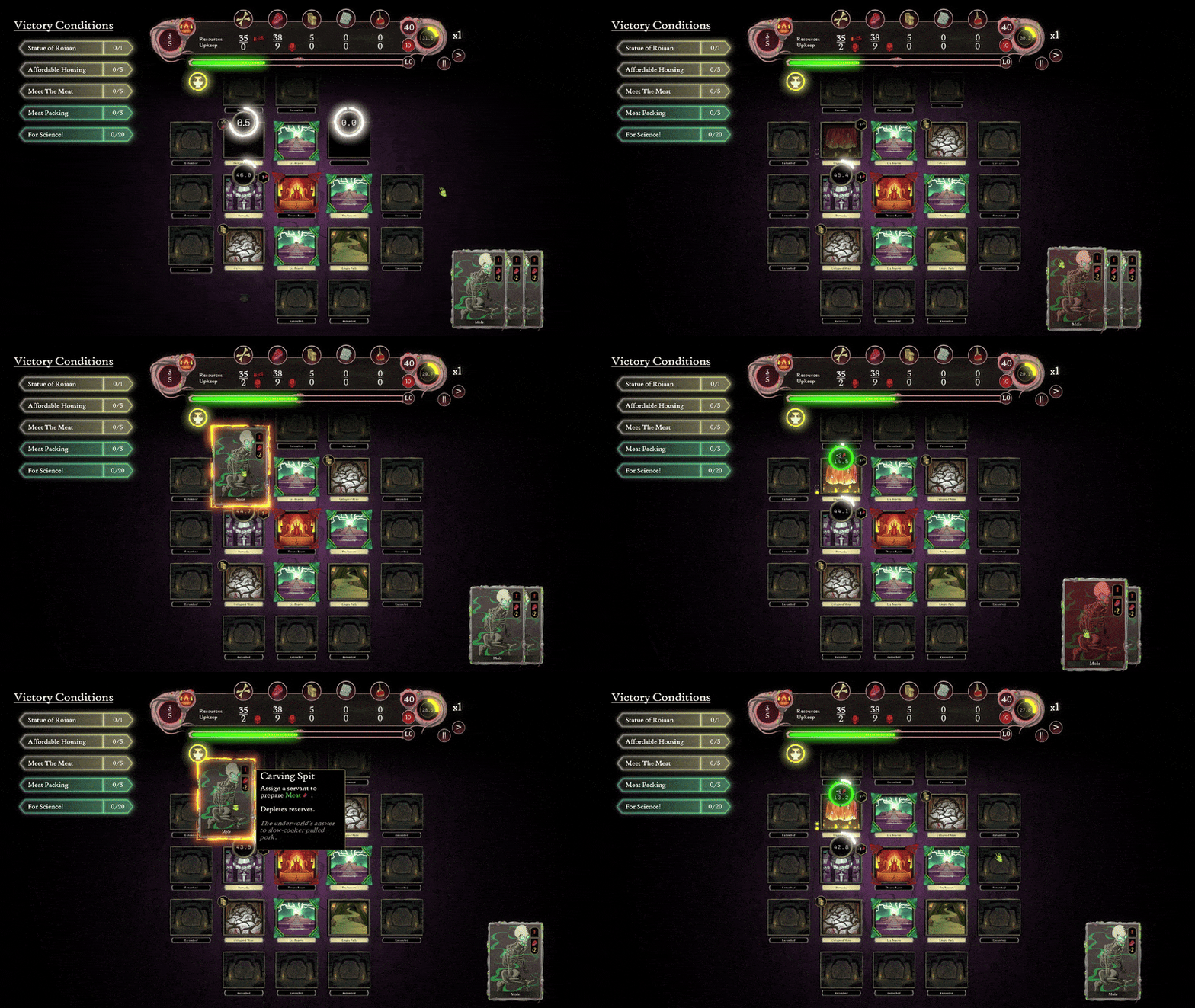
- Carving Spit: Extracts Meat (used for excavation and upkeep).
- Rock Chisel: Extracts Gold (used to cover upkeep costs of buildings like the Hovel).
- ⚠️ Important: Resources from tiles are limited! Once a tile is depleted, it will remain empty, so plan your resource management carefully.
Assigning Units
Efficiently assigning units is key to maximizing resource collection:
- Drag a unit card onto a tile to assign it to a building.
- Right-click the tile to unassign the most recently assigned unit.
- Shift: Hold to view all currently assigned units.
- Unit Management: Click on a unit to unassign it from its task.
Levelling Up
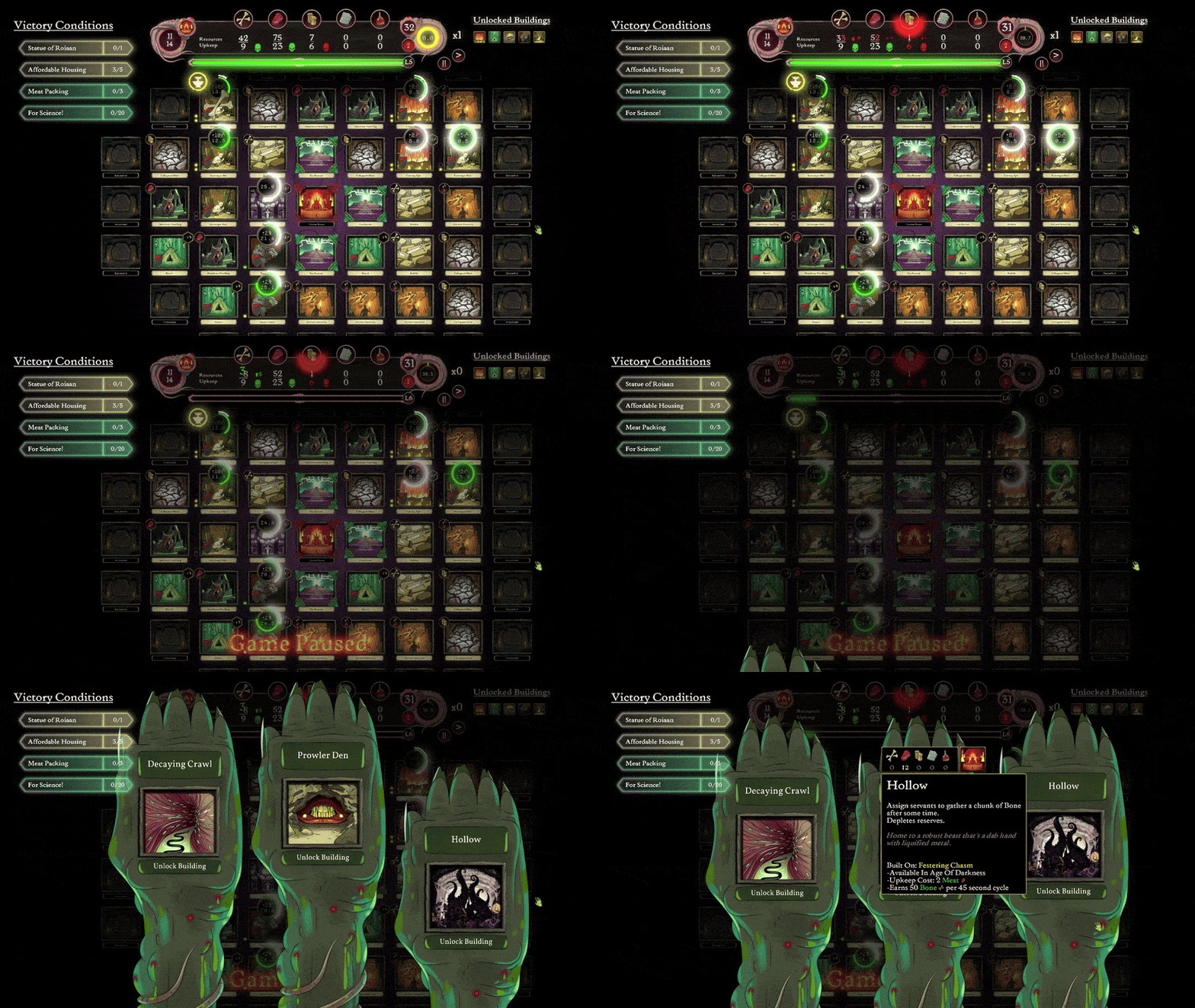
Actions such as excavating, gathering resources, and constructing buildings earn you XP:
- Levelling up lets you choose between unlocking new buildings or upgrading existing ones.
- Upgrading existing buildings (e.g., a Carving Spit to extract more Meat per cycle) will apply to all iterations of that building at no additional cost.
Advancing Through Eras
Adjacent to your throne room, you’ll find ERA Beacons:
- Upgrade these beacons to advance through the ages, unlocking higher-tier buildings and expanding your excavation range.
Additional Tips and Challenges
Killing Moon: This event increases upkeep periodically. Prepare by managing resources wisely.
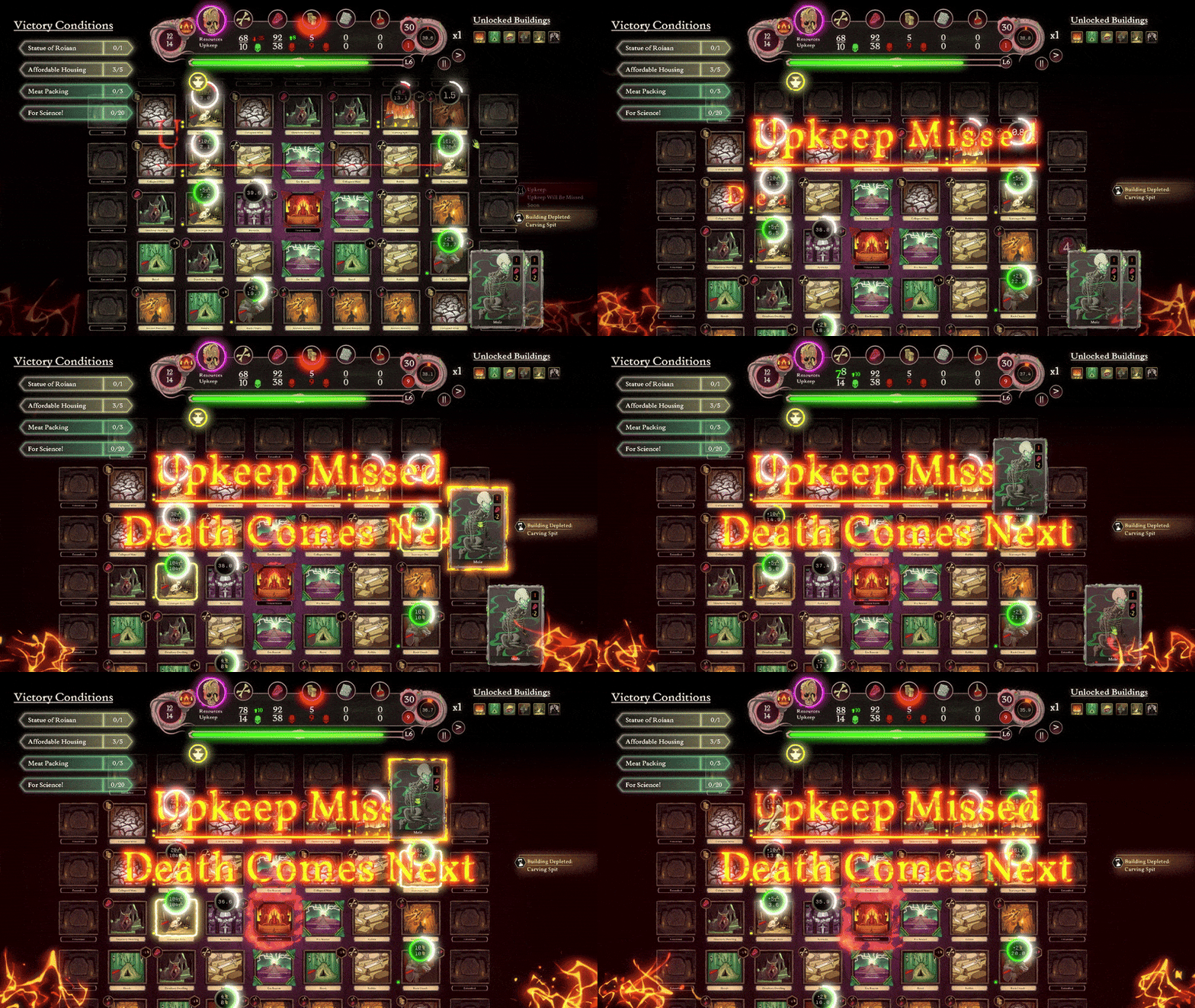
Upkeep Costs: Every full cycle (visible on the cycle countdown on the right of your UI) incurs upkeep costs for your god, buildings, and units. Balance expansion with sustainability.
Manual of Misery: Press Tab to access this in-game manual, filled with useful details, tutorials and tips.
Next Steps
You’re now equipped with the basics to take your first steps toward appeasing the gods of the Dread Pantheon. Experiment with your strategies, adapt to challenges, and remember: the gods reward the cunning and punish the careless.
In the next part of our series, we’ll dive into more advanced mechanics, including strategies for Roiann, the blightcaster and preparing you for the Killing Moon.
Download the Demo Now on Steam
Join the Discord for Tips and Challenges
Wishlist The Deadly Path
May the gods guide your steps, Penitents.