Hello Riftbreakers!
We have a new experimental update ready for you. This time, the main course is the addition of a standalone Dedicated Server app, which lets you host Co-Op sessions for The Riftbreaker on a separate PC. While the Dedicated Server was the main focus of our development team for the past couple of months ( it required MUCH more effort than we expected ), it is not the only thing we have managed to accomplish, so we’re using this opportunity to push some additional fixes and gameplay improvements for the main game.

The main advantage of hosting the game via the dedicated server app on a separate PC is increased performance*. When playing Co-Op, one of the players has to take on the role of the server. This means their PC will perform all necessary calculations and simulate the game world for all players. This places additional strain on the host’s hardware and may cause slowdowns and performance issues. Using a dedicated server allows all players to connect to the game as clients and receive all pre-computed simulation data from the server.
* Your mileage may vary. The server’s hardware configuration will affect how well the dedicated server app will perform, and consequently, how well the game will run for players connected to the server. If you try to host the game on a 10-year old laptop you have lying around, it might result in worse performance than if you hosted the game on your main rig.
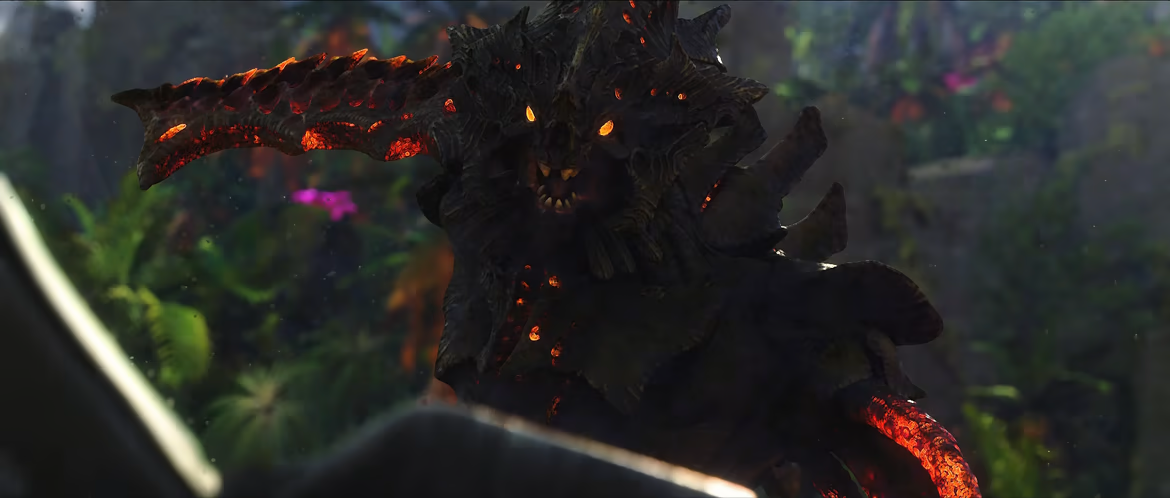
The Dedicated Server for The Riftbreaker is a standalone app that you can download from Steam entirely for free - even if you do not own the game. (you do not even need a Steam account. You can download it entirely anonymously using SteamCMD). All you need to do is go to your Steam Library, check the ‘Tools’ display checkbox in the drop-down menu at the top of your games list, and download the app. It is very lightweight, thanks to some clever engineering we have described in our progress article, which you can read here. Instead of 11GB+, the download size is only about 600MB. Additionally, the server runs in headless mode, without graphics rendering. Thanks to this, you can run the server on a system without a powerful GPU - the only things you need to care about are the CPU and RAM.

We have put a lot of effort into testing permutations of running the game under different conditions. We tested it with and without DLCs, loading and saving at the most inopportune moments, and trying to break everything as much as we could. However, it is still possible that some cases have slipped through the cracks. Some things might not work as expected, and you might experience bugs. This is why we would be extremely grateful if you could try the dedicated server and let us know about any issues you encounter.

Critical piece of info: if you want to play on the dedicated server, the server app version and the main game MUST MATCH. Currently, the server app is running version 768, the same as the experimental build. It is crucial that you try the server only if you have switched the game branch to experimental. Otherwise, you will not be able to connect.
This Experimental Release is available to everyone on an opt-in basis. Please be aware that things might not work as intended, and you may encounter problems. If you don’t want to take any risks, please wait for the public release of this update.
A Note to Linux Users: It is highly likely that the dedicated server app will run under Linux, however, we have not tested that. It would be great to hear your feedback if you do or do not manage to get it running. We don’t officially support Linux, but we’ll try our best to get it running if it doesn’t.
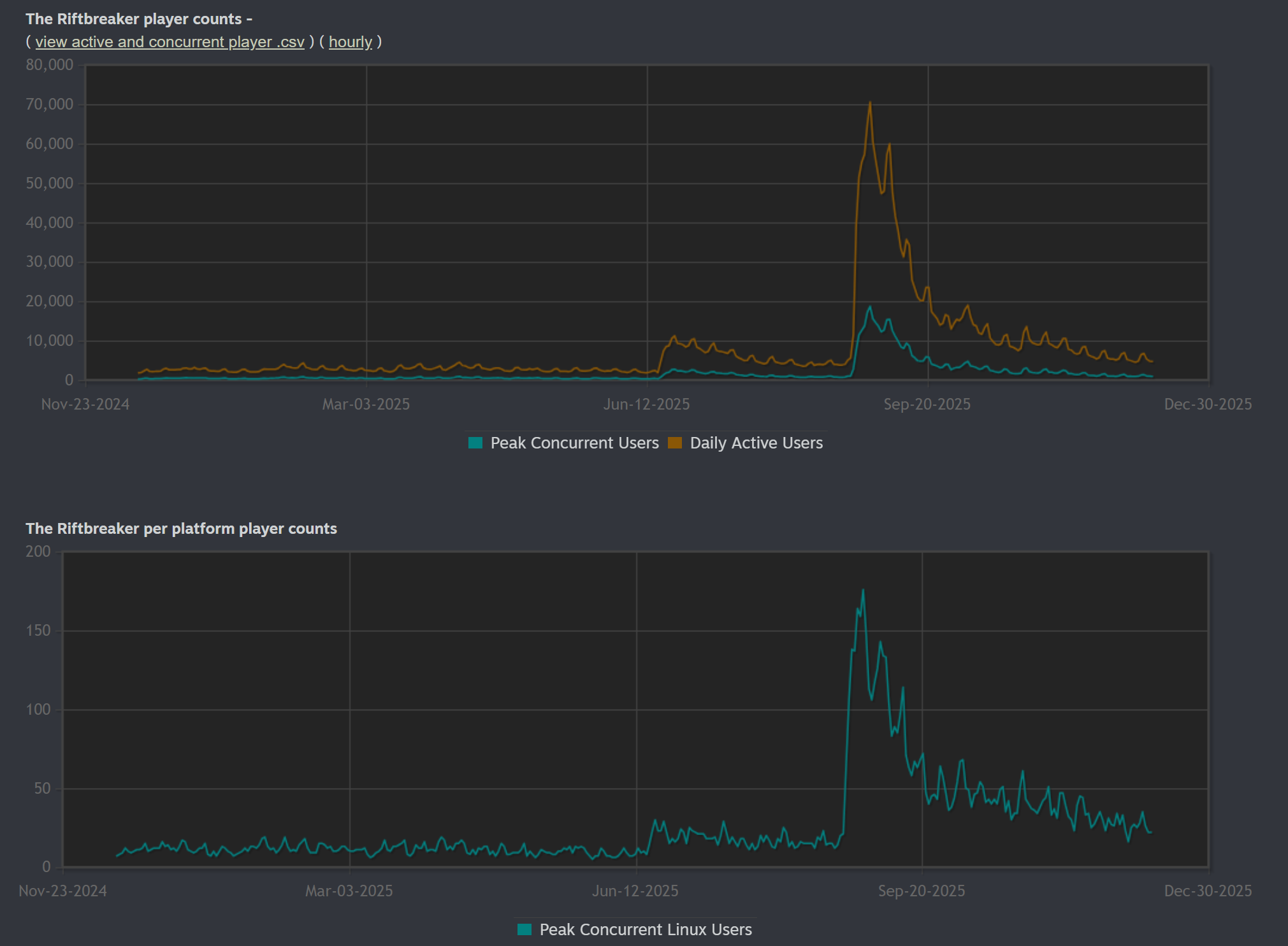
We know that there are quite a few people playing The Riftbreaker on Linux, even though we don’t have “official” support for the platform.
MAKE SURE TO MAKE A BACKUP COPY OF YOUR SAVE FILES! Make a copy of 'The Riftbreaker' folder from your documents and keep it safe.
With all these warnings out of the way, here’s how to access the experimental branch:
- create a backup copy of your save folder (Documents/The Riftbreaker)
- disable Steam Cloud save backup for The Riftbreaker
- go to your Steam Library
- right-click on The Riftbreaker
- select 'Properties,’ then 'Betas,’ and use the following password: IknowWhatImDoing
After that, you will be able to choose 'experimental' from the drop-down menu. Download the update, play the game, and let us know if you encounter any issues. We also have a channel on our Discord: #rb-experimental-feedback - we highly encourage you to join in and share your feedback.
The Riftbreaker Experimental Update - Dedicated Server Beta - December 11th, 2025. Data 792 Exe 1149 Changelog:
- Added stand-alone The Riftbreaker Dedicated Server application. It is entirely independent of the main game build and doesn't require a Steam account to run.
- Removed Dedicated Server option from the main game application.
- The Save/Load Game option is now hidden from non-server owners - only the server can save the game
- PauseMenuScreen: clients can use `Resume Game` when the server doesn't have a connected owner (Dedicated Server mode only)
- Dedicated Server - added Remote Console Password support
- Added separate support for the Dedicated Server precache system
- Multiplayer Lobby: Campaign name change will now trigger a lobby refresh
- Loading into a map will now trigger an autosave in multiplayer
- Trigger server vote when the client requests server pause/resume, and there is no server owner connected
- Gamepad: the user interface remembers the last pause menu screen and displays it when the Start button is pressed
- Build menu: gamepad build menu shortcuts only work when the build menu is open
- Added a tooltip for the warning icon that appears for potentially incompatible save files ( e.g., the ones that were created with outdated mods )
- Updated AMD FSR2 from 2.1.2 to 2.2.1
- Updated Intel XeSS from 1.1 to XeSS 2.0.2
- Optimized tornado and gravity hole destructible part limits for PS5/Xbox/Steam Deck - improved performance and a crash bug fix for extreme circumstances ( we couldn't believe what people could do with these skills ).
- Sandbox Control Panel: fixed tab headers' hitboxes
- Research screen: Improved filter behavior
- Skills and items that spawned drones will now spawn them at the appropriate skill level
- VegetationLifeCycleSystem: disable visibility check for re-growth mode
- BurningComponent: added support for `damage_type.`
- FireUniformAffectorSystem: use black burning color when custom damage type is used
- Improved teleport marker effect on consoles
- Rebalanced the Shotgun and High Caliber Rifle on higher levels (increased firepower)
- Gui: Fixed tooltip displaying regardless of whether PointerEventBlocker covers the source element
- Fixed rare occurrences of a duplicated player spawn bug
- Fixed player losing weapons on death in rare circumstances
- Fixed trap activation number recalculation after repair
- Fixed Megastructure MinimapItemDesc
- Fixed X-Morph tower idle position to animation glitch
- Fixed multiplied Mech emote problems
- Fixed mech teleport icons on the big map screen
- Fixed repellent drone (Heart of the Swamp) flight paths
- Fixed ear position calculation for specific multiplayer scenarios
- Fixed virtual cursor position on the equipment screen when attaching and detaching different types of controllers ( keyboard to gamepad )
- Fixed mission time format on the Load Game screen (h:mm)
- Fixed GlobalAwardUnlocks in multiplayer, e.g, finishing a Survival Mode Jungle biome run will unlock the next biome for all of the involved players in single player mode
- Fixed liquid pools not appearing on the minimap on the PlayStation 5
- Fixed icon name in teleport skill
- Fixed missing effects in the teleport skill
- Fixed Power Jump movement skill infinite loop
- Fixed minor trophy system calculation problems on the PS5
- Fixed multiple rare rendering-related crashes
- Fixed a rare crash in the TurretSystem that was caused by invalid bone data
- Fixed multiple rare gameplay data-related crashes
- Fixed a rare build menu-related crash when selecting a building with invalid data
- Fixed a rare crash that occurred when a player selected a mod with invalid data
- Fixed a game crash in the equipment screen if the game received invalid/missing item blueprint data
EXOR Studios