Status
SteamPeaks
ChartsSalesUpcomingPatchesEventsCalculator
New on SteamEvery app, DLC and depot the minute Steam creates itAppsEvery app on Steam, newest change firstPackagesSubs and bundles, and what each containsDepotsDepots, manifests and install sizesTagsSteam's user tags and the games under themDevelopers & publishersCompanies and their cataloguesTechnologiesEngines, SDKs and anti-cheat found in the filesChange historyEvery PICS changelist as it lands
SignalsNineteen readings of the whole catalogueCompareAny games side by sideRecordsAll-time peaks and the days they were setReportsWeekly and monthly write-upsAlerts & newsroomWatch a game, get told when it movesSteam statusIs Steam up, right nowWeb API explorerTry the endpoints in the browser
EventsSteam's own events and the sales calendarCalculatorWhat a Steam account is worth, and its pile of shame
/
Sign in
/
SteamPeaks
The ultimate resource for Steam data.
ExploreChartsSalesSales and festsUpcomingPatchesEventsRecordsTrendingSignals
DatabaseAppsPackagesDepotsTagsDevelopersTechnologiesChange history
ToolsCalculatorCompareSearchAlertsSteam statusAPI
SiteMethodologyFAQDiscordSupportSign in via Steam
Not affiliated with Valve or Steam. Game names and artwork belong to their owners. All times UTC.
PrivacyCookiesFair useStatus
Crosshair X›Events›Profiles Update: Link Crosshairs and Keybinds to Games Easily!
Major update

Profiles Update: Link Crosshairs and Keybinds to Games Easily!

Crosshair X · published 15 months ago · build 18635385

All eventsPlayers around this dateRead on Steam

Hey everyone!

We’re back with a highly anticipated update that finally brings Profiles to Crosshair X.

📁 What is a Profile?


A Profile is a bundle of settings you save for a game or app. It includes:

  • Default crosshair (used when the profile loads)
  • Keybinds
  • Position and size settings

Important: To change your profile settings, just set it as active and make any changes within Crosshair X — they’ll be saved automatically!

✨ New Profiles Page


What's New:

  • Create new profiles for each game or app
  • Attach profiles to apps for automatic switching
  • Manage all your saved profiles in one place
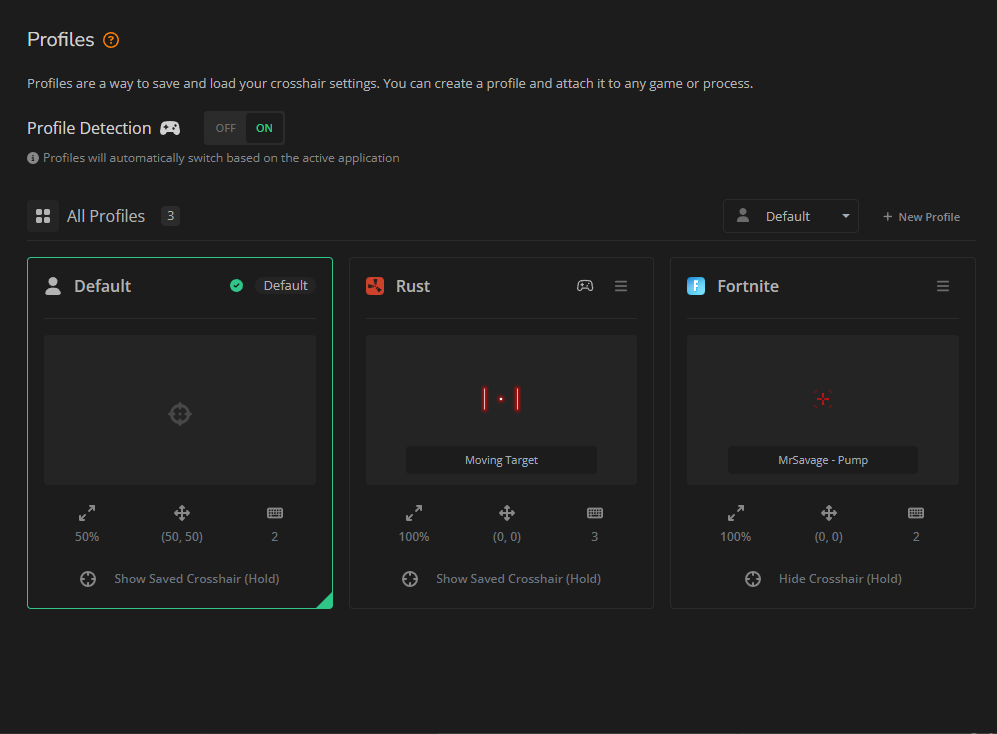
🎯 App-Specific Crosshairs


You can now set your crosshair to only appear in the app you choose! Attach a profile to an application, and Crosshair X will automatically show or hide the crosshair based on which app you’re using.
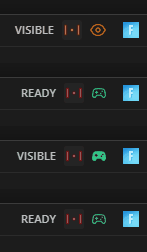

(Keep an eye out for the green controller indicator)

🔍 Profile Detection


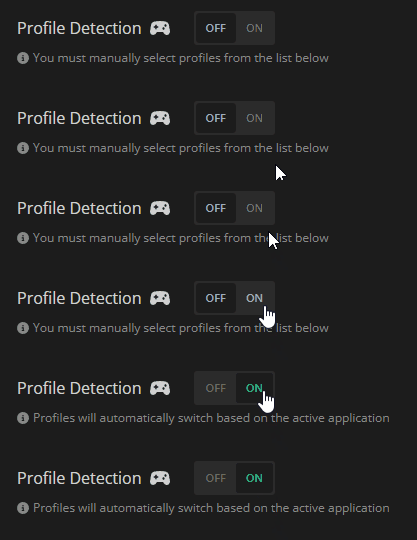
Profile Detection automatically switches to the right profile when you use a linked app. If you’ve set up a profile for that app, Crosshair X will load it automatically!
🛠️ Additional Changes


What's new:

  • Added an indicator for the current profile in the top bar.
  • Added Profile selector to the "Keybinds" page.
  • Added Profile selector to the "Positon & Size" page.
  • Added global setting for "Profile Detection".

👋 That's everything

Thanks for all your support — Hope you enjoy the new update and we’re excited to celebrate our 5-year anniversary with you in June!

— Crosshair X Team 🦆

More from Crosshair X

Other announcements

All events
In-game event9 Jul 2026Steam Achievements, Content Filters and More!Hey everyone, We have a brand new update rolling out for Crosshair X! This time around, we're shining the spotlight on Achievements, giving you more control over the Community feed, and delivering some essential stability fixes. 🏆 Steam Achievements! In case you missed it in our recent updates, Crosshair X now features Steam Achievements! Plus, following a direct request from the community, we…Game update18 Jun 2026Minor Update for 06/18/2026Hey everyone! We're rolling out a quick minor update today to squash a few pesky bugs and polish up your Crosshair X experience. A huge thank you to everyone in the community who helped report these—your feedback keeps us moving forward! Here is what’s fixed in today's patch: 🪴Patch Notes & Fixes: · Fixed an issue where the "Show only in-game" setting wasn't reliably detecting certain games. ·…In-game event12 Jun 2026Mouse X is OUT NOW! + QoL UpdateHey everyone! Today is a massive day for our community. We are incredibly excited to officially launch our brand new app, and we're also dropping some highly requested Quality of Life features for Crosshair X. Let's dive right in! We’re thrilled to introduce Mouse X , a brand new way to personalize your desktop! While Crosshair X remains your ultimate tool for in-game precision, Mouse X brings…