🛠 Fixes & Improvements
What's New:
- Fixed an issue where small crosshairs appeared blurry for some users when using Simple Overlay.
- Fixed animations not triggering when switching crosshairs via keybind while aim/fire was held.
- Fixed UI sync issues in the Game Bar Status.
- Layer highlighting is now off by default (toggle available in the Crosshair Preview panel).
- Clicking on the Streamer Server indicator now navigates you to the Streamer Server Settings
- Fixed CTRL/Shift in the Color Picker triggering layer multi-select.
- Fixed color autocomplete in the Color Picker input.
👀 Crosshair Visibility on Launch
What's New:
- Added a setting to control if the crosshair is visible when Crosshair X launches — a highly requested feature!

🎮 New Animation Controls
What's New:
- Added Autoplay trigger — animations will now play automatically when the crosshair loads.
- Added Press and Hold trigger press types for more flexible animation control.
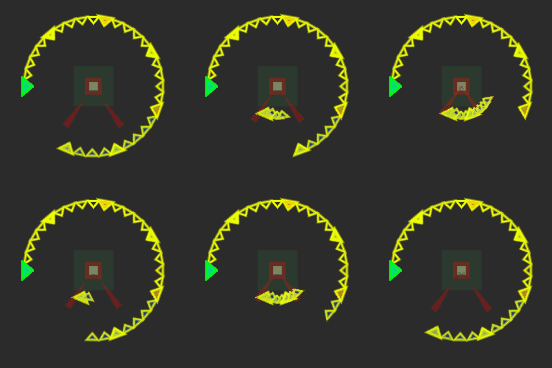
- Added Normal and Alternate animation timing directions.
- Added Trigger Release behavior — control what happens when the animation key is released.
- Added a Reload Keybind to reset paused animations.
Trigger Release
Reset
Pause
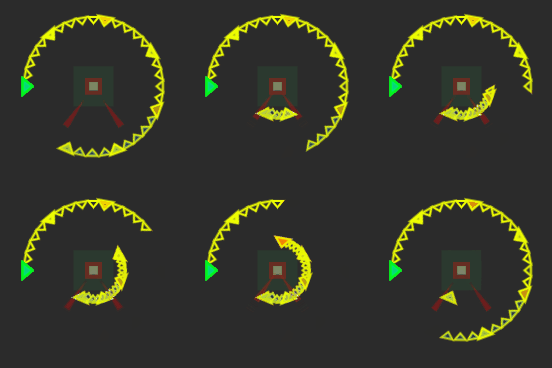
Animation Direction
Normal
Alternate


More Creations
RGB Crosshair
Single Press Recoil
Reverse on Release



Try it out! (k32emaeovy)
Try it out! (u6wy7cq0j0)
Try it out! (89wk73w5m3)
👋 That's everything
Thanks for checking out the latest update — we’re excited to see what you create with the new tools.
More improvements are on the way, so stay tuned!
— Crosshair X Team 🦆
More from Crosshair X
Other announcements
Steam Achievements, Content Filters and More!Hey everyone, We have a brand new update rolling out for Crosshair X! This time around, we're shining the spotlight on Achievements, giving you more control over the Community feed, and delivering some essential stability fixes. 🏆 Steam Achievements! In case you missed it in our recent updates, Crosshair X now features Steam Achievements! Plus, following a direct request from the community, we…Minor Update for 06/18/2026Hey everyone! We're rolling out a quick minor update today to squash a few pesky bugs and polish up your Crosshair X experience. A huge thank you to everyone in the community who helped report these—your feedback keeps us moving forward! Here is what’s fixed in today's patch: 🪴Patch Notes & Fixes: · Fixed an issue where the "Show only in-game" setting wasn't reliably detecting certain games. ·…Mouse X is OUT NOW! + QoL UpdateHey everyone! Today is a massive day for our community. We are incredibly excited to officially launch our brand new app, and we're also dropping some highly requested Quality of Life features for Crosshair X. Let's dive right in! We’re thrilled to introduce Mouse X , a brand new way to personalize your desktop! While Crosshair X remains your ultimate tool for in-game precision, Mouse X brings…