A number of improvements are now live with the latest Aimlabs patch!
- 🕹️REVAMPED HUD – You can now move, resize, or hide your HUD elements!
- 🎯 GOAL BAR – Track your score in real time!
- ⚡ PERFORMANCE IMPROVEMENTS
- 🚀 Aimlabs now boots up faster than ever!
- 🦋 BUG FIXES: Bots now behave properly after fast restarts & No more lag when signing in/out
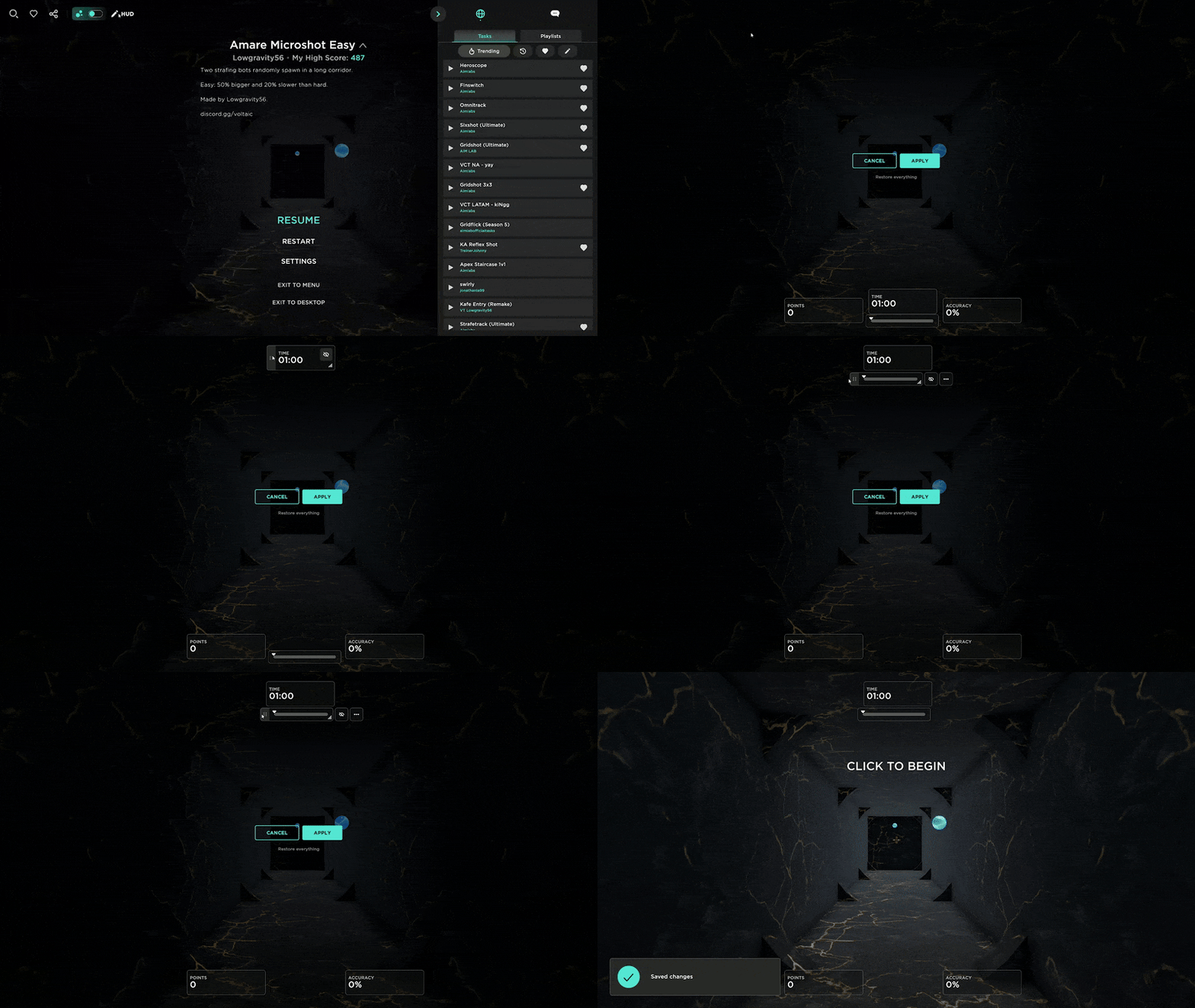
🔹Customize Your HUD
To customize your HUD, fire up a task, hit escape to pause, click on HUD in the top left, and click and drag, resize, or hide each of the elements on the screen before clicking save to lock the changes in!
🔹The All New Goal Bar
With the Goal Bar, you can see how you're doing vs. your personal best or set a custom goal, and know when you're about to push a new high score!
Let us know what you think below and keep the feedback coming! 💙
More from Aimlabs
Other announcements
Aimlabs 2.0 is live!Nine years and 50 million players later, we deliver our biggest update ever, entirely built around your feedback. WHAT'S CHANGED · All-new UI : cleaner, streamlined, and packed with more training content. · Comprehensive results : track your progress and your next fix instantly. · Optimized performance : faster and smoother, every session. · Themes and personalization : make it yours, share it…No more making accounts to aim train. Steam login is here.No more making accounts. No more remembering e-mails or passwords. Aimlabs now supports Steam login. New to Aimlabs? Just launch Aimlabs, press the Steam icon, and start training immediately. Already have an Aimlabs account? Link it to your Steam and enjoy instant, one-click logins. To link an existing Aimlabs account to Steam: log out, click Steam, then click the option to link your account to…Logitech G PLAYDAYS x Aimlabs - Summer '26🔹 Summer '26 Logitech G PLAYDAYS x Aimlabs are back with Summer '26 - our latest aim training competition , with over $15K in prizes! Summer '26 is all about raw aim. This season introduces 3 brand new challenges - with aim intensive gameplay that will push your flicking, tracking, and switching skills to their limits! Master all 3 challenges to claim your spot on the new leaderboards: 🔹Place…