Dev Diary #6 - The station in Low Earth Orbit (LEO) - Part IV
Space Station Designer · published
Welcome to the sixth Dev Diary entry of 'Space Station Designer'. In the previous entry, we went deep into the various mechanics available for hiring and managing astronauts. In this post, we'll cover the mechanisms for requesting and dispatching resupply spacecraft.
Requesting Resupply Spacecraft
In order to keep our stations functional, we need to ensure that (1) there's a permanent presence of astronauts, (2) that these astronauts have enough supplies units available to perform their tasks, and (3) that there are enough raw materials available to keep a steady output of manufactured goods. To achieve this, there's a wide range of resupply spacecraft available, including options that can carry both cargo and crew, and cargo only.
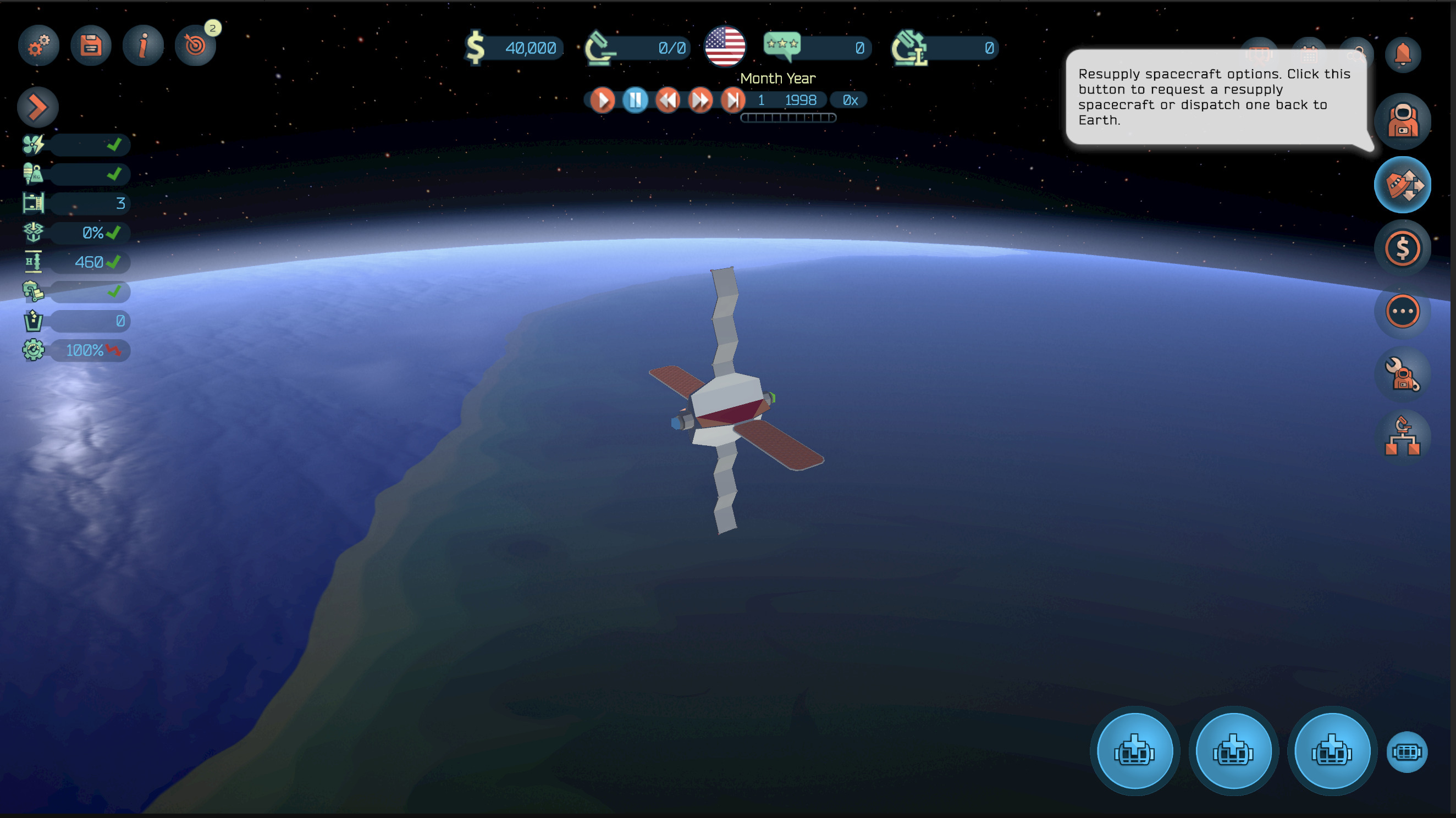
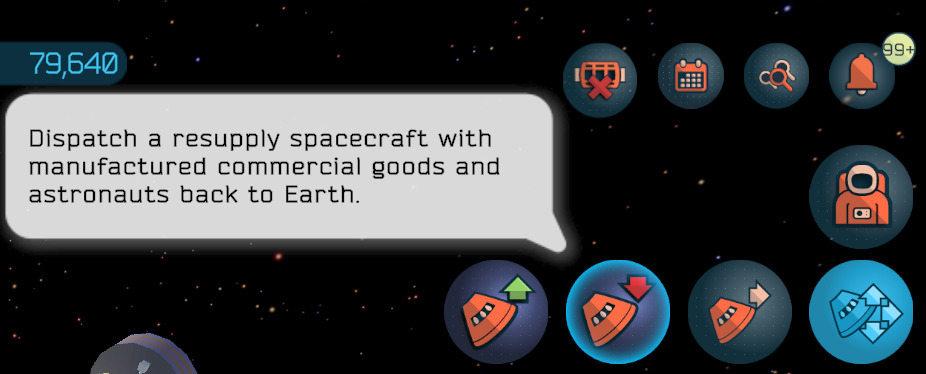
The toggle button to expand the 'Resupply Spacecraft' options can be found on the right-hand side area of the screen.
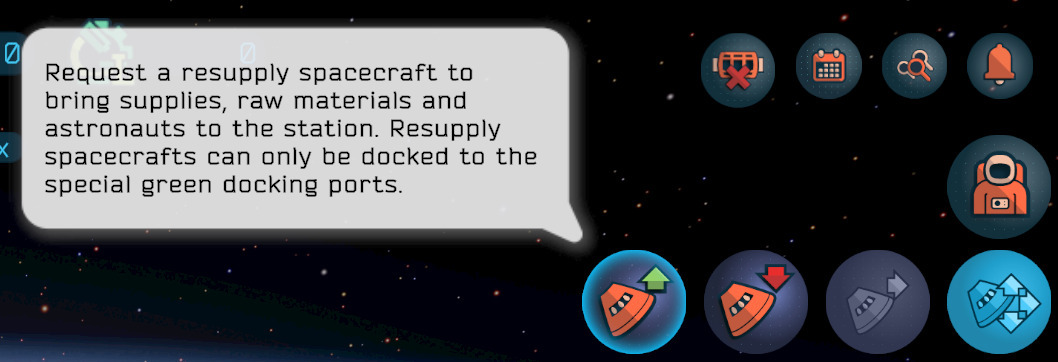
This reveals three buttons. From left to right, these are: 'Request Resupply Spacecraft', 'Dispatch Resupply Spacecraft', and 'Transfer Resupply Spacecraft'. The third option is only applicable to multi-stations setups, and will be covered in a future entry.
After selecting the 'Request Resupply Spacecraft' button, the game will display a list of options, which are inspired by both real-life and hypothetical spacecraft. Further types of resupply spacecraft become available after unlocking more advanced technologies from the tech tree.
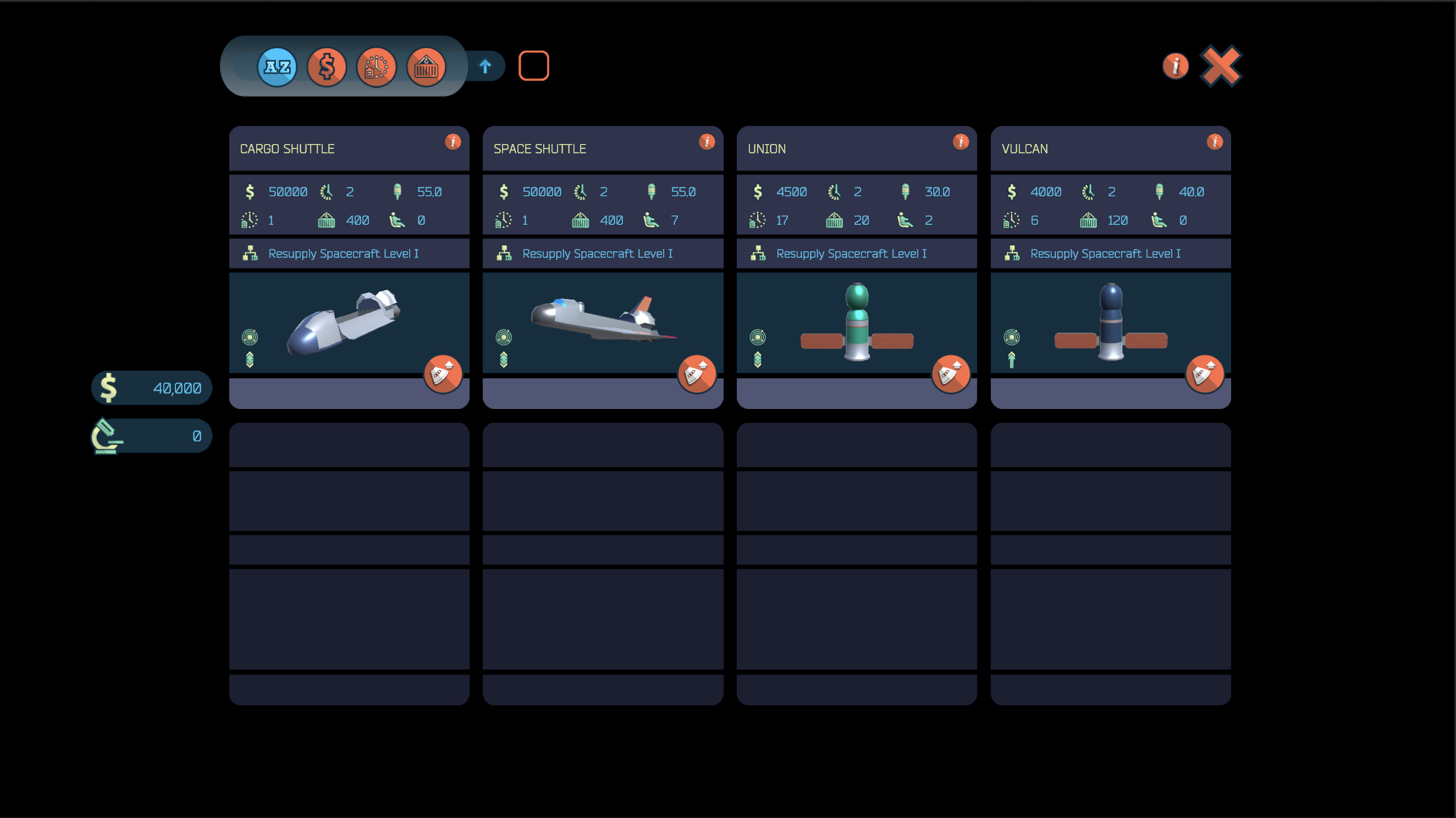
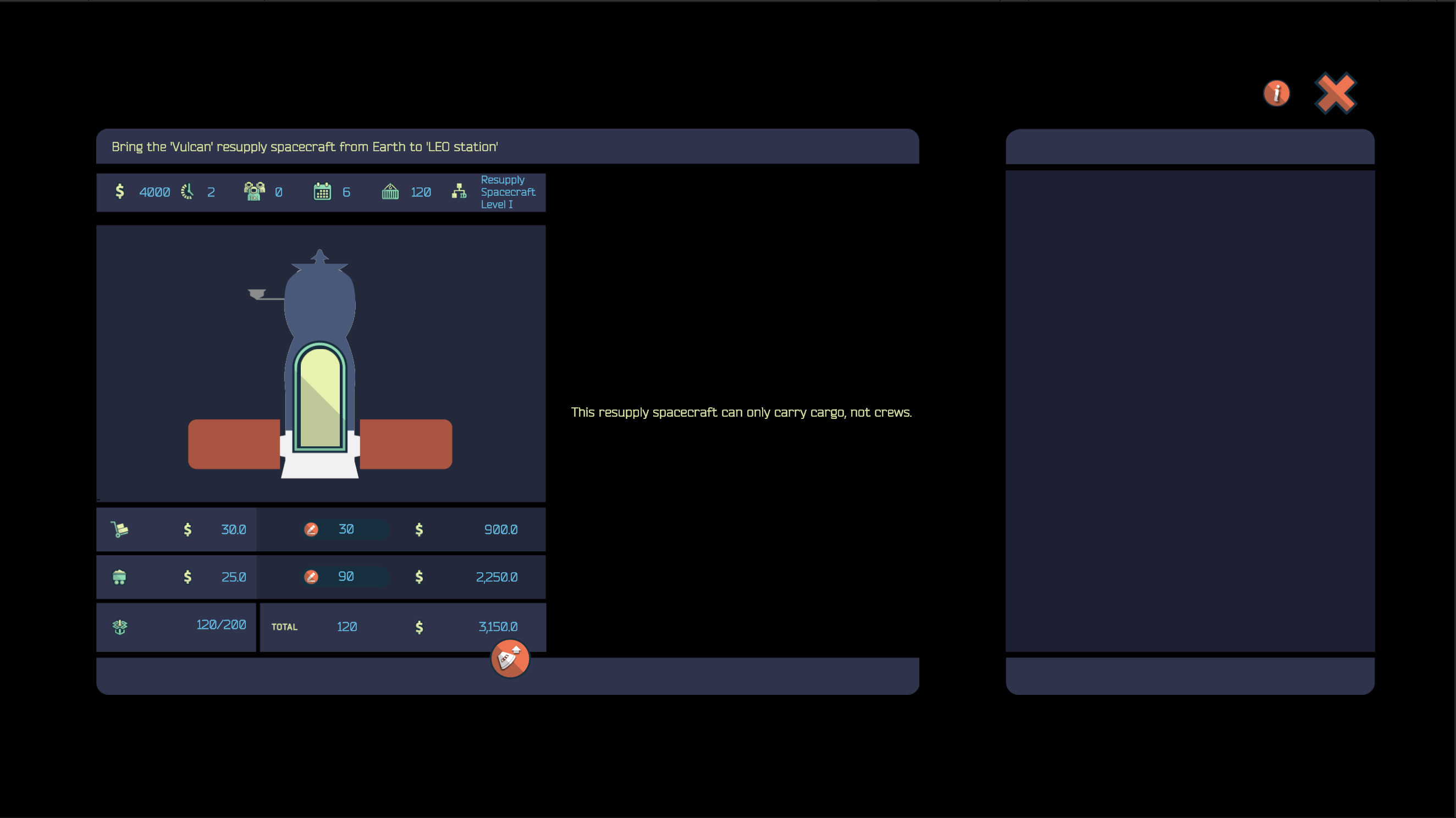
In this example, we select the Vulcan spacecraft, which is the in-game equivalent of the 'Progress' series of spacecraft. It's a cargo (i.e., uncrewed) ship with the following attributes:
- A cost of $4,000.
- A build time of 2 months.
- An extra propulsion of 40 units.
- An autonomy of 6 months, which is the amount of time it can stay docked to the station.
- A cargo capacity of 120 units.
- Zero crew seats.
In addition to this, the Vulcan spacecraft can only reach the LEO station. This means that it is not suitable for servicing stations in higher orbits (e.g., GSO, L2, etc), which are available in later stages of the game. Lastly, the spacecraft is 'unidirectional', which means it can reach the station and bring goods, but it will burn on re-entry.
The process for selecting the 'target' docking port is the same as the one used when installing regular modules. Note that resupply spacecraft can only be attached to 'universal' docking ports, which are identified by using green squares.
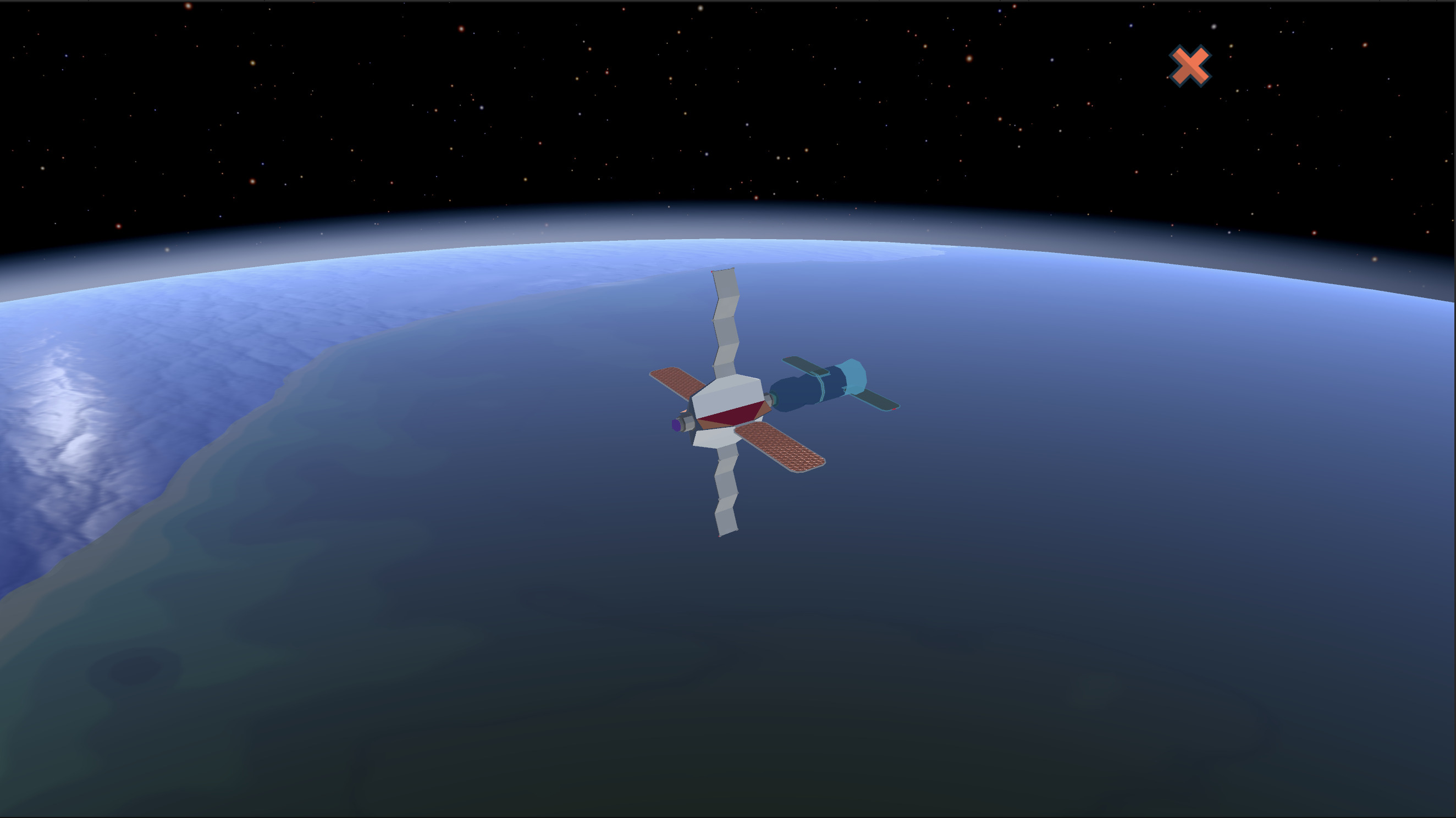
Before launching the spacecraft, we'll be able to determine the load in its cargo bay and, if applicable, the crew. In this particular example, we select 30 units of supplies and 90 units of raw materials. These elements are used to keep the astronauts crews active, and as the basic ingredient for manufacturing commercial goods in orbit, respectively.
Once the spacecraft integration process ends after 2 months, we'll be taken to the launch screen, where we can supervise the launch.
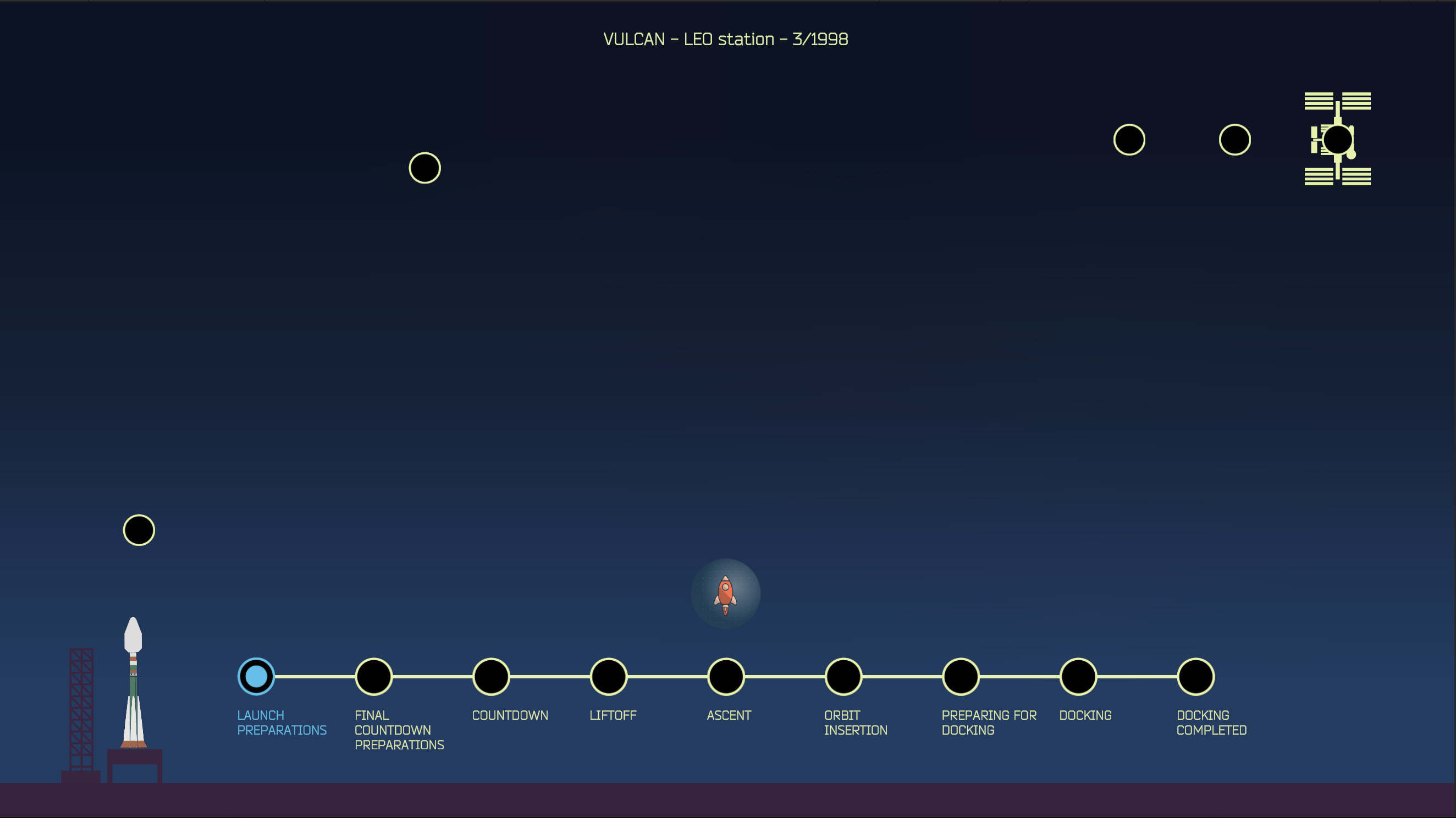
The launch process of a resupply spacecraft is composed of a series of steps. Most of them will go smoothly but, from time to time, there will be setbacks, and we'll be presented with a series of options and interesting decisions to make involving fees, loss of reputation points, or reduced chances of success.
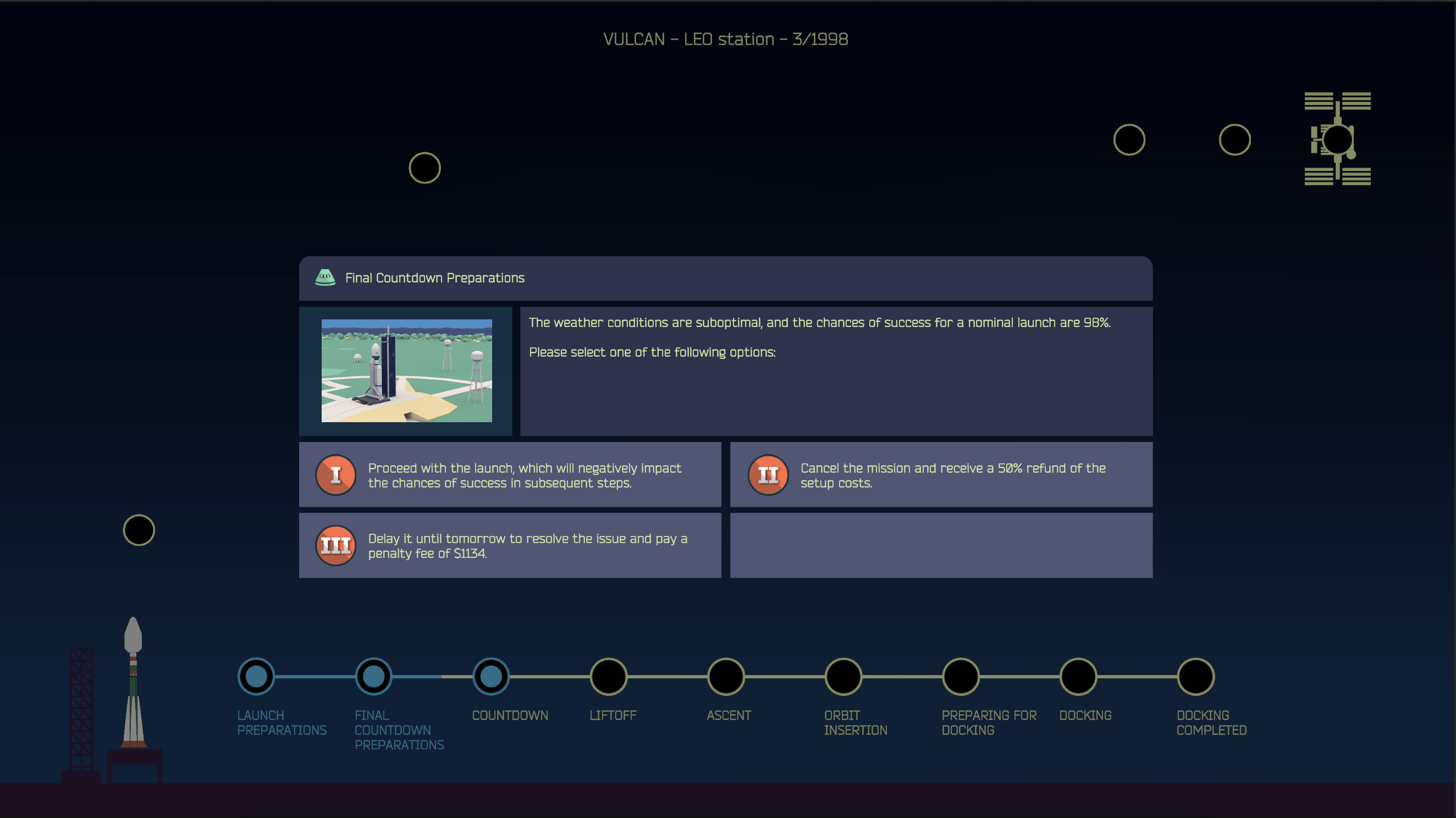
Note that after the first successful launch, the game will give us the option to automate the process and skip directly to its outcome. And yes, launches unfortunately can fail, sometimes with catastrophic outcomes, so we need to be careful and don't push our luck too much.
Dispatching Resupply Spacecraft
Unfortunately, since our Vulcan spacecraft is unidirectional, it will burn on re-entry. For this example, we're going to use a 'Union M' resupply spacecraft attached to the GSO station, which is available in the later stages of the game (in this example, there are some of the modules required to build the 'Lunar Space Elevator', which will be covered in detail in a future entry).
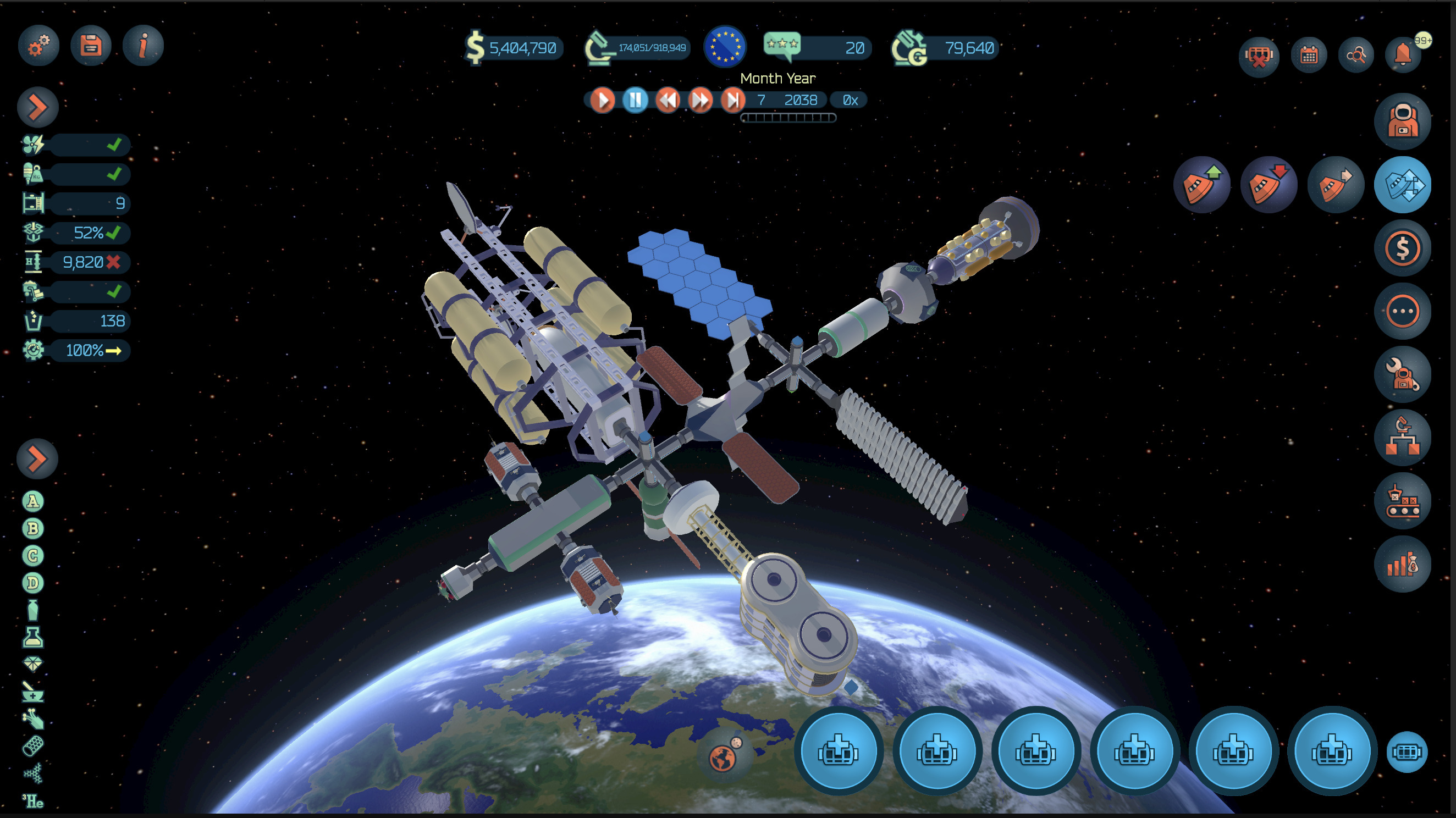
The 'Dispatch Resupply Spacecraft' is the second button, starting from the left.
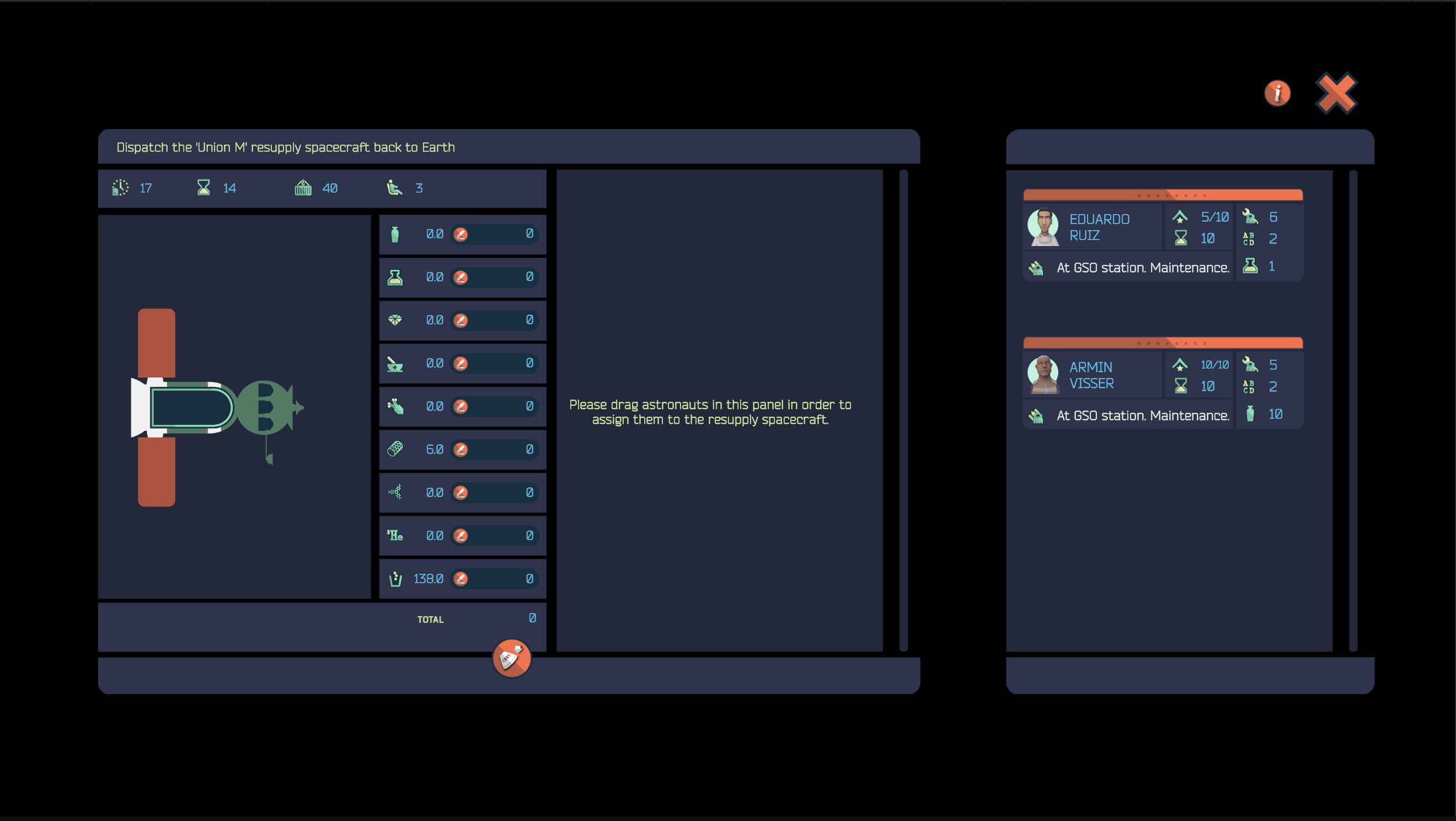
After selecting the resupply spacecraft we want to send back to Earth, the game presents a screen to specify the types of goods we want to send back to Earth, along with the crew. Note that, in addition to being able to include a large range of commercial goods, a resupply spacecraft can be used to discard 'Waste' units, which are generated by the astronauts on a monthly basis.
In real life, it is a common practice to load the Progress freighters reaching end-of-life with trash, and have the whole resupply spacecraft incinerated during re-entry. In 'Space Station Designer' both options are available, though it's preferable to use bidirectional spacecraft to carry valuable goods and leave the 'waste' for the unidirectional ones.
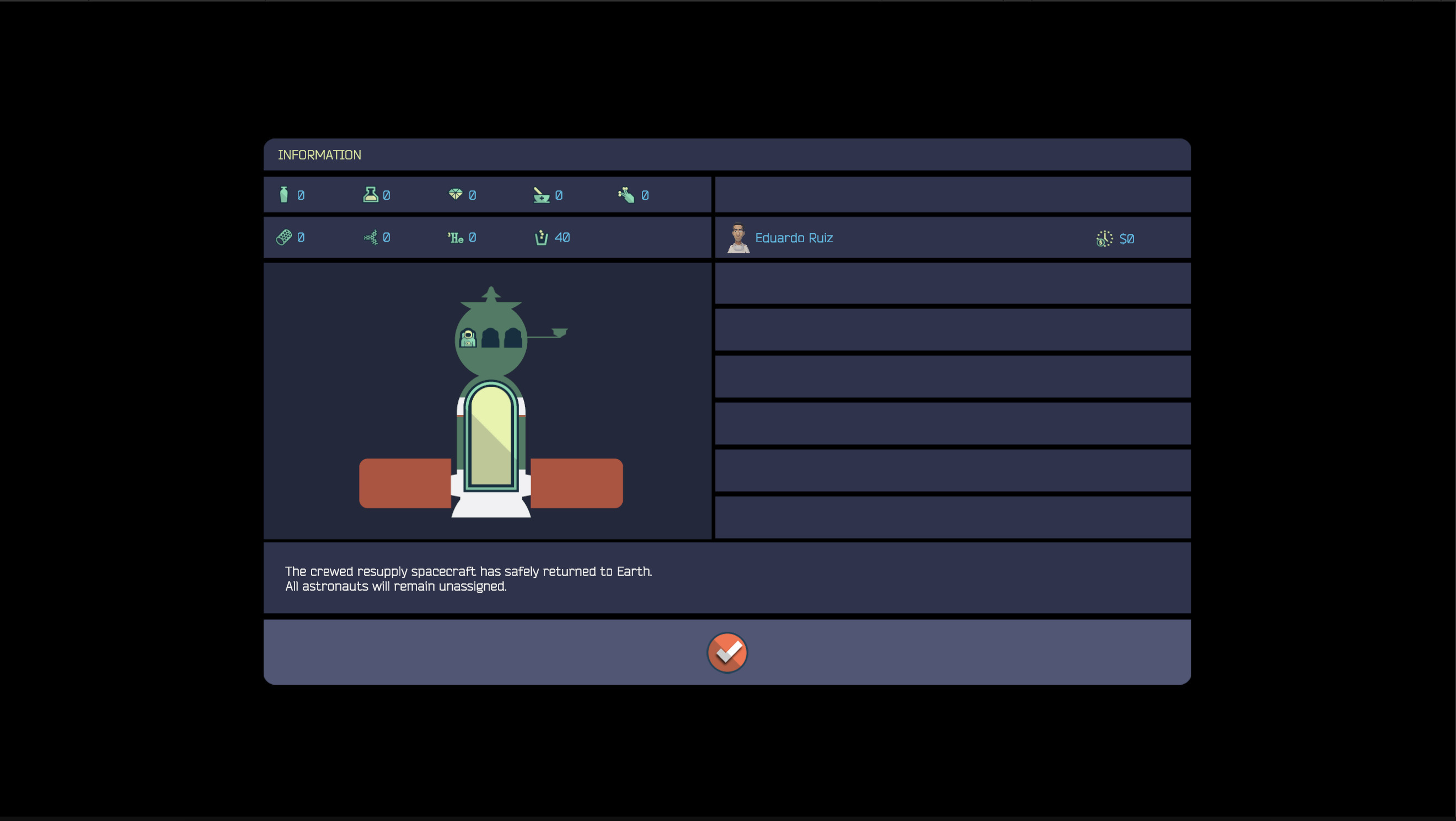
The process for dispatching a resupply spacecraft is very straightforward and, after clicking the 'Dispatch' button, the game will show a dialog summarizing the type and number of goods dispatched, and the astronauts that returned to Earth, along with any paid overtime fees (in this case, zero!)
Coming Up Next
This blog post covered the basics behind resupply spacecraft. Resupply spacecraft can also be transferred between stations, but we'll cover that in a future entry.
There's an ongoing closed beta for Space Station Designer (more information here). If you like the premise of the game, please consider applying and help us shape the future of the game.
--Ignacio, Mauricio, and Nicolas (Polar Motion)
Wishlist Space Station Designer
https://store.steampowered.com/app/1447650/Space_Station_Designer/