A new version of AudioTheory Piano Keys arrives today. Lots of things have changed behind the scenes and there's some new features too, let's take a look a what's new.
Additional Minor Scales
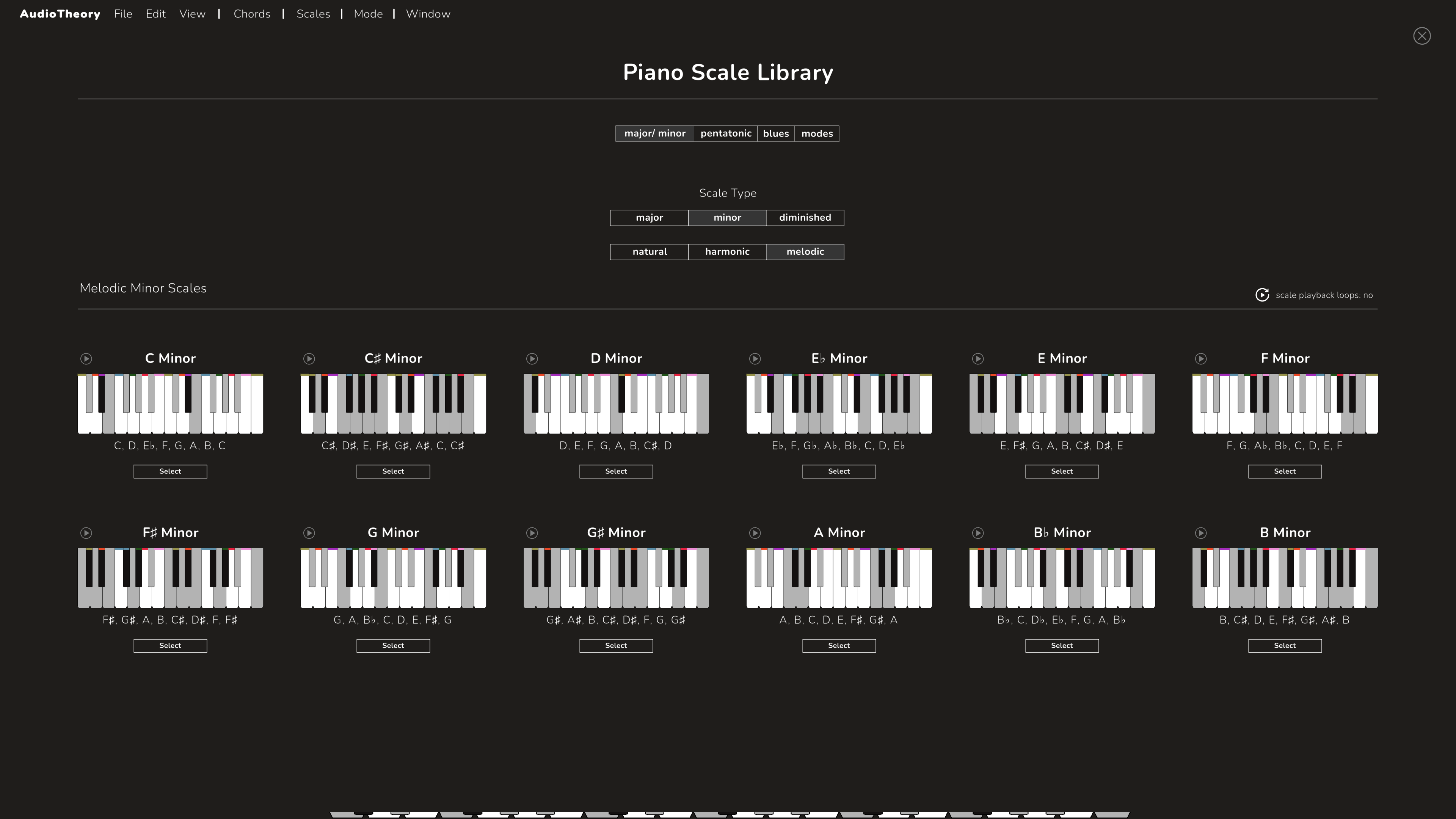
Full sets of harmonic and melodic minor scales have made their way to the scale library. To find these you should select the minor type first and then you'll see below the different subtypes – natural (the standard minor scales that were already available) as well as harmonic and melodic. I've also made some changes to the labels within the scale library, both to give clarity now that there's multiple minor scales to choose from, and also to better differentiate between the diminished scales that are also available.
The Chromatic Scale Wheel
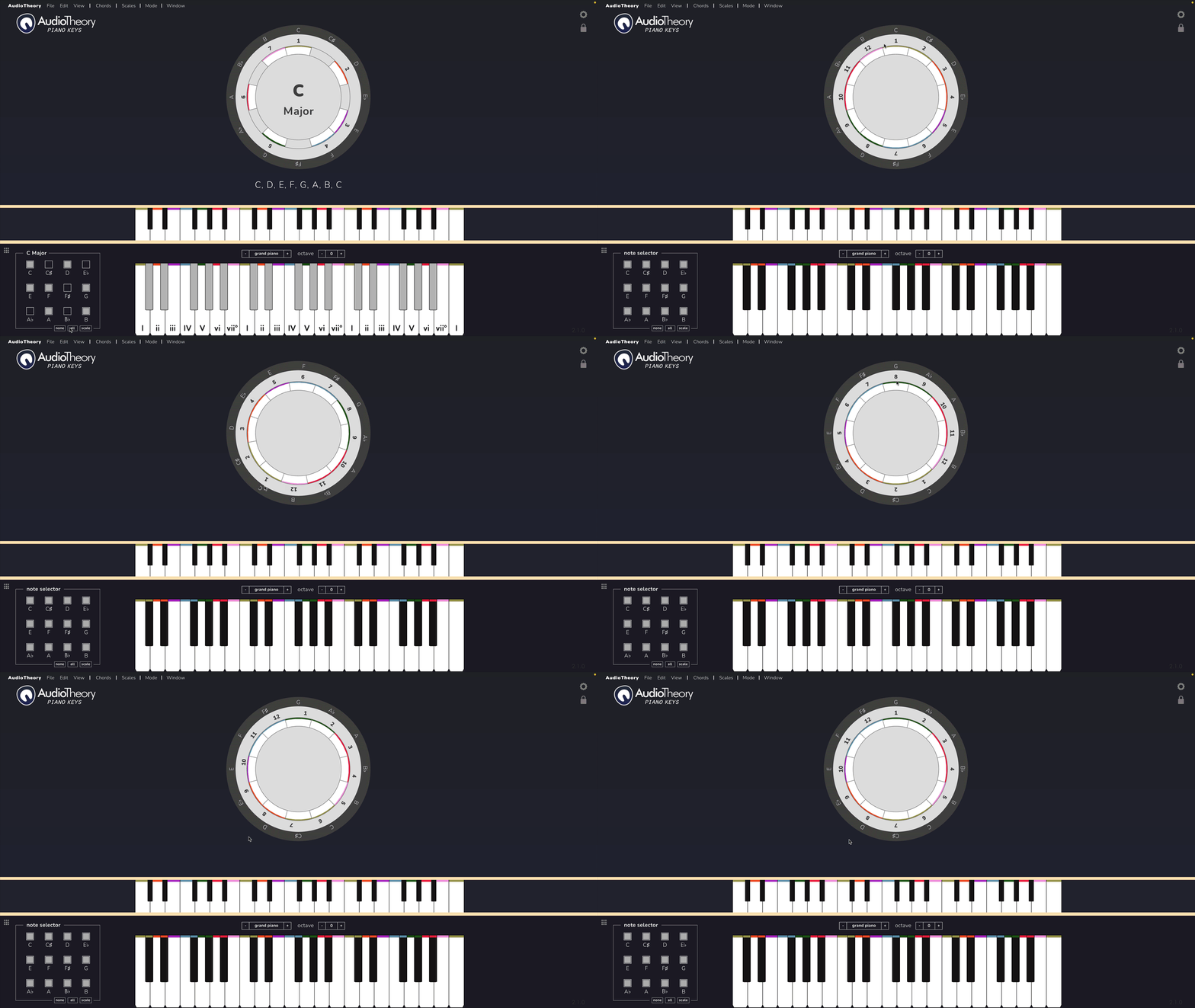
The scale wheel was initially designed specifically for scale presets, but this update adds in some extra features to make the wheel useful in chromatic mode too (when a scale preset is not loaded). The relative note labels (by default the Roman numerals) around the edge of the wheel now increment to match the available notes set in the selector (bottom left).
The inner wheel itself can now also be spun independently of the outer wheel. Whilst it's purposefully locked when a scale preset is loaded (ensuring that the correct scale degrees are presented, starting with position 1 for the root etc.), in chromatic mode you're free to rotate both the outer wheel (the chromatic notes; C, C# D etc.) and the inner wheel (the Roman numerals that correspond to them). This means that the wheel can be configured to show any custom progression starting at any point. All you need to do is select the notes to include and then drag the wheel around as needed.
New Relative labelling options
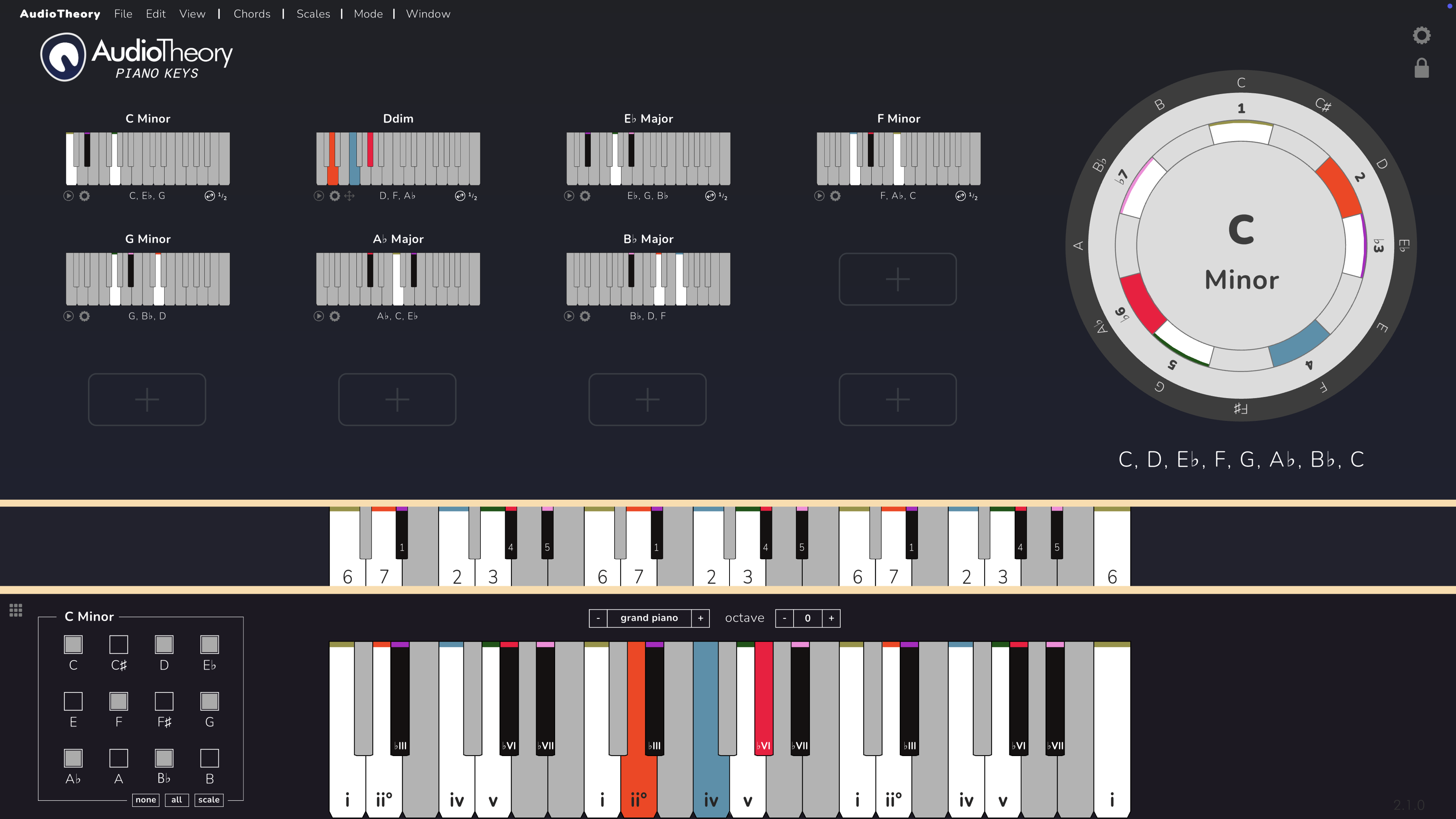
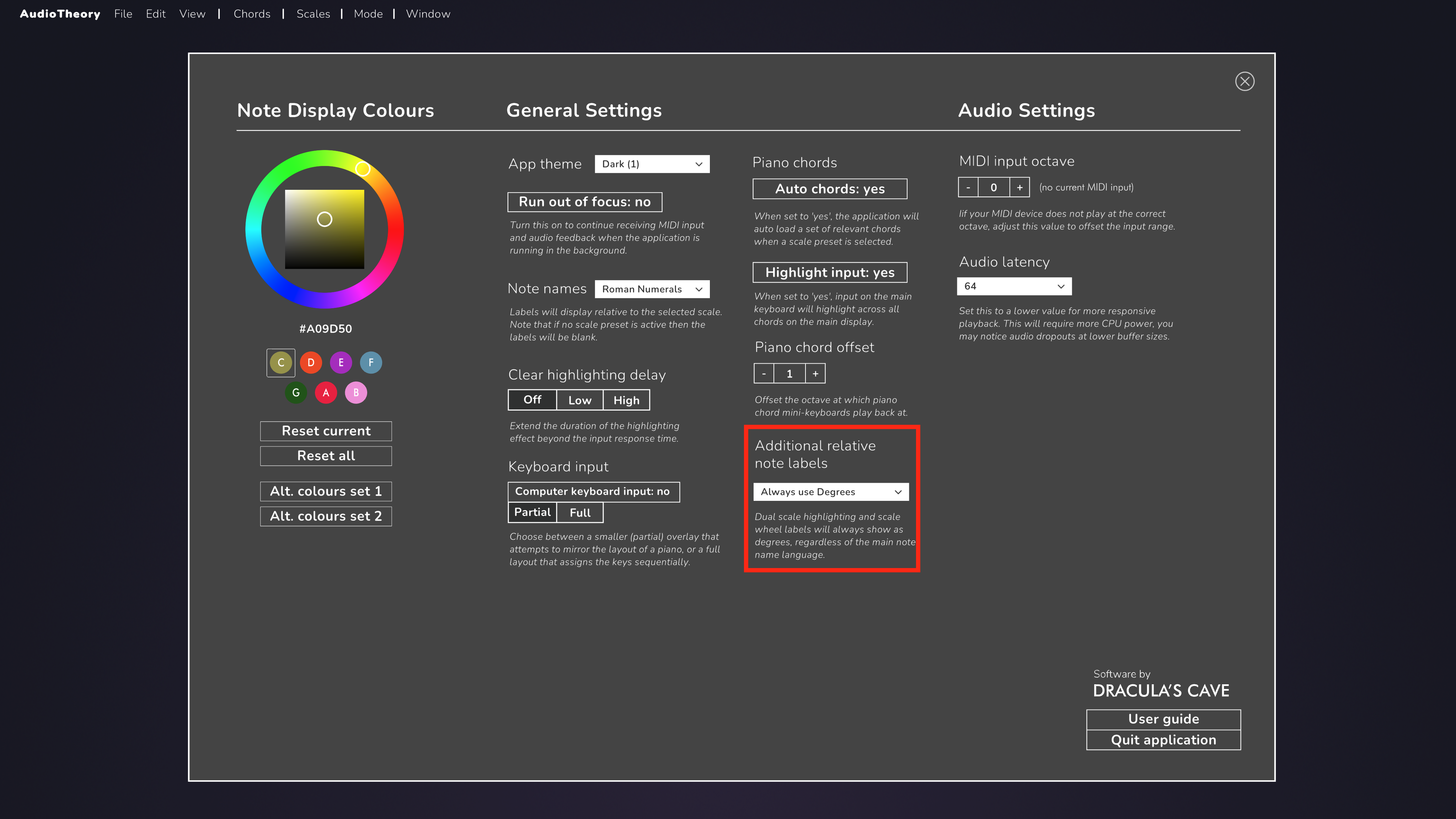
There's a new dropdown in the options to configure how relative labels display for dual scale highlighting and the scale wheel. Previously these would always show as Roman numerals, but now the default setting is to match the main note name language, meaning that if this is set to degrees then the labels here will show as degrees too. It's possible to change this behaviour and specify for the labels to always show as either degrees or Roman numerals (or even turn them off entirely if you'd like).
Bug fixes and more
Numerous systems within the app have been overhauled internally. The following bug fixes and improvements make their way into this update:
- Relative Roman numerals review to ensure consistent sharp/ flat information across all scales
- Solfege standardisation – all notes now use Do Re Mi for fixed do
- Standardisation of default sharp/ flat display across all scale types
- B now displays as C♭ when appropriate in scales (e.g. G♭ major)
- Hotkeys for swapping note language (buttons 1 – 4) now also work when viewing scale and chord sheets
- Chords are now added to the main view already in 'edit' mode
- Adjusted position of keyboard input overlay on black keys
- The top section of the app is now offset on 16:10 screens to better fit the screen space
- Slight offset for piano keys when they are viewed without the scale wheel so that they better fit the screen space
- User guide button now correctly links to the Piano Keys specific page
- Fixed an issue where the dropdowns under chords would not display if the scale is changed whilst the padlock is unlocked
- Fixed an issue where note labels would not display correctly in the chord-match ear training mode when using fixed do
- Fixed an issue where pentatonic and blues dual-scale name labels would display incorrectly
- Fixed an issue where the answer octave could display incorrectly in note match when multiple octaves where in use
- Fixed an issue where the relative notes on the scale wheel would not display correctly if removing a scale preset
- Fixed an issue where under some circumstances piano chords would not correctly save and load between sessions