Hi Everyone, yesterday (Dec 1st), we released an update for the 3D Realms Anthology which should fix the issue where players weren’t getting the soundtrack when they download the Anthology.
We are posting this here in the Alien Carnage section, because you receive the Anthology when you download Alien Carnage from the 3D Realms Anthology here on Steam.
GETTING THE UPDATE
- Fire up Steam
- If you had Alien Carnage installed already, check and see if there is an update for the game. If you see it downloading 820Mb, that is the download that has the soundtrack, in which case you're done.
- If you didn't have Alien Carnage installed before, download it now. If you get an 820Mb download, you're good to go.

FINDING THE SOUNDTRACK
Once the game is downloaded fully, you can find the soundtrack by looking in your music section in the Steam client.
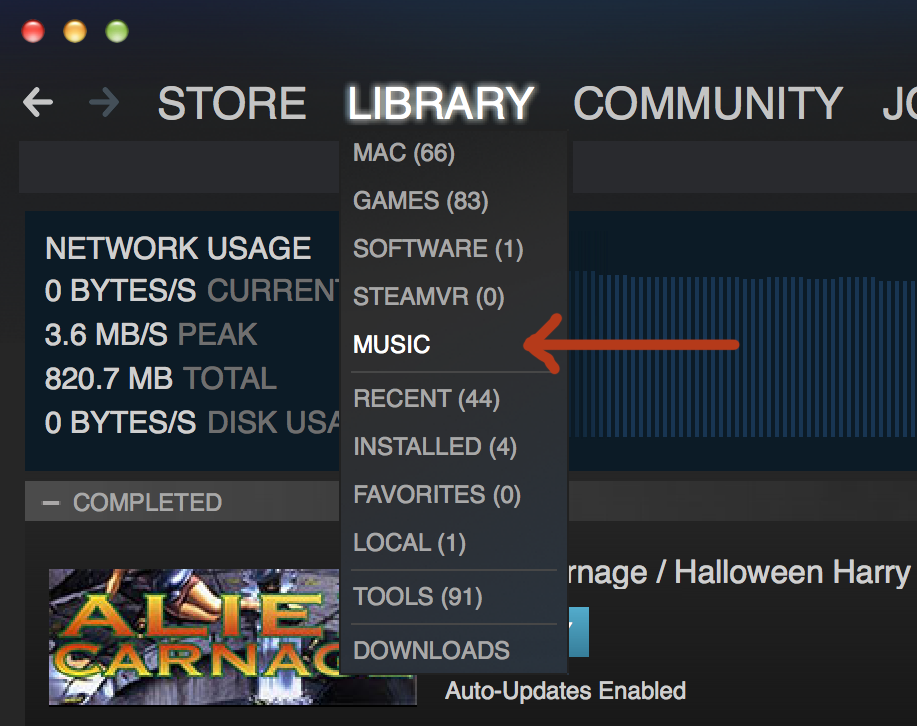
Under the “Library” section, pick the option that says “Music”, and you’ll see the soundtrack displayed there:
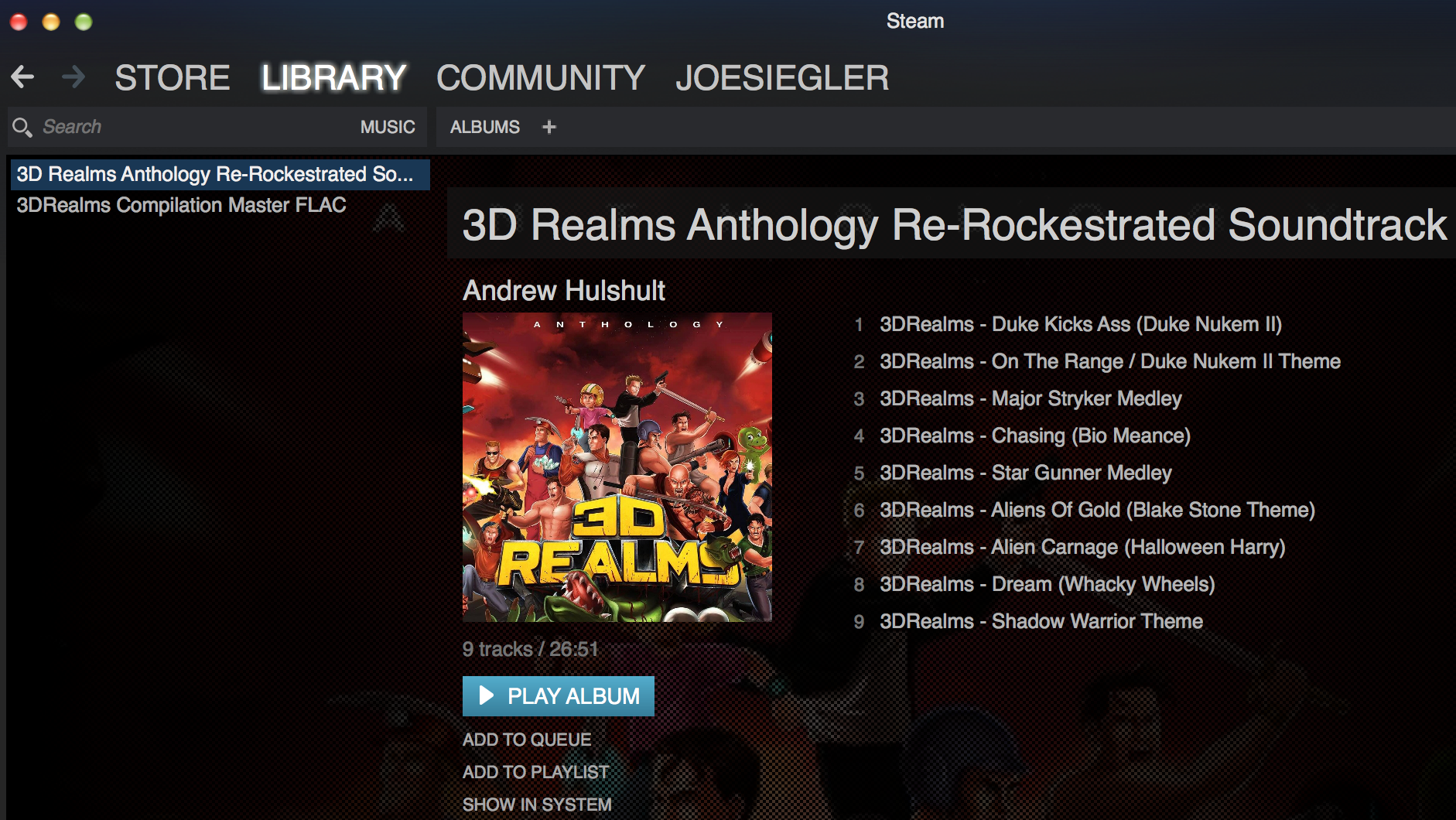
If you don't see the Anthology in the music section, you might need to look for it manually on your system. Here's the steps to find it:
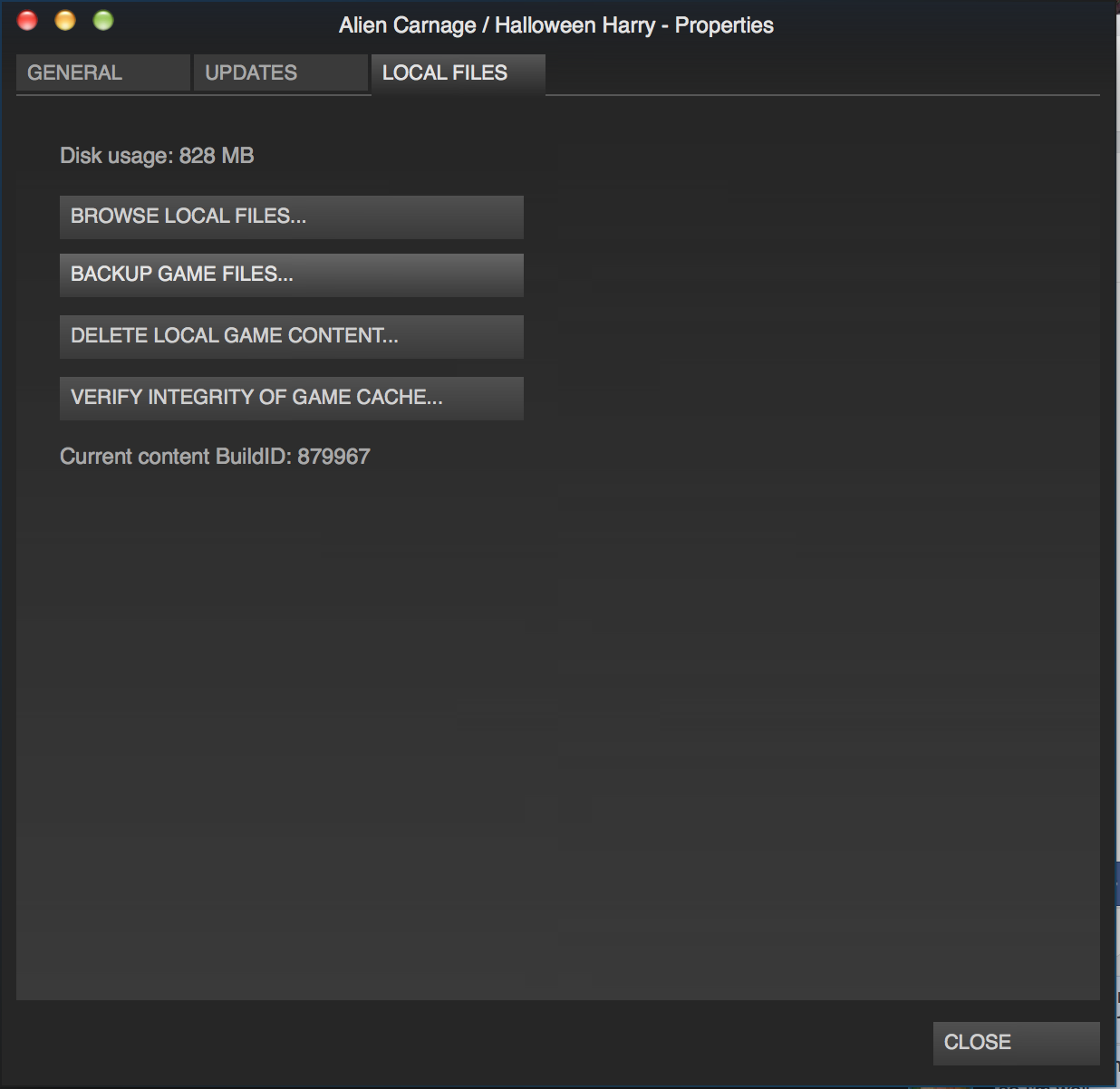
- From your Steam library, right click on "Alien Carnage / Halloween Harry", and select "Properties".
- On the resultant screen, select the third tab, titled "Local Files"
- On the Local Files screen, select the option that says "Browse Local Files"
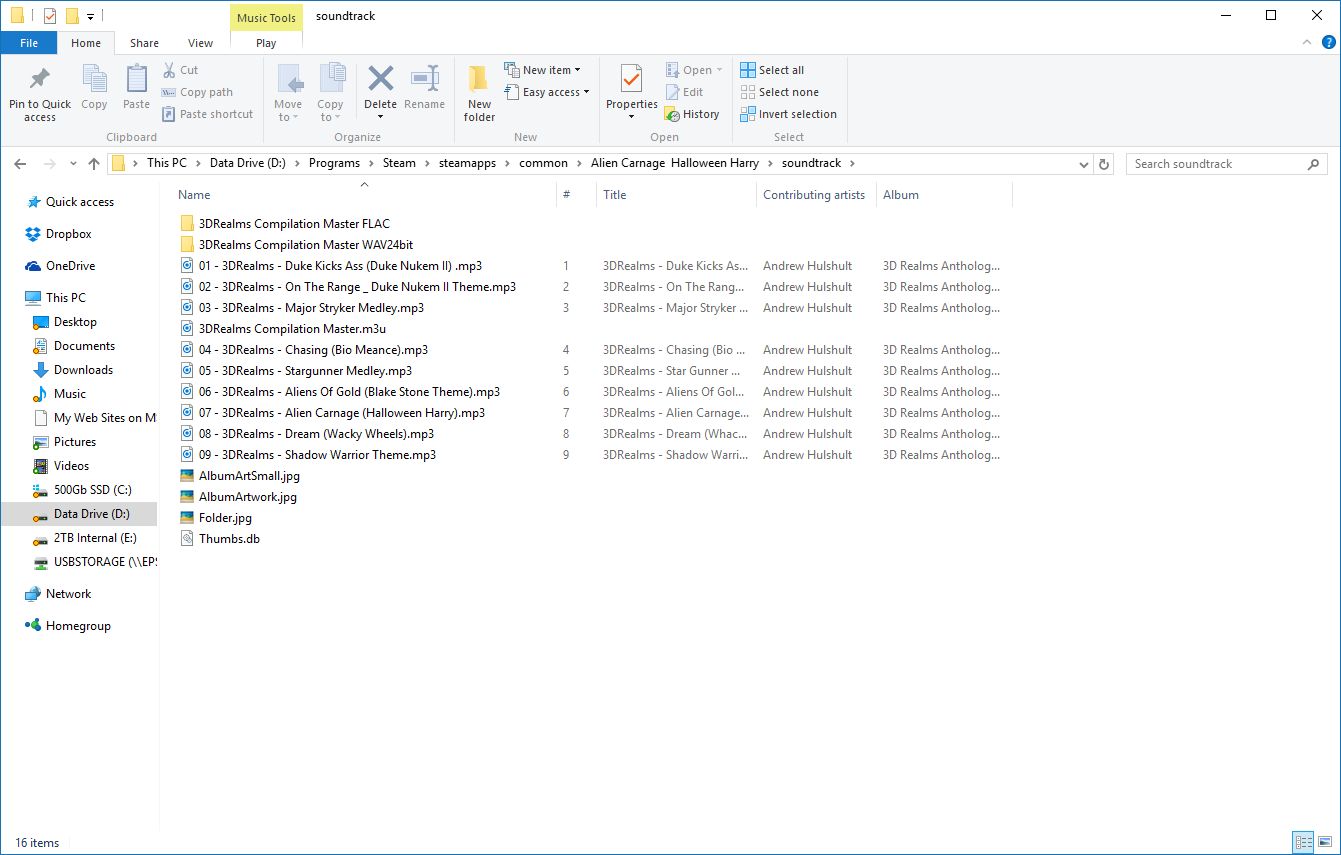
- That will show you where the Alien Carnage files are installed on your computer.
Under there is a directory called "Soundtrack". That is where the actual soundtrack files reside on your computer, and you can access them there if for some reason the steam client doesn't show them in the music section.