Status
SteamPeaks
ChartsSalesUpcomingPatchesEventsCalculator
New on SteamEvery app, DLC and depot the minute Steam creates itAppsEvery app on Steam, newest change firstPackagesSubs and bundles, and what each containsDepotsDepots, manifests and install sizesTagsSteam's user tags and the games under themDevelopers & publishersCompanies and their cataloguesTechnologiesEngines, SDKs and anti-cheat found in the filesChange historyEvery PICS changelist as it lands
SignalsNineteen readings of the whole catalogueCompareAny games side by sideRecordsAll-time peaks and the days they were setReportsWeekly and monthly write-upsAlerts & newsroomWatch a game, get told when it movesSteam statusIs Steam up, right nowWeb API explorerTry the endpoints in the browser
EventsSteam's own events and the sales calendarCalculatorWhat a Steam account is worth, and its pile of shame
/
Sign in
/
SteamPeaks
The ultimate resource for Steam data.
ExploreChartsSalesSales and festsUpcomingPatchesEventsRecordsTrendingSignals
DatabaseAppsPackagesDepotsTagsDevelopersTechnologiesChange history
ToolsCalculatorCompareSearchAlertsSteam statusAPI
SiteMethodologyFAQDiscordSupportSign in via Steam
Not affiliated with Valve or Steam. Game names and artwork belong to their owners. All times UTC.
PrivacyCookiesFair useStatus
SHAPE SHIFTER›Events›v1.1.0 - The Editor Update!
In-game event

v1.1.0 - The Editor Update!

SHAPE SHIFTER · published 4 months ago · build 22976291

All eventsPlayers around this dateRead on Steam

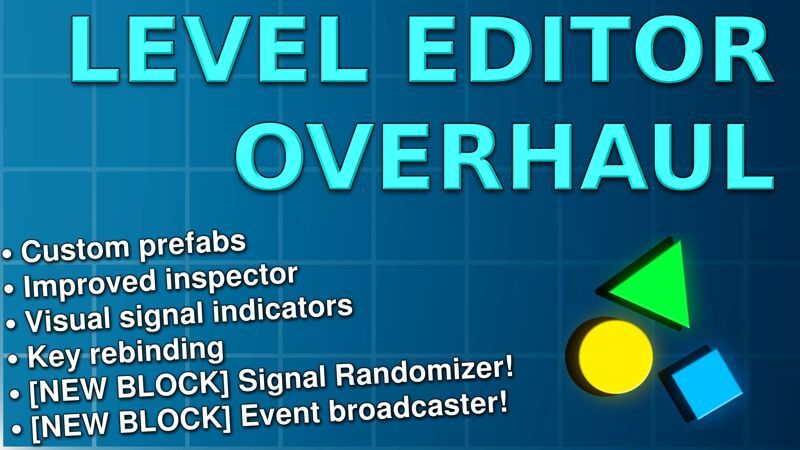
Let your imagination run wild! This update takes the level editor to next level by making it more intuitive for new players while giving even more power to experienced creators!

Full Changelog:

New Additions

  • Added saving Custom Prefabs! When you select anything in the editor, you can now save that selection to a custom prefab that will show up at the bottom of your item list

  • Added Signal Connection Indicators! You now have a visual overview of which blocks will receive and send signals so you don't have to open the inspector each time. This can also be disabled

  • Added Avatars to Leaderboard entries! From now on, any new speedrun times will also contain a small pictogram of your shape and cosmetics next to it

  • Added Random Signal Block! You can add or remove signals from the random list in the inspector

  • Added Events Broadcaster Block! For now it only supports checking the amount of collectible RAM Sticks you have and what shape you are

  • Added Key Rebinding! You can now change your keybinds in the settings menu

  • Added an In-Game Mod Manager! Now you don't need to go rummaging through your folders to enable or disable mods. It will also display info about the mod such as the author and description

Changes

  • Completely overhauled the Inspector! It should now be much more intuitive and easier to control. Activate it by clicking on any placed block in the editor

  • Linking blocks has been reworked to "Link Mode". This allows you to click-and-drag to add or remove links instead of having to go one-by-one. Enable it by opening the inspector for any block and pressing "Link Mode" at the top

  • The level editor now has music! You can change the volume in the game settings

  • The level editor now has a grid! This should help better estimate the distance between blocks.

  • The level editor now has a "game settings" button. So you don't have to go back to the main menu to change your settings

  • The Background Block will now disable collision for any linked blocks. Now you can make moving backgrounds without needing to worry about the player colliding with them

  • Added overlay background options to the Background Block

  • Added "Invisible" and "Toggle" parameters to the Button Block

  • Added much more control to the Camera Block! You can now set offset, limits, darkness, zoom speed and activate black bars

  • Renamed Automator to "Moving Block". To avoid confusion for new players

  • Removed the FPS indicator at the top-right of the screen. Steam already has a more customizable version built-in so this was redundant

  • Added a loading icon to the Leaderboard while loading entries

Bugfixes

  • Fixed multiple notifications overlapping each other. They should now stack vertically

  • Fixed a typo in the Editor UI. "Tutorials and Keybinds (Hover)"

More from SHAPE SHIFTER

Other announcements

All events
Game update29 Jul 2026v1.1.0 Hotfix 3New Additions · Added the option to add more pages to Text Area blocks so you can make a dialogue system or a book for example Changes · Added a "Typing Speed" parameter to the text area block for when typing animations are enabled · Added legends to the player parameter in Following and Tracking blocks so they're less vague · Added a "Starting Position" parameter to Following and Tracking bloc…Game update30 Apr 2026v1.1.0 Hotfix 2New Additions · Added invisible ghost blocks (slope, wall and ground) · Added No Shape Shift Area to accompany the "No Ability Area" · Added a popup when trying to download levels with duplicate names Changes · Reordered blocks in item list in editor to make more sense · It should now be impossible to save a prefab if it contains a Player Spawner (to avoid crashes) Bugfixes · Fixed a critical b…Game update30 Apr 2026v1.1.0 Hotfix 1New Additions · Added sway to NPC's if moved with a moving block Bugfixes · Fixed Moving Block "bounce_back" parameter not working · Removed non-working "Level Darkness" setting from level settings