Game version 1.14 is now in the beta branch! The sole focus of this version is a redesign of the train scheduling system, to make it more powerful and promote it as an standout feature.
A new design for train schedules
Schedules are a very unique feature of NIMBY Rails. A well designed schedule is also something to be proud of as a player, so they deserve a highlighted and central spot in the game design. In 1.13 train schedules were a detail of the configuration of a train, half hidden in a tab in the train editor. In 1.14 schedules have been promoted to a top level editor, and redesigned to be their own object, independent of both trains an lines. Trains do not "own" schedules anymore.

A 1.14 schedule is a container for two new kinds of objects:
- Order lists: this is just a list of orders over a 7 day week, identical to the 1.13 train order list. Order lists are edited like the 1.13 train order lists too. A schedule can contain one or more order lists. Order lists are independent of any train, and are also independent of each other. They do not need to share any lines or orders.
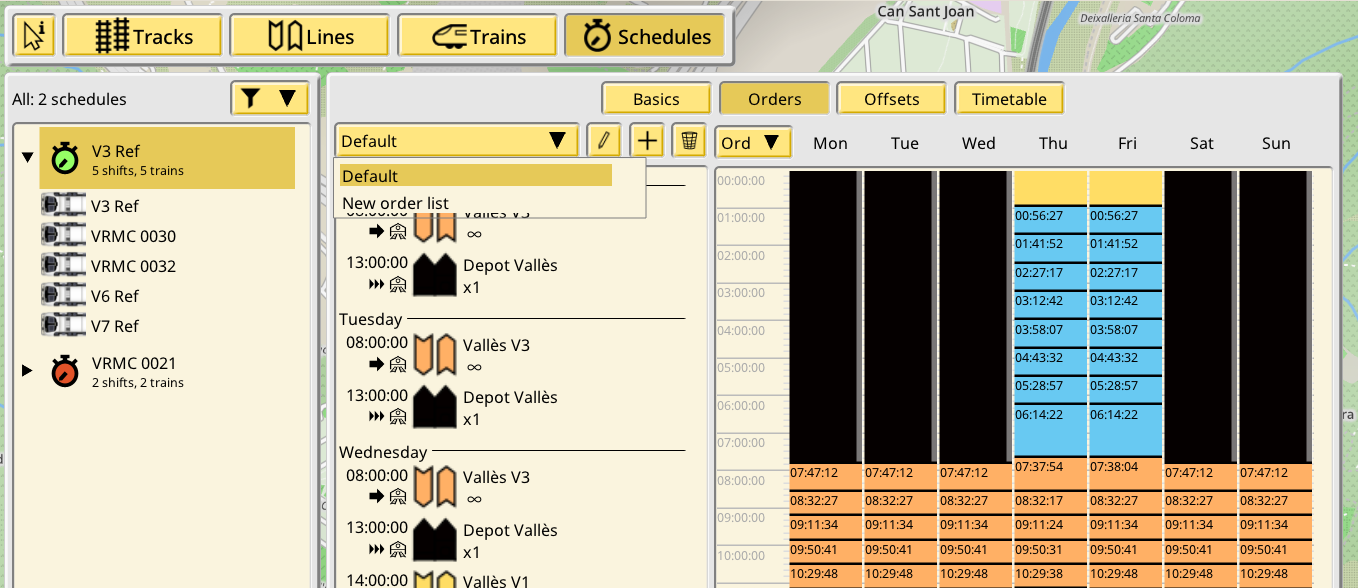
- Shifts: a shift represents an instance of one (or more) order list paired with one train. Shifts can reference one or more order lists, modifying their time offset if desired. This introduces many possibilities, for example if you need 3 different versions of Friday orders, you can create a base week list without orders on Friday, 3 lists with Friday orders, and then different shifts can reference both the base weekly order list and one of the 3 Friday lists, all with specific per-shift time shifting if desired.

The order list - shift relationship allows for manual time shifting. For more automation it is possible to use the new offset group system. In 1.14 orders belong to one offset group. Then, in the shift editor, it is possible to give all orders of a certain group a time shift, without having to edit them one by one. And to make this automatic it is also possible to make the top level schedule automatically shift these groups based on durations or fixed intervals. This system replaces the old copier group settings system, while also making it much more powerful.

Auto run line trains
If you are not interested in train scheduling and prefer to run your trains in auto run line mode, 1.14 will be virtually the same as 1.13. A few options have been changed their wording or location in the UI, but the most important ones (auto run line options and train line setting) are in the same spot with the same names. Your user experience should be identical and you can ignore the new scheduling system if you prefer to do so.
Imported 1.13 saves
The new scheduling system in 1.14 has been designed (and, in some ways, handicapped) to ensure as much compatibility with existing saves as possible. The results of the import process depend on how the trains were configured in the 1.13 save, with these major cases:
- Auto run line trains: identical to 1.13
- Manual trains: a new schedule is created with a single order listing for their orders, then a single shift is created, which inserts the single order listing with zero offset. No offset group changes are set up. Timing will be identical except for the glue paths inserted between runs, which are now based on the line reference train.
- Auto copy trains: a new shift is created in the schedule of their parent manual train, with the single order listing inserted with zero offset. An offset group is set up reproducing the interval settings of the 1.13 copier group. Timing will be identical except for the glue paths inserted between runs, which are now based on the line reference train.
As with every beta, it is recommended you make backup copies of any saved games you plan to test, and also to save them under a different name. The first versions of a beta might be quite unstable and/or produce saved games with errors.