Community
Workaround for when the game is running at high speeds
METAL GEAR SOLID 3: Snake Eater - Master Collection Version · published
We are aware that users are reporting issues with the Steam® version of METAL GEAR SOLID: MASTER COLLECTION Vol.1 resulting in the game running at abnormal speeds.
We ask for your patience while we conduct a thorough investigation.
We recommend that you try the following workaround as a temporary solution.
This workaround is not necessary if you are not experiencing these issues.
Instructions
For those using a graphics card made by NVIDIA®
We recommend that you follow these steps below.
The screen configuration, etc. may be different depending on the which version you have installed.
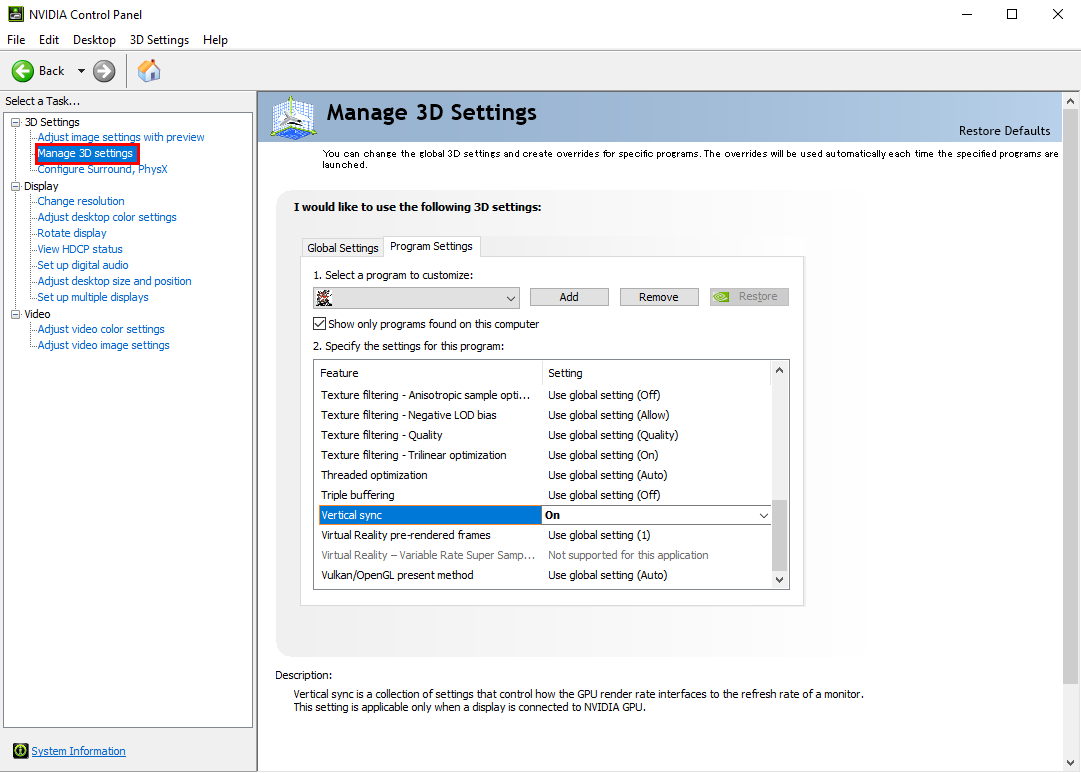
- Open the “NVIDIA Control Panel”, then select the “Manage 3D settings” located on the left-side of the window.
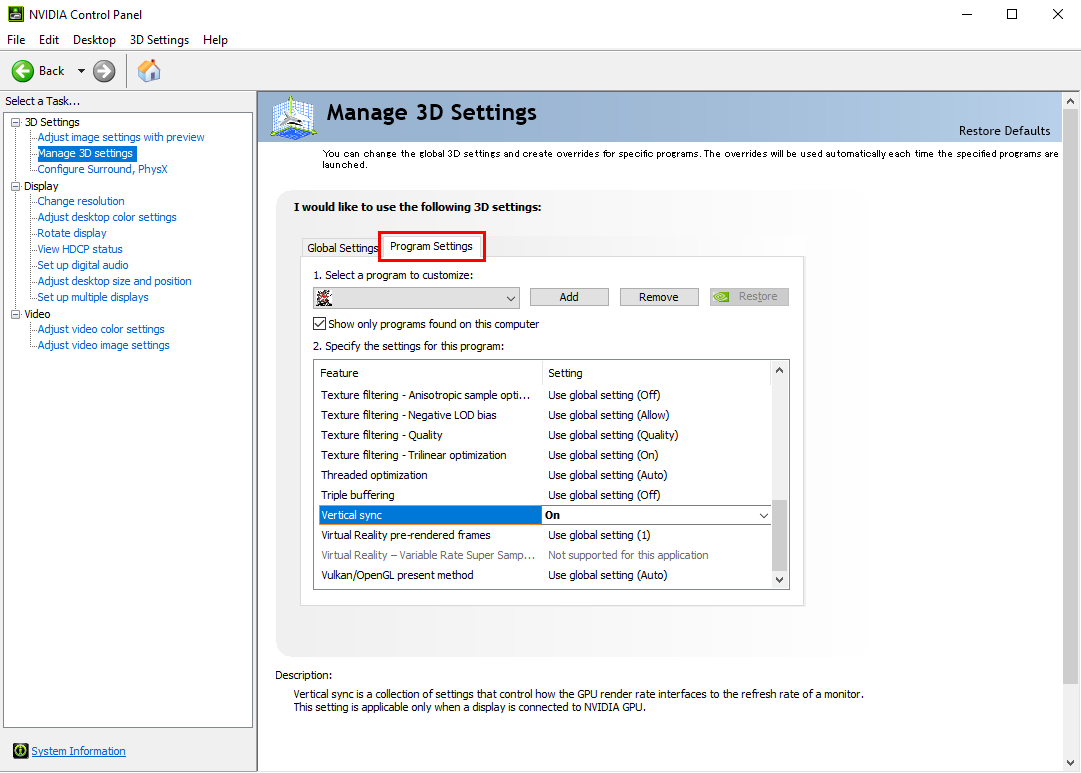
- Select the “Program Settings” tab.
- In the “1. Select a program to customize:” section click on the “Add” button, then go to the folder where you have “METAL GEAR SOLID 3: Snake Eater - Master Collection Version” installed and select “METAL GEAR SOLID3.exe”.
Once selected, make sure that the file location is displayed on the right-side of the “Add” button.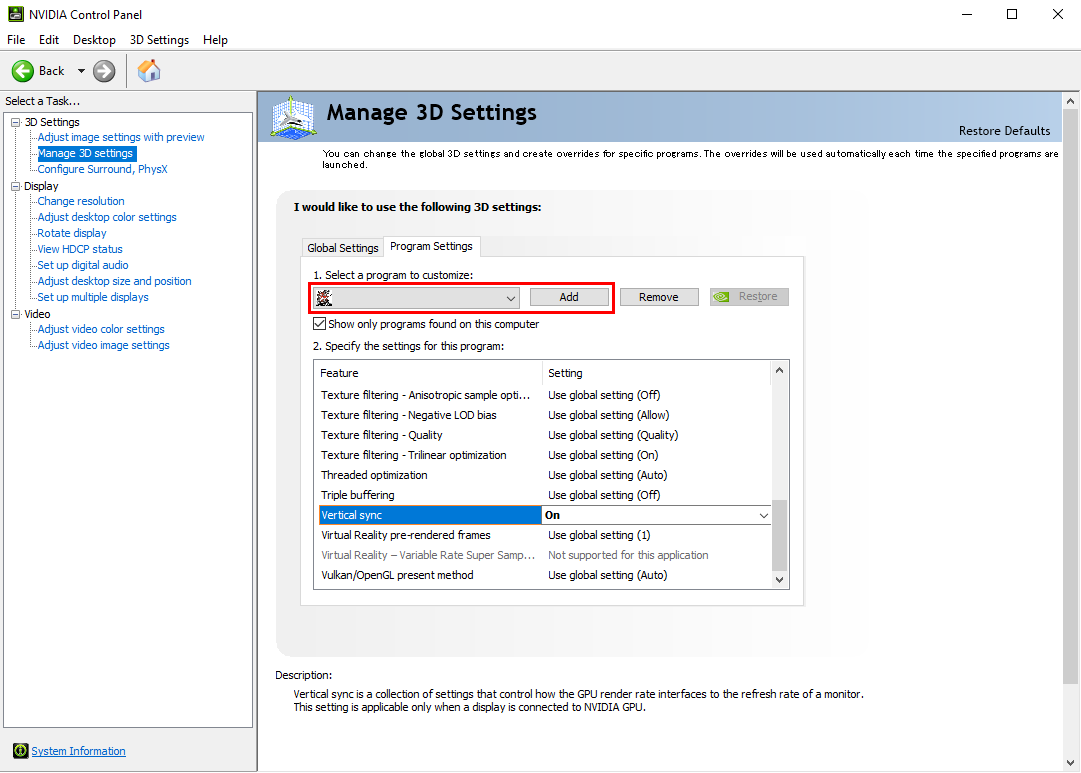
*The screenshots in this instuctions were all captured using the METAL GEAR SOLID - Master Collection Version.
The game title and icon that should display as you follow these instructions is "METAL GEAR SOLID 3: Snake Eater - Master Collection Version".
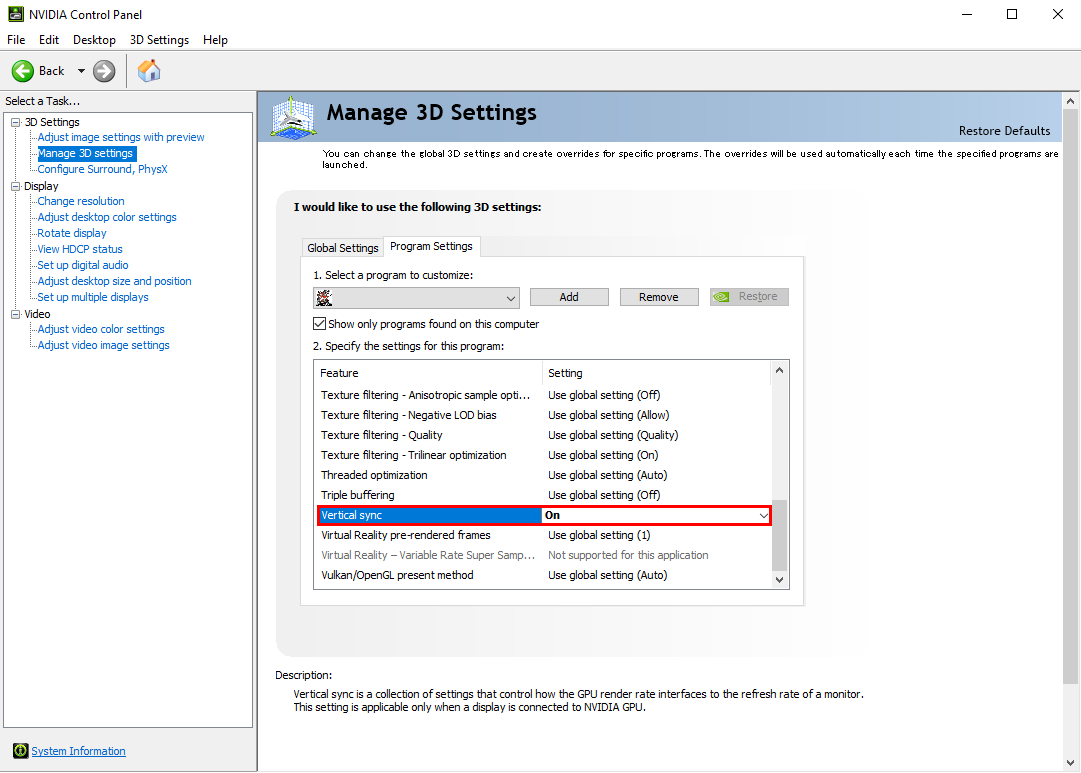
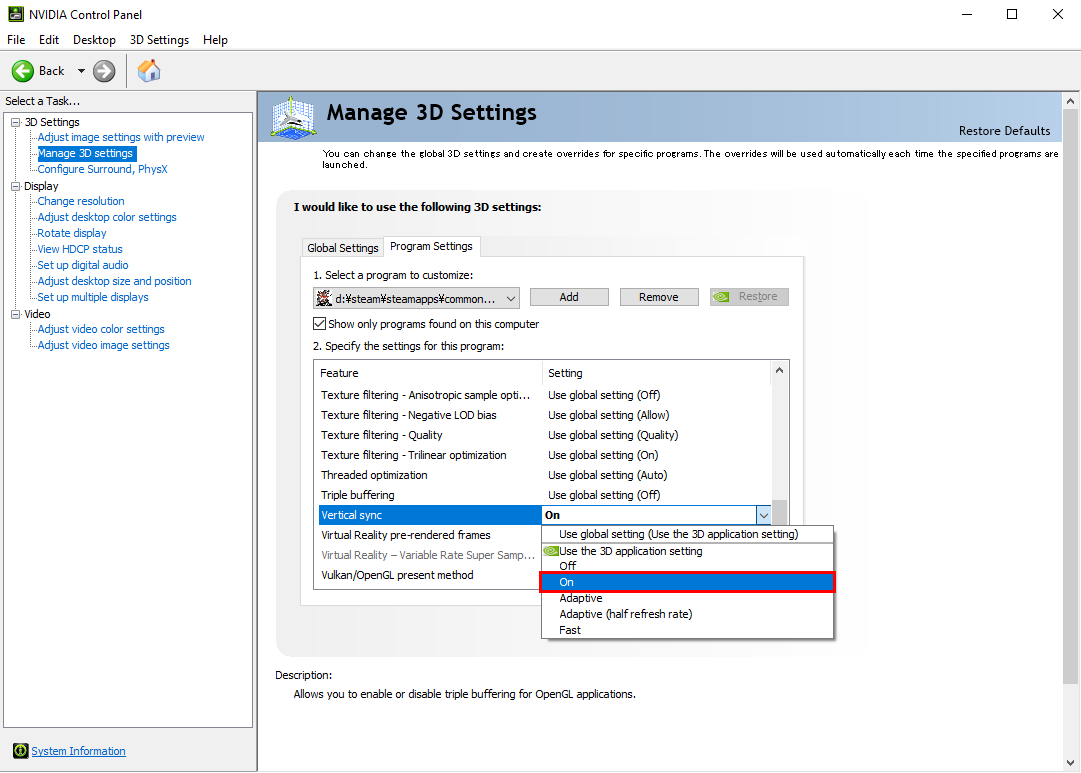
We will replace them with the correct screenshots at a later date. - In the “2. Specify the settings for this program:” section, make sure that the “Vertical sync” is turned on.
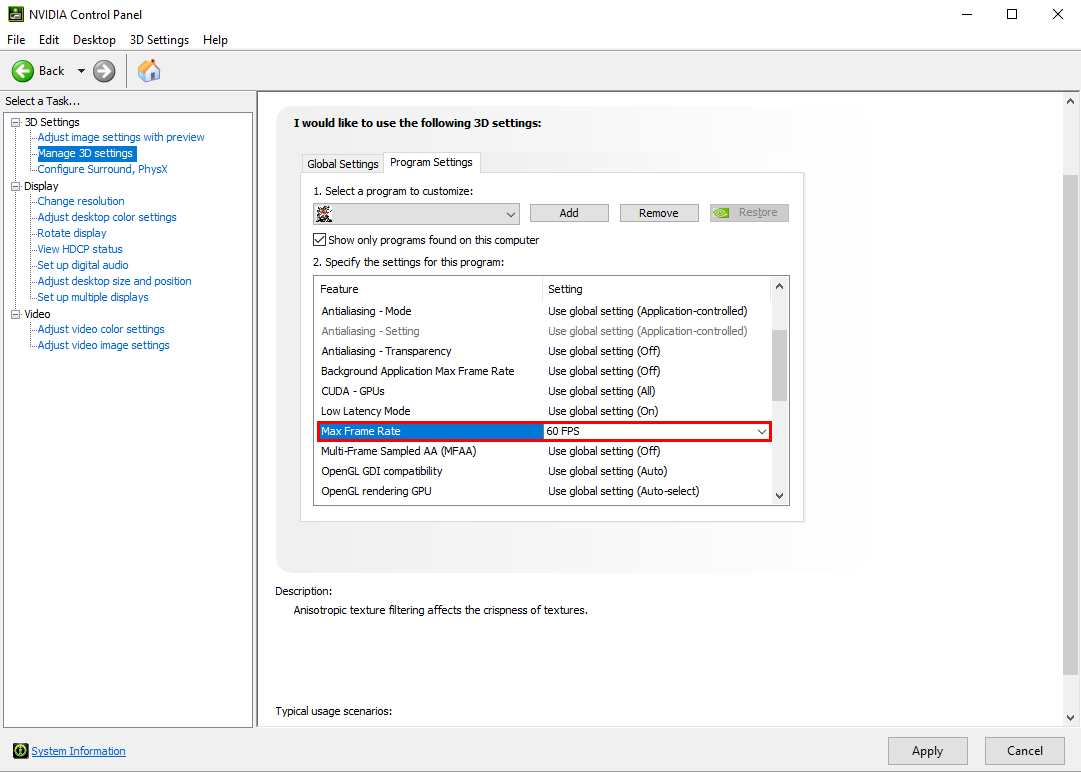
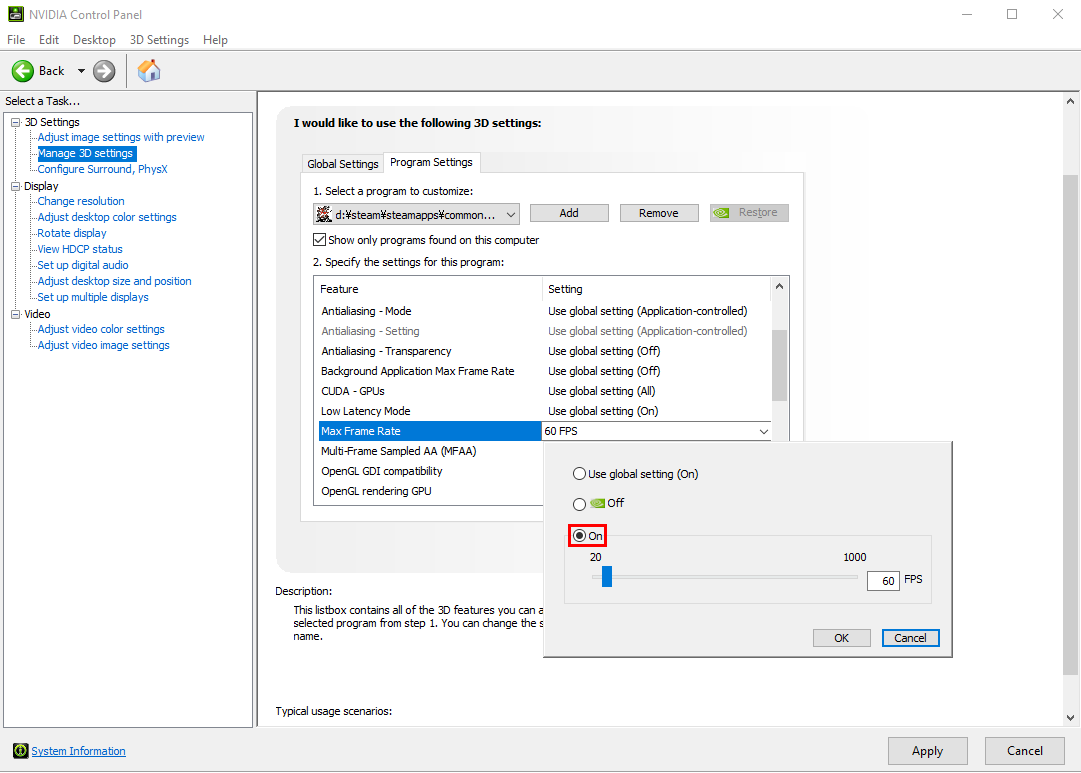
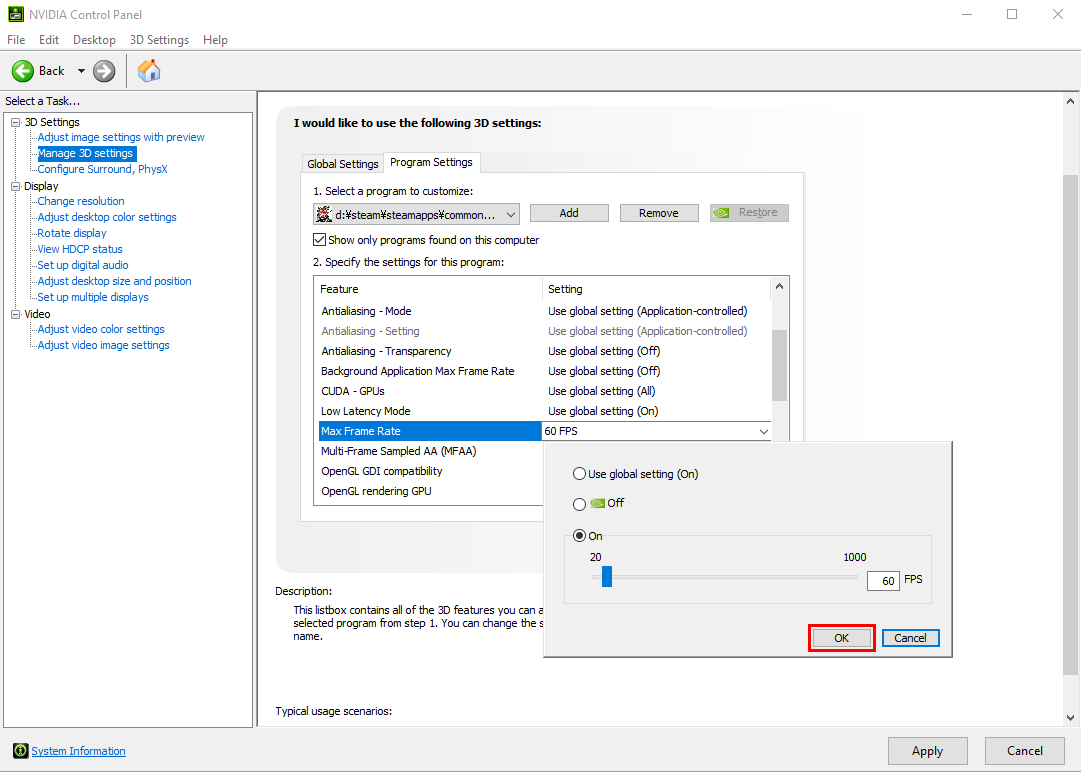
- In the “2. Specify the settings for this program:” section, make sure that the “Max Frame Rate” is at 60FPS.

- Click the “Apply” button.
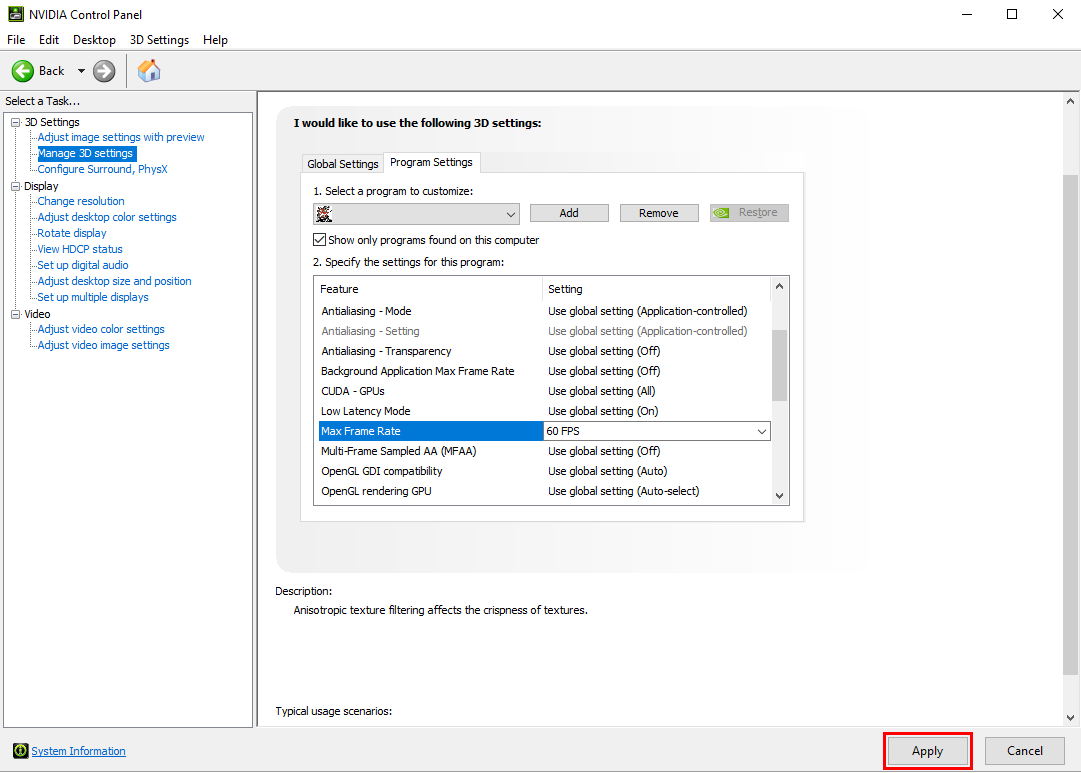
- In the “1. Select a program to customize:” section click on the “Add” button, then go to the folder where you have “METAL GEAR SOLID 3: Snake Eater - Master Collection Version” installed and select “launcher.exe.exe”.
- Follow the same instructions from Step 4.
For those using a graphics card made by AMD
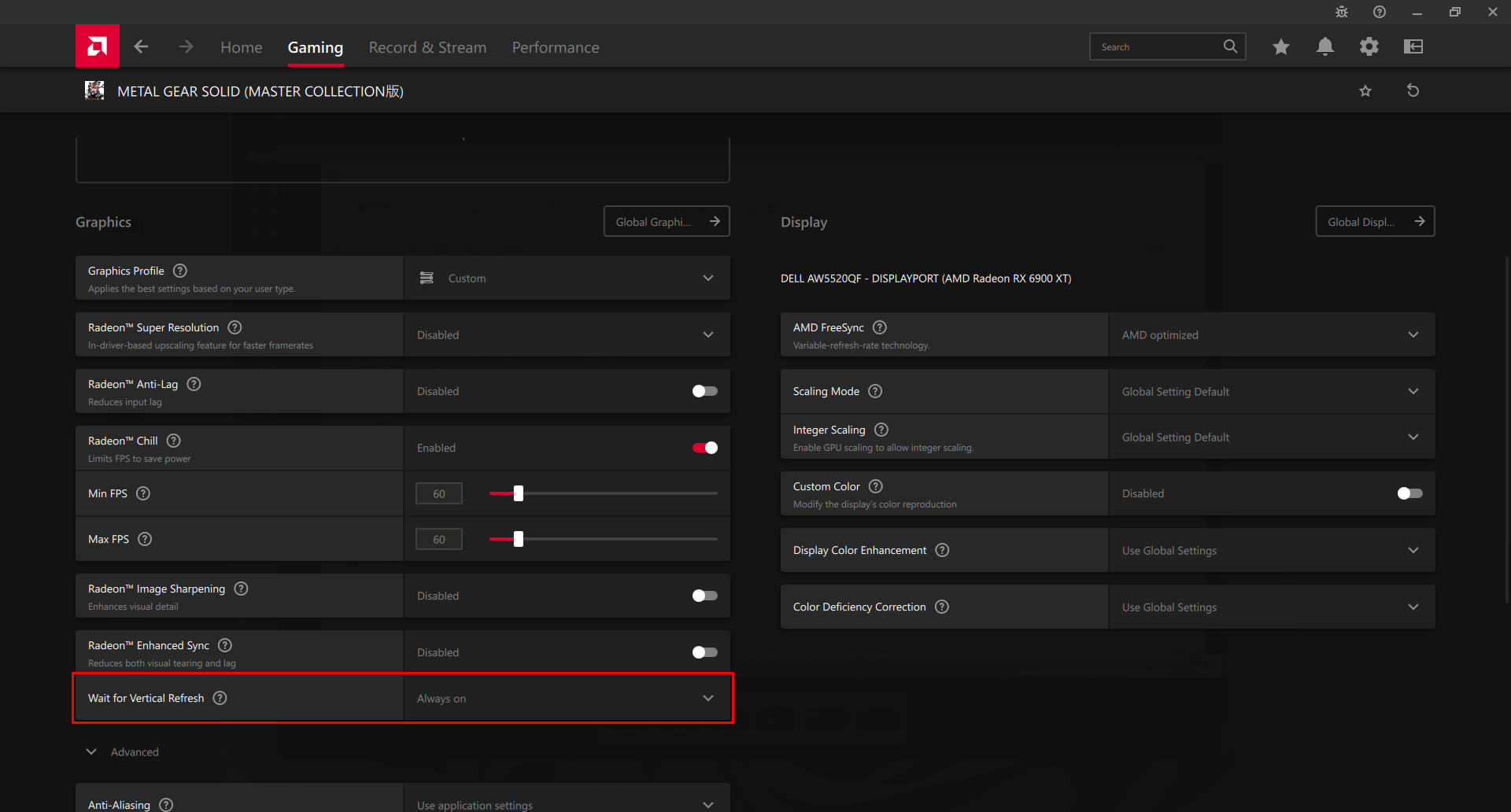
- Launch the “AMD Software” that you have installed.
- In the “Gaming” tab, select “METAL GEAR SOLID 3: Snake Eater - Master Collection Version”.
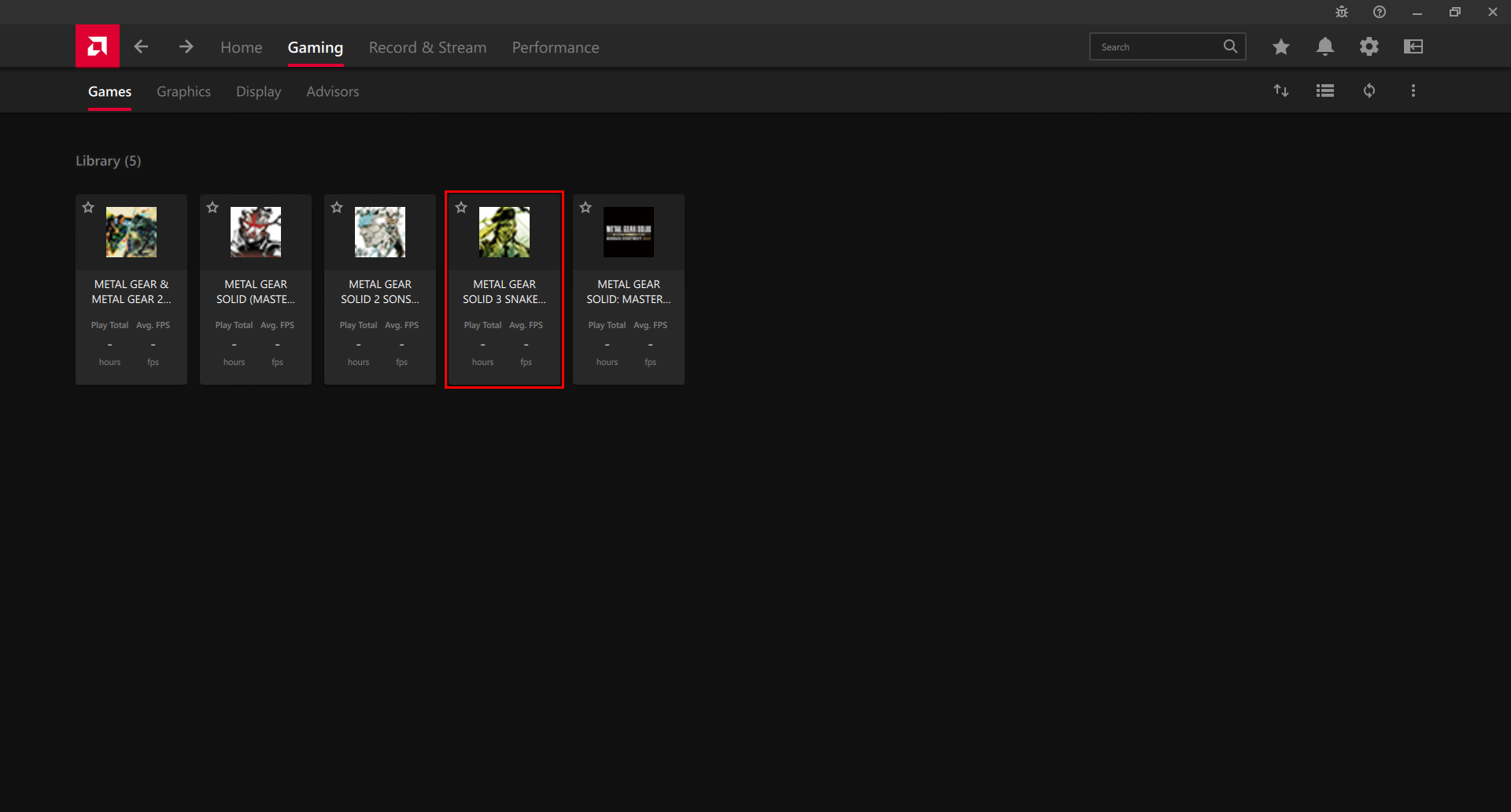
- Make sure that the “Radeon™ Chill” is turned on, with the Min FPS and Max FPS set to 60.
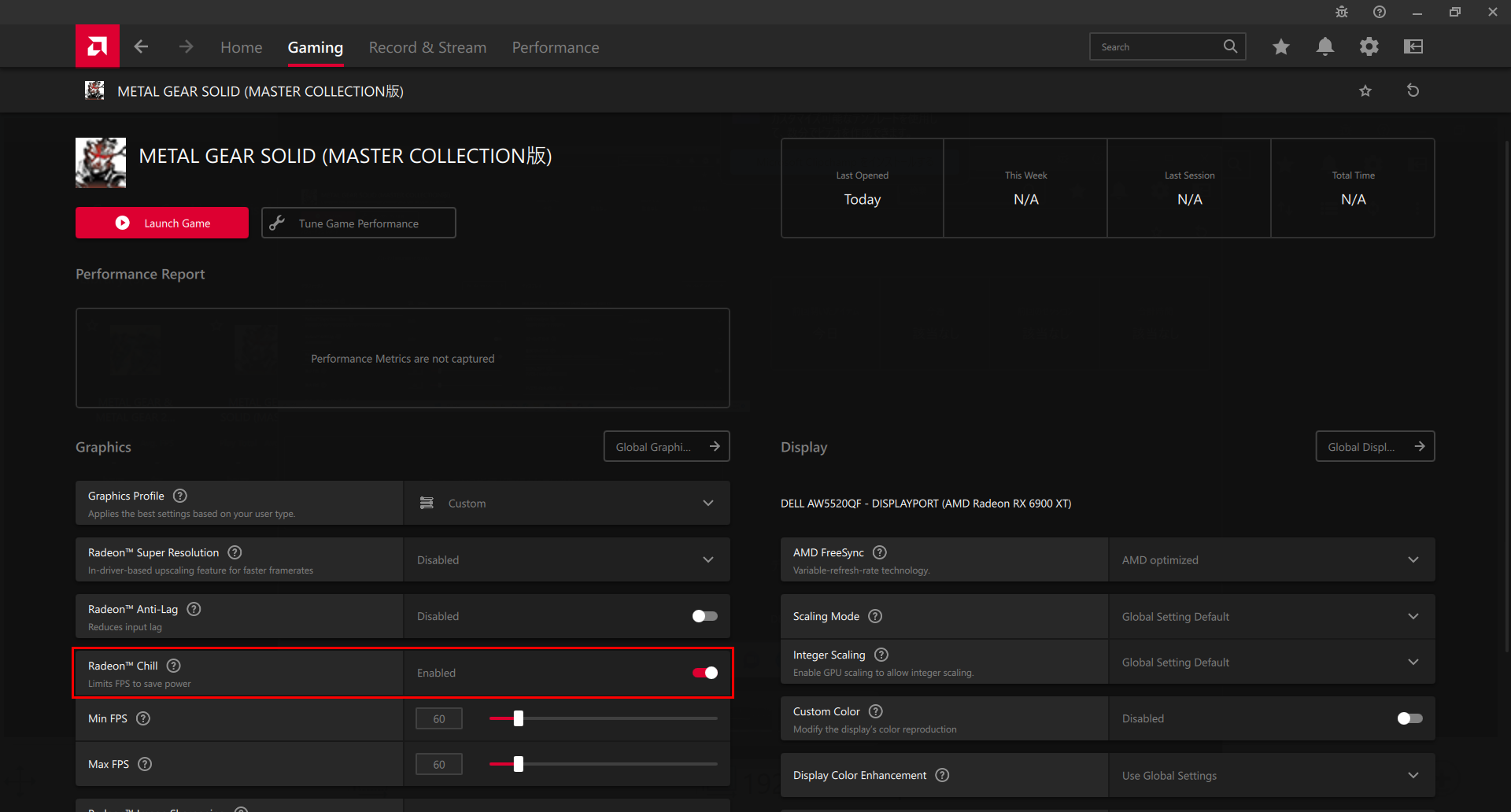
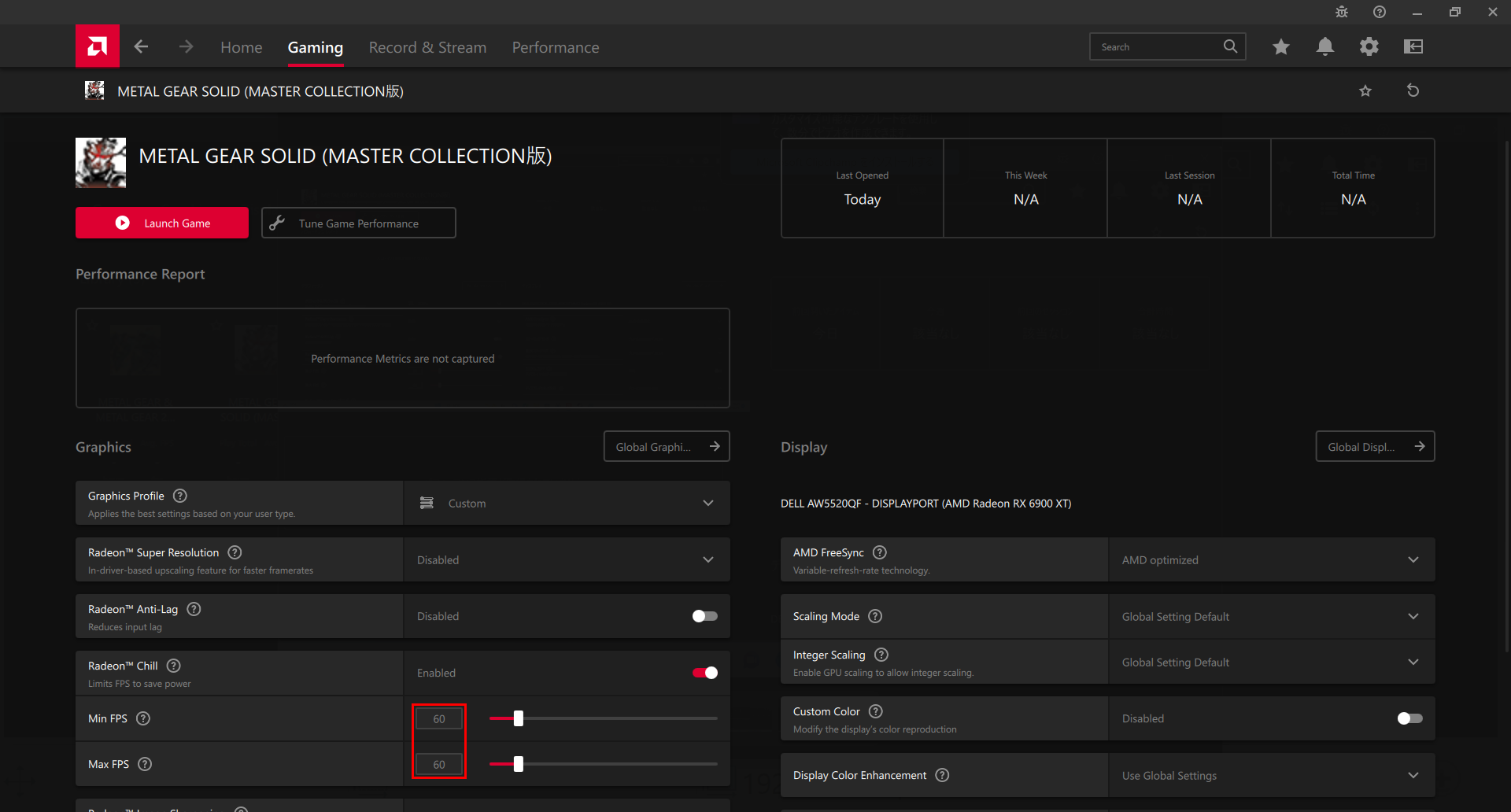
*The screenshots in this instuctions were all captured using the METAL GEAR SOLID - Master Collection Version.
The game title and icon that should display as you follow these instructions is "METAL GEAR SOLID 3: Snake Eater - Master Collection Version".
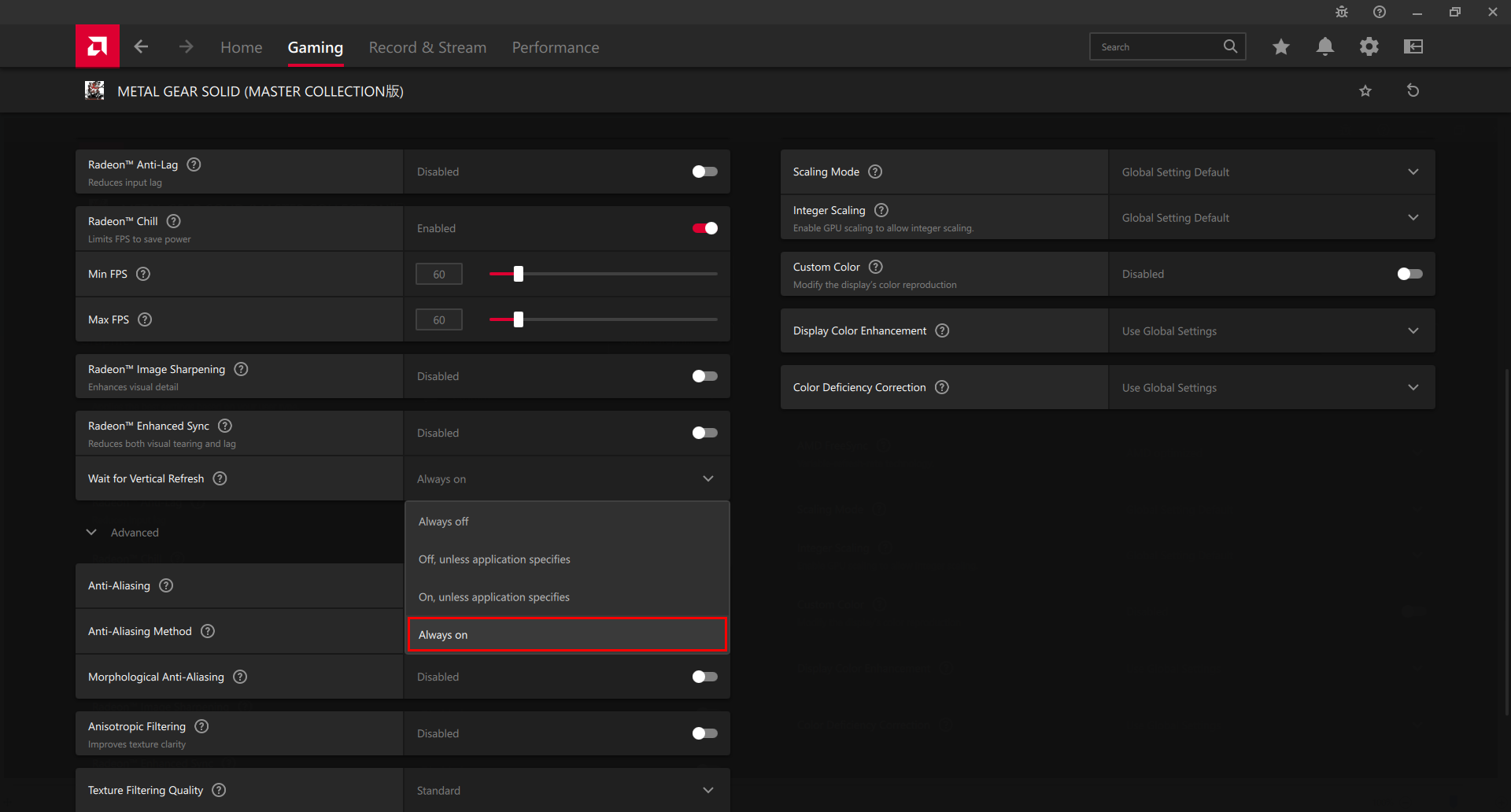
We will replace them with the correct screenshots at a later date. - Make sure that the “Wait for Vertical Refresh” is set to Always on.
More from METAL GEAR SOLID 3: Snake Eater - Master Collection Version
Other announcements
KONAMI PRESS START Title ShowcaseSurvey underway Pre-Order KONAMI PRESS START SALE is also underway! On sale until September 15 at 10:00 AM (PT) Don't miss out on this opportunity to enjoy KONAMI games!METAL GEAR SOLID - Master Collection Version Free PlayTo celebrate the launch of METAL GEAR SOLID: MASTER COLLECTION Vol.2 on August 27, we’re offering a free play trial for METAL GEAR SOLID! This limited-time free play will be available until July 27 at 10:00 AM (PDT). Don’t miss this chance to experience the world of the METAL GEAR series! METAL GEAR SOLID: MASTER COLLECTION Vol.2 is available for pre-order now!KONAMI Summer Sale 2026 Part 2 is now on!Don't miss out on this opportunity to enjoy KONAMI games! Featured titles! Upcoming Titles!