New Controls style! Import/Export Teams! Now Deutsch, French, Italian & Chinese
Pixel Cup Soccer - Ultimate Edition · published
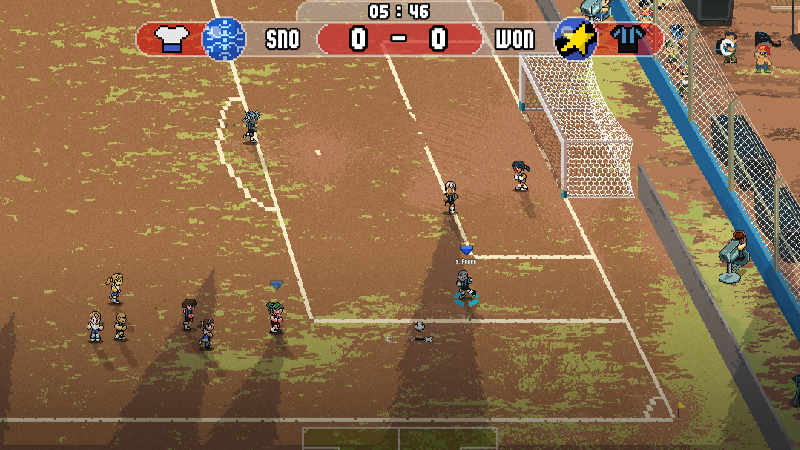
In this new update, we have added new features, many of them suggested by the community, as well as resolved many bugs that have been reported to us.
We encourage you to continue collaborating, with more ideas, bug reports, or simply with your opinions. We are getting closer to the release and your contribution is essential for us.
DISCLAIMER:
- We've updated the localizations for French, Italian, Deutsch and Simplified Chinese. There are no plans to include more languages as of right now.
- As we've mentioned before, WE DO NOT OVERWRITE your custom teams, therefore if you want to use Batovi's team design, you must use the "Reset Teams Database" option, under Gameplay Settings.
- How To Play screens are pending the inclusion of new mechanics.
- The new import team options will overwrite your existing team when succesful.
UPDATE HIGHLIGHT:
Amongst the most often received feedback were:
"My controller has so many buttons... I want to use them"
"There are too many actions in one single button"
We've implemented a new "Standard" style controls mode, in addition to the usual "Classic PCS" style, so you can play the way you want. (This topic is still under review and may be changed in the future).
You may setup individual mappings for each controls style separately, exactly as you could before through the Steam Controller Configurator.
You can choose the controls style under the "Sides" screen, at every Pre-Match screen (much like other soccer videogames).
The "Sides" screen displays a Key/Button at the bottom indicating how to get into Controller Settings, by default this is the N key for the keyboard.
TECHNICAL RELEASE NOTES:
GAMEPLAY IMPROVEMENTS:
- A major new optimization was made, increasing the game's FPS in all areas.
- Goalkeeper stun time reduced.
- Crossing with a quick button press improved (when aiming at the poles from the sides of the field).
- Added a "Selected Preset" option for Career Teams, under Team Manager -> Strategy, for quickly choosing between 3 different team setups. Your starters, substitutes and reserve players.
- Changed the icons at the Career Board HUD and implemented animations to emphasize what area is affected by a decision.
- Added the "Pass/Shot" charge bars, at the bottom of the HUD. It also indicates current Pass or Shot being performed, as well as the stamina remaining for the current run.
- Implemented a Loading Screen. The game has been getting bigger and bigger!! This screen provides visual feedback when the game runs background loading instead of plain black.
BUGFIXES:
- Fixed a bug that caused GK's with the Ball Control skill to act like they had the ball under their feet when it was in their hands.
- Changed the behaviour of the Edit Club screen, so that the ESC key, acts like Accept button, instead of Cancel, this way you can skip through scenes with your changes saved.
- Fixed a bug that cause some long player names to display out of the background highlight bounds.
- Fixed a bug that caused the game to be stuck at Penalty Kicks when there were objects/obstacles.
- Fixed a bug that caused the ball to be inside the goal without counting as a goal.4