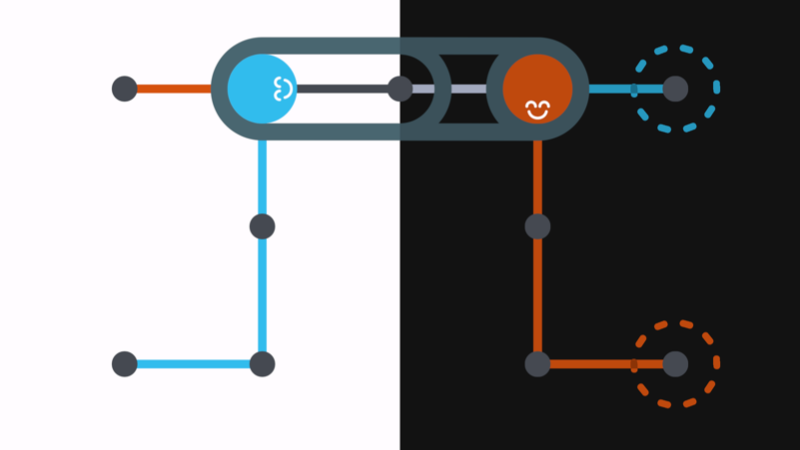
It's time for the Slidetracked's first update! Here's an overview of what has changed.
Dark mode
It didn't take long for players to let me know that the game would really benefit from a dark mode, and I could not agree more! Slidetracked's dark mode is not only a dark background and light instead of dark text, the whole color palette of the game has been tweaked to fit in with the dark aesthetic. Dark mode can be enabled in settings.
Shortcuts
Some requested improvements have been implemented, so now you can:
- Reset the game with "R".
- Undo with "Z", "U", and Backspace.
- Save and close the level with Escape.
- Scroll to change build tool (line color and erase mode).
Also, when you hover over a button that has a shortcut key, a small tooltip shows up to indicate what it is. This is mainly targeted at new players who don't know the game supports keyboard shortcuts at all, but it saves you a trip to the settings menu to find out you can press "Q" to stop ;)
Tweaks
Other small changes in this update include:
- Added some curves to the long (boring!) straight lines in level select.
- Replaced the arrow buttons on the sides of level select with a scroll bar.
- Level number is now visible while you're playing.
- Fixed the mouse interfering with level select arrow key navigation (yes, that's a thing!)
- Save backup: Every time the game saves, it now copies the old save to a new file. If your save file gets corrupt, this will hopefully help restoring without losing all your progress.
- Improved switching between full screen and windowed mode by remembering the last windowed mode resolution and reverting to that value the next time you go windowed.
What's next?
If there's anything you like to see that would increase Slidetracked's accessibility or would it simply make it more fun to play, let me know on the Steam Community Forum, twitter @axisaligned, or e-mail [email protected].
Cheers,
Rutger