Wallpaper Engine 1.6 - Real-Time Lighting & Reflections, Screensavers, Mini Mode
Wallpaper Engine · published
Hey everyone,
Wallpaper Engine 1.6 adds a couple of cool features for users and wallpaper creators alike. Wallpaper Engine now allows you to use your wallpapers as screensavers, introduces real-time lighting and reflections on 2D images, comes with a brand new mini mode and allows you to set a wallpaper that plays only once as an intro wallpaper when you start your computer.
Real-time Lighting and Reflections
Wallpaper Engine 1.6 introduces real-time lighting and reflections to 2D scene wallpapers which can have a major impact on the visual quality of wallpapers and can really bring images to life. The underlying technology relies on physically based rendering (PBR) to make this feature as performance-friendly and easy to use as possible.
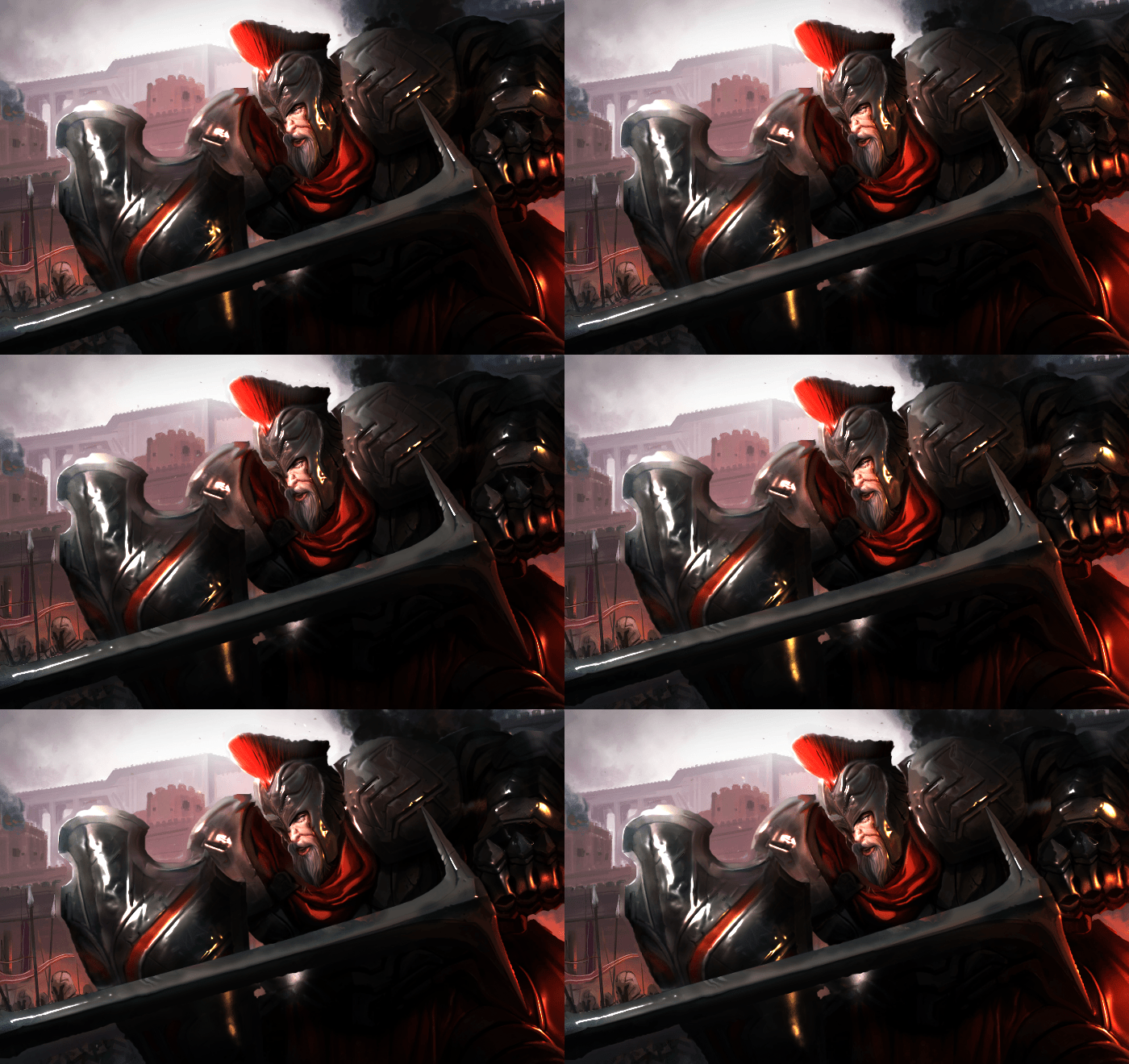
The lights are rendered in real-time and can also dynamically move around the wallpaper. See the following example where we have attached a light source to the mouse pointer:
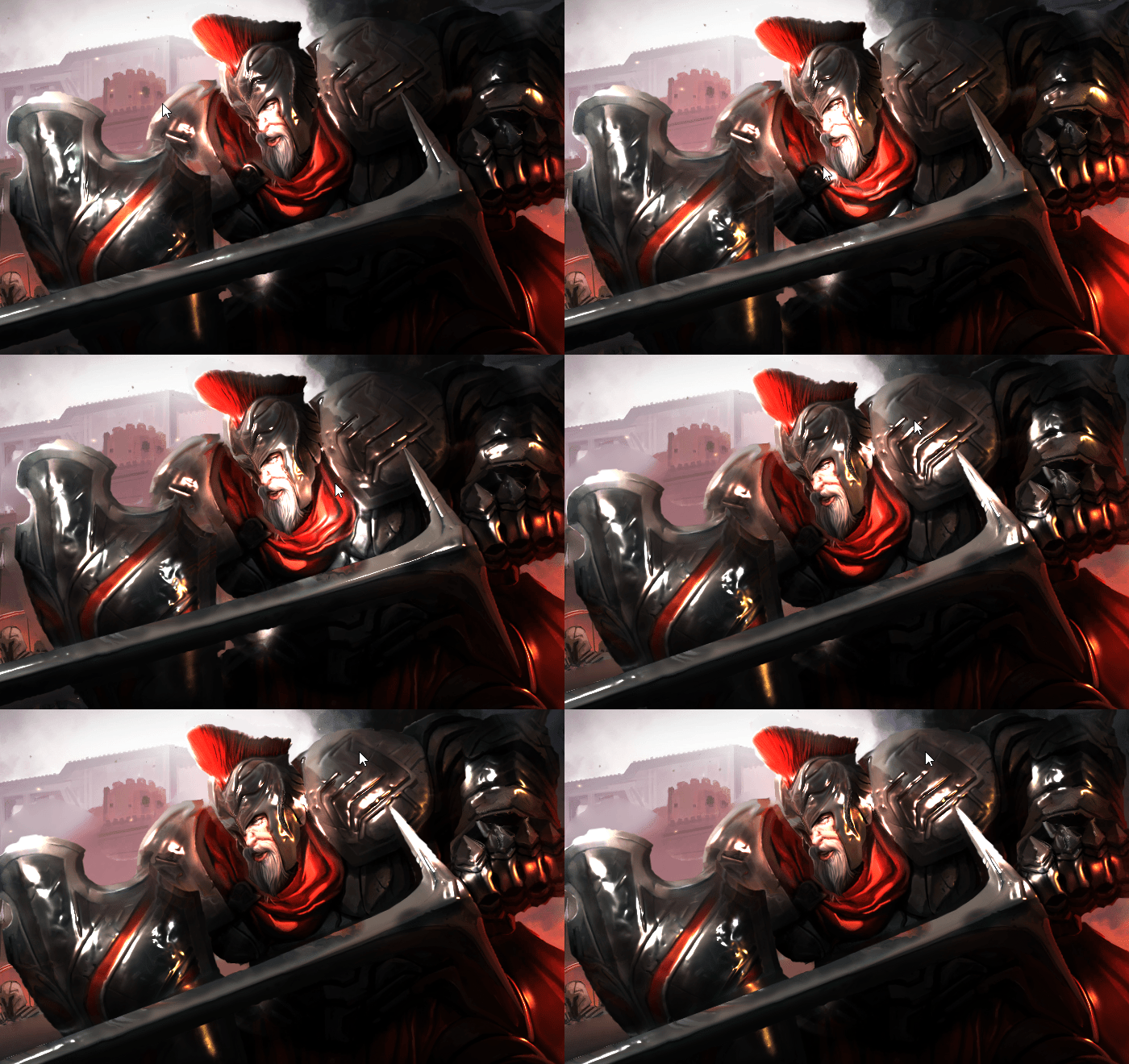
All of this also comes with a brand new normal map generator that we created so that anyone could create normal maps for their images with relative ease. Normal maps are commonly found in video games and allow flat surfaces (such as 2D images that most people use in Wallpaper Engine) to be perceived as if they are 3D.
If you want to learn how to utilize these features for your own wallpapers, be sure to check out our designer documentation. We have created a couple of guides on lighting and reflection which you can use to get started with your own ideas:
Foreground Separation
Another cool feature we added is a new functionality that we call foreground separation. It allows you to cut out a character or object from the foreground of your image and then dynamically fill the space behind it. This makes animating characters much easier as it makes them their own separate layer so that you will not have to worry about character effects and animations having an unintended effect on your background image.
See the following slideshow that shows the original image and the separated images that we created from it (filled-in background and foreground character):
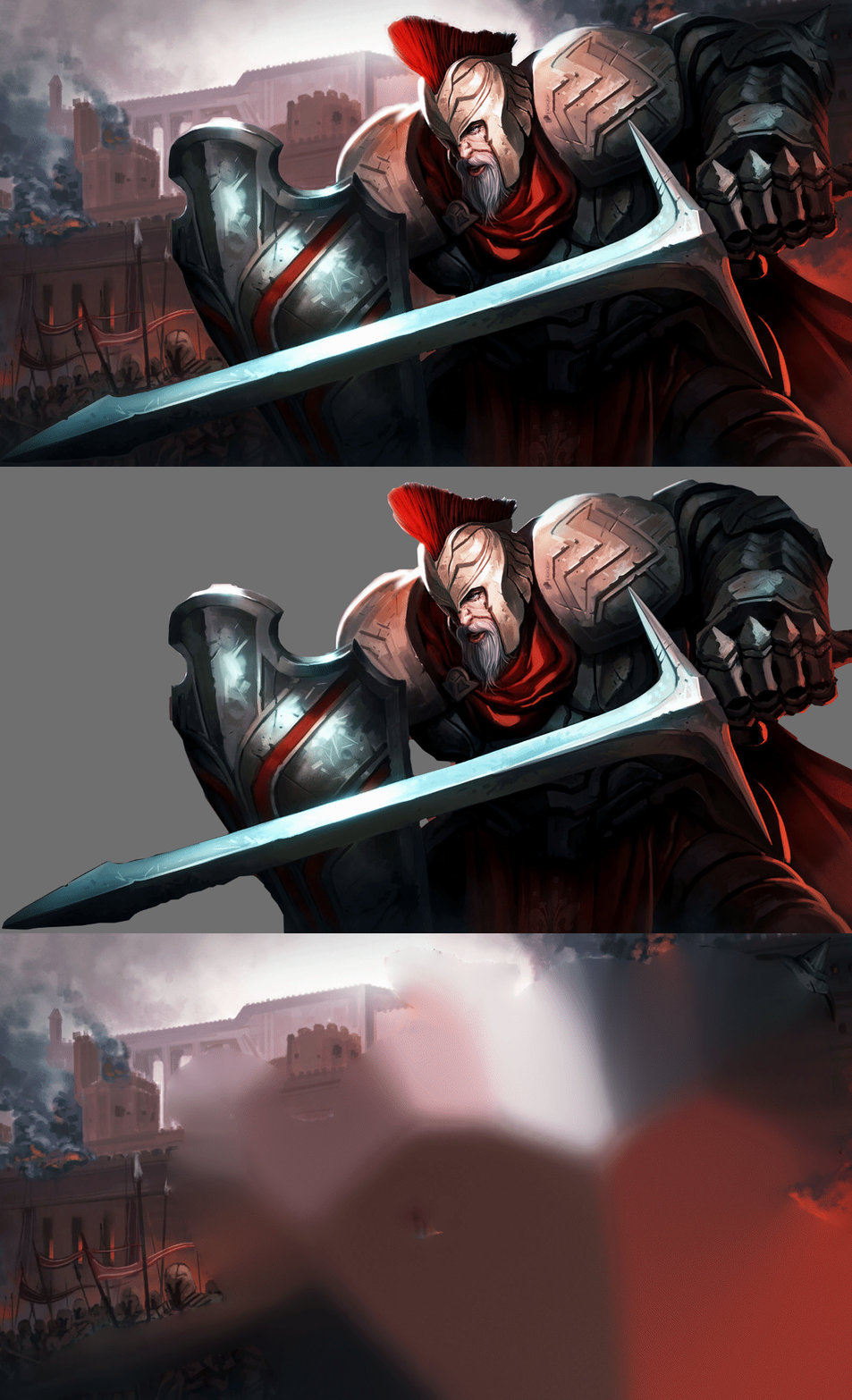
If you would like to make use of foreground separation for your own wallpapers, you can learn more about how to use it on our designer documentation website here:
Character Sheet Creation
You can also take this one step further and use our new character sheet creation functionality which allows you to cut your character into different pieces that you can then use for a very clean puppet warp animation. If you are interested in learning more about this, we have also prepared a tutorial for that here:
Screensavers
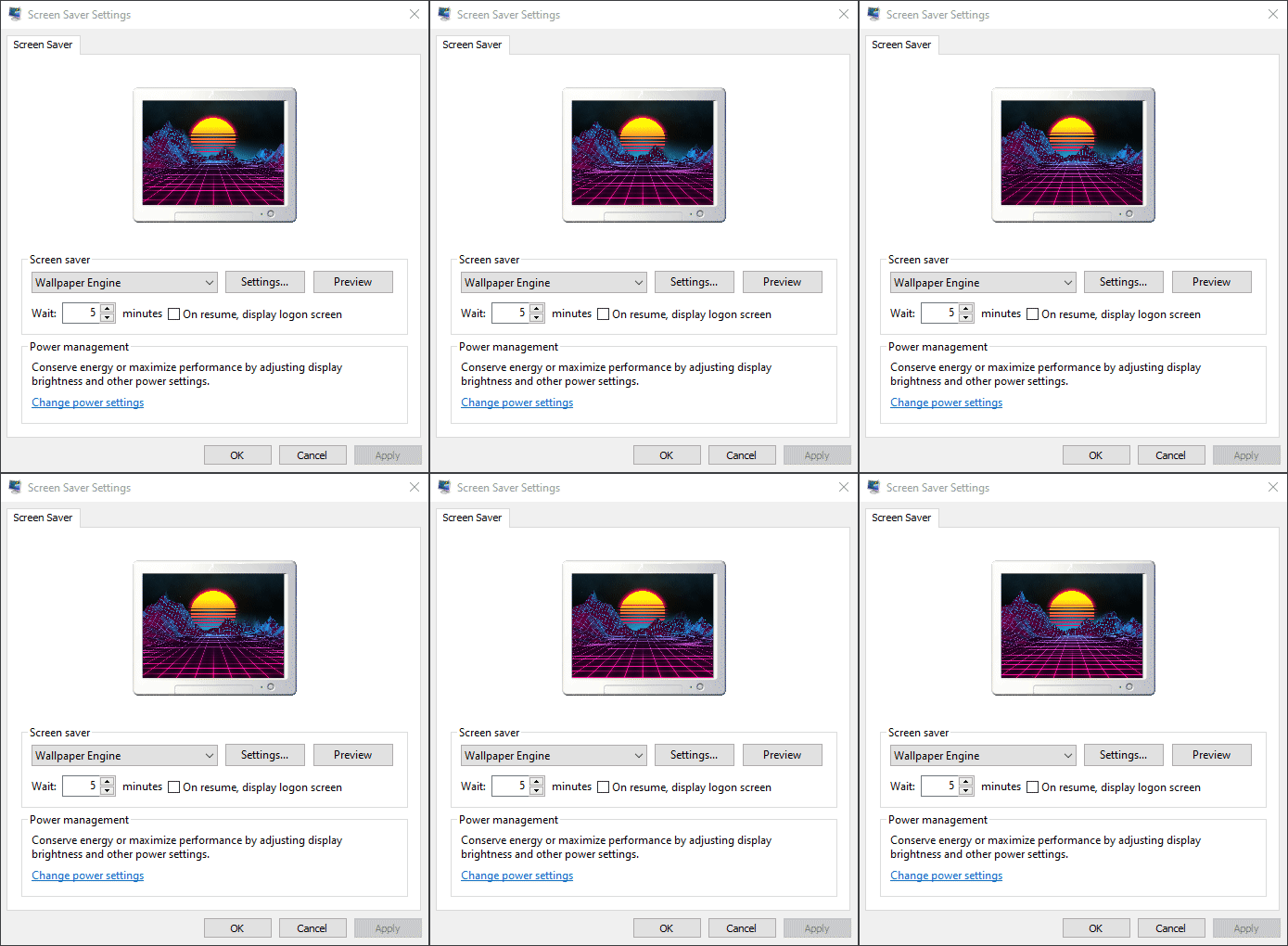
Wallpaper Engine 1.6 introduces a new way to use your wallpapers: You can now configure them as a Windows screensaver with proper multi-screen support. You can either choose your screensaver to be exactly the same as your actively running wallpapers or configure a completely new setup just for your screensavers.
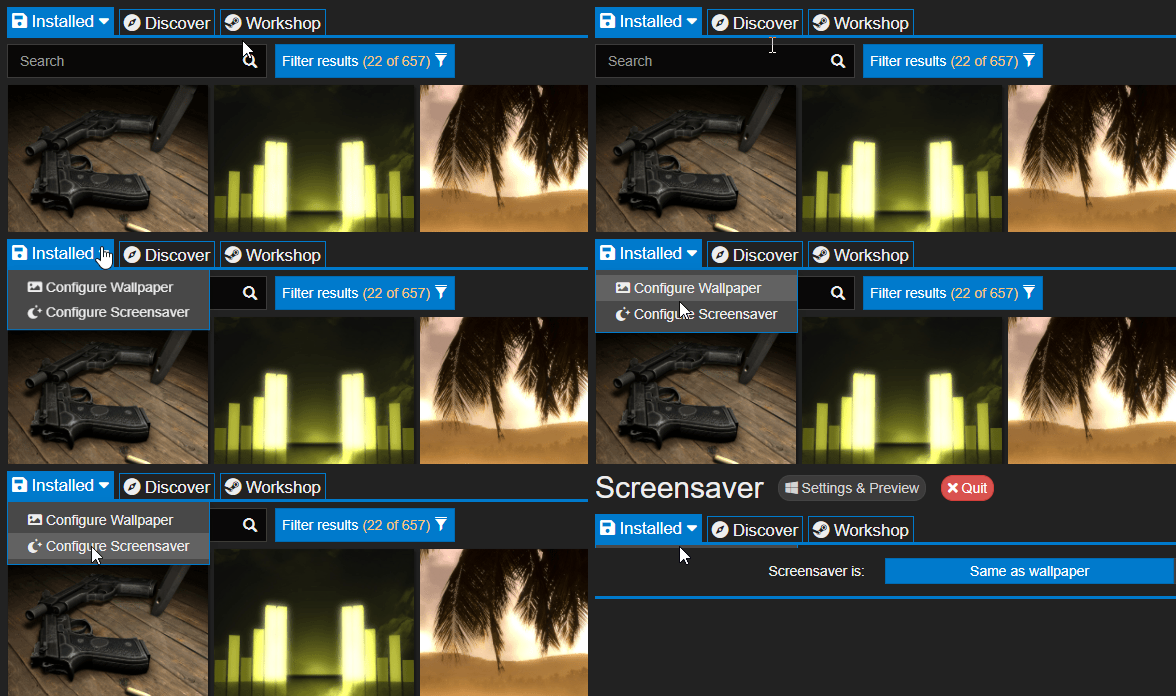
You will now find that the Installed tab comes with two sub-menus, one for configuring wallpapers and one for configuring your screensaver. Once you click on the screensaver option, you will be asked to install the Wallpaper Engine screensaver module, which you can then enable as your current screensaver in Windows.
For more infos, see our help page here:
Mini Mode
Previously, Wallpaper Engine had an opacity slider at the bottom of the window that you could use to lower the opacity of the window. Initially we thought this would be a good way to help users to configure their wallpapers while making sure the window would not obstruct the view on the wallpaper. However, the slider was often moved by accident and was a common reason for support requests as users were confused as to why the UI was transparent for them.
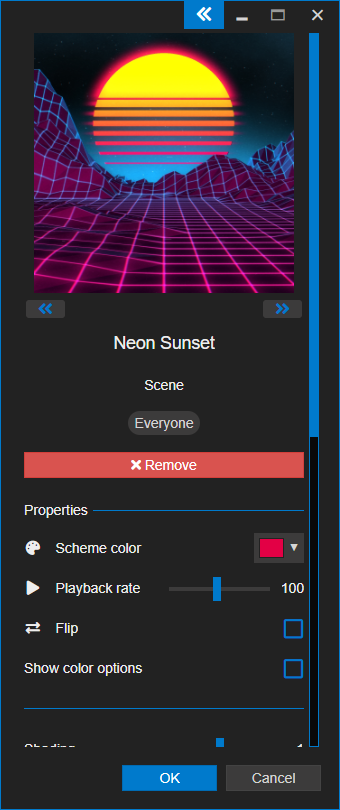
We have now abandoned the old opacity functionality in favor of a brand new mini mode. You can enable the mini mode by pressing the double-arrow button in the upper right corner of the Wallpaper Engine window, pressing F10 will also toggle between mini mode and normal mode. This allows you to keep the user interface as minimal as possible while configuring your wallpaper.
Intro Wallpapers at Startup
A common yet relatively minor feature request we received was the ability to configure an intro wallpaper. You can now set up a playlist and then enable the First wallpaper played at startup only option, this will play the first wallpaper of a given playlist only once after the app starts. This is especially cool if you have a specific startup video wallpaper or similar that you would like to see whenever your system boots up.
Full Changelog
As always, we have done a lot of smaller fixes and improvements, you can find the full changelog here to get a complete picture of what's new in Wallpaper Engine 1.6:
Additions, Changes and Improvements
Main App
- Added screensaver support.
- Added real-time lighting and reflections for wallpapers.
- Added mini mode for Wallpaper Engine window.
- Removed browse window opacity slider because it caused a lot of confusion and has been superseded by mini mode.
- Created "intro wallpaper" functionality for playlists that allows setting an intro wallpaper that is only played once at startup.
- Playlist states will now persist through restarts.
- Added color options to all web type wallpapers.
- Added back/forward folder navigation to browser and editor with system backwards/forwards buttons (commonly found as mouse button).
- Added dynamic texture reduction option to improve performance on laptops or PCs with low GPU bandwidth.
- Added openProfile command-line function.
- Redesigned video preview button.
- Enabled multi-select functionality in Workshop and Discover tab.
- Added Shift/CTRL keys to reduce rotation/scale amount on certain gizmos for more precise adjustments.
- Replaced file system library with native library.
- Improved age rating table to make it easier understand. Rules have not changed.
- Renamed "Questionable" age rating tag to "Partial Nudity" to make it easier to understand. Rules have not changed.
- Simplified Steam status to reduce confusion.
- Changed iris effect to distort over opacity mask rather than fade.
- Added more icons to tray menu options.
- Added new Shell API monitor identification option which should be the best in theory.
- Changed Traditional Chinese font to Microsoft JhengHei UI.
- Updated CUE SDK to 3.0.378 and fixed various issues with the new Corsair iCUE 4.
- Updated CEF & V8 libraries.
Wallpaper Editor
- Added physically based rendering (PBR) in the form of image layer lighting and reflections.
- Added customizable normal map generator.
- Added visibility option to lights.
- Added foreground separation functionality.
- Added character sheet creation functionality.
- Added support for image editing in editor through external programs like Photoshop, GIMP, Paint.NET. Click here to learn more.
- Added "Unlisted" visibility option to wallpaper publishing screen.
- Added paint brush for blurring the painted areas.
- Added HDR iteration control to limit bloom spread with HDR bloom.
- Reduced pulse effect noise speed.
- Updated missing texture and missing render target preview images in editor.
- Added undo/redo buttons to editor toolbar.
- Improved texture compilation results for PNGs and mip-maps to reduce artifacts.
Bug Fixes
Main App
- Added a fix for some scenarios that would cause the audio to turn off when switching audio devices on the fly, mainly in combination with USB / Bluetooth audio devices.
- Fixed web wallpapers not muting per monitor when switching between web wallpapers.
- Prevented invalid playlists with just one wallpaper from being saved.
- Fixed "audio responsive" tag showing up in the genre tags.
Wallpaper Editor
- Fixed several script sound playback control issues.
- Fixed camera paths panel getting stuck when stored as a floating panel.
- Fixed script animation events not being sent to other scripts on a layer.
- Fixed editor crash during run preview when pressing DEL on preview window.
- Fixed "all" and "none" filter selection buttons in asset browser not working.
- Fixed flag template wallpapers being marked as having "no animation"
- Fixed crashes related to puppet warp editing.
Hotfix 1.6.10
- Fixed missing particles on half-installed update state.
- Fixed broken wallpapers with parallax in screensaver mode.
- Playlist state is now properly deleted when the app is uninstalled.
- Wallpaper engine now pauses all wallpapers any screensaver is enabled.
- Fixed mini mode button being visible when opening the app maximized from tray.
- Fixed presets not auto subbing base wallpaper.
- Fixed yellow border on texture import.
- Fixed normal map auto-cropping behavior.
- Screensavers now correctly load the currently playing wallpapers from a playlist.
- Fixed Scene version warning not showing for Scene wallpapers when Wallpaper Engine version is outdated.
- Fixed various audio muting issues on web wallpapers.
- Fixed various issues related to .webm wallpapers.
- Improved paint behavior when switching paint masks quickly.
- Fixed paint brush crash when switching masks quickly.
Support Notes
If you have any questions or issues with the update, please have a look at our help site as it covers the most common issues with Wallpaper Engine: