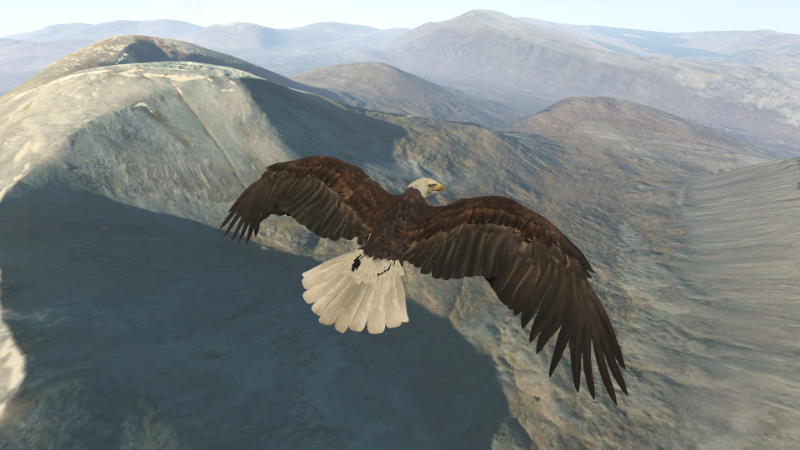
I have updated Aquila to version 0.981. This brings in numerous bug fixes and little changes.
trueSKY is one important change. For VR use trueSKY seems to require single-pass rendering, so I'd be very interested in hearing from anyone with a non-Nvidia card, or certainly a card that doesn't support it. I'd like to see what it does, and how I can resolve any issues. Additionally, if you run the Unity player with anything below "Beautiful" quality setting, the trueSKY sky may be flipped upside-down on the second observer screen. VR view will be fine whatever quality setting you use. If you need to change it, run the game while holding CTRL and the player options window will appear on your Windows desktop.
Bird flight physics has been brought 'in-house' for best flexibility. Motion controllers benefit most from this change, as you have more flexibility with your wings, although all control methods use the new physics.
Tutorials are available for all control methods, but all start airborne and do not cover take off and landing technique - this is covered on YouTube with tutorial videos available here and on the Aquila website here. These provide an introduction to Aquila, and your first flights with motion controllers. Other videos will follow covering more stuff, and the other control methods.
Playing without VR has some support, but the tutorial doesn't cover everything. Here are a few notes if you're playing with a gamepad without VR:
- the title screen menu is used with either the Dpad or arrow keys, and Enter or Green 'A' button to select. The in-game menu is opened and closed with Space or the Red 'B' button. The Dpad moves the highlighted option around, while Enter or Green 'A' selects again.
- Start in the air with the default options (Scotland, start in the air, wind 230 degrees, bald eagle, Easy mode). If you do end up on the ground, the quickest way to get airborne again is to hold Y on the keyboard or the yellow Y on your gamepad for a few seconds and you’ll zoom into the sky, where the autopilot will be engaged until you're ready to take over. If you want to take off yourself, the most reliable way is to run forwards with the left thumb stick in to wind (there’s seeds that blow in the air, and a wind arrow in the top middle of the screen), then let go of that while immediately pushing the right thumb stick to flap.
- If you don't have a gamepad, you can use WSAD to move on the ground and the Right Shift key to flap. Support for this is very basic and can be buggy. Again the easiest way to take off is move into wind, then release W immediately as you press Right Shift. Then once you're flying, WSAD steers you. I mainly added this to let me work on Aquila on the laptop while away with work.
- to change views it’s the gamepad top-left shoulder button, or V on the keyboard. To look around it’s either moving the mouse while holding the right button, or holding the gamepad top right shoulder button and using the right thumb stick. The left mouse button also works to flap.
In the air the birds seem to fly fine, with two non-VR issues I know of that I’ll address:
- the roll/pitch rates need to be increased. It’s more like a Boeing than a bird at the moment.
- the thrust is constant when you flap with the thumb stick. It will be in time with the flaps in a future release.
Here's a short list of things I'm continuing to work on:
- adding water to where water exists on the satellite photography.
- experimental landings in trees.
- ways to increase detail on the ground without destroying VR performance.
- two new eagle models.
A bit of a long description for a short update, but I hope you can get some relaxing enjoyment from Aquila. Please check out the Tutorial videos on YouTube; at the very least you can have a laugh at me flapping my arms like a loon...
Thanks for reading, and thank you for your support. :)
Graeme