TasteMaker - Out Now!
major updateTasteMaker · published
After two years of early access, TasteMaker is now finally fully released! I’m very grateful for all the support and feedback I received during early access. As mentioned in an earlier blog, I will continue to support TasteMaker, but the updates will probably be smaller and less frequent as I will also be starting on my next game soon.
The full release of TasteMaker comes with a number of exciting updates, and the game will be discounted by 40% this week. If you haven’t had a chance to play TasteMaker yet, this is a great opportunity.
Translations
Translating the game into multiple languages has been a much requested feature since the game launched in early access. This update finally introduces translations into 5 languages: German, Spanish, Brazilian Portuguese, French, and Dutch. More languages might follow in the future.
Color Picker in Item menu
While it has been possible to change the color of a lot of items for a while now, I often received the feedback that it would be better to have the option to change the color of an item before placing it. Having to individually click each item and change its color after placing it could become a bit tedious. This update finally introduces the ability to change colors before you place the item.

Dynamic Icon Generation
With the new item menu color picking tool, it also made sense that icons for the item would dynamically change to the selected color. I implemented a system that will generate these icons. This has the added benefit that icons will be a bit more consistent.
Customizable Wall and Floor Colors
To expand the ways in which you can decorate and customize your restaurant, you can now also change the colors for a lot of floors and walls.
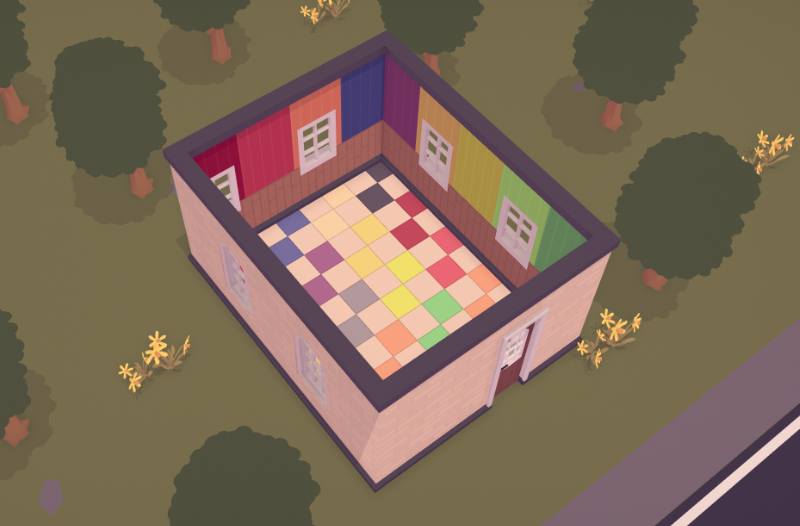
Wall Improvements
Previously, wallpapers would not always wrap around corners correctly. I made an effort to improve this. While it is still not perfect, I think that the new version is a big improvement.

New Floors, wallpapers and windows
To further expand the decoration options, I added 2 new floors, 2 wallpapers and 2 new windows.

Small Changes
- Fixed wallpaper decor rating not being applied
- Fixed not being able to buy wallpaper while having enough money
- Fixed memory leak while generating employee icons
- Improved the cheat menu UI
- Rebalanced scenario’s
- Made various performance improvements
- Fixed returning of cutting board bug when using zones
- Improved review rating icon
- Fixed pans being counted as cabinet content while on stove
- Improved auto-reset of kitchen equipment
- Fixed money particles appearing through floors
- Improved menu UI
- Fixed loading panel opening stutter
- Fixed false “employee can’t reach ” messages
- Improved the review system
- Fixed overproduction of certain dishes
- Fixed plates getting stuck on cabinets when having avocado toast or donuts on the menu