AvaKit v1.1.3 Update
AvaKit · published
This update is focused on fixing some bugs and improving usability by renewing some existing features. Also, default(system) hot key for 'arm tracking on/off' is newly added.
Your feedbacks are really helpful to develop better AvaKit 🙇♂️
New features
New system hot key to turn arm tracking on/off
Now, you can turn the arm tracking on and off by using 'O' key in the keyboard.

Improved features
Tracking method
- Eye tracking system is improved for better 'blink' movement.
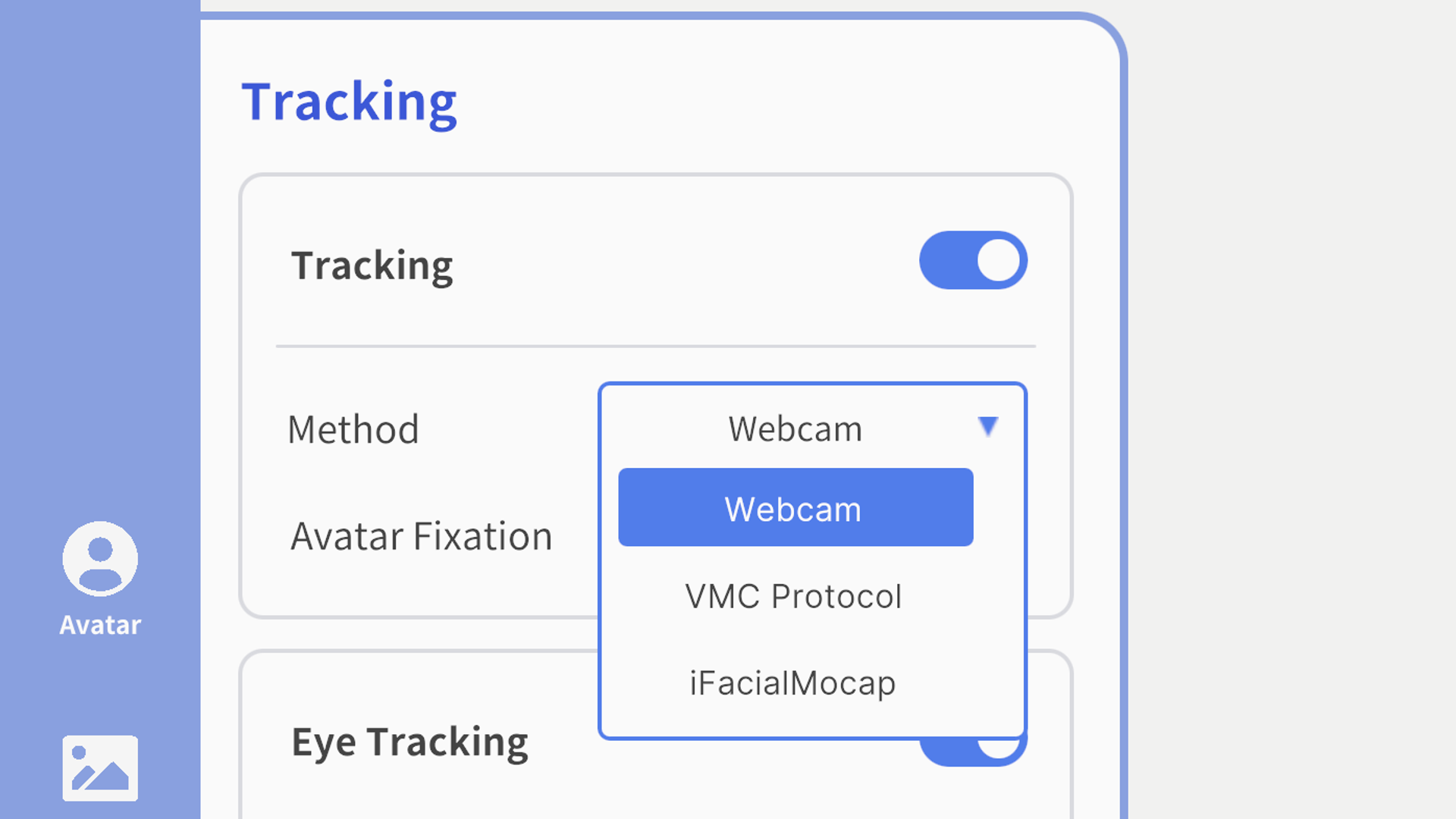
- Tracking method is categorized into 'webcam', 'VMC protocol' and 'iFacialMocap'.
Default shadow
- The default for 'intensity' parameter for shadow is changed into '10'.
- The shadow parameter data used for the previous model is automatically applied after importing the new VRM model.
Right shortcut modification
The second icon for the right shortcut - 'Sending signal to OBS on/off' is replaced into the OBS logo to clarify its meaning.

Miscellaneous bugs fixed
- The error of sudden activation of inactivated particle effect while sending signal to OBS is resolved.
- The error of sudden implementation of inactivated particle effect is resolved.
- The error of sudden activation of inactivated mouth tracking is resolved.
We'll always try our best to improve AvaKit. Thank you.