Textvas Official Release v1.0
major updateTextvas · published
Today, Textvas has graduated from Early Access and reached its official release.
Since the start of Early Access, we have added more than 30 new features, and made even more improvements on top of that.
Every one of them was built upon the feedback you shared with us.
Thanks to all of you, we feel that Textvas has become a much more comfortable app to use than before.
New Features
・Dialogue Editor
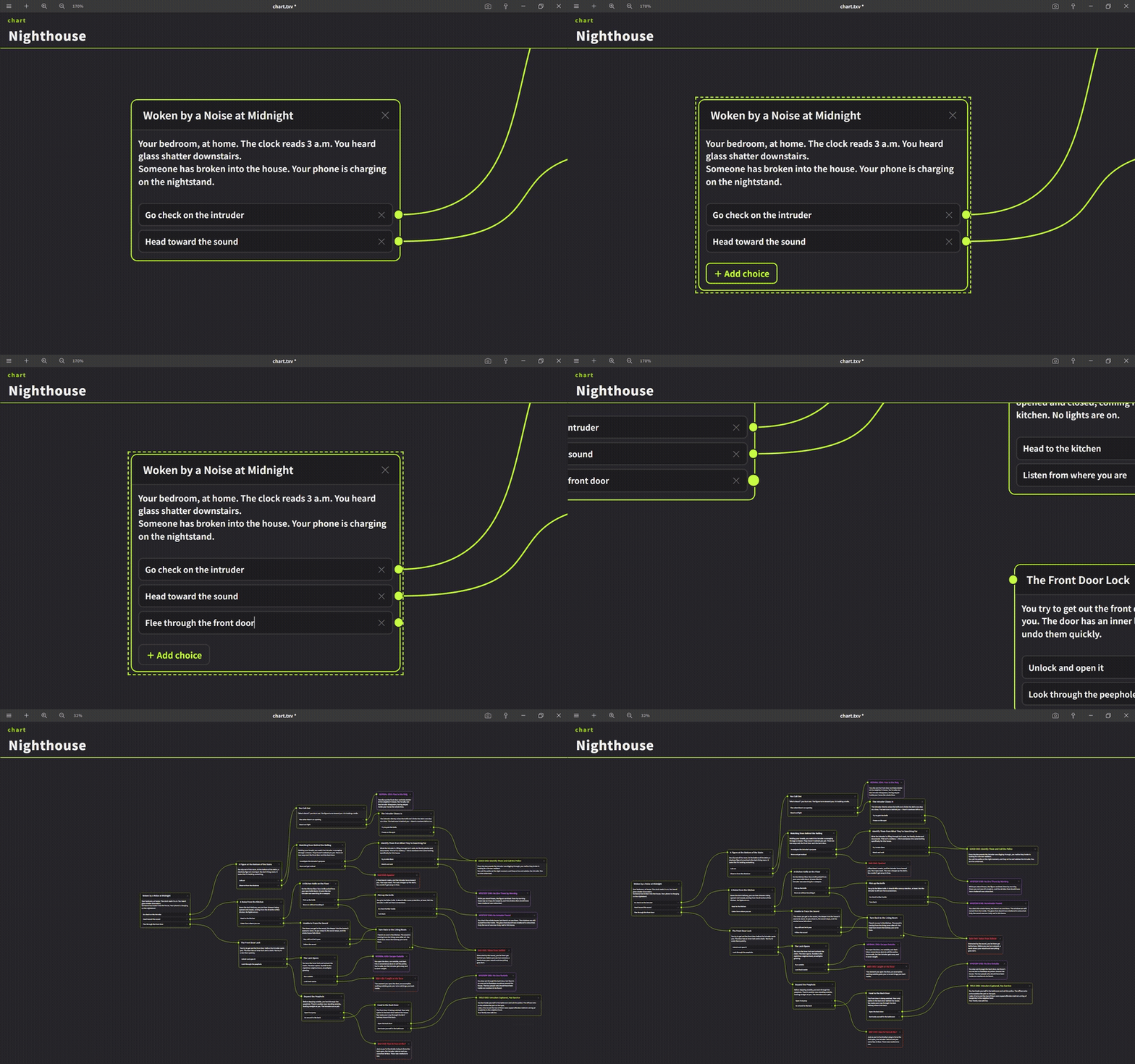
We added a Dialogue Editor that lets you visually build conversations and choices by connecting nodes.
Right-click a tab in the sidebar → Add Node Editor → Dialogue to add one.
Right-click the background → Add Dialogue Node or Add Event Node to place nodes.
Drag a node's port to connect it to another node.
Right-clicking the background also lets you switch the line shape (curved / right-angle).
You can change the colors as well.
Exporting as an image is supported with the same operation as on a regular board.
・Flowchart Editor
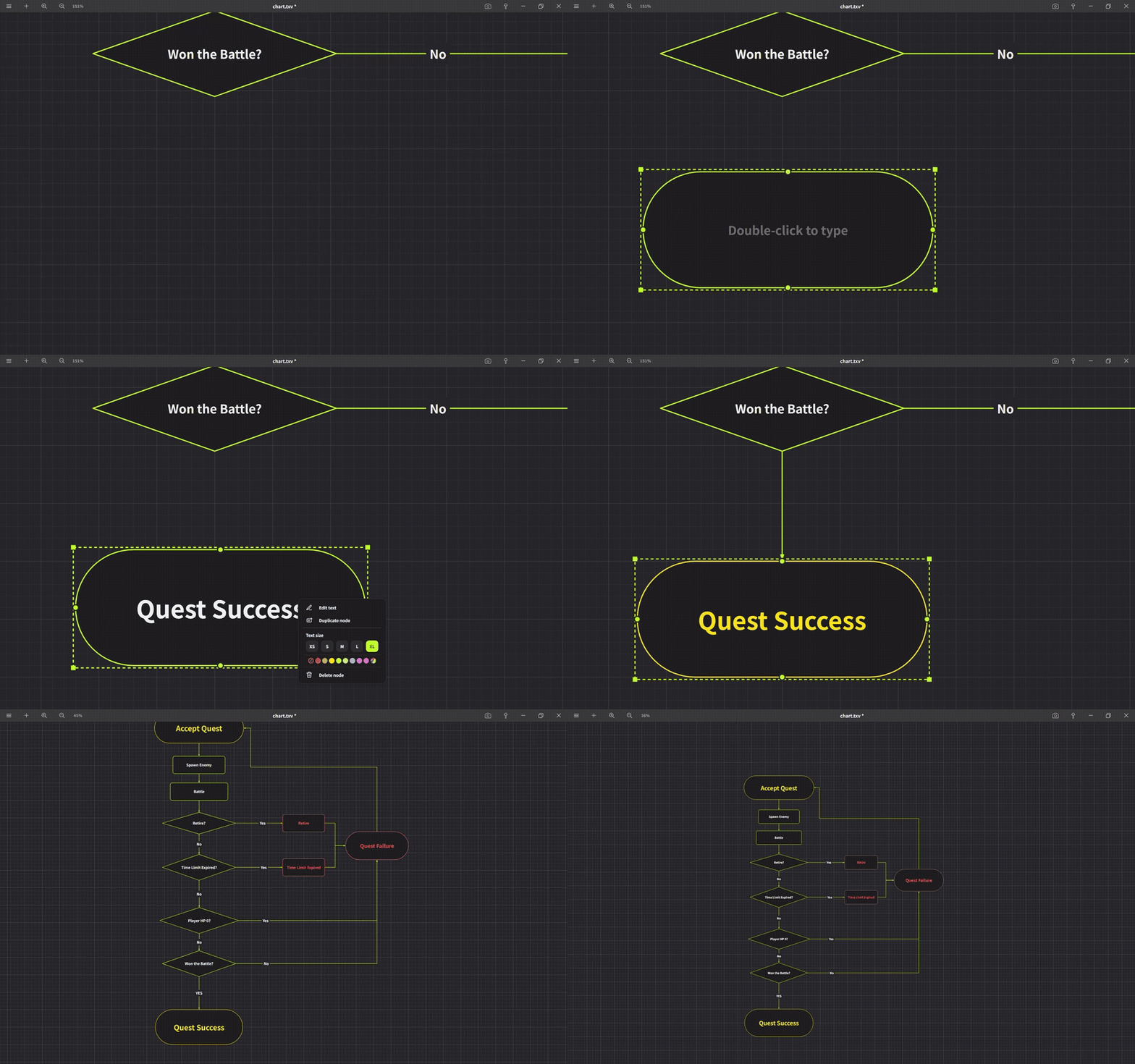
We added a Flowchart Editor that lets you visually build process flow diagrams by connecting shapes.
Right-click a tab in the sidebar → Add Node Editor → Flowchart to add one.
Right-click the background → place a shape from Rectangle, Diamond, or Capsule.
Double-click a shape to enter text.
Drag the round ports on the four sides of a shape to connect it to another shape.
Right-clicking the background lets you toggle the grid on / off.
You can change the colors as well.
Exporting as an image is supported with the same operation as on a regular board.
・Three Types of Links
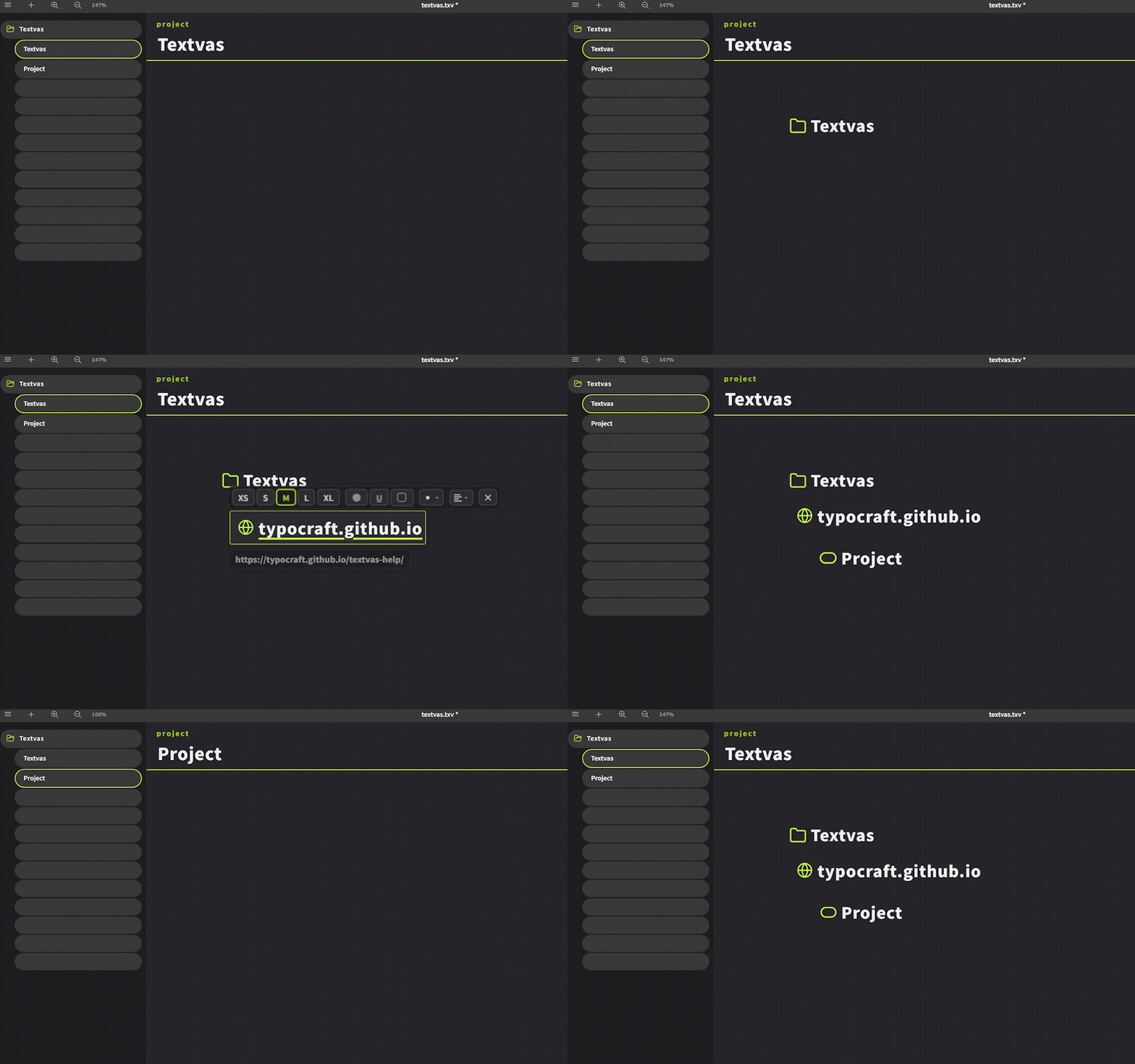
We made it possible to turn cards on the text canvas into links.
Double-click to open their destination. Three types are supported.
・Folder Link
Created by dragging and dropping a folder from Windows Explorer onto the canvas.
Double-click to open that folder in Explorer.
Hover over it to display the folder's location (path).
・URL Link
Created by pasting a URL (Ctrl+V) (those starting with http:// or https:// are automatically turned into links).
Double-click to open it in your default browser.
Hover over it to display the linked URL.
・Board Link
Created by dragging and dropping a sidebar tab onto the board.
Double-click to jump to that board.
Pressing the mouse's back button right after moving returns you to the board you came from.
・Double-click Word Selection

You can now select a word by double-clicking while editing text
(double-click = select word / triple-click = select line).
Improvements
・Text Tooltip for Connection Lines
We changed the design. We added an X button, and adjusted it so that pressing the X button deletes the connection line.
Developer Notes
To coincide with the 1.0 release, we have launched the official website.
It introduces the available features in a list, so you may find some features you didn't know about.
https://typocraft.github.io/textvas/
To everyone who has used Textvas until now, thank you so much.
We kindly ask for your continued support going forward.
We will continue striving to improve Textvas.