Patch released - Puppet Warping, Timeline Animations & HDR Bloom (Build 1.4.107)
major updateWallpaper Engine · published
Hey everyone,
today we are releasing Wallpaper Engine 1.4 with a ton of new features, various improvements and bug fixes. On top of that, we are launching our new designer documentation website, which provides in-depth guides for the Wallpaper Engine Editor and should make wallpaper creation much more accessible to newcomers and existing users alike.
Puppet Warping
The first major new feature we are introducing is Puppet Warping. With the new puppet warp feature, Wallpaper Engine can analyze the geometry of imported character cutouts (and even character sheets). Wallpaper Engine allows you to define the skeleton and the limbs of your character and then apply complex animations to them. This is a multi-step process that opens up completely new ways to animate characters and we are very much looking forward to seeing what users will do with this new feature:
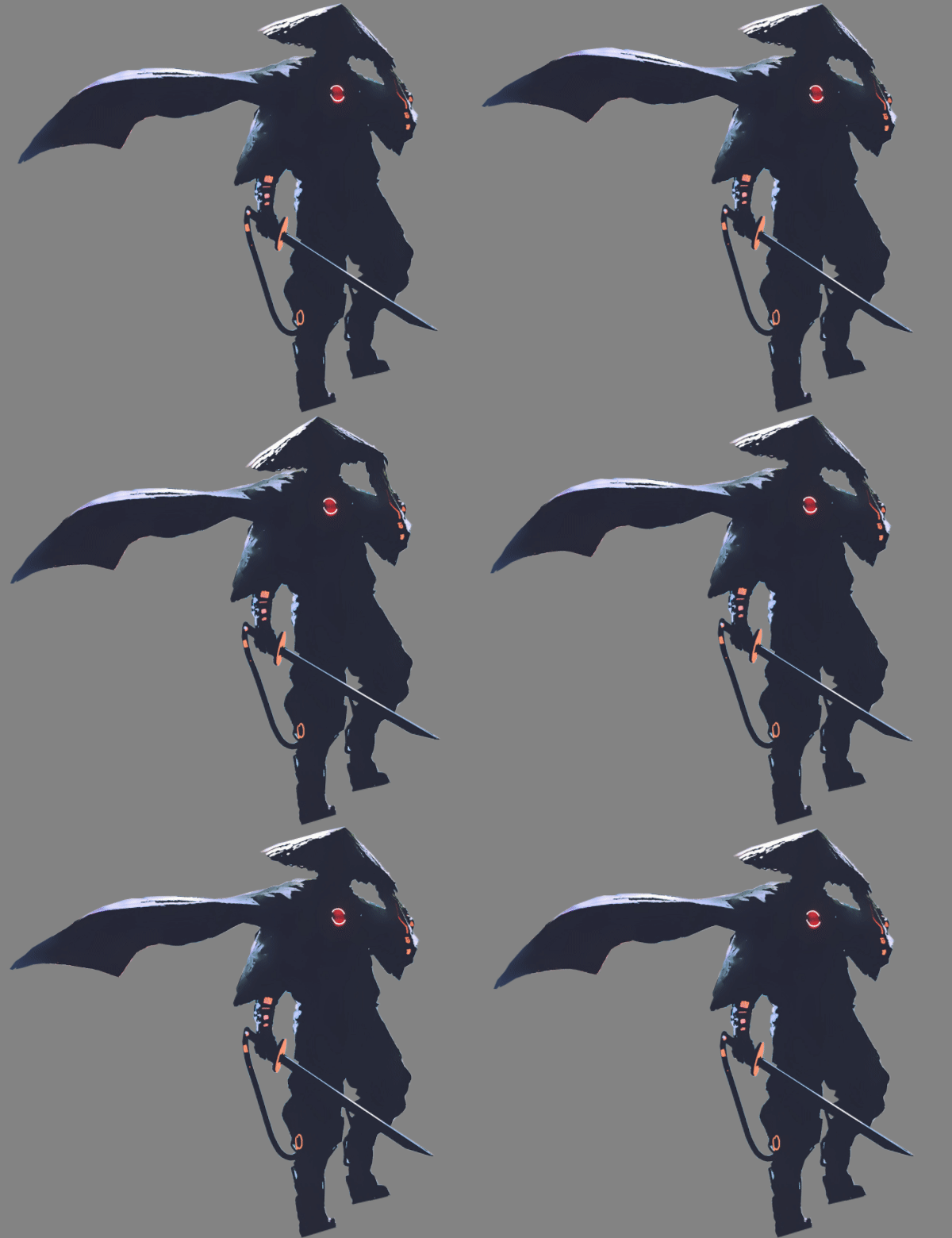
Puppet Warping even includes physics simulations for objects and advanced users are even able to create interactive wallpaper elements with it, like the following jelly which can be grabbed by the mouse cursor:
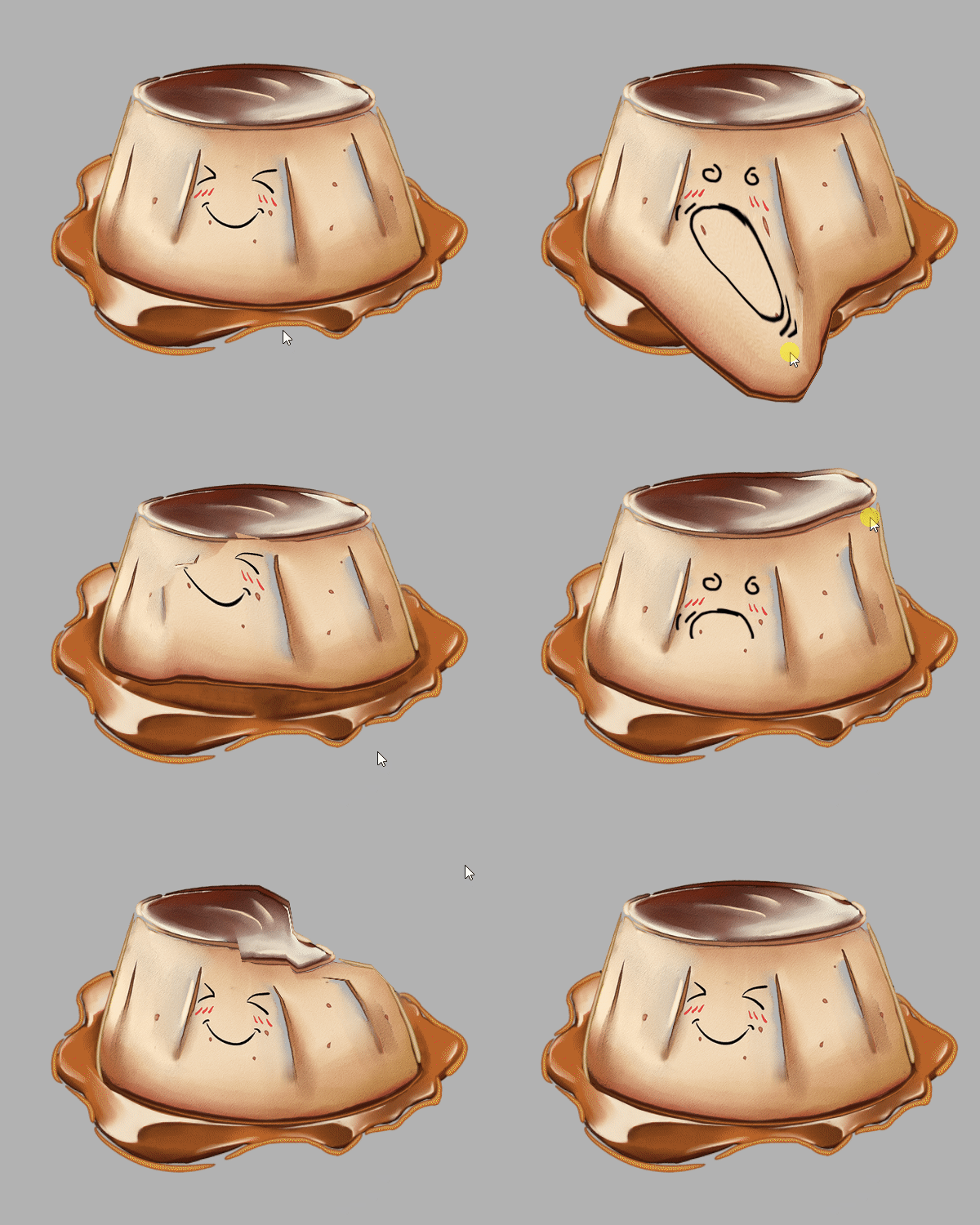
Puppet Warping is usually reserved for complex professional applications. We have adapted it for Wallpaper Engine while trying to make it as accessible as possible and created a set of in-depth tutorials on it. If you are interested in giving a try, please have a look at our new tutorial series:
Puppet Warp Tutorials (Only in English for now)
Timeline Animations
We have also added a completely new key-frame based timeline animation system to the editor. This new system is used in puppet warp animations but we have also enabled it to work with all properties in the editor. This allows you to configure effects to change over time, you can also move, resize and turn elements across the screen on a predefined interval.
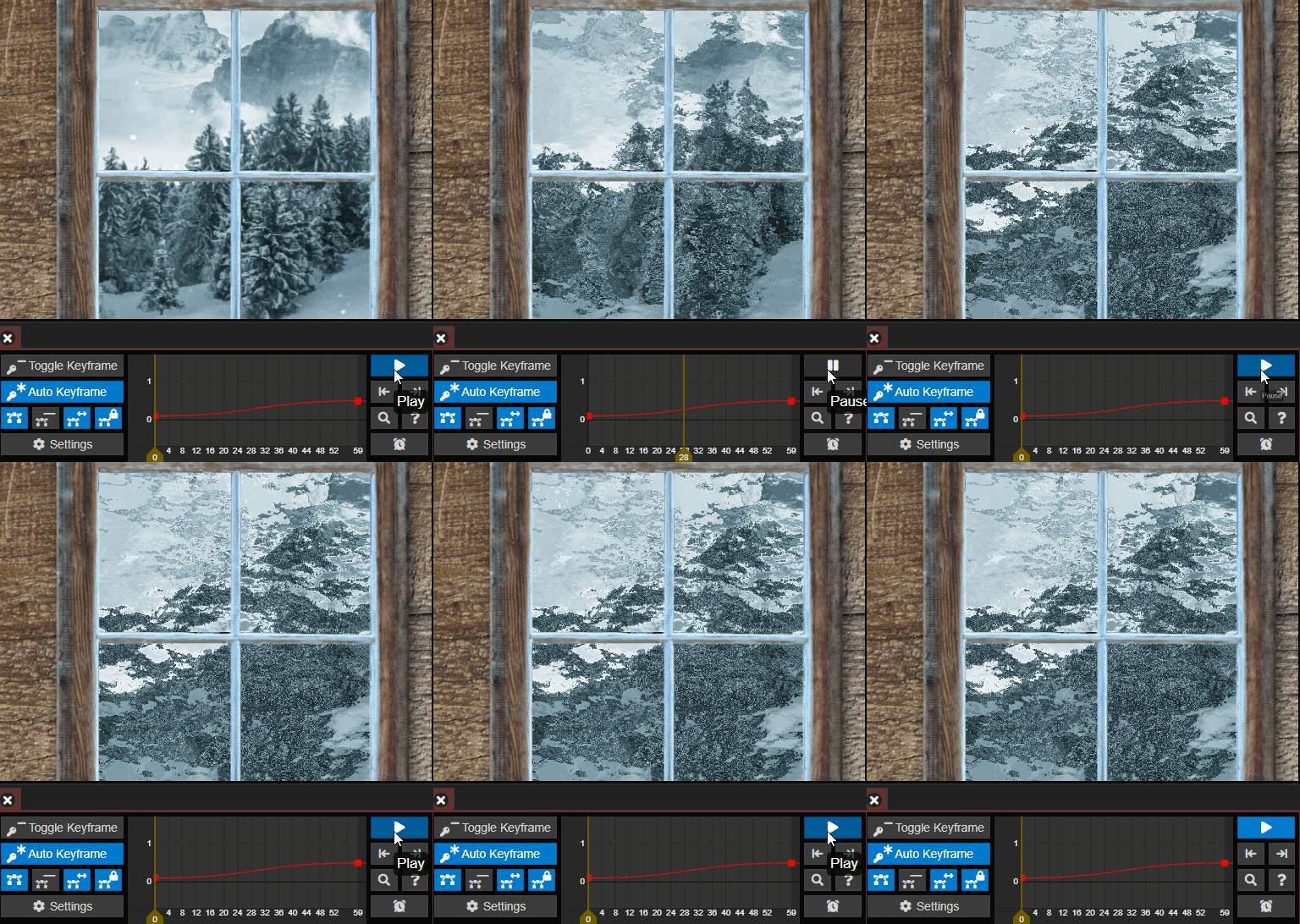
In the example preview above, you can also see the new Refraction effect freezing over a window with a timeline animation. The new refraction effect is especially well-suited to simulate frozen glass or similar surface patterns - just in time for the winter season!
Just like with Puppet Warping, we have created a series of extensive tutorials for the new timeline animation system that you can find on our new documentation website:
Timeline Animation Tutorials (Only in English for now)
HDR Bloom
Another new feature is HDR Bloom that allows for more advanced light glow effects on wallpaper elements. The effect is especially visible when bright and dark objects meet. We have updated the existing Razer Bedroom wallpaper to support HDR Bloom. If you would like to give it a try, set Post-Processing to the new Ultra setting which is turned off by default for now:
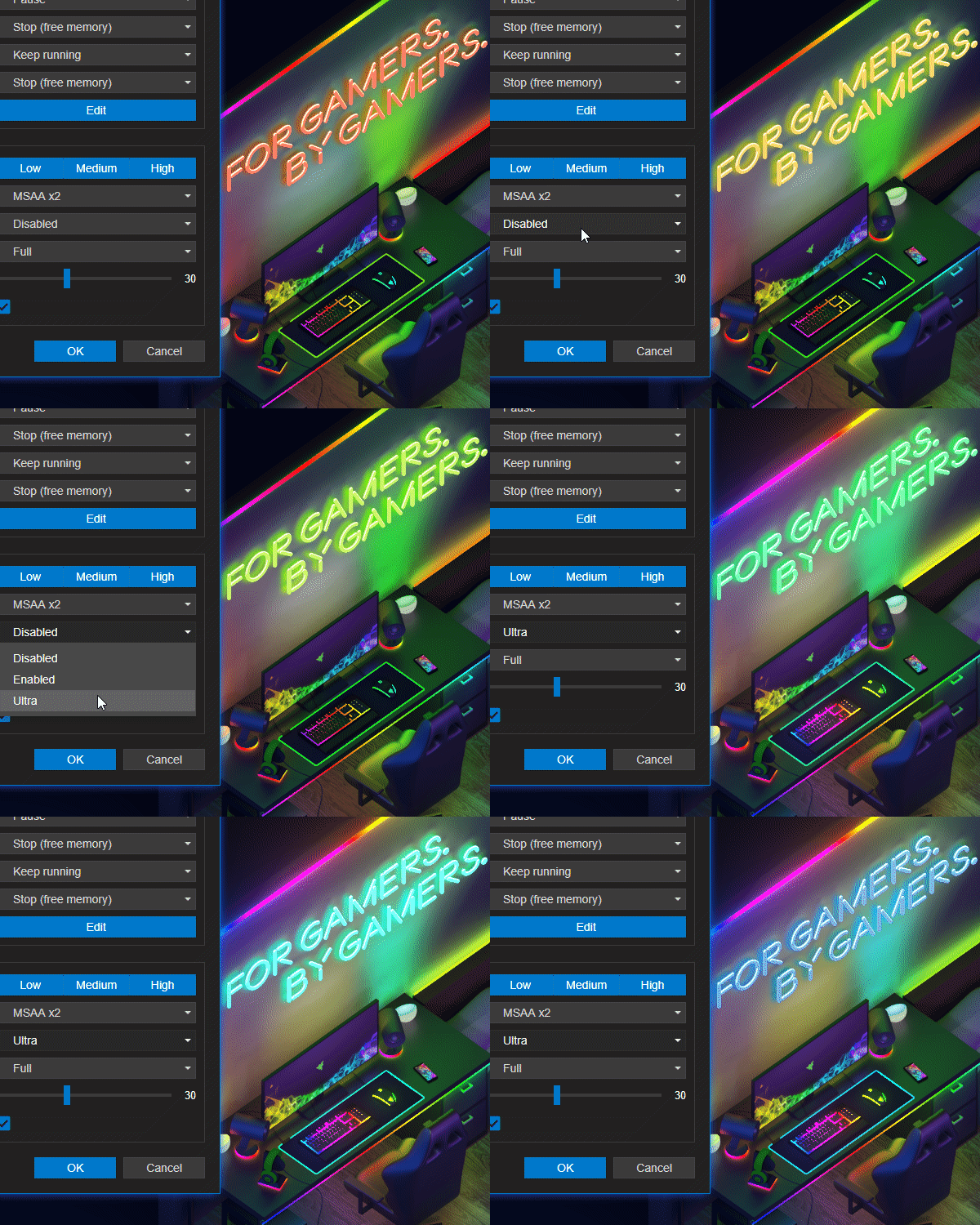
HDR Bloom is a new option in the editor scene options, if you would like to learn more about how to use it in your own wallpapers, please have a look at our new bloom tutorial:
Bloom HDR Tutorial (Only in English for now)
New Wallpaper Customization Options
We have added a few new customization options to all Scene and Video wallpapers. You can now choose more alignment options, including a Free Alignment option, which gives you the ability to freely position a wallpaper on your screen and zoom it in and out as needed.
Additionally, we have implemented another popular feature request to give you the ability to change the brightness, contrast and saturation. On top of that, we have added a hue shift functionality which allows you to completely change the colors of any wallpaper if they don't happen to fully match your taste.
You can find these options on the right-hand side when selecting any installed Scene or Video wallpaper:
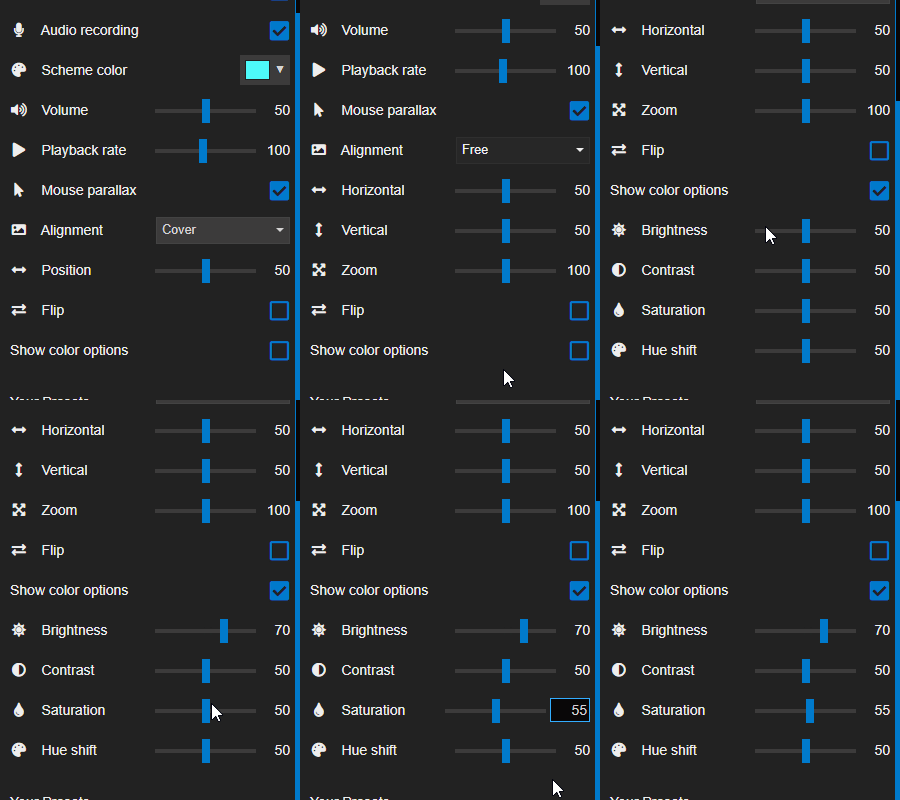
In the video clip above you may have spotted another new feature: Clicking on any slider value in the wallpaper settings will now allow you to manually type in a value - this was also another popular request that we have implemented.
New User Interface Effects
We continue to overhaul the user interface to make it easier to use and also improve the look and feel. You can now see followed users and favorite wallpapers in the Discover tab by clicking on the new buttons in the top section.
We have also created a new download animation and added a blur effect to all pop-up windows. If you don't like these effects or if they cause any technical issues for you, you can turn them off in the General tab of the Wallpaper Engine settings. When hardware acceleration for the user interface is turned off, they are also automatically turned off to make the interface more performant.
Designer Documentation Website
The Wallpaper Engine editor has become very capable and includes many functions also found in professional applications. For this reason we have worked hard to create a new documentation website which we are finally revealing today:
docs.wallpaperengine.io
The website is still a work in progress and still missing a few important tutorials. However, all new features have been fully documented and we have also already created a new Getting started with your first wallpaper guide that is a great way to get started with all the basics of creating your fist animated wallpaper with Wallpaper Engine.
The new website offers multiple advantages to us over using Steam or an external wiki: Since we have full control over the website, we can structure tutorials the way we like them, incorporate a large number of helpful video clips and even create translations which will make the Wallpaper Engine editor more accessible in the long run.
The documentation for HTML-based Web wallpapers is already done, while we will likely finish the documentation for image-based Scene wallpapers in January 2021. Once we are done with the documentation, we will start translating the website into other languages, so if your English is not the greatest, be sure to check back later or simply give machine-translation a try!
We highly value your right to privacy: Neither the Wallpaper Engine app or our website utilize any user tracking at all. For this reason, we absolutely rely on personal user feedback. If you think any of the tutorials are unclear or if you have a suggestion for a future tutorial topic, we're happy to hear from you, just post on our forums or send us an email. Any constructive feedback, be it positive or negative, is very much appreciated and we will incorporate it into future updates of the website and the app.
Wrapping up 2020
Last but not least, we wish all of our users that celebrate any of the ongoing or upcoming festivities around the world happy holidays and we wish everyone a happy new year. We know there are more important things going on in the world than an app for animated wallpapers, but we hope you will like the features we have added with this update and hope that it will inspire people to try out some of the new or existing features of the Wallpaper Engine editor.
We personally will take off some time to spend Christmas with our families starting the 21st of December. Should you run into any technical issues over the Christmas holidays, we would like to apologize in advance and ask you to check out our Troubleshooting & FAQ website first - it really covers all regular issues in great detail and most problems can be solved easily with the help of it. If you cannot solve these issues on your own, just write us an email or come by our forums in January and we will be happy to help you out as we usually do.
Full changelog 🤓
Additions / Changes
- Added timeline animation system for properties.
- Added puppet warp deformation and animation system.
- Added HDR bloom rendering.
- Added new "Ultra" post-processing option to enable HDR bloom, it's disabled by default for now.
- Added script access to texture, property and puppet warp animations.
- Added refraction effect.
- Added precision option to user property sliders.
- Added order input to sort user properties a bit more easily.
- Added direct user property editing in wallpaper browser by clicking on the label.
- Added general colorization options to scene and video wallpapers.
- Added animations to wallpaper download progress (can be turned off by disabling the new UI effects option).
- Added background blur modals in UI similar to Windows 10 transparency effects (can be turned off by disabling the new UI effects option).
- Added additional UI hardware acceleration option to toggle it on again after it was disabled with the third Steam launch option.
- Improved keyword behavior in Workshop tab.
- Added designer documentation button to editor startup screen.
- Replaced help overlay with new section in file menu.
- Various minor user interface improvements in the app and the first-time setup.
- Added image layer preview image to properties in editor.
- Improved general input responsiveness of editor by making FPS limiter more lax when input is sent.
- Added new 'center' and 'free' alignment options to videos and scenes (renamed old 'center' alignment to 'fill').
- Made image import dialog simpler with texture format guide.
- Improved quality of mass-imported static image wallpapers.
- Added setTimeout/setInterval functions to engine in SceneScript.
- Changed particle systems to immediately turn invisible when a user property toggles them off.
- Fixed per-wallpaper LED effects option not being applied on start up sometimes.
- Added automatic VRAM stop option that turns Wallpaper Engine off when your VRAM becomes exhausted (experimental, disabled by default).
- Reduced rare issue where wallpapers reload or flicker after booting with the high-priority automatic startup.
- Added CTRL / Shift hotkeys to brush editor to change size/opacity of brush more easily while editing.
- Added Shift hotkey to increase camera movement in editor.
- Added new "followed content" section to Discover tab where a list with new wallpapers from followed authors is shown too.
- Added background blending option for god rays and shine, when they are used on transparent images to improve blending behavior.
- Moved camera paths into dynamic window that is hidden by default (open it from edit -> camera paths).
- Added a connection overlay while Wallpaper Engine is blocked by Steam to confirm the initial connection.
- Updated Steamworks SDK to 1.50.
- Updated FreeType and Harfbuzz libraries to implement security updates.
- Added time rollover to scene wallpapers to fix animations breaking after weeks of uninterrupted use.
- Completely removed DirectX 9 and OpenGL in favor of DirectX 11.
Bug Fixes
- Fixed FPS limiter inaccuracies over 60 FPS - 144 FPS were previously only 120 FPS, now they really are 144 FPS.
- Fixed x-ray effect to work even when it's not the last effect.
- Fixed color picker on multi-monitor systems sometimes not working right.
- Fixed DPI scaling of title bar covering buttons on high DPI.
- Updated iCUE SDK to 3.0.361 and fixed LED count on multiple devices of the same class.
- Fixed scale gizmo in editor to maintain aspect ratio of scale.
- Fixed texture stats in editor to not take certain dynamic buffers into account.
- Fixed CEF global muting not being applied.
- Attempted to fix brush panel sometimes not appearing.
- Fixed combo box property not saving with a default value unless the creator chose one.
- Fixed bug in transparency cropping that turned some images invisible.
- Fixed audio stream being opened by OS even when wallpapers are globally muted.
- Fixed move wallpapers menu not showing all folders.
- Fixed nextWallpaper command line not being applied to all playlists.
- Fixed playlist images not showing on certain file paths.
Hotfix 1.4.123 Changelog
- Fixed DirectX crashes on some systems.
- Renamed internal colorization properties to avoid conflicts with existing wallpapers.
- Fixed scene audio response not disabling when there are multiple wallpapers with audio response.
- Reverted Steamworks to previous release until we can verify compatibility further.
- Fixed problems with image compression when updating an existing wallpaper.
- Fixed crash when a puppet warp with one bone was created.
- Fixed tray icon not appearing on some systems.
- Fixed issue where some wallpapers would not be displayed correctly.
- Fixed yellow-black checkerboxes appearing when update is not fully installed.
Hotfix 1.4.140 Changelog
- Fixed various issues with static image wallpapers.
- Fixed issues with disappearing elements in the editor.
- Improved puppet warp bone index sorting.
- Fixed border on "Fill" alignment on Windows 7.
- Updated to Valve's latest preview image URL scheme to fix some broken preview images.
- Fixed issue where sprite sheets where disabled when HDR was enabled.
- Optimized particle loading by reducing JSON copies.
- Fixed Refraction effect causing errors on wallpaper upload.
- Improved texture animation timer precision.
Support Notes
If you have any questions or issues with the update, please have a look at our help site as it covers the most common issues with application:
help.wallpaperengine.io
Should you run into any issues with the update or Wallpaper Engine in general, you can always write us on our Steam Discussion board and we'll gladly help you out. If you run into any issues or bugs, please post on our forums rather than commenting on the news as it's difficult to provide support in the news comment section. Please keep in mind that we will take a few days off during the Christmas days.
Nvidia drivers 460.79
Some Nvidia users have reported crashes at startup with the 460.79 drivers ("Cyberpunk 2077 Release Drivers"). If you are using these drivers and Wallpaper Engine crashes at startup mentioning an issue caused by the Nvidia drivers, please revert back to the previous stable drivers.
High CPU Usage with Razer Synapse Installed
There is a rare bug which can cause extremely high CPU usage when Razer Synapse is installed which appears to have started since the most recent update to Razer Synapse. If you have recently started noticing high CPU usage and have Razer Synapse installed, turn Wallpaper Engine off and reinstall Razer Synapse, afterwards restart your computer and see if the issue persists. In that case, turn off the LED Plugin in the Wallpaper Engine settings for the time being.