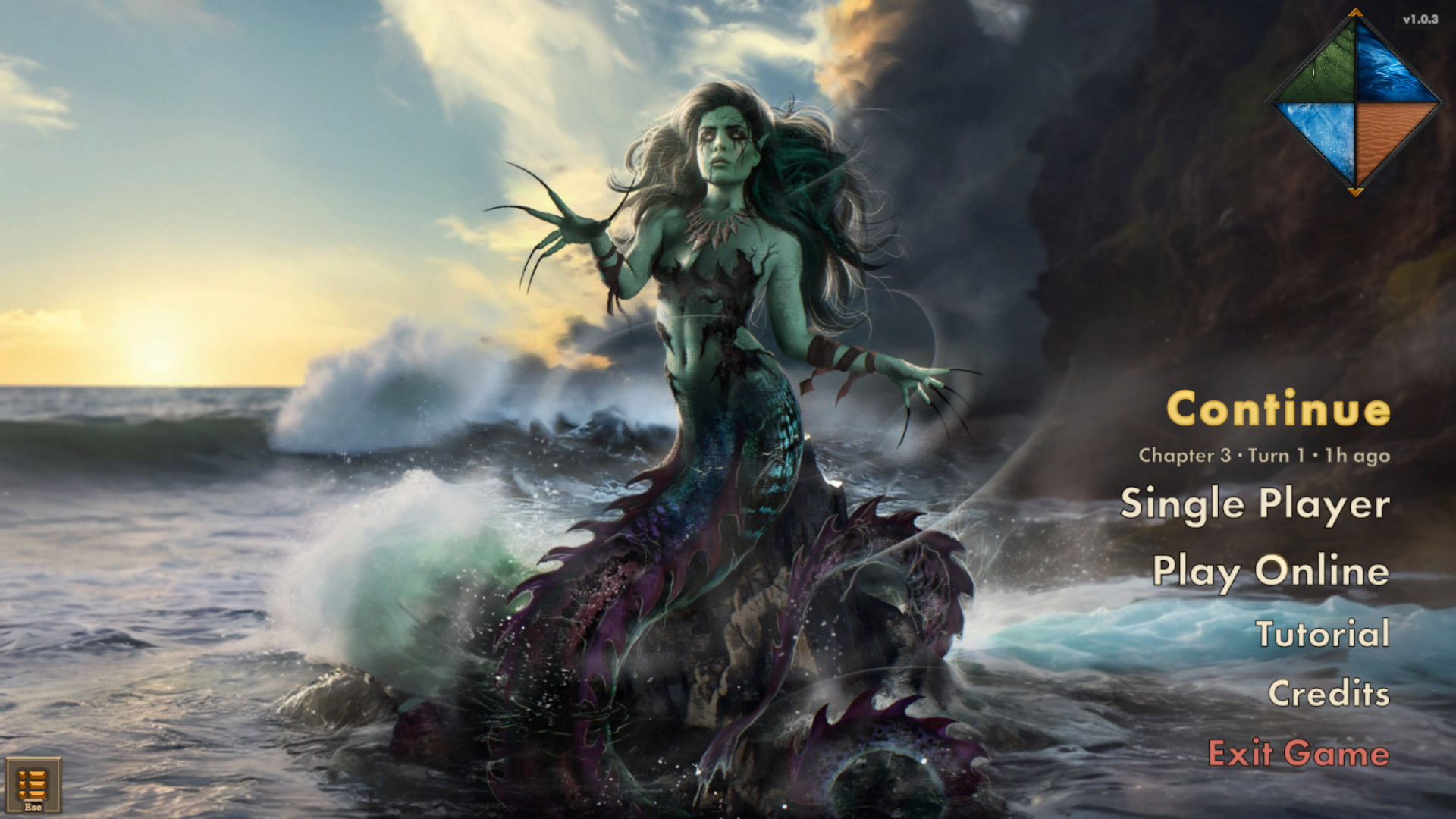
Refreshed title menu
The title menu now leads with three ways to play:
- Continue picks up your most recent Single Player save and shows which one before it starts.
- Single Player holds everything you play alone or on one PC.
- Play Online hosts or joins co-op and PvP games.
Single Player
- One place for your own games. Start a new campaign (Solo, Party or Couch Co-op), or load, restart or delete an existing one.
- Fully offline. No Steam lobby, and nobody can join.
Online
- Solo online campaigns count as Single Player. If you start an online campaign and nobody joins, it becomes a Single Player save: it shows under Continue, plays offline, and others can't join it later. The game warns you before you start.
- New players are offered the tutorial from Play Online as well as Single Player.
Fixes
- Gamepad stopped responding after using mouse and keyboard. Switching from gamepad to mouse and keyboard mid-level, then back to the gamepad, could stop the gamepad from selecting cells to move to or zooming the camera. Thanks to the community member who reported it!
- Couch co-op and solo party no longer auto-revive fallen Eternals. Auto-revive now applies only to online co-op.
Smaller changes
- Save details no longer show the attempt count.
- Leaving an offline game no longer warns about closing the lobby for other players.