Golfing In Aether Update Released [1.6.0]
major updateGolfing In Aether - Deluxe Edition Upgrade · published
For this update Japanese Localization has been added as well as several quality of life improvements.
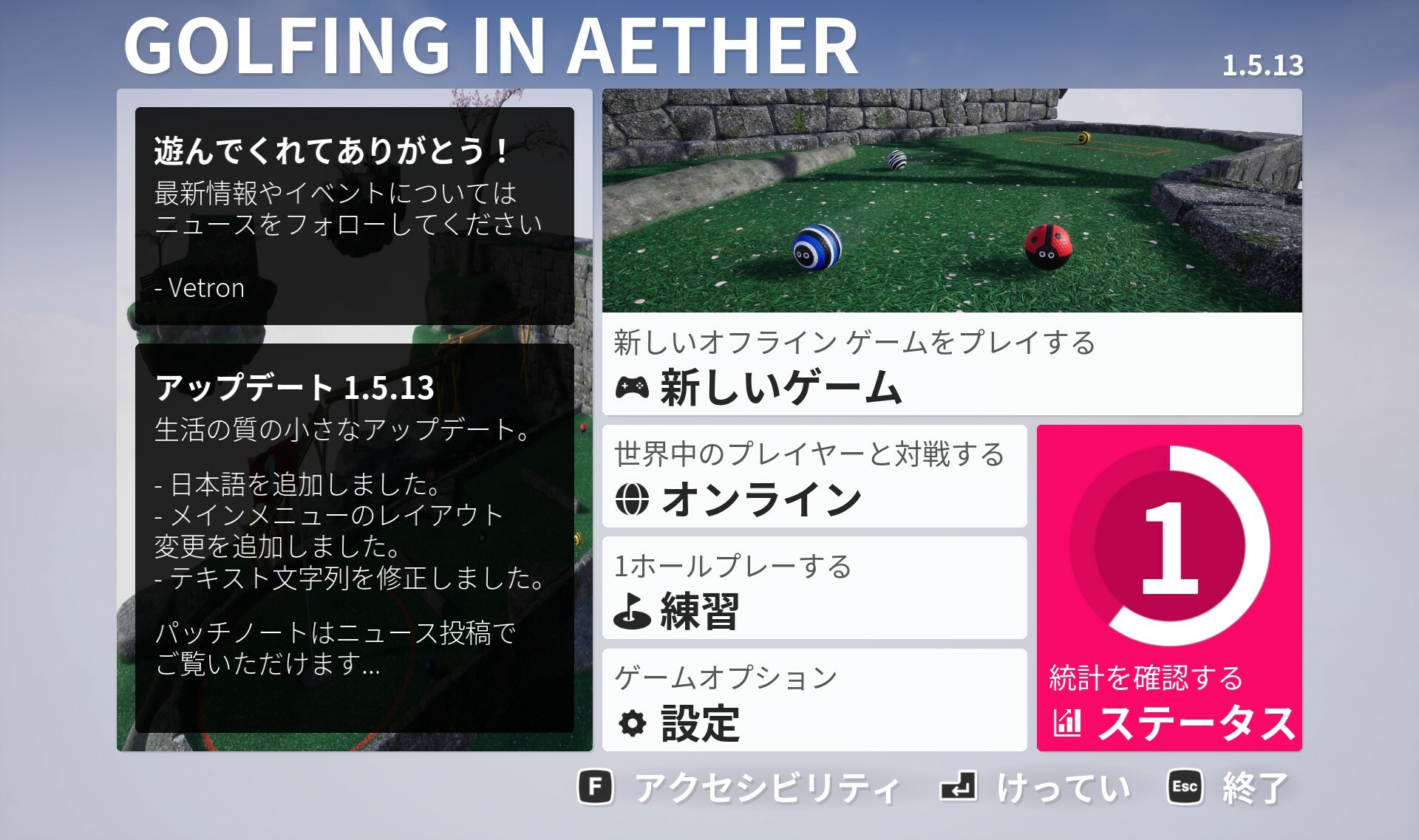
Added Japanese Localization
Localization for Japanese includes all in-game texts, store pages, and achievements.
When playing by using the in-game quick chat these messages are all translated automatically (players see these messages in their local language) so you can play and communicate with players at a basic level without the language barrier.
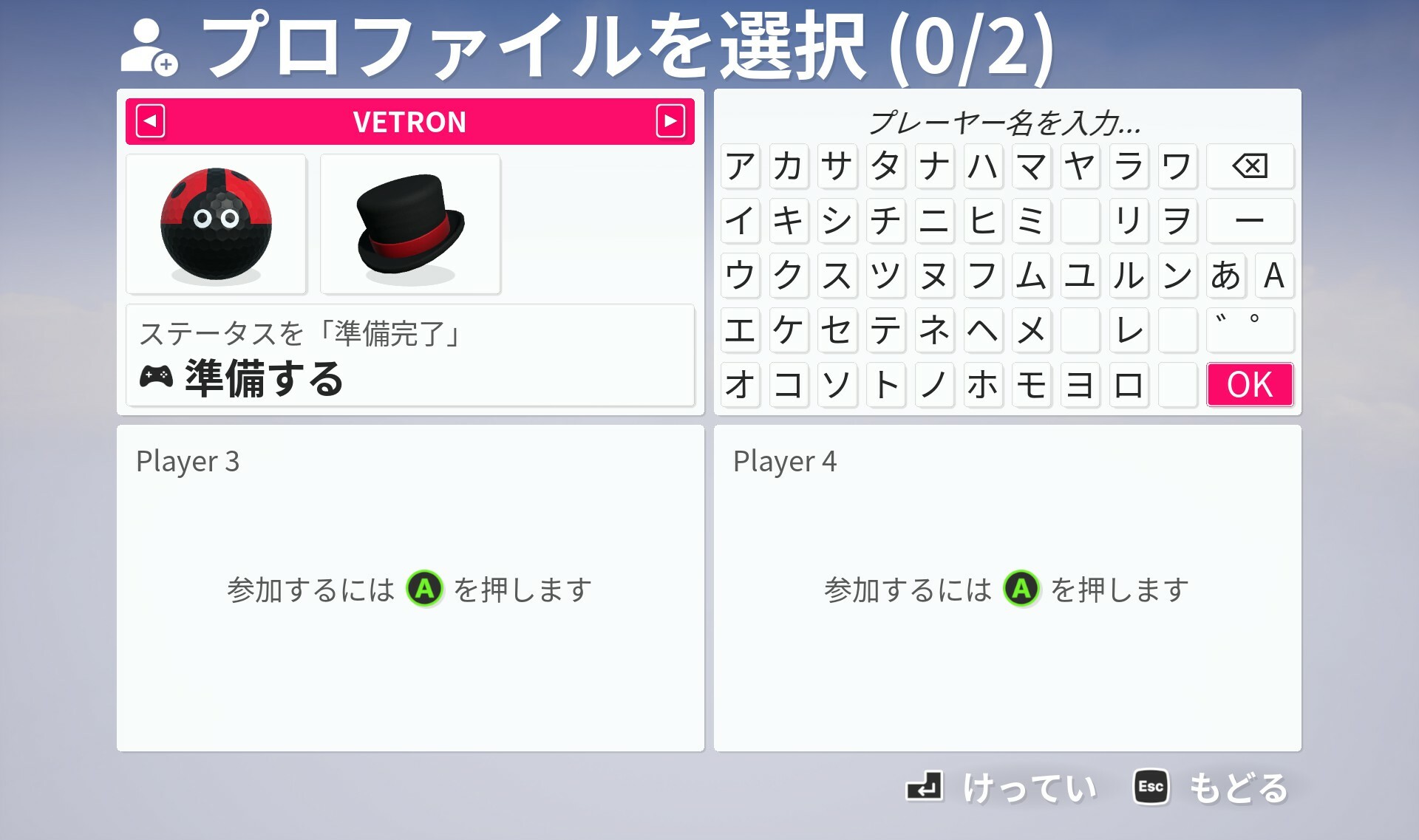
Another feature is the on-screen keyboard when using this localization supports hiragana and katakana.
https://store.steampowered.com/news/group/4145017/view/3684558162504860650
Controller support improvements
Steam recently announced changes to how controller support is listed on the store page specifcally to list support for DualShock and DualSense.
There was already support for these controllers and you may of noticed the option to set the glyphs ingame but as part of this update we've added the ability to automatically detect and set the glyphs for them when Steam Input is enabled. When controllers are disconnected the game menu will appear with a 'controller disconnect' warning.
Vibration support
Its now possible to have controller vibration with various settings to adjust how it behaves. Firstly you can set it to be either 'On' with full surface feedback, or can limit it to just impacts and hits, such as bouncing off a wall. You also have the option to disable it.
We've set impacts only enabled by default - as this will work with the widest range of devices. Official controller types for the various consoles tend to have much better vibration than third parties or 'officially licensed' copies - to the point where having full surface feedback can be rather unpleasent and annoying. We've also given an intensity setting you can adjust as well.
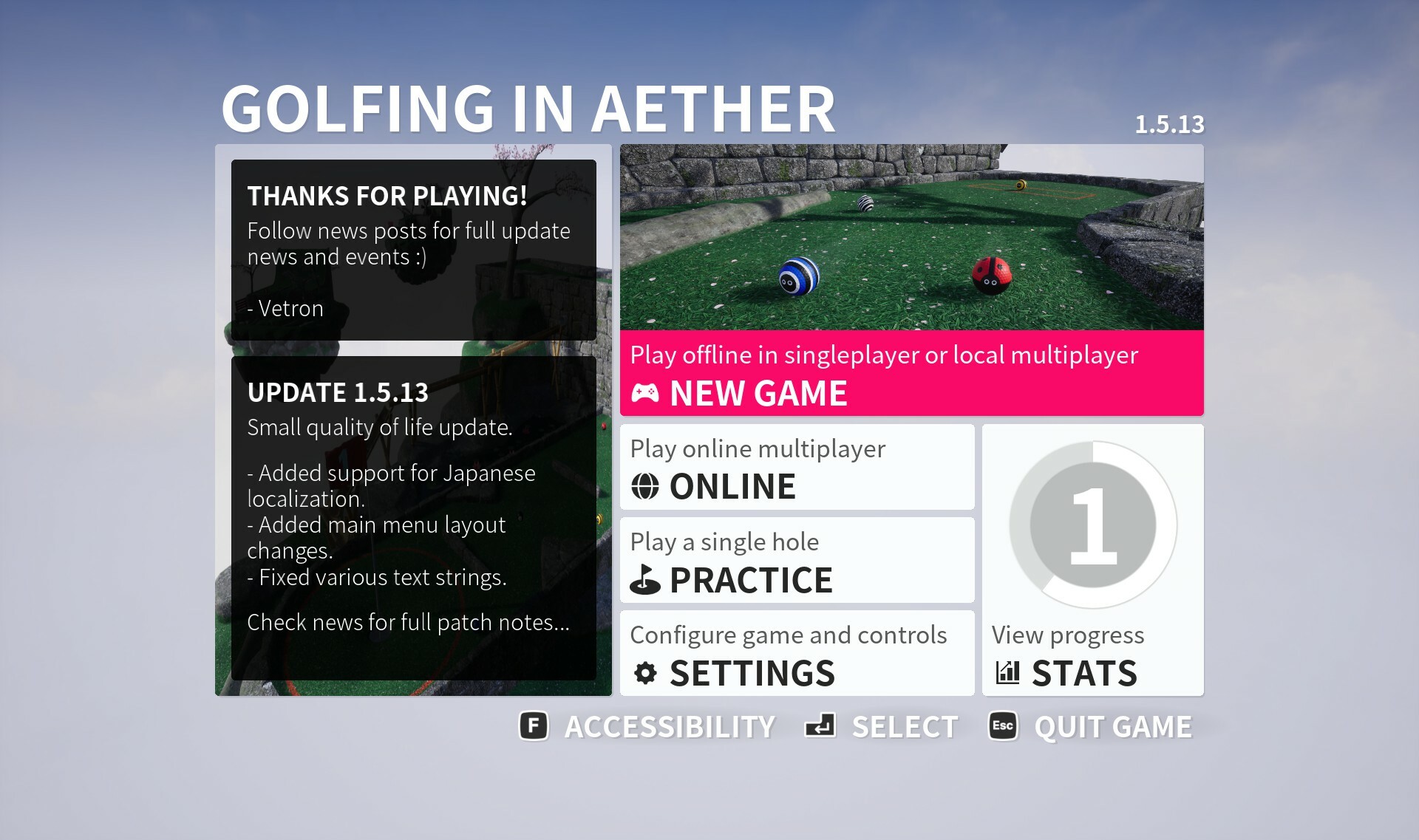
Menu layout improvements
As part of this update is a change to layout of the main menu and placement of online functions. Previously there was a general new game menu and then a join game menu but we've instead moved all online functionaliy behind the online button. This lets us have a clear dedicated offline section of the game, centalize online multiplayer to one spot and also offer us more space to implement additional functions in the future.
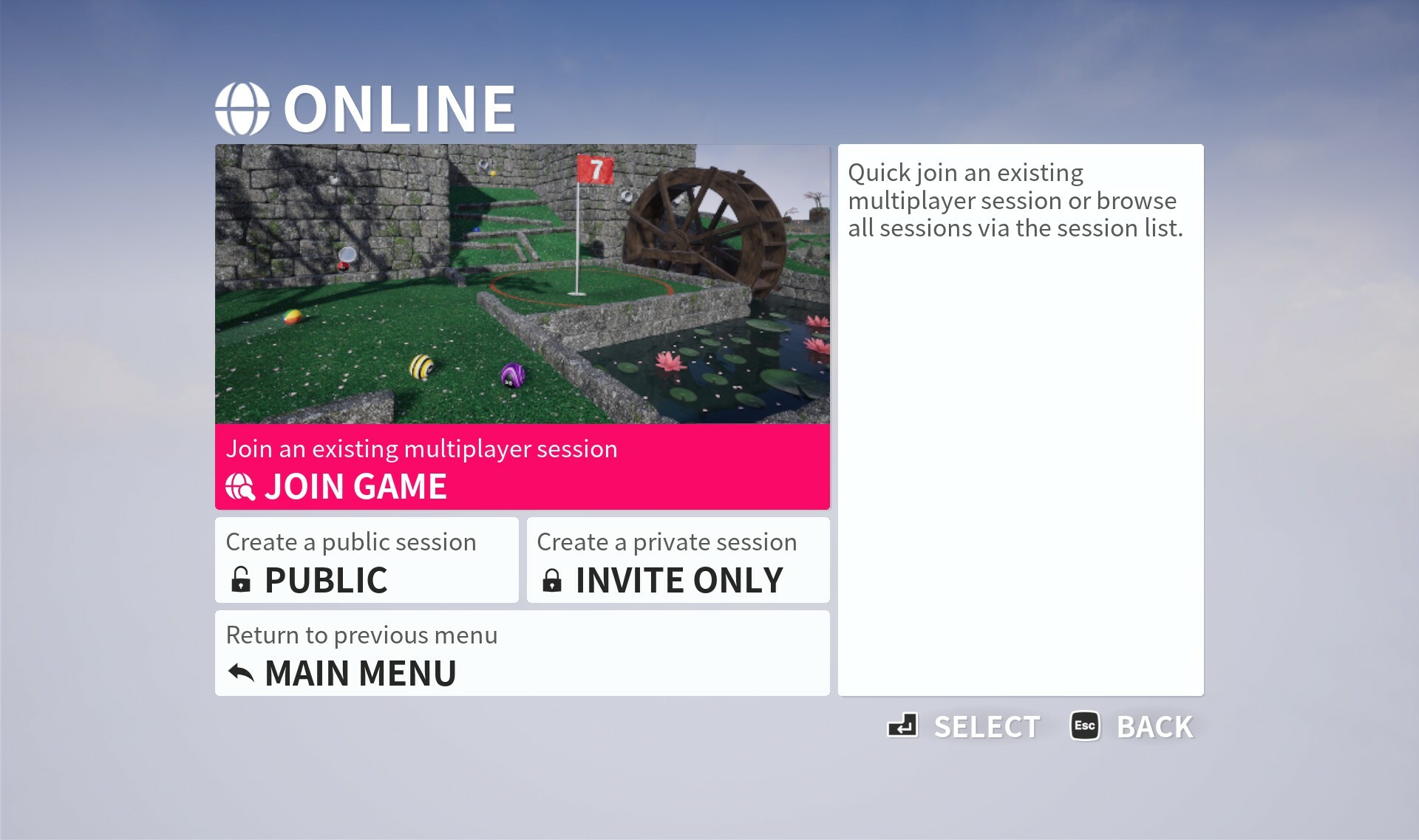
The online menu has buttons to either join sessions, or create a public or invite only session.
To create a custom session you select a base permissions type, and then press custom session on the next menu or after selecting which preset initially. The idea is you can go through the standard menu flow and only have to customize the final result if you wish.
The overall thought process behind these changes is to make things more straight forward for either playing offline with say singleplayer or local play, or when you specifically want to play online. Overall the same options are available and you can customize as you could previously could in the custom sessions menu.
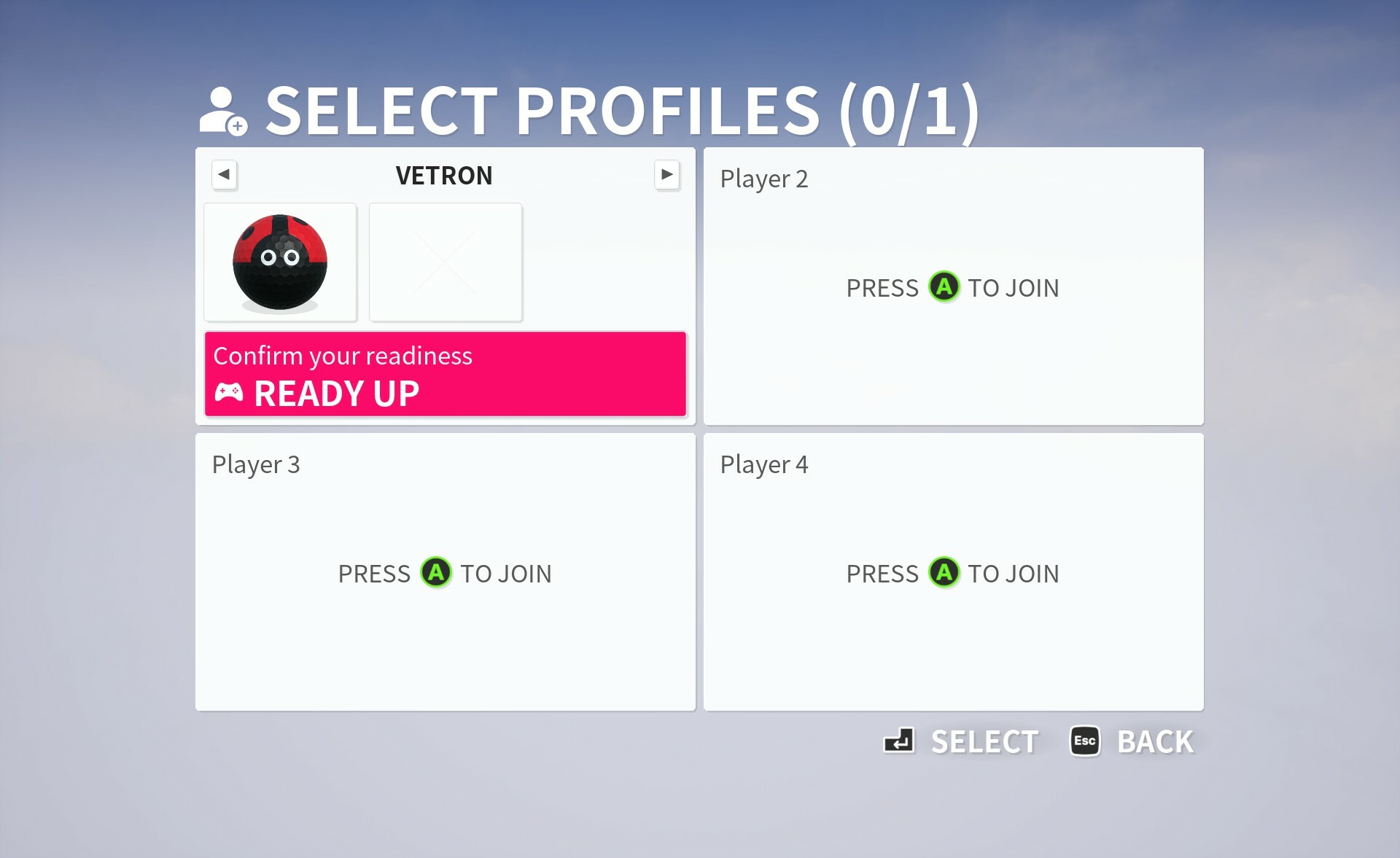
Another small change is we've hid the third button on the customization menu for now (until such feature is implemented) and also when selecting no headware option you'll see a faint X rather than purely empty box.
Invite code improvements
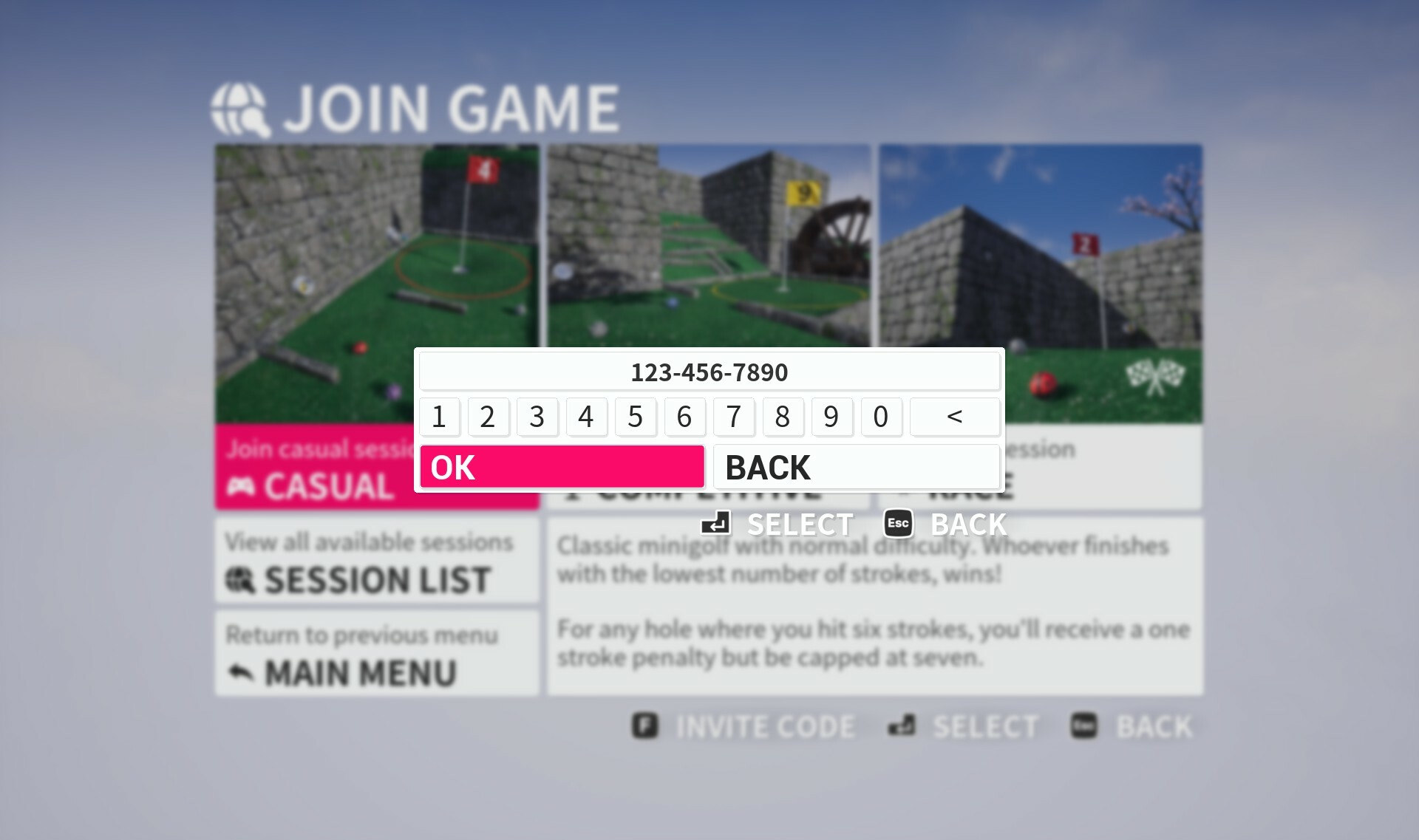
This has been given some tweaks so the code is displayed to you in a 111-111-1111 format and when you go to enter it will automatically handling the seperation. The point of this being to make it easier to read as much easier to keep track of 3 to 4 number blocks than a ten number block.
Menu scaling options
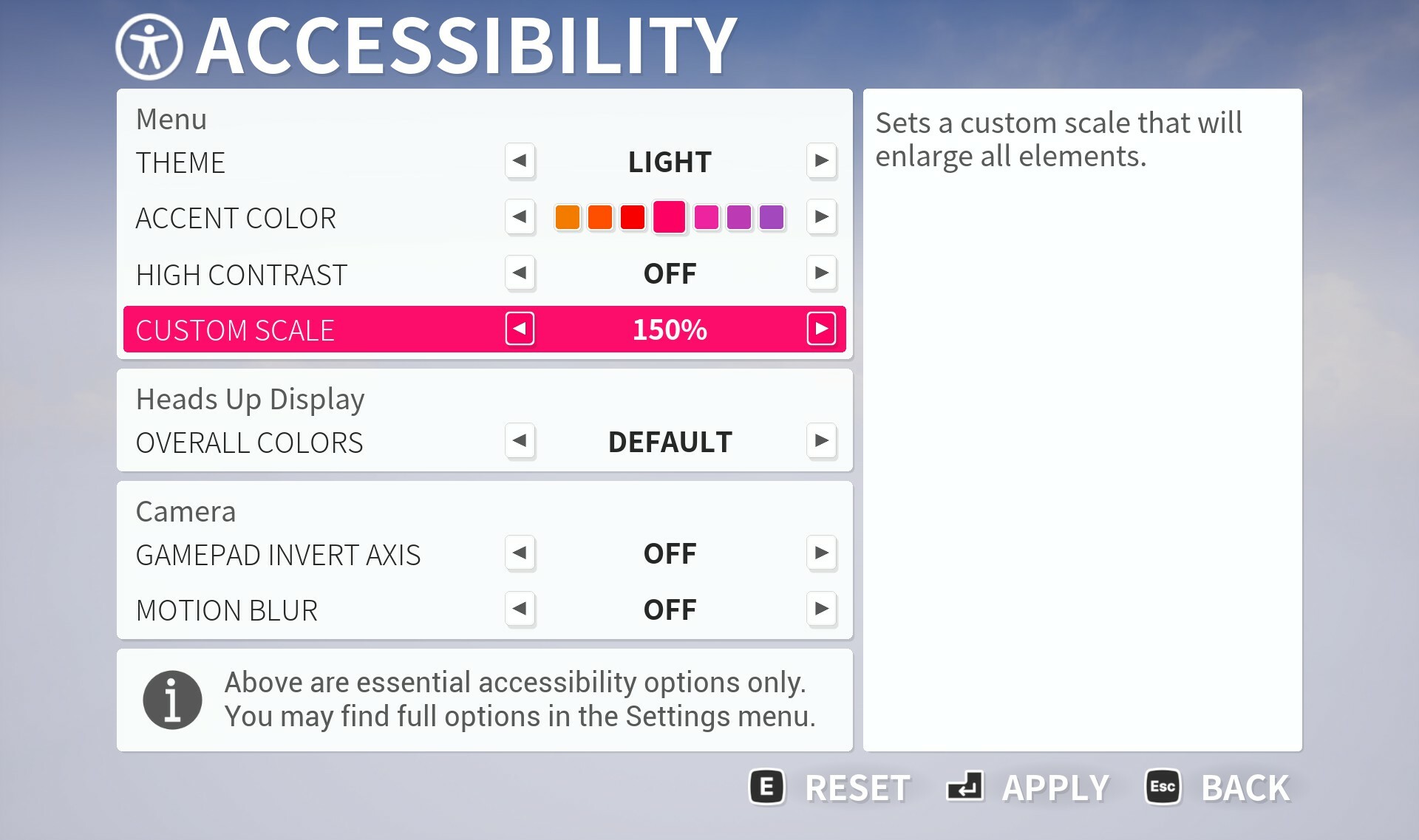
A new option to game and accessibility settings is to adjust the scaling of the overall UI independent of regular DPI scaling. This lets you effectively zoom in the UI so it fills your screen, something that can be very useful when playing on a small screen such as a handheld device.
It also just makes everything a bit bigger if you have trouble reading the text and the default scale.
Additional achievements
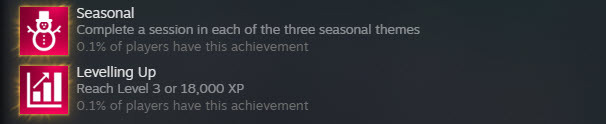
You'll find two new achievements - "Seasonal" for playing a session in each of the three seasonal themes, and "Levelling Up" for reaching Level 3 or 18,000 XP.
Both these achivements have had existing stat tracking so you may find yourself mid way through progress or even completed right away.
The reason behind these two is we can look at overall playerbase figures to get a good sense of feature utilization. All of this including existing achivements paints a picture of what players are using as a whole, where to focus our energy and any improvements we may need to make so players understand features.
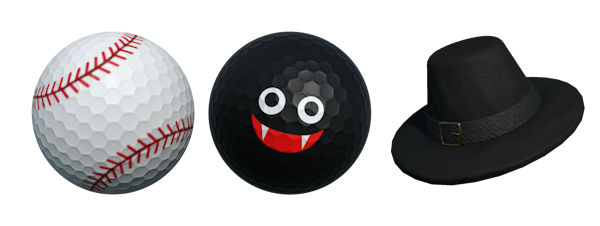
New balls and hat added to Deluxe Edition
We've expanded the deluxe edition with two additional ball options - firstly for the Sports Balls we added a baseball, and for the seasonal halloween content we added a Vampire ball (which goes pretty well with various hats). Also in the deluxe edition is a new hat the Capotain.
https://store.steampowered.com/app/2138970/Golfing_In_Aether__Deluxe_Edition_Upgrade/
If you already have the Deluxe Edition, then you will get these new items automatically at no additional cost.
Note there will be a halloween event later this month so do keep an eye out for halloween ball items you can unlock in-game via that (these are different to the deluxe edition).
Various other changes
Check the full notes below for all the changes made, if you are aware of any issues then please let me know so they may be hotfixed.
Coming Soon!
A halloween event will be available sometime next week so keep an eye out for that!
Also as part of the 1.6.x series we are migrating Golfing in Aether to Unreal Engine 5.3 and also releasing a new free expansion sometime in November. We'll do seperate news posts about those nearer the time.
https://store.steampowered.com/app/1914980/Golfing_In_Aether/
Patch Notes
General
- Added support for Japanese localization. This includes custom on screen keyboard support. Please share any feedback you may have.
- Fixed an issue where if you played a practice level with split screen enabled, then via the game menu selected ‘retry’, after the restart the other split screen players wouldn’t function correctly.
- Added controller vibration support.
- Fixed an issue where if an initial player were to time out in shared input the second player wouldn’t get correct camera until pressing camera button.
- Fixed a camera delay for the Level Sequence for "Around the Bend'.
- Added 'Vampire' and 'Baseball' balls as well as the Capotain hat to the Deluxe Edition DLC.
Platform
- Added store page translation in Japanese.
- Added achievement translation in Japanese.
- Fixed some achievement global progress values.
- Added new achievement “Seasonal” for playing a session of each of the three seasonal themes.
- Added new achievement “Levelling Up” for reaching level 3 or 18,000 XP.
- Added some Steam Input API support to track disconnects and specific glyphs. We already have built in input remapping and support for various glyphs this change will just hook it up to Steam when enabled. Disconnects for player 1 will pause the game where applicable.
Environment
- Added LOD models for falling leaves and petals.
- Added support for falling leaves and petals in ES3.1 mode.
- Fixed a physical surface inconsistency with Autumn and Winter themes.
Interface
- Fixed potential issue where if you held the Thumbstick navigation while pressing ready up on the choose players menu it could be possible to hear ongoing navigation sounds.
- Added change to ‘Text contrast’ to instead name it “High Contrast” and give the options as “on” or “off” rather than the previous “medium” or “high” to make things clearer.
- Added change to ‘Highlight color’ and instead named it accent color. This is because its used in more than just highlighting.
- Added number prefix to level names in practice menu.
- Added small layout change to main menu to free up room for localization.
- Added new DPI setting for interface to replace previous DPI scaling. This is to solve the problem of ever increasing resolution handheld devices that still have small screens. With this setting enabled you’ll have the UI expand outwards to fill the screen, essentially remove the empty space. I’ve set a flag so if running a Steam Deck then by default this will get set enabled.
- Added significant improvements to UI scaling during split screen modes. Menus will now correctly factor in both vertical and horizontal minimum scaling, as well as auto hiding of HUD elements when absolutely necessary.
- Added additional options for configuring controller vibration. You have to option to set it to full surface feedback, hits and impacts only, or off. There is also a setting for intensity.
- Added additional prompt when naming a local profile that it cannot contain invalid characters (due to file names e.g. ! * @ etc.). This is existing behaviour as it wouldn’t allow you save previously, but now there is a message saying specifically why it won’t save.
- Fixed navigation and gamepad behaviour with enter invite code prompt.
- Fixed a potential issue relating to the animation for the flashing timer (< 30 seconds) on the HUD.
- Added a credits/legal menu accessible via settings menu from the main menu.
- Added improvement to the format of 10 digit invite codes. Codes will now be displayed and entered in 123-123-1234 format (- spacing) to make entry easier (you don’t have to type the -).
- Added improvements to how the holeout animations are played in various split screen modes, previously I felt they would be a bit small so I’ve cropped the edges and zoomed where appropriate.
- Fixed a navigation issue with returning to practice menu after entering a leaderboard.
- Fixed pressing back on a invite code entry being treated as entering a code.
- Added additional option to set glyphs to “Auto” in the gamepad and local settings menus. When set to this it will try pull the glyphs from Steam Input. You can set to any other value to override as you wish.
- Added improved handling of the level title at start of session where it will be hidden immediately should you open the game menu to prevent an overlap.
- Added a tweak so the 'waiting for players' menu does not occur when playing an exclusively offline session.
- Fixed D-Pad navigation of the achievements menu not working correctly.
- Fixed various minor navigation issues.

Discord Server
Be sure to check out the official discord server with channels for Golfing In Aether and my other various projects.