Build 26434330
buildZDSimulator · public · first seen
ZDSimulator 60.3 – “Dedicated to Railway Workers”
🕹️ Game
Added shadow support
Added a loading screen
Enabled HD mirrors
Added voice radio for multiplayer
Optimized asset streaming
Updated pneumatics and air-distributor visualization
Updated logic, calculations and sound for position V of valve 395
Added score points for brake tests, brake-pipe integrity checks and post-departure tests
Increased derailment speed threshold by +11 km/h
Increased the penalty for exceeding a speed limit by more than 3 km/h; hint when exceeding by more than 1 km/h
Side signals now support full aspects (including two yellows, flashing aspects and a green illuminated strip)
Ability to set exact aspects for multiple signals in scenarios
Branch side signals are lit by the head signal next to them
Repeaters are lit by their main signal
The P-strip housing is retained on diverging routes
Ability to uncouple anywhere in the consist
Realistic end cocks and coupling hoses: after coupling they must be connected and opened manually
Troubles sorted by groups on the instructor display
Interactive coupler controls in external camera and a new Consist tab in the instructor window
Clear auto-coupler UI with hints for newcomers
Added buffer stops at track and route ends: smooth stop at low speed, derailment at high speed
Route profile now correctly follows the active cab and shows the distance occupied by the consist
Improved non-standard situation 82. Multiple signals can now be listed comma-separated, each with its own aspect
Destination boards are drawn only on the player’s consist
Fixed free-camera starting position
Added time to the top line without F1, and fractional speed in F1 mode
Increased notification fade delay based on character count
Fixed the K799 command
Fixed data saving with a non-ASCII Windows username
Optimized loading content from objects.ref and traffic.ref
Limited station name to 11 characters for external EMU rendering
Allowed reading sig_ukaz* variants
Fixed unloaded texture errors
Disabled editing the default control profile; only creating a new one is allowed
Added F5 refresh for calibration indicators, pantographs and wipers
Optimized config.ini updates
Enabled model and texture reload with Shift+F5


💻 Launcher
Settings split into thematic tabs with an updated design
Added remembering of the last launched game mode
Fixed accidental parameter changes when scrolling with the mouse wheel
🚆 Content
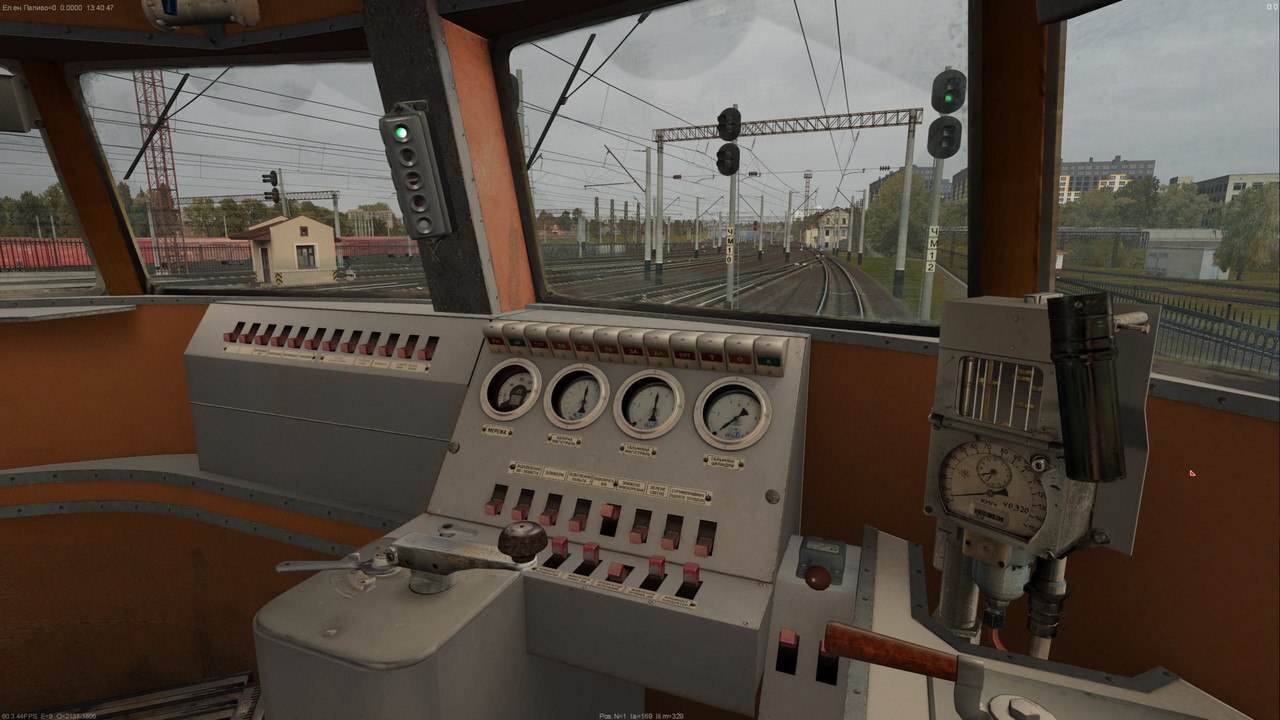
ED4m (No. 100, No. 223)
Updated cab
Cut-out windows in the carbody
Detailed passenger interior with lighting
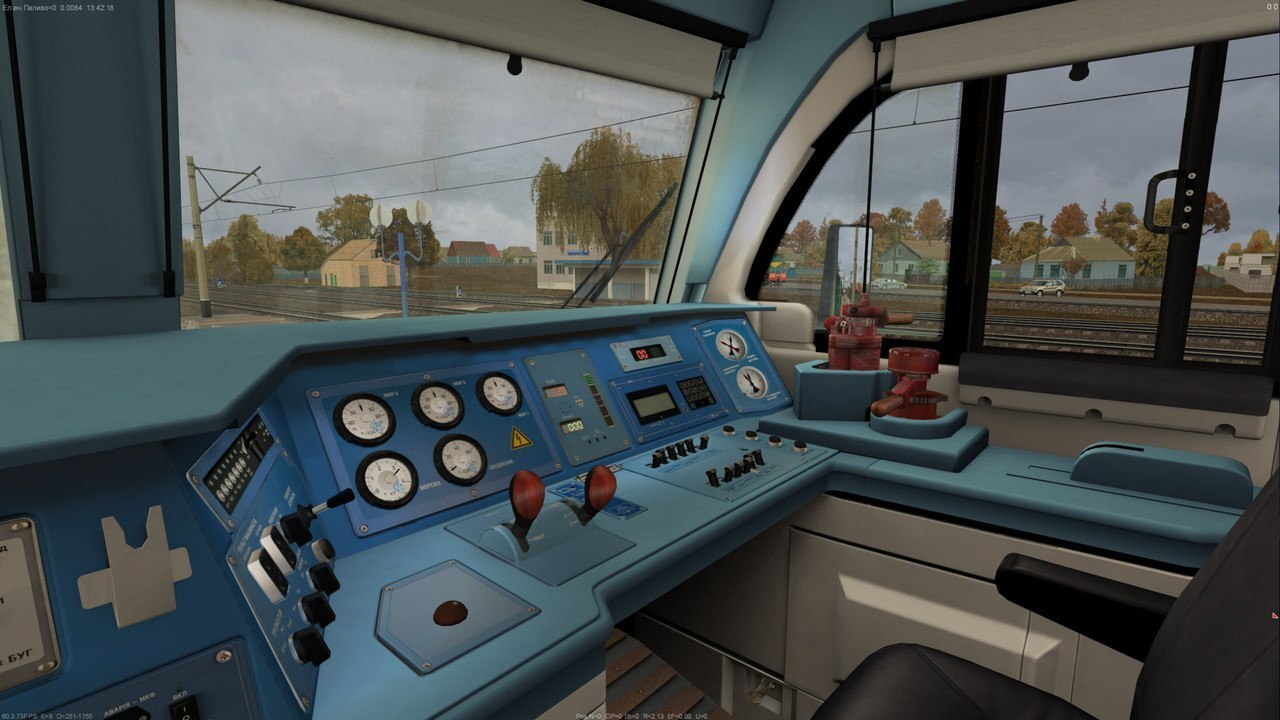
VL11m (No. 056)
New “plastic” cab
Improved locomotive body textures
Updated driver’s cab
Added a new original EMU model
Updated traction characteristics and acceleration relay; added relay sounds
Traction available in any traction-handle position; added characteristic source name
Updated autodrive logic and improved motor sound
Updated autodrive logic and improved motor sound
Fixed incorrect 40 km/h limit of white ALS-MU
Added original rear-view mirrors
Added custom pantographs
Added a new route Shevchenko — Pomichna
Updated signal models on routes
Fixed errors, geometry and environment bugs on routes


🛠️ Multiplayer
Improved network connection stability
Added built-in chat
Implemented automatic session reconnection
Sessions
Added quick session reload without recreating
Session scheduling: configure start time and initial in-world time
Timetables and schedules
Create and edit timetables, with CSV import support
Ability to run sessions strictly by timetable (with non-scheduled trains blocked)
Timetable display in game; actual arrival and departure times at stations
Train applications
Select a train from the approved timetable or submit an application for an unscheduled route
Dispatcher (DNC) UI to approve, adjust parameters or reject applications
Flexible setup: direction, train type, wagon count, weight, time and spawn point
Ability to start a locomotive light (separate from the consist)
Rolling-stock sync
Abandoned and uncoupled wagons remain on the server and are visible to all players
Ability to couple to any consist or abandoned locomotive
Sync of wheel-knock sound and door-opening animation on remote trains
DSP / DNC panel
Interactive station board: active routes, train numbers and track occupancy (including cut-offs)
Remote consist control: move, activate, delete abandoned locomotives and wagons
Automatic clearing of shunting routes after a consist passes
Control of set traffic direction on sections (single- and double-track)
Route collision protection (mutual interlocking)
Signalling and track layout in multiplayer
Full signal aspects (including green illuminated strip)
Two-yellow aspect is shown only on a route diverging at a turnout
Correct ALSN codes after cab change
Sync of buffer stops and non-electrified sections on side tracks
Radio
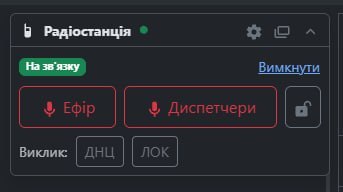
Realistic voice radio between drivers and dispatchers with radio effect
Addressed calls (DNC, LOK, DSP), handset pickup, duty-reception mode
Working radio controls bound on ChS7, VL80, VL82 and TEP70BS
Automatic recording of radio traffic
Microphone, master volume and radio-effect intensity settings in the launcher and pause menu


🛠️ Tools
Route Editor
Changed in-memory data storage logic for better performance
Expanded UI and added new control modes
Route information is no longer loaded from route1.map. Only profile.dat, objects.dat, svetofor1.dat and svetofor2.dat are used. route1.map remains for the game only
objects.dat information is now kept in editor memory and saved with other route files
Optimized object editing
Files are read and written only on open, reload and save
Instant changes to the edited object
Changed object behaviour when inserting onto a route
Semi-transparent, without rotation
Position and rotation can be adjusted visually
Insert with Ctrl+Enter
Queue insert with Shift+Enter. Object is placed at the marker; the marker advances for the next insert
Insertion marker
Updated insertion-marker logic
Marker is now shown, moved and rotated on all axes
Added a line from the current ordinate to the insertion marker and cursor. Holding Alt enables the tape measure
Added snap by vertices (V) or by height (H)
Editor
Object list is sorted on load and save
Added route.dat for ground height, Styling and other route settings
Map save creates backups in the ~backup folder
Camera, marker and selected-object state are restored from .routeeditor.state
Added highlighting and instant editing of forest, buildings, fences, fields and grass
Dynamic update of ground height and dependent objects
Dynamic update of side tracks, masts and wires, kilometre posts, current type
Dynamic update of signal plate letters
Fixed object-template load order. Workshop files are not used
1. Objects from the route catalog ContentDir\routes\Route\objects.ref
2. Objects from the global content catalog data\global\objects.ref
3. Traffic objects from the content catalog ContentDir\data\traffic\traffic.ref
4. Objects from the global game catalog GameDir\data\global\objects.ref
5. Traffic objects from the game catalog GameDir\data\traffic\traffic.ref
Added season-change visualization
Generator
A disabled opposite track is no longer added with an n parallel track
Added radius support when using n tracks
Removed the 4-segment limit for n tracks. Any number of offsets can be set via /
Disabled track, mast and catenary generation when the main track is 2-22 or 2+22 and the opposite is n:
Disabled track generation when the main track is -- or ++ and the opposite is m:
Added a new route property: kilometre-sign type (km type)
0 — place nothing
1 — place on a separate post
2 — place on a catenary mast
Disabled grass generation at level crossings
Added an option for exact signal placement. Signal poses are written to route1.map. Global signal configs become available
Added a detailed signal setup window with aspect preview
Added ability to assign a separate model for a head signal
Added an option to bind objects with a local track
Added route sun-rotation setting
Controls
Added free-camera mode
A map object is selected with the mouse and the S key, or by mouse click in free camera
Esc clears focus step by step: first deselects the object, then resets marker position, then returns the camera to the track, then returns camera and marker to the start of the picket
Ctrl+Shift+NumPlus jumps to the next picket
F pans the camera to the marker. Pressing again moves and focuses the camera
Del marks the selected object deleted: it will be removed on save. Pressing again undoes deletion
Marker axes that will interact are highlighted. With Ctrl — rotation spheres
Selected object is duplicated with Ctrl+D. Insert enables insert mode
Added smooth camera and marker movement
Enabled object-library reload with F5
Interface
Added dark theme
Added track navigation list
Selecting a track moves the camera to it
Added object navigation list
Selecting an object moves the camera to it
Added recently used objects list
Selecting an object moves the camera to it
Added available objects list for insertion
Selecting an object shows an insertion preview
Double-click places the object
Added object categories. Category is determined by the model folder name
Active track is highlighted bold yellow instead of red, and the whole picket is highlighted
Object properties accept arithmetic operations + − * /
Profile changes are not applied while a value is being typed
Aligned digits on kilometre posts
During long operations the window title shows the action name
Extracted a separate property for field offsets
Added a separate property for mast type and wire type
Added tooltips for UI elements
Added F1 help window
Added localization
Added unsaved-changes check on editor close or reload
A * appears in the window title when there are unsaved changes
Enabled focus capture for the 3D panel so focus is cleared from other controls
Added editors for speeds, stations, signals, sounds, branches, informator and scenarios
Added object library, change history and route settings windows


Data Receiver
Added nearest-train state export for external devices
Added bridge-passage effect address export
Learn more about the update in our articles, Game and Route Editor
Depot changes
| Depot | New manifest | Previous manifest |
|---|---|---|
| 3381121 | 4472552191474779550 | 1624567688052558704 |