Build 26288148
buildNavalArt Hull Designer · public · first seen
NavalArt Hull Designer 1.0.0: Design Import, Editing and Performance Update
NavalArt Hull Designer 1.0.0: Design Import, Editing and Performance Update
Hello, ship designers!
After 11 days of continued work, we are ready to introduce a major update: NavalArt Hull Designer 1.0.0!
Alongside new features, we have spent much of this time addressing problems that get in the way of designing: slow edits on complex hulls, long saves, unexpected node connections, and designs that can be edited but run into problems during export.
Our goal remains simple: make the editor fit your designs, rather than make you repeatedly change your designs to work around the editor.
Q: What are the major additions?
1. Beyond hull editing: importing and organizing a complete design
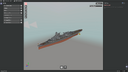
Import support now covers the different vanilla part types in NavalArt designs, excluding cables and Mod parts.
In addition to Adjustable Hulls and Vertex Edit Hulls, you can bring more of your design into a project to use as a reference, organize and continue editing. Editing capabilities still depend on the part type: this does not mean every part supports unrestricted vertex deformation.
2. Railings that stay with your components
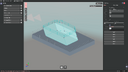
Hull section groups and bridges support railings along their edges, with per-region settings to reduce the need to place large numbers of railing parts manually.
This version focuses on component-edge railings. Drawing arbitrary railing paths is not available yet.
3. A round-trip workflow between NA designs and editor projects

Import a `.na` design into a `.naprj` project, edit it, then export it back to NavalArt.
Import and replacement export offer separate selections for turret weapons, hulls and attached railings, and other parts, so you do not have to replace an entire design every time. Older projects also use defaults based on the content they contain, helping prevent parts that were never imported from being removed accidentally.
Existing components are compared against the actual parts in the NA design. If changes made in the game affect reconstruction, the editor presents the differences and lets you decide how to proceed instead of making the choice for you.
4. Turn existing parts into editable hull section groups
We have added and improved the workflow for combining parts into section groups, so existing hulls do not always have to be rebuilt from scratch.
For nodes that are very close but not exactly coincident, you can choose a recognition precision, inspect the differences during coordinate review and confirm which positions to use. Recognition is based on geometry, not on matching colors, glossiness or armor values.
Changes such as standardizing armor values are presented for confirmation before combining.
5. MCP support for external AI assistants

The new MCP connection gives compatible external AI clients access to editor tools. Once connected, you can describe a task to your AI assistant and let it use those tools to operate the running hull editor.
Available tools cover common tasks including reading and saving projects, creating and editing components, adjusting nodes and sections, painting and armor settings, railings, combining and dissolving parts, import and export, camera controls and viewport screenshots. An assistant can inspect the project and the viewport before continuing your requested changes.
Editing tools use the editor's existing validation and undo mechanisms. Precision or shape changes that require review still need confirmation in the interface. MCP provides the tools; the capabilities actually available depend on the tool list and your client's support.
Open Settings > External AI Connection (MCP) to enable it and copy the connection configuration. It is off by default. The previous in-app AI chat panel and model, credit and payment settings have been removed; existing conversation and settings data are retained.
Q: What has improved in everyday editing?
More complete node, section and connection tools
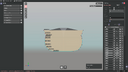
We have improved adding and deleting nodes, inserting sections, moving selections together, moving coincident nodes and defining custom connections. Node additions and deletions preserve existing connections where possible, and those connections participate in how parts are divided.
To reduce accidental movement, select a node before dragging it. Node display, coordinate labels and constrained movement for symmetric sections have also been made more consistent.
Painting directly in the viewport
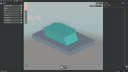
Dedicated viewport tools support region painting, whole-item painting, color picking and clearing overrides, with improvements to color and glossiness editing, refresh and undo.
Connected fill can paint adjacent same-colored regions within a section group. Independent Adjustable Hull and Vertex Edit Hull parts can also participate in a mixed connectivity check. Fill does not spread indiscriminately across unrelated components.
Performance improvements for complex projects
This update focuses on local geometry evaluation, chunked rendering, loading and saving for complex section groups, reducing cases where moving one point triggers work across an entire component.
Lightweight actions such as renaming, painting or connecting nodes that are already connected also avoid unnecessary geometry rebuilding where possible. Existing models remain visible during evaluation, reducing disappearing geometry and interruptions to camera control.
Actual timings still depend on your design and hardware, but these changes target the actions you use every day.
Q: Is it easier to find out what went wrong?
That is another important focus of this update.
For precision, part generation or export problems, the editor aims to identify the component, section, location and cause, rather than display only a generic failure message.
Where moving by one minimum precision step can resolve an issue, you get explicit adjustment choices. If a change would shift the shape, the editor explains it before asking for confirmation. Problems that cannot be handled safely still block export: the editor will not quietly alter your design just to report success.
Q: What about my older projects and original NA files?
We have improved older-project migration, periodic backups and file-operation protection, and included NA files in backup management within the project folder.
Operations that need to change an original file ask for confirmation and retain a backup first. Unselected replacement scopes and design information not managed by the editor should remain untouched.
Backups are not a substitute for an independent copy. Before updating, we still recommend keeping separate copies of your important `.na` and `.naprj` files.
Thank you
1.0.0 does not mean every issue is behind us. It marks our effort to move from a tool that can complete a design toward one you can confidently invest time in and keep using.
Thank you for sharing projects, logs, screenshots and feedback that pinpoints a particular node or step. Many of these improvements grew directly from real designs.
Please keep telling us what feels awkward, what does not behave as expected, and what is still wasting your design time.
Looking Ahead: Our Next Development Goals
With 1.0.0 released, our next priorities are smoother editing, broader design support and more convenient modeling workflows.
Near-Term Priorities
- Continue performance optimization. Reduce stutters when working with complex hull section groups, particularly during node movement, section edits and connection changes.
- Add support for Mod parts and cables. Work toward broader import and export coverage so more of your NavalArt designs can participate in the round-trip workflow.
- Expand Mesh tools. Improve mesh editing capabilities and workflows for both imported models and shapes built in the editor.
- Make bridge creation more convenient. Explore more intuitive ways to create and shape bridges, reducing repetitive coordinate entry and node adjustment.
Tentative Major Goal for 2.0: Armor Layout
We plan to develop a dedicated component for arranging armor, making it easier to define armor regions, adjust thickness and inspect the overall layout, with less repetitive placement and individual-part editing.
These are current development directions, not a finalized feature list or a release schedule. Implementation details and priorities may change based on technical validation and player feedback. Tell us which steps take the most time in your designs, and what you would want an armor component to help with first.
Depot changes
| Depot | New manifest | Previous manifest |
|---|---|---|
| 4932811 | 8775249410152796501 | 1433915504586498831 |