Build 26264232
buildEZY Virtual TableTop Builder · public · first seen
EZY VTT 2.3.3 — actions, sheets and smoother play
Since the major 2.0 update, we have continued refining EZY VTT with your help. Version 2.3.3 brings new tools for module creators and many changes to help you run your games, from organizing actions on a sheet to switching scenes and making settings clearer.
Here are the highlights of our recent additions and the fixes based on your reports.
Actions right where you want them
Place separate Combat Actions, Magic or Social Actions blocks on your sheet, or give them your own names. Each block can include several groups at once as well as individual actions. Nested sections are included too, and matching actions appear only once.

On custom sheets, common actions no longer have to appear in an extra bar at the top: the creator controls their placement. Favorites can be disabled for the whole module or for an individual action, their automatic bar can be hidden, or they can be displayed in a separate block.
Common actions can be granted automatically to NPCs as well as player characters. Utility actions can be excluded from the normal class ability selection. When you use an action again, its confirmed parameters and available targets are remembered; current stat values are recalculated.
Action blueprints: build, test and understand the result
The action blueprint editor now includes debugging. Choose sample actors and targets, set the parameters, and inspect which branches ran, what passed through each node's inputs and outputs, and how values changed. Testing uses samples, so it does not change the characters in your session.

You can now build a roll formula as text. For example, read a stat, convert the number to text, append d6, and pass the resulting 4d6 to the Roll Dice node. The Stat of Choice node shows the stat's ID, and Use Parameter helps you select the parameter you need.

Individual die results can be sent to the log. Creators can also choose which face makes a die explode: the highest, the lowest or a specified face. A formula logged before a roll no longer receives the results of a later entry with the same formula.
Health, wounds and several values on one track
Systems where damage accumulates now have an Accumulate Damage mode. Wounds can start at zero and increase when a character is hit, while healing reduces them. The module's rules determine the thresholds for consequences and death; the displayed maximum does not, by itself, cap the wound counter.
A resource can have its own starting value instead of always starting at maximum. A single linear tracker can display several values, each with a customizable color, including the main value. The creator's resource bar color now also applies to the in-game sheet.
Unclear round toggles have been replaced with labeled checkboxes: Bar on Sheet and Fill Toward Target. Nearby text explains that they affect the sheet display; the token's indicator visibility is configured separately. Action economy rules now include an action points option.
Preparing scenes and moving between them
In the module builder, you can reorder prebuilt scenes by dragging them or using buttons. The order is saved in the module and used when those scenes are created on the tabletop.
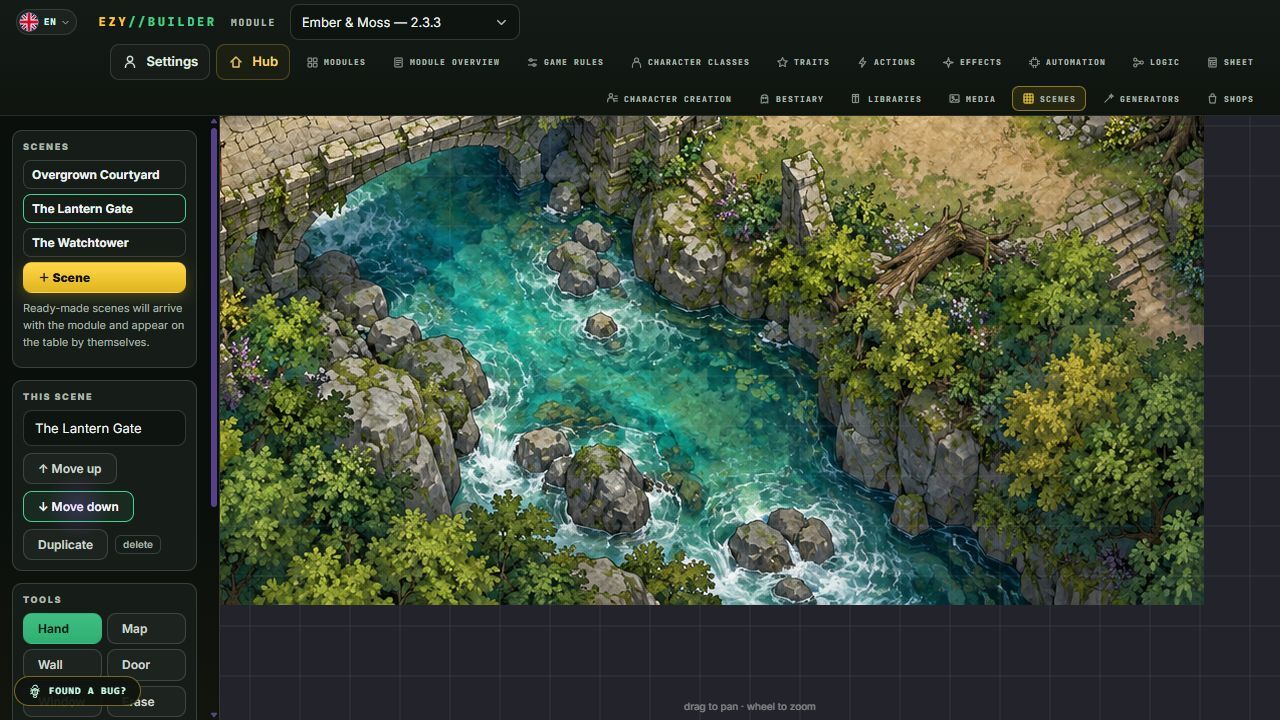
A token can be moved or copied to another scene with its current state: sheet values, items, charges and conditions. Returning to a scene restores the camera view you left there. A token's 3D back face can be configured in advance when creating an NPC.
GM drawings and areas belong to their respective scenes. Initiative is calculated using participants in the active scene only; items on the map and objects with independent turns disabled are excluded from the turn order.
Make the tabletop your own
Your profile lets you choose separate colors for walls, windows, closed doors and open doors. A high-contrast preset and an option to restore the default colors are available. This is a personal setting: it applies in 2D and 3D on your device without changing other participants' colors or the visibility rules.

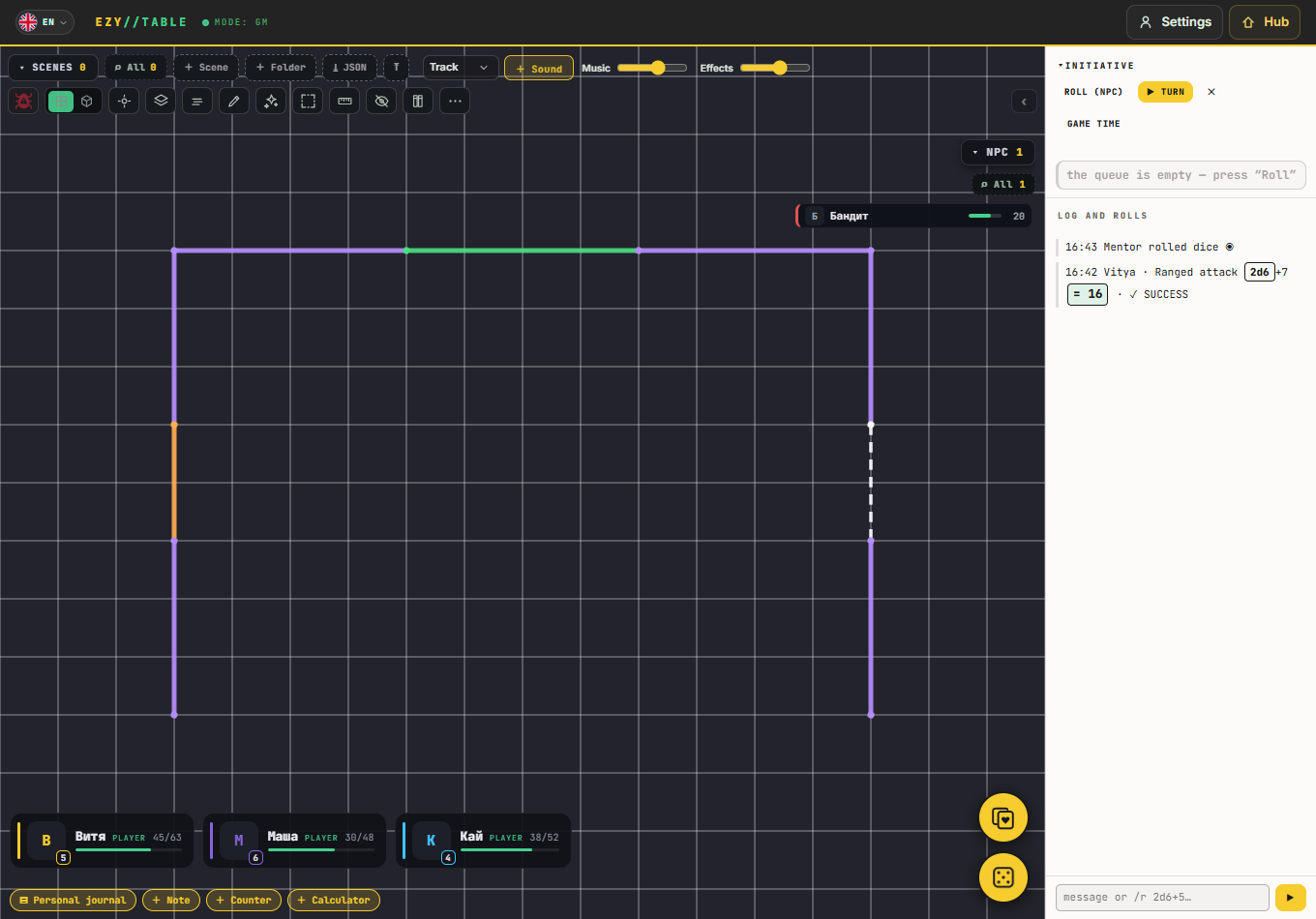

You can enlarge the tabletop's top buttons and the log text while keeping other windows at their familiar sizes. We have fixed initiative readability on light backgrounds, checkbox alignment and the white flash when switching languages.
The main menu has been reorganized around starting a game: the most prominent section is for the GM, with player access, spectating and the web version alongside it. Modules, the Workshop, expert mode, the guide and community links are grouped below.

PDF handouts and videos on the map
PDF handouts open directly on the tabletop. You can turn the pages of a multi-page document in the preview window, without a separate download button. We have fixed the blank window and the blocked content message.
Video maps now also accept MOV files in 2D, 3D and the regular offline tabletop. Playback depends on the codec inside the file: MOV is a container, so device support varies from file to file. Unsupported videos now show a clear message.
Connections, access and synchronization
Steam clients connect through Steam, while browsers can connect to a GM running the app through our relay. Room codes remain compatible between the web version and the app.
We have fixed problems with rejoining and switching from spectator to player, as well as receiving granted actions while a sheet is open or a token is moving. Token conditions visible to players now display correctly for participants joining the session.
Spectators no longer broadcast their pointer to other participants and cannot place markers on the map. Restrictions on hidden information and actions remain in place.
Regular offline tabletop: smoother movement on the players' screen
We have continued improving the existing mode for playing together at one physical table: the GM works on their own screen while the map is displayed on a separate monitor or TV.
When the GM drags a token, its movement now appears on the players' screen as it happens, rather than only after the mouse button is released. Fixes to drawings when changing scenes and to fog updates also apply to this mode.
More fixes and improvements
- Reloading respects the capacity of the specific upgraded item. If a magazine is increased from 10 to 25, it reloads to 25; other copies of the item keep their own values.
- Difficulty set to use your own stats or skills now uses the selected stat and its current modifiers instead of substituting a fallback value.
- Rotating an object no longer breaks its resize frame; changing its dimensions no longer causes unnecessary image stretching.
- Reapplying fog no longer leaves a previously revealed area visible. The preview of the area the GM selects with the fog tool has been restored.
- Large modules with many images save and import more reliably. Saving portraits and token images for NPCs and objects has been fixed.
- Deleting the last NPC now saves an empty bestiary: deleted entries no longer return when you reopen it.
- Background updates in the sheet editor no longer change the selection or reset an open element creation form. Block dragging in the Windows Steam version has been fixed.
- Appearance sliders' numeric labels now update as you drag. Fields, menus and checkboxes in the action and trait editors keep their normal sizes, and long labels wrap.
- Entries in sheet tables are preserved after pressing Enter and editing again. The add skill menu remains readable regardless of the sheet theme.
- Ezy's tips stay within the window. Custom names for fields, actions and items are preserved when the interface language changes.
- Undo history and tabletop redraws use fewer resources; related class history cases and 3D resource cleanup have been fixed.
- Rules for attacks, defense, critical consequences, areas, conditions and character advancement have been clarified; cases of repeated costs and lost selections have been fixed.
- The user guide and creator reference have been updated in nine languages. The English AI instructions and the portable module creation package are also up to date.
Thank you to everyone who plays EZY VTT and reports issues through Telegram, Discord and the in-app button. Your examples help us improve both the editor and the game itself. Have great sessions!
Depot changes
| Depot | New manifest | Previous manifest |
|---|---|---|
| 5013431 | 7497346440694183688 | 2526427677292127144 |
| 5013432 | 2962123300191445510 | 814209779479177125 |