Build 26118947
buildVR Realms · public · first seen
1
Branches
1
Depots changed
105 MB
Download delta
22:54 UTC
Time · UTC
Patch notes · published by the developer
Wear an avatar straight from the GAME v0.3.6 Patch Notes
Wear an avatar straight from your PC
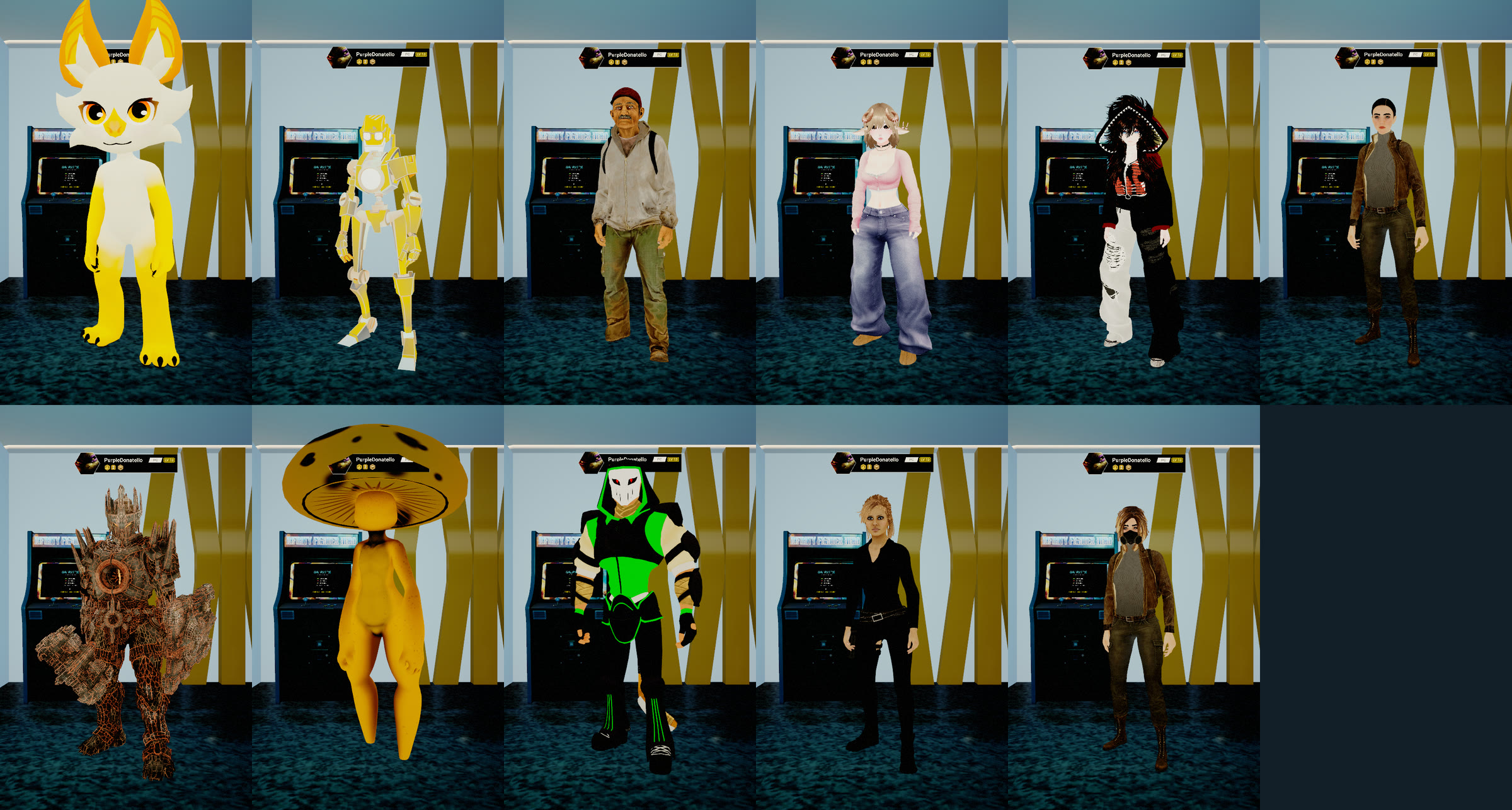
Open Avatars, My files and pick a file. VR Realms converts it for you, so nobody needs Unity or Blender.
- VRM, FBX and Unity packages (.unitypackage) all work, and so do .zip, .rar and .7z downloads, which are unpacked for you.
- The converter reads the avatar's own files: the material each part should have, its pictures, and the parts it keeps switched off.
- A pack with several avatars lists each one, so you pick the one you want.
- Modular avatars: change their pieces one by one on the Pieces page.
- File avatars blink, talk and look where you look.
- Physics sliders: quick menu, Avatar, Physics. Tone down a tail, ears or hair, part by part.
- Metal parts shine and reflect the room.
- A loading card shows while an avatar is being built, so you know the short pause is coming.
Publish it to the Workshop, from the game
- Press Publish on the same page: give it a name, a few words, its styles, and who may wear it (anyone, or only you).
- Take a picture of yourself for its Workshop page, or choose one from your PC.
- Other players see it on you once it is approved.
- Only publish avatars you made or are allowed to share.
Guide: Import an avatar file
Home Loft
- A new Essentials tab in the decorate panel: Nixie, a Hub portal, the radio and the starter set.
- Place a Hub portal in your home: walk in to go to the hub.
- Your own radio with the starter home's playlist. Each player plays or pauses it for themselves.
- A portal to a friend's home now takes you to their home.
- Pictures from more websites show in your frames.
- Decorating on desktop: Alt moves the mouse between the panel and the room.
Fixes
- TVs recover by themselves when a stream stalls, and videos stay in step with everyone in the room.
- Fast guns no longer lose shots when you join someone's match.
- A home that fails to load is never saved empty over your layout.
- In a picture's link box, SHOW works with the mouse.
- A message when Steam cannot find an avatar someone is wearing.
- Avatars made from files show for everyone on this update.
Creator Kit 0.4.32
- Import avatar file: bring a Unity package, a zip, FBX, VRM or GLB into the kit in one step, with its materials and pictures, ready to build.
- Import MetaHuman package (.mhpkg) in the MetaHuman box.
- Map Community Rig reads more kinds of rigs.
- Upload now says when Steam sent nothing, instead of saying it is complete.
Update with VRR Updater, or Check for updates on the Workshop panel's Home page. Release notes
Per-depot manifest changes
Depot changes
| Depot | New manifest | Previous manifest |
|---|---|---|
| 2964552 | 7392950676336856660 | 3024741695484274710 |