Build 26094224
buildOrrery: Live Solar System Wallpaper · beta, public · first seen
Update 1.1 — fly there yourself: Cabin mode, five new styles, real moons
New: Cabin mode - the trip, from the inside
Settings → View → Spacecraft cabin turns your desktop into the cockpit of a ship on its way to another world.
- Launch from Starbase on our own rocket, ORRERY ONE, at the next launch window - its ascent is computed, not copied from a video.
- Real trajectories: every trip is planned on one delta-v budget, with transfer orbits, planetary flybys and capture burns, on the same planet positions as the solar-system view.
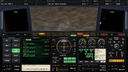
- A retro cockpit in the Apollo/Soyuz tradition - attitude ball, dials, DSKY, drum counters, a CRT nav screen and a teleprinter from mission control. Life support, power, propellant and the radio link to Earth are all modelled.
- Real time where it matters: the long cruise is time-lapsed, while launch, orbit and landing run at their real pace. When you step away, the autopilot picks the next trip itself.
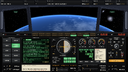
Land on every planet - the way the probes did
Every descent is flown from measured data, and the whole landing - deorbit to ground - fits in about seven minutes:
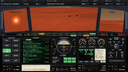
- Mars - Perseverance's entry, chutes and powered descent into Jezero crater, dust devils and all
- Venus - the VIRA atmosphere and Venera 13's descent through the clouds to a 90-bar surface
- Earth - a Soyuz-style return through the standard atmosphere
- Jupiter - the air the Galileo probe measured, through the cloud decks, storms and lightning, until the hull gives out at Venera 7's 180 bar
- Saturn, Uranus, Neptune - down through their cloud decks to the same limit
- Mercury and Pluto - an Apollo-style powered descent, with Pluto's thin blue haze on the horizon
Close in, Earth, Mars, Mercury and Pluto show fine surface detail - on Earth, 2 km Blue Marble tiles with relief, clouds and city lights.


Five new scene styles
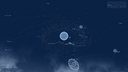
Next to Realistic, Cartoon and Lively, Settings → Scene style now offers:
- Blueprint - dashed orbits on drafting paper
- Stained glass
- Infrared - false colour, the way a thermal camera would see the system
- Cats and Mochi cats - every planet a cat, its breed and coat matched to the world it plays


Five more real worlds
Io, Europa, Ganymede, Callisto and Pluto now wear their real surfaces, re-projected from the USGS mosaics of Voyager, Galileo and New Horizons imagery. Fourteen bodies are mapped now, each turned to its real prime meridian - the face of Io you see is the face Io is showing today.

The solar system at its true size
Two new switches in Settings → Scale:
- True distances - the orbits at their real spacing. The inner planets shrink to a cluster around the Sun, and you see how empty the outer system really is.
- True sizes - the bodies at their real radii against each other. Jupiter's moons become specks beside it.
Click a planet at true scale and the camera lands on it, keeping it in view all the way in.

What is happening in the sky
The info card now announces the next planetary conjunction, alongside oppositions and greatest elongations - and when one of them falls within a few days, the guided tour makes a detour to it.
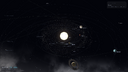
Each monitor its own view
In per-monitor mode every screen can follow a different focus: Saturn on the left, the tour on the right, the whole system in the middle.
Now in 10 languages
English, ไทย, 简体中文, 日本語, 한국어, Deutsch, Français, Español, Português (Brasil) and Русский - the scene, the cockpit, the guide panel and the Settings window. It follows your Windows language, or choose one in Settings.

Smaller fixes
- A focused moon or a true-size planet is drawn as a smooth sphere - its edge was visibly faceted.
- Star and nebula names no longer land underneath other labels.
- The Settings window is a little less transparent.
Thank you to everyone who picked Orrery up in its first weeks. If it is running on your desktop, a short review is the single thing that helps it most.
Depot changes
| Depot | New manifest | Previous manifest |
|---|---|---|
| 5139571 | 3222808810306462267 | 2714211946100018729 |