Update 0.1.2 — Directional Growth, Age Color & More!
Cyan Moon - The Simulation Program · build 26088039 · published
Update 0.1.2 brings new ways to create, shape, and explore simulations in Cyan Moon!
This update introduces Directional Growth, age-based coloring, more creative control with Draw, expanded Random Simulation options, and many rendering and performance improvements.
Directional Growth
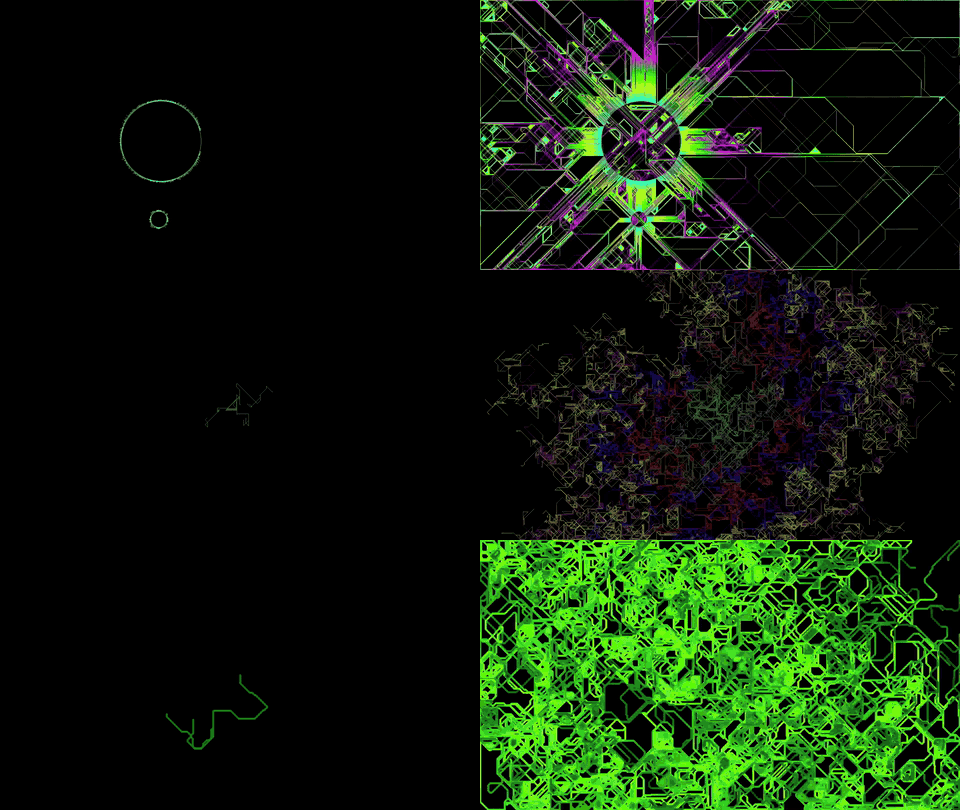
A new Growth algorithm that gives cells a sense of direction!
Unlike Classic Growth, Directional Growth allows cells to maintain their heading, change direction, and branch into new paths.
Adjust Direction Persistence, Turn Variation, and Branch Chance to create anything from flowing circuits and city-like structures to roots, trees, mycelium, and other organic networks.
Age Color
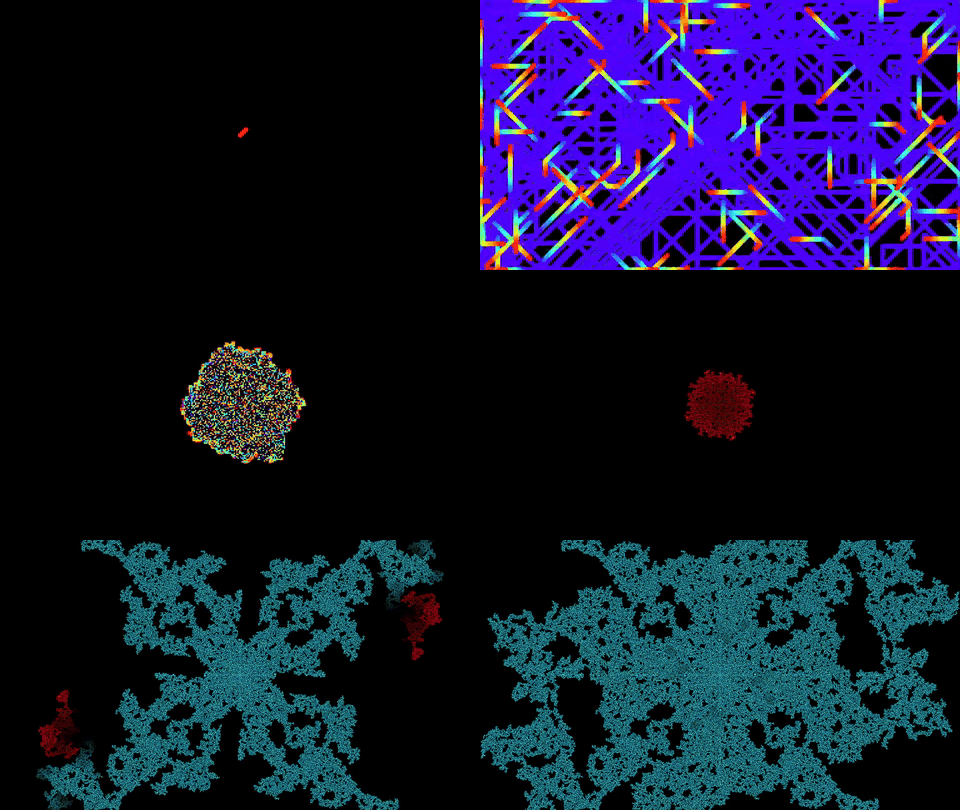
Cells can now change their color as they grow older!
With Age Color, simulations gradually move through a color gradient based on cell age, creating new visual effects as patterns develop and evolve.
Age Color is available for both Growth and Pattern simulations, including symmetric color aging in Pattern mode.
More Creative Control
- Super ShareCodes: Share complete setups, including simulation, appearance, Draw, and performance settings.
- Expanded Draw Tools: Paint over existing cells, erase growing cells continuously, recolor, and pick colors. Draw also remains open across simulation restarts and changes.
- Continue Finished Simulations: Add new active cells to revive a finished simulation, or use Pause After Simulation End to keep it paused indefinitely.
- Empty Start Modes: Start Growth and Pattern simulations with an empty canvas and build your own starting conditions using Draw.
- More Pattern Options: Generate multiple starting points with adjustable spacing, and explore new reflected and rotational symmetry sector configurations.
- Expanded Random Simulation: Choose which game types, start modes, Growth algorithms, and Pattern symmetry options can appear. Random Growth can now generate Classic, Directional, or both.
- More Rendering Options: Independently adjust Width and Height for Rectangle and Circle/Ellipse rendering, and use constant or randomized image scaling.
Performance & Interface Improvements
- Added Adaptive Performance to balance simulation speed and rendering responsiveness, along with a configurable VSync option for Hardware rendering.
- Improved simulation scheduling when frame rates are externally limited.
- Improved performance for simulations with overlapping cells, including Snake Pit.
- Significantly improved Draw brush previews through cached geometry and reduced unnecessary settings processing.
- Added animated previews throughout Draw Settings, making brush, color, gradient, and other options easier to understand.
- Improved TEXT rendering, font discovery, font selection, and fallback consistency.
- Improved Random Color, Image, and Polygon rendering, including smoother color progression and fractional Color Speed values.
- Improved Settings startup performance, color picker hex input, range controls, and Shortcut Overlay rendering.
- Expanded the Guide and reorganized Game Settings for clearer Growth, Pattern, and Random Simulation configuration.
- Improved screenshot shortcut handling in Hardware Exclusive Fullscreen, with guidance for using Cyan Moon's screenshot shortcut, Steam's F12, or Borderless mode.
Bug Fixes
- Fixed Random Simulation run progression.
- Fixed Next Run Delay continuing while the Guide was open.
- Fixed Age Color simulations being unnecessarily throttled on large canvases when Adaptive Performance was disabled.
- Fixed an issue that could automatically close Cyan Moon after approximately one hour, even with Auto Close disabled.
- Fixed inconsistent TEXT rendering when resizing the simulation canvas during Directional Growth.
- Fixed Circle rendering at the smallest cell size, where valid cells could appear invisible.
Thank you for exploring Cyan Moon! :3
Have fun experimenting with the new possibilities!