Build 25547607
buildDesktop Overlays · public · first seen
Update 0.1.5: Layers, Color, 10 cursor effects and a pile of new bundles
Version 0.1.5 is live. Tried DesktopOverlays before and bounced off? This is the update to come back for. The two biggest additions came straight from player feedback, so thank you, and keep it coming.
Layers: pick where your overlay lives
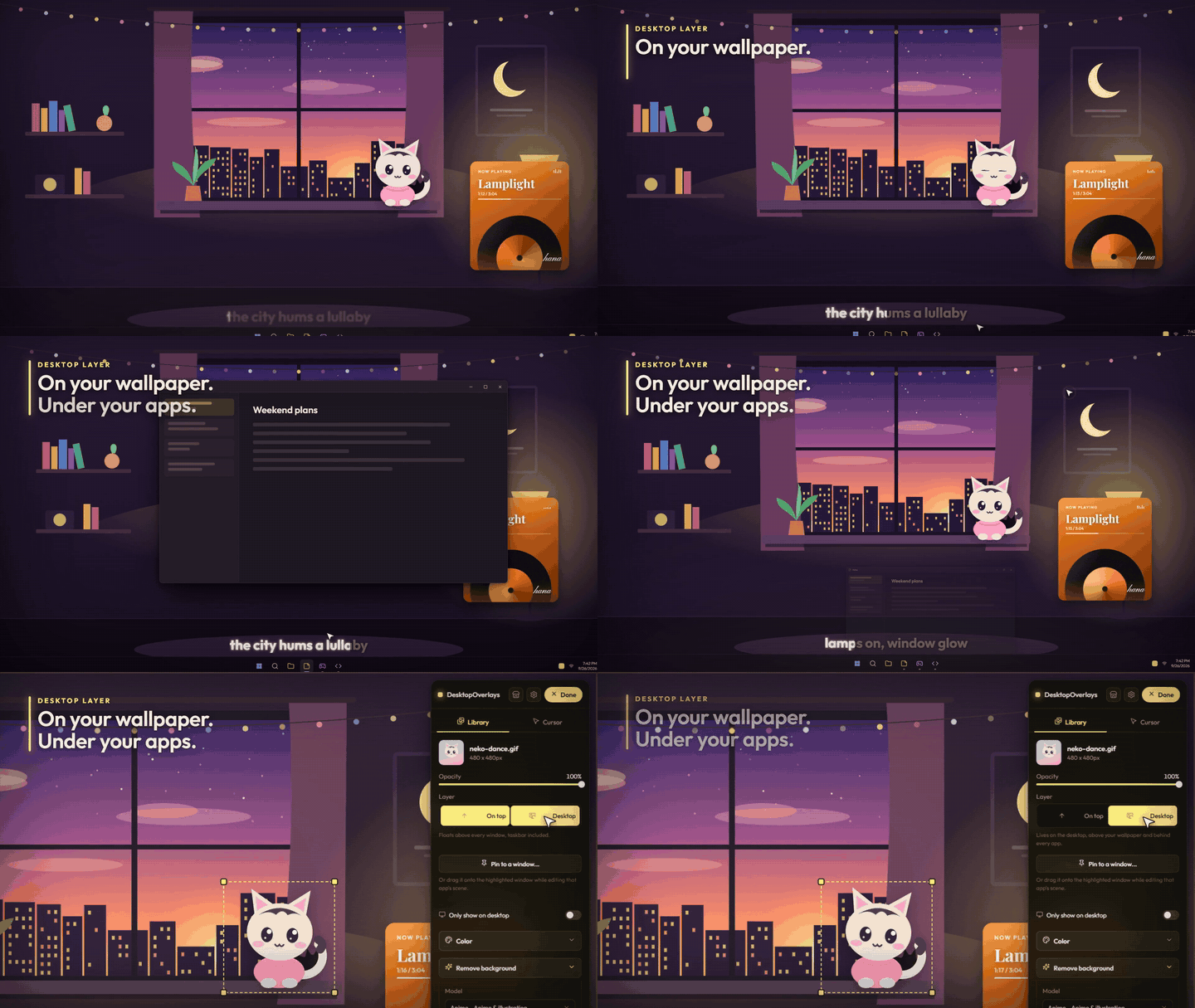
Select an overlay in the editor and you'll find the new Layer buttons.
- On top: how it always worked. Above everything, taskbar included.
- Desktop: right on your wallpaper and desktop icons, and behind every app.
Desktop is the big one. If you run an animated wallpaper, your overlay now draws on top of it instead of getting buried underneath. Open any app and it covers the overlay like a normal window should. Your character hangs out on the wallpaper, your apps stay on top. Exactly how a desktop should feel.
"Hide on fullscreen" is still there for On top. On Desktop it switches off by itself with a note explaining why: down there, a fullscreen game is already above your overlay and covers it on its own. Nothing to detect, nothing to go wrong.
Color: make it match your setup
Every overlay now has a Color section. Tint it with any hex color, then tune hue, saturation, brightness, contrast, blur and film grain.
Music widget is orange and your whole setup is red? Fix it in ten seconds instead of hunting for a different one.
Tip: "Recolor" keeps the artwork's shading and swaps the color, which is what you want most of the time. If your overlay is plain white or black, there's no color to swap, so pick "Multiply" instead.
Launch with Windows, fixed for real
Turn on launch at startup and it now does the right thing: it starts Steam, waits for you to sign in, and opens straight into your overlays. No more landing in edit mode every time you boot.
A redesigned editor
The editor panel got a rebuild. Your stuff lives in the Library tab, cursor effects have their own Cursor tab, and the whole panel can move to the other side of the screen when it's in the way.
Cursor effects: 4 became 10
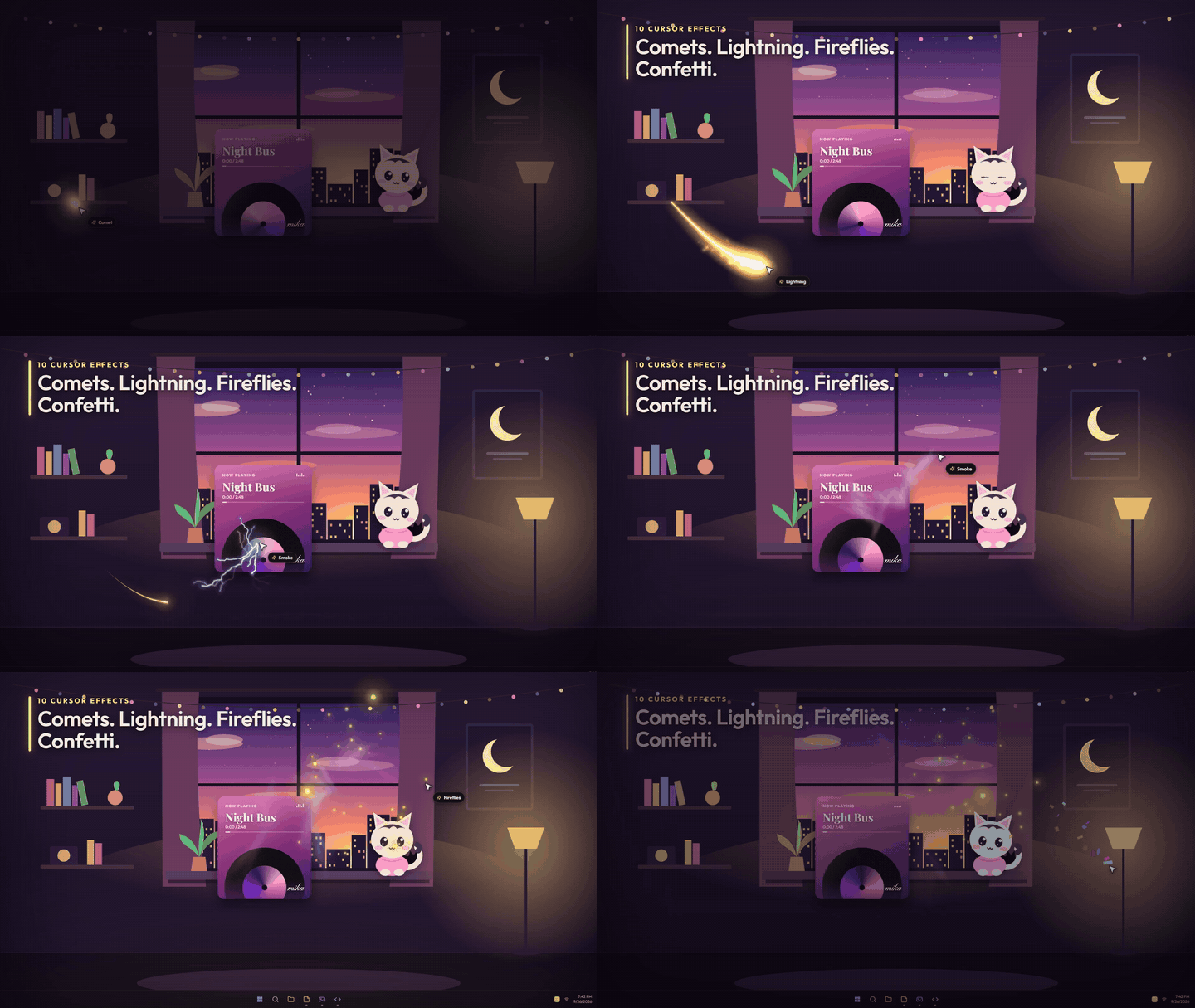
Ribbon trail, Sparkles, Ripples and Bubbles got rebuilt from scratch. Six new ones joined them:
- Comet: a blazing head chasing your cursor, dragging a long tail and embers. Pick Snappy, Smooth, Floaty or Lazy motion.
- Lightning: forked bolts crackling off the cursor as you move.
- Smoke: soft wisps that curl away. Switch to Ink or Steam.
- Fireflies: a blinking swarm that follows, orbits or roams around your cursor.
- Pixel dust: 8-bit pixels in Handheld green, CGA or Monochrome.
- Confetti: Party, Pastel or Gold and silver, flying off when you move fast.
The old four picked up new tricks too. The ribbon comes in Neon, Solid or Twin strands. Ripples come as Water, Sonar or Outline. Sparkles can float up, fall or hover. Bubbles shimmer and pop into droplets.
Every effect now has an opacity slider next to color, size and amount, plus its own options below. And the Cursor tab is a grid of live previews, so you see each effect moving before you pick it.
New bundles to grab
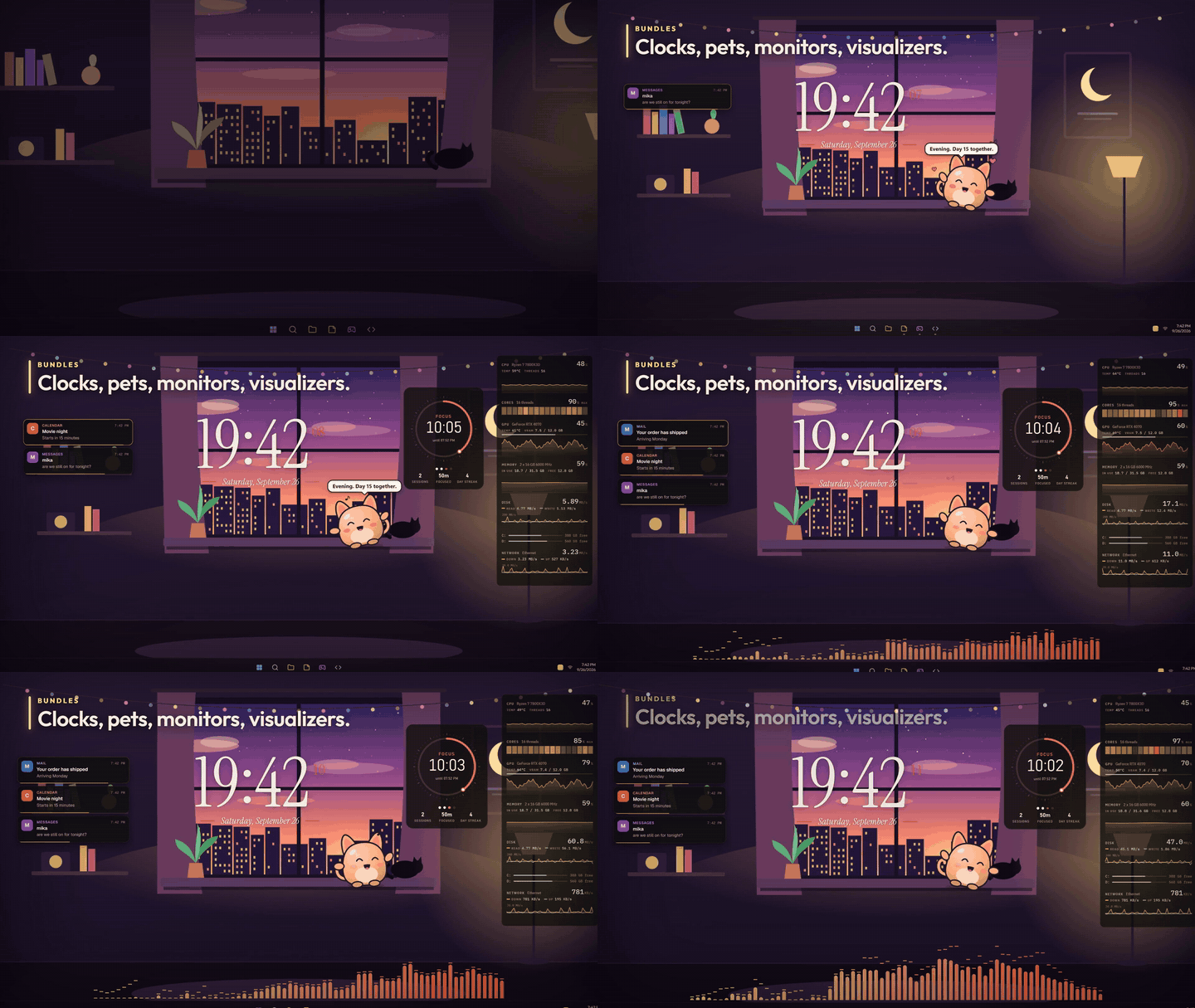
A whole shelf of ready-made overlays, each with its own settings panel.
- Desktop Clock: five faces. Editorial, Analog, Word clock, Flip and Stacked. Add other time zones as small clocks next to it.
- System Monitor: live CPU, GPU, memory, disk and network graphs, a per-core load strip and drive space bars. Stack, Bar or Compact layout.
- Audio Visualizer: bars with peak caps along the bottom of your screen, or a Ring, a Curve or an LED meter. Colors from a gradient or the album art.
- Focus Timer: Pomodoro as a Ring, a Bar or Text only, with session dots, today's stats, a day streak and global hotkeys.
- Notification Feed: Windows notifications restyled as Cards, Compact lines or Chat bubbles, on top of fullscreen games. Hide the noisy apps.
And meet Mochi, a desk pet. Its eyes follow your cursor. Hover and it blushes, rub it and hearts spill out. It naps when you go quiet, dances when music plays, catches a cookie when you hit Feed, and waves on a hotkey. Let it roam and it strolls along the bottom of your screen.
The music bundles got bigger too. Vinyl Now Playing adds Turntable, Record only and Compact bar layouts next to the classic card. Lyrics Ticker adds a Scrolling lyrics style.
Come take another look
Put a character on your wallpaper. Tint it to match. Give your cursor a comet tail and let Mochi keep you company. Reboot and watch it all just be there. Then tell us what's still missing in the reviews or the discussions. That's exactly how this update happened.
Depot changes
| Depot | New manifest | Previous manifest |
|---|---|---|
| 4849661 | 1335414387527906870 | 3460237095862958729 |