Update 1.0.6: Control Guidance, Multiplayer, and Character Part Expansion
EClone Station · build 24579618 · published
On SteamNotes only · this build shipped before we watched the app
Hello. EClone Station update 1.0.6 is now available.
New features
- Added contextual help to the GUI, CLI, Mini view, and utility modules. It lists the actions and shortcuts available on the current screen and can be opened from the header help button or with Shift + /. Tooltips for shortcut-enabled controls now show the currently assigned key as well.
- In-app and global shortcuts can now be changed, disabled, checked for conflicts, and restored to their defaults in Settings.
- You can now search for other public rooms while already in a multiplayer room. Selecting one asks for confirmation, then leaves the current room and joins the new room in sequence. The last room title you entered is remembered for the next room you create.
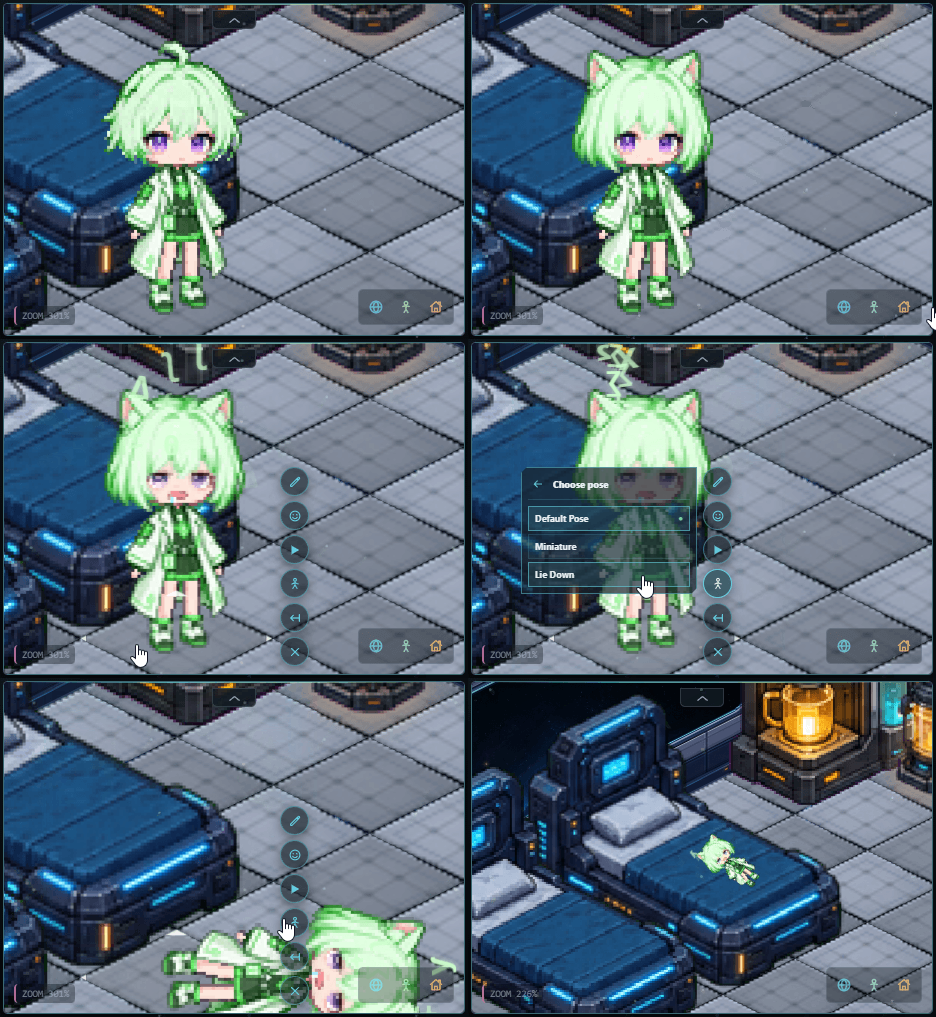
- Added one-third miniature and lie-down poses, plus triple-flip and hologram-glitch emotes. Press V to repeat the most recent emote and B to toggle My Room edit mode.
- Added final art for seven expressions: Default, Smile, Eyes Closed, Cry, Embarrassed, Angry, and Silly Drool. They are all unlocked by default. Expression eye colors follow the character's current eye-color setting while preserving the original shading.
- Separated the Cat Ears from Long Hair and Short Hair, updating both hairstyles with earless art. Straight Bob and a separate Cat Ears part have also been added, so hairstyles and ears can now be combined independently. If your character appears without ears after updating, equip the free Cat Ears under Customize > Ears.
- The first-run appearance setup now lets you choose Cat Ears or no ears in the live preview.
Improvements
- Room search and in-room displays now update the host's custom app nickname and changed room title more promptly.
- Participant activities are localized using the viewer's language, and the status-message limit has been increased to 24 characters.
- Skin-color editing is temporarily disabled while the skin-tone edges in the expression artwork are being refined. Existing saved skin-color presets are retained and are not deleted.
Bug fixes
- Fixed app shortcuts activating while entering text, and removed the default Ctrl + Shift + T binding that interfered with reopening closed browser tabs.
- Strengthened overlap recovery when restoring a local room, joining or leaving multiplayer, or applying room-state updates. Unexpected character or furniture overlaps are moved to a nearby valid tile when possible.
- Fixed furniture flips being applied despite collisions and canceled edits leaving overlapping objects behind.
- Fixed an intermittent rendering issue where the character could remain slightly blurred after changing expressions.
In development for the next update
The following character parts are being prepared for the next update. The final selection may change during art review.
- 4 ear options: Sheep, Droopy Rabbit, Rabbit, and Bear
- 4 outfits: Hoodie, Adventurer, Wizard, and Casual Wear
- 4 accessories: orbiting lights, a document stack, a scythe worn on the back, and candy
If you encounter an issue, please let me know through the Steam Community Discussions. Thank you.