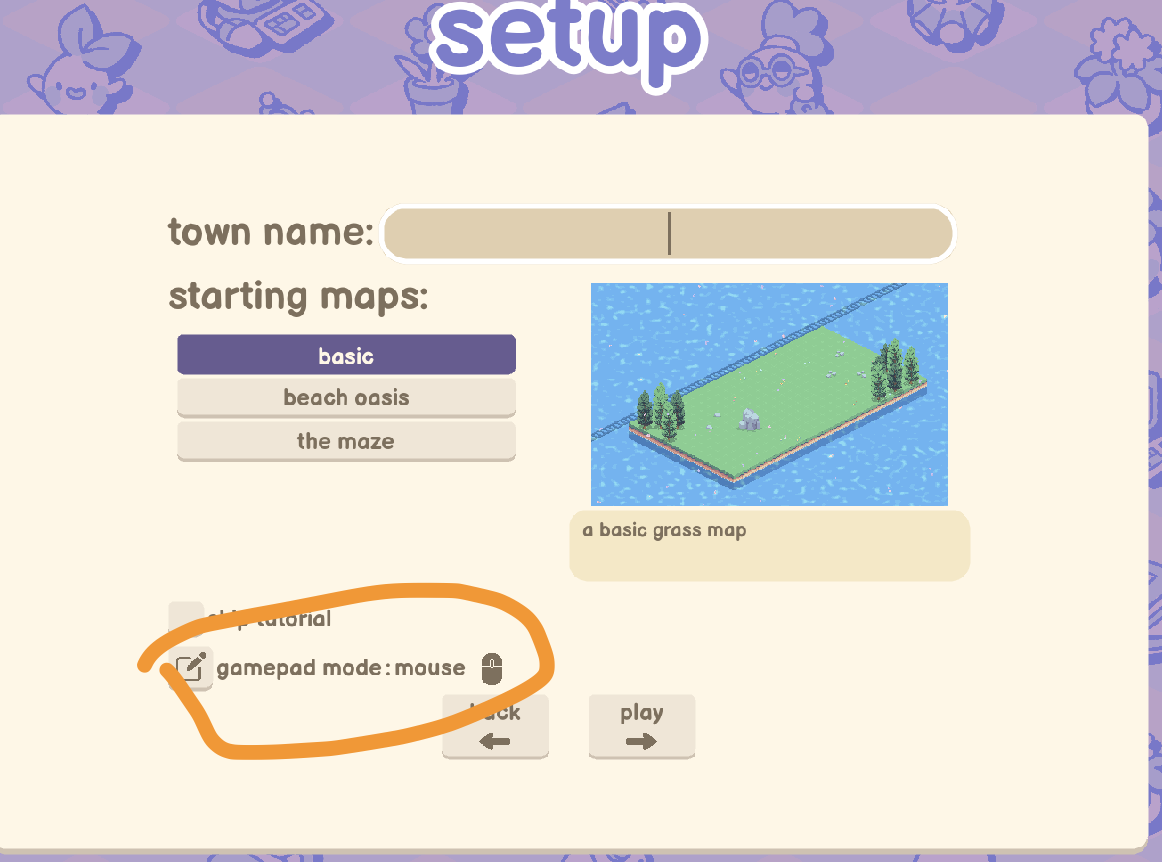
tl;dr: Added small changes to make it more clear when a controller was detected.
Some people are inadvertently playing in controller mode with their mouse an keyboard (which is a pretty terrible ui experience) because it isn't clear in the game when a controller is autodetected. This patch adds a small label to the town creator screen saying whether the game is in mouse or controller mode, and a button that jumps straight to the settings page to change modes.
Also stopped setting the mouse cursor to invisible whenever a controller is detected- it’s just too annoying when the player doesn’t realize they have a controller plugged in and want to use their mouse!
Note that I am still spending 90% of my time working on the issue where the game crashes on startup for some players. I just saw a lot of reports regarding this issue and decided to implement this change because it was a quick fix!
Link to issue in the gourdlets
public bug tracker: https://trello.com/c/5SL9CuoX/37-%E2%9C%85-solved-100f-add-an-indication-that-the-game-is-in-controller-vs-mouse-mode