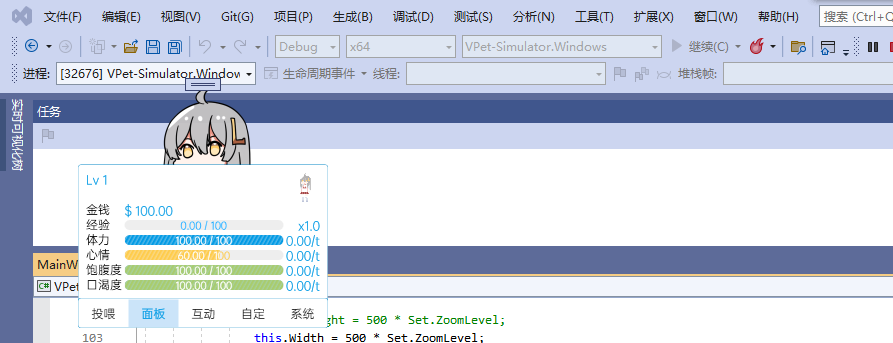
Using VPet problem solutions / compilation to see the exact cause
Solutions to Common Problems
Here are some solutions to common problems, other VPets that are fault tolerant have tried to be fault tolerant themselves
Opened flashback/can't see anything/can't open
If you can open it before, but now it won't open, you can try to close the mod/reset the archive through the VPET problem solver - Setting Editor.
Stuck at trying to load animation and generate cache on startup
If your computer has poor performance, the first time you start up or update the animation, the cache generation will indeed be slow, please be patient!
Stuck at Loading Steam Workshop during startup
If you have a bad internet connection, or are playing Steam Workshop, or are just unlucky, you may get stuck here for a while, I sometimes get stuck here for 1-5 minutes when I'm writing my own games, it's usually caused by internet fluctuations.
If you don't use the Creative Workshop mod, you can double-click the logo to skip it.
Win7 No screen after opening
(It also works on Win10/11 with effects turned off, but it's usually a Win7 problem)
You need to turn on all animation effects in your system
Control Panel - System Properties - Performance. Activate the options "Enable desktop compositing" and "Use visual styles on Windows and buttons".
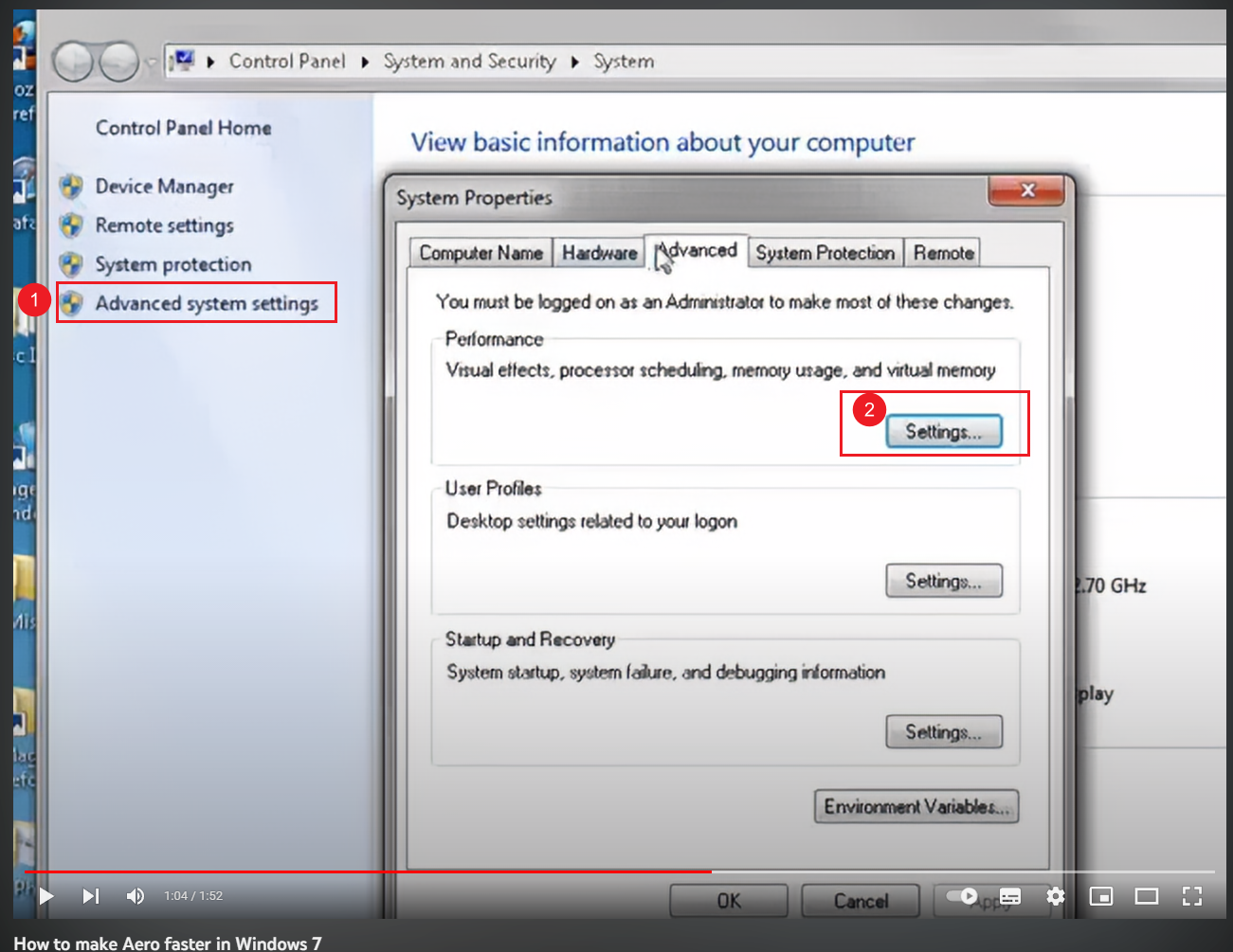
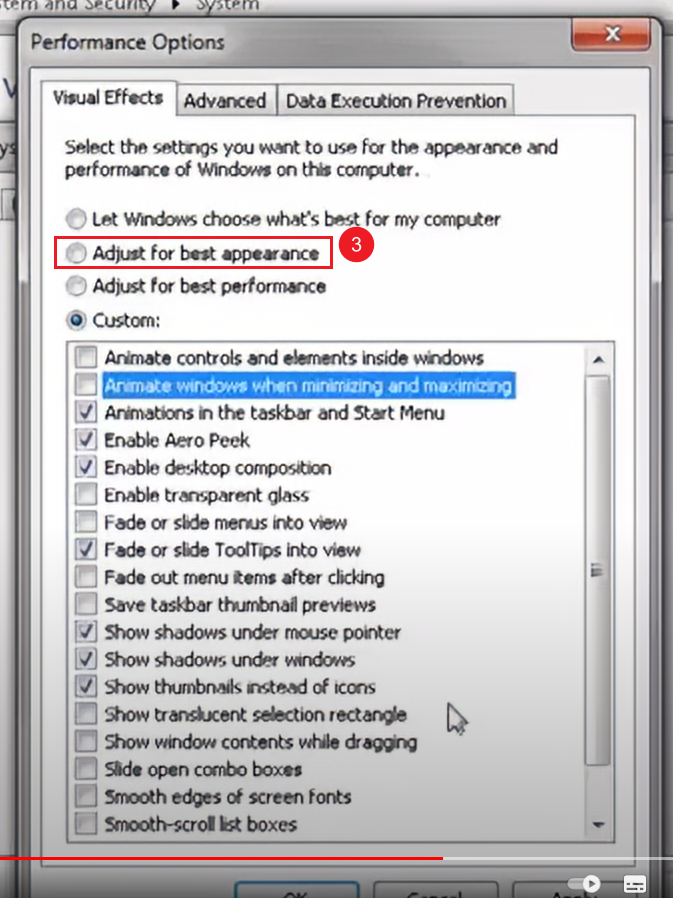
Related Video Tutorials
Watch on YouTube
If it still won't open, you need to try compiling VPet's source code to locate the problem.
Compile VPet source code
It's hard to fix bugs without error messages and locations, so if you're a little computer savvy, you can try manually compiling the VPet source code yourself to see if there are any problems.
Source: github https://github.com/LorisYounger/VPet/
If you have problems trying to compile, or you find a specific error, please contact me at [email protected] or at github issue. I'll try to fix it.
Requirements
Win10 and above
20G or more space on C drive (if you change the installation location, you need 10G on C drive + 15G on other disks).
1. Install VisualStudio 2022
Go to https://visualstudio.microsoft.com
Download and install Visual Studio 2022 Community
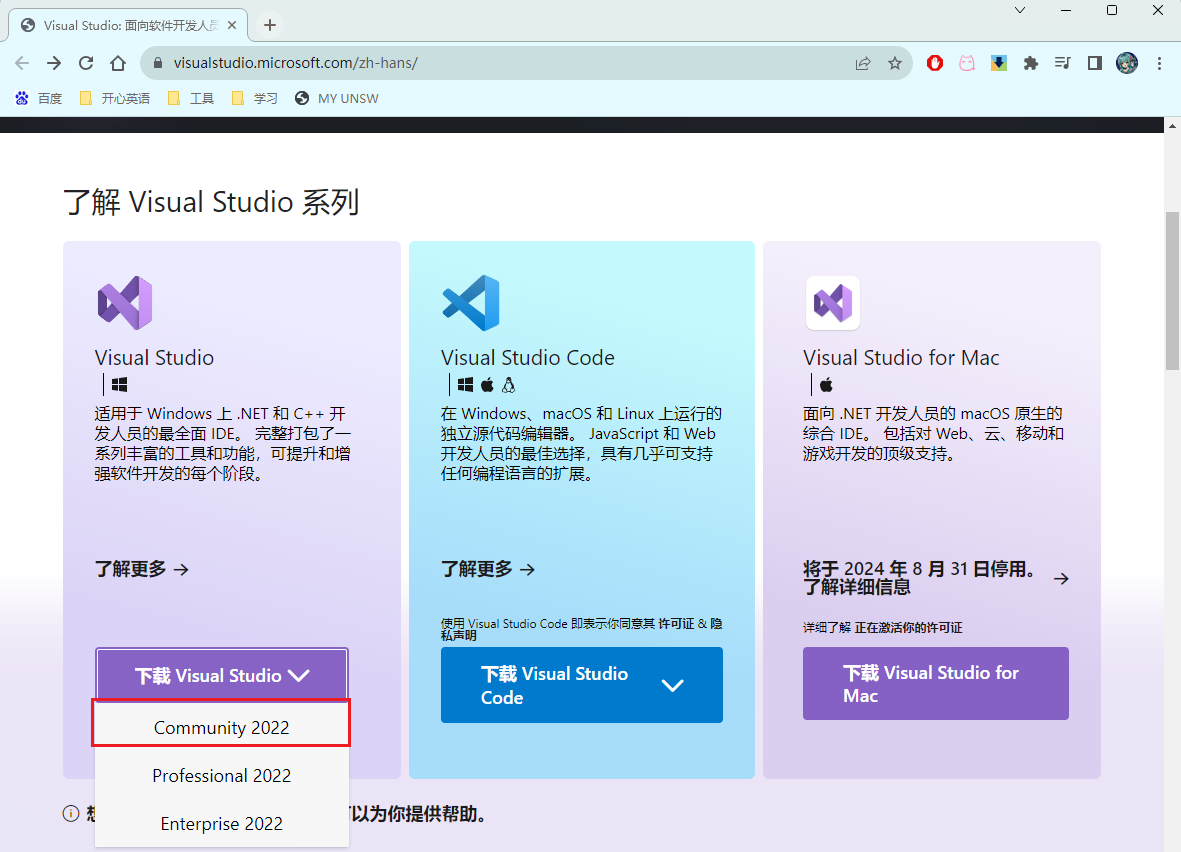
VisualStudio is the most comprehensive IDE developed by Microsoft for .NET and C# developers on Windows.
Just open it after downloading and install it, remembering to check Net Desktop Development and Universal Windows Platform Development
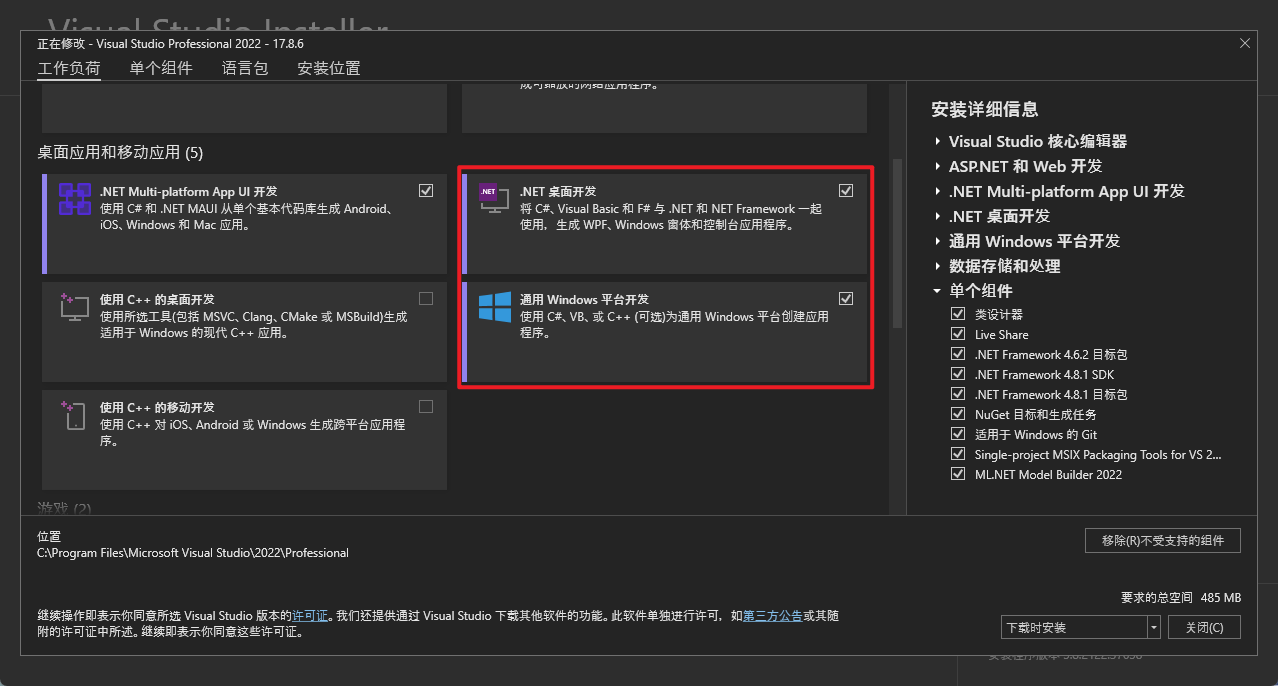
After that, go all the way to the next step and the installation is complete.
If you can't install it, it's a system problem, the program is a code editor developed by Microsoft.
2. Download VPet source code
Source: github https://github.com/LorisYounger/VPet/
Select download zip, then unzip
Once extracted, double-click on `VPet.sln` to open the VPet source code.
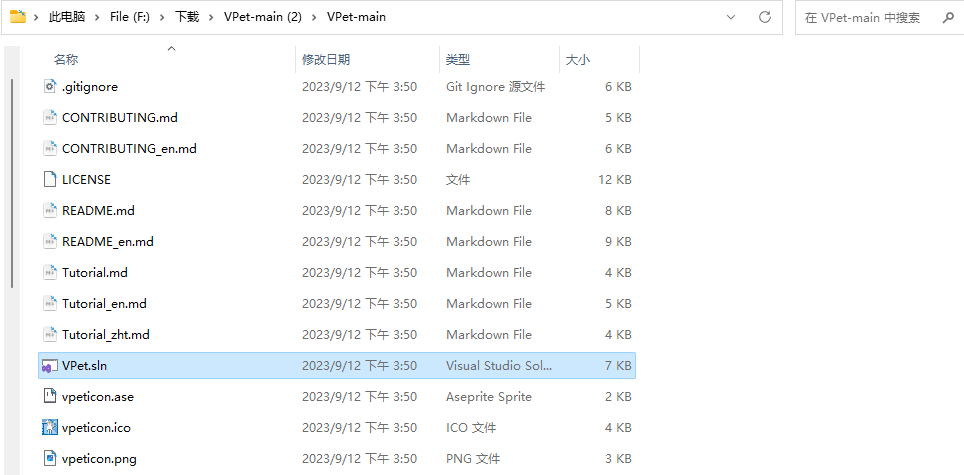
3. Start compiling
In the upper left corner of VisualStudio select X64 and VPet.Simulator.Windows

Click the dark green Run button to run VPet source code.
If everything runs fine, the game will report an error "缺少模组Core,无法启动桌宠\nMissing module Core, can't start up", as shown below
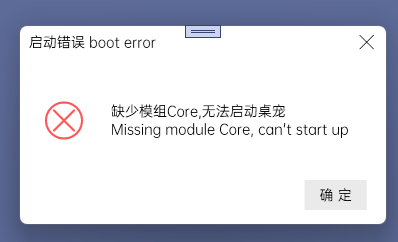
Next, open the `VPet-Simulator.Windows` folder in the folder where the code is located.
Right click to run mklink.bat as administrator
Next, re-click the dark green Run button to run the VPet source code, and it will run VPet normally!