Status
SteamPeaks
ChartsSalesUpcomingPatchesNewsCalculator
New on SteamEvery app, DLC and depot the minute Steam creates itAppsEvery app on Steam, newest change firstPackagesSubs and bundles, and what each containsDepotsDepots, manifests and install sizesTagsSteam's user tags and the games under themDevelopers & publishersCompanies and their cataloguesTechnologiesEngines, SDKs and anti-cheat found in the filesChange historyEvery PICS changelist as it lands
SignalsNineteen readings of the whole catalogueCompareAny games side by sideRecordsAll-time peaks and the days they were setReportsWeekly and monthly write-upsAlerts & newsroomWatch a game, get told when it movesSteam statusIs Steam up, right nowWeb API explorerTry the endpoints in the browser
NewsSteam's own announcements and the sales calendarCalculatorWhat a Steam account is worth, and its pile of shame
/
Sign in
/
SteamPeaks
The ultimate resource for Steam data.
ExploreChartsSalesSales and festsUpcomingPatchesNewsRecordsTrendingSignals
DatabaseAppsPackagesDepotsTagsDevelopersTechnologiesChange history
ToolsCalculatorCompareSearchAlertsSteam statusAPI
SiteMethodologyFAQDiscordSupportSign in via Steam
Not affiliated with Valve or Steam. Game names and artwork belong to their owners. All times UTC.
PrivacyCookiesFair useStatus
Pixel FireplaceNewsUpdate v1.2.5 - Options Menu
In-game event

Update v1.2.5 - Options Menu

Pixel Fireplace · published 13 Apr 2024, 18:14 UTC · build 14045200

All newsPlayers around this dateRead on Steam


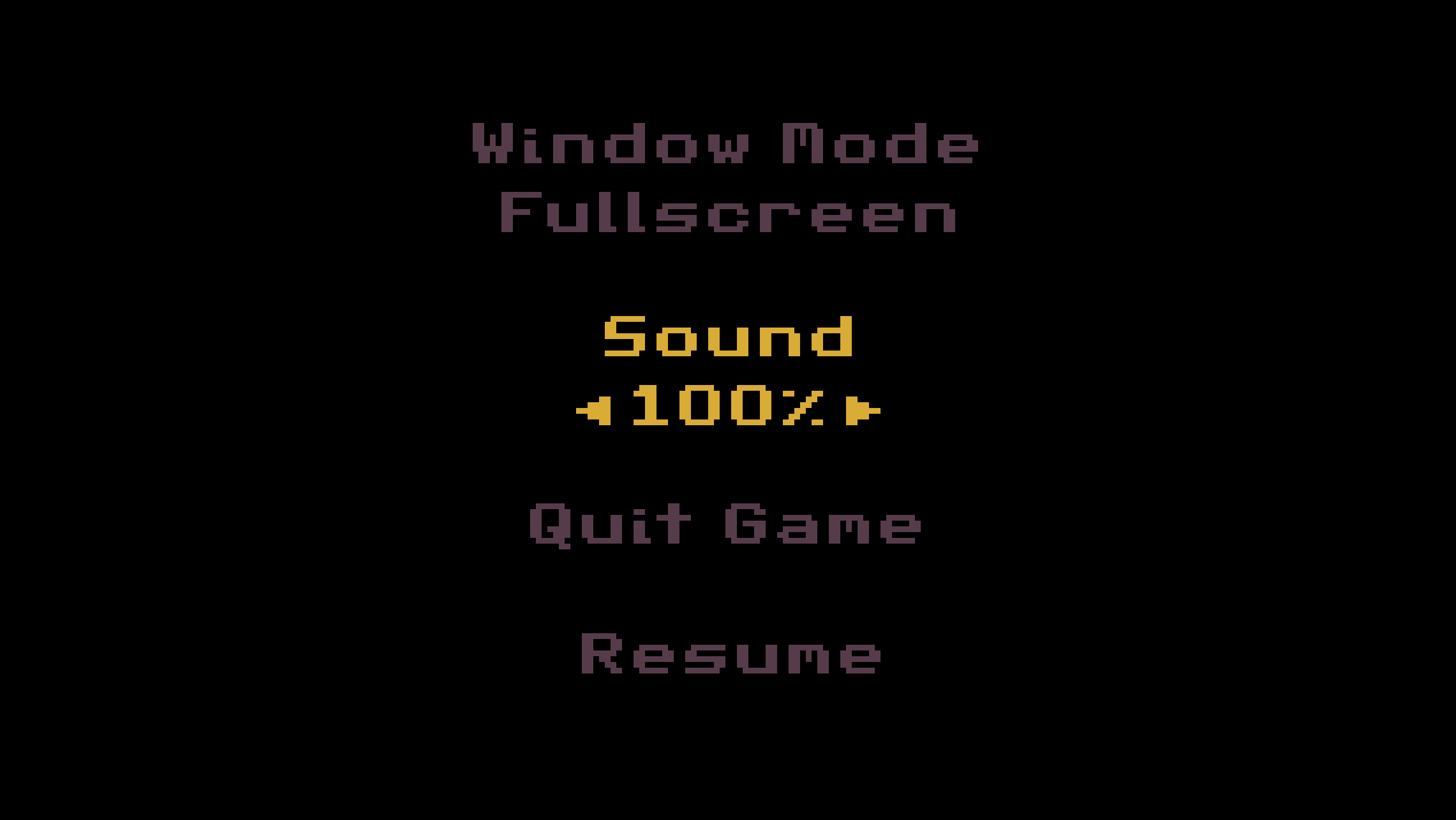
Update v1.2.5 adds an Options Menu with a few options. Press "Esc" at the Fireplace screen to access it:

Volume - run Pixel Fireplace in the background while doing other things such as listening to music, streaming, or watching videos without hearing the fireplace sounds.

Fullscreen / Windowed - switch between Fullscreen and Windowed modes to drag Pixel Fireplace to a second monior. Switching can also be done by double-clicking. NOTE: DPI scaling needs to be the same on both monitors (eg. 125%) or Fullscreen won't work on the second monitor.

These features were requests by the community. Thanks again for your feedback!

🔥

- Ted

More from Pixel Fireplace

Other announcements

All news
Game update26 Jan 2024Patch v1.2.41 - Bug Fixes, Minor ChangesHello :) Patch v1.2.41 brings a few bug fixes and minor changes. NOTE: 🔥 below indicates a change inspired by community suggestions and feedback! BUG FIXES & CHANGELOG - The Splash Screen takes less time now on start up. - You can now press any key to skip the Splash Screen instead of just Enter, Space, and left-mouse click. - Fixed the size of some GUI text on the Title Screen because they we…In-game event19 Jan 2024Update v1.2.4 - Demo, Two New Colors, FixesHello! Update v1.2.4 is out and it brings a demo and two new color commands. NOTE: 🔥 below indicates a change inspired by community suggestions and feedback! DEMO There's now a demo available to try out on the Pixel Fireplace store page. Give it a shot and see if Pixel Fireplace vibes with you! TWO NEW COLOR COMMANDS: PINK AND CMYK - Type PINK after the fire is lit to activate the pink color c…