Developer Note
Hello Oblivity Community,
This update focuses on reworking the scenario information screen, enhancing overall performance, and implementing Quality of Life changes. Many of the new features and bug fixes in this update were inspired by your feedback on our official Discord server. We encourage you to join the conversation and help us continue to improve Oblivity! Additionally, we are seeking new testers through the Discord server.
Cheers,
Poly Games
Change Logs
Scenario Information Screen
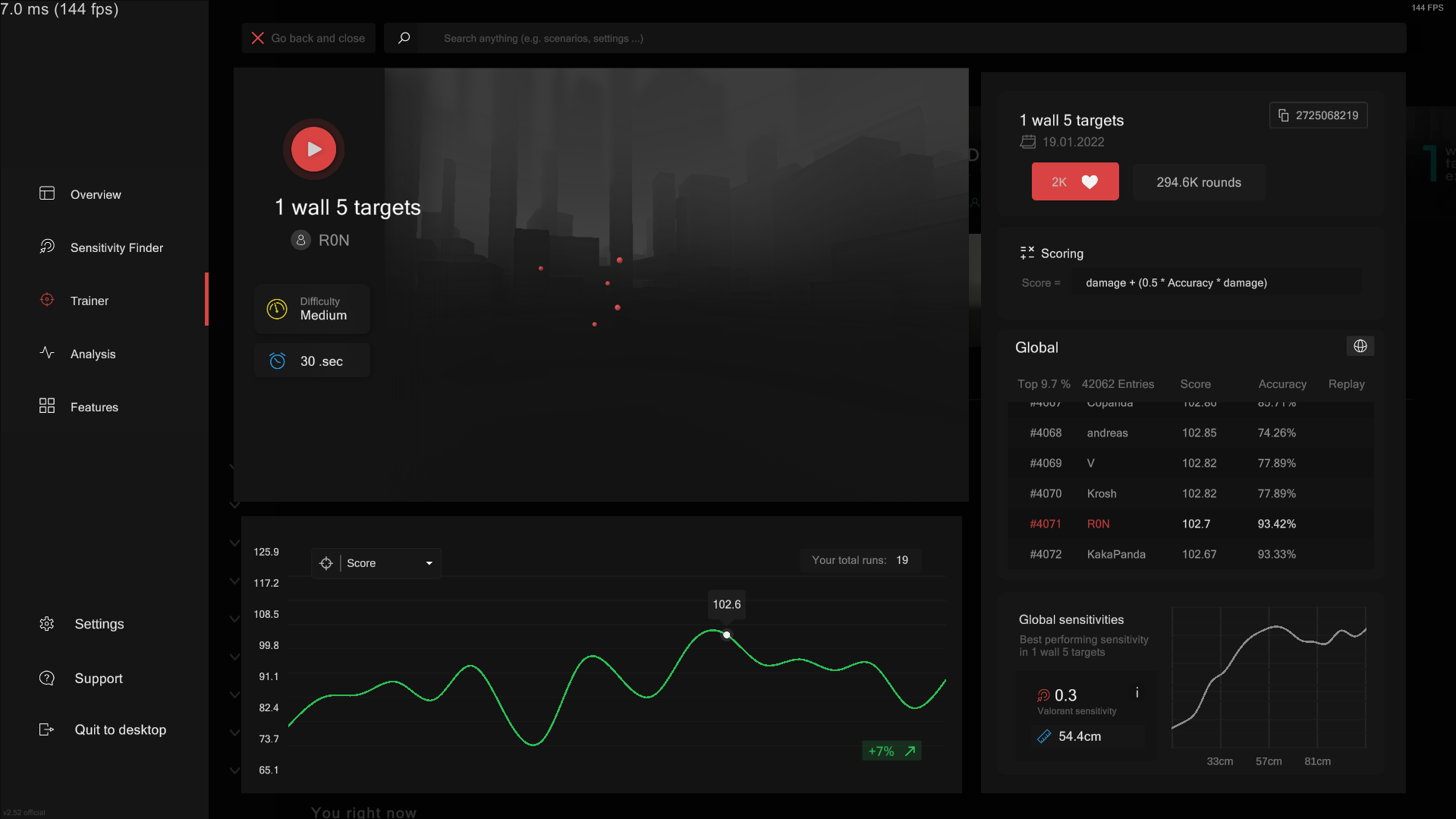
We've revamped the scenario details screen, where you can now view generic stats of each scenario. This update allows you to preview the scenario, track your progress, or check out the leaderboard. Additionally, we've introduced a new chart that displays performance across different sensitivities, helping you identify the general optimal sensitivity based on data from all leaderboard entries. Note that your personal best sensitivity for a scenario is probably different.
Better Download System
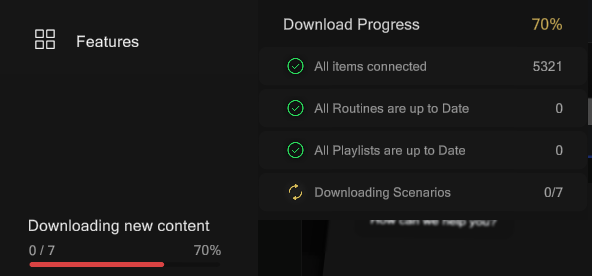
We've introduced a new popup feature that provides detailed information about download progress. Additionally, the download times for new playlists have been significantly improved, and the overall system now operates more efficiently in the background. Scenarios that have not yet been downloaded will now appear in search results, allowing you to quickly download them with a single click.
Performance
We Improved the overall application performance significantly. Users on low-performance devices will experience a substantial improvement by enabling 'Simple Arena' in the visual settings. This update aims to provide a smoother experience with fewer stutters across all devices.
Quality of Life & Small Changes
- you can now open Oblivity directly in a Scenario with a link. You can try it out on our dc server. /create-oblivity-link
- support system got some new features, to help you out! Your are now able to share your Oblivity files with out, so we can fix the problem for you.
- improved the search system, with better Ui and a more efficient search algorithm
- changed steam cloud configureations: All settings are synced between your devices now
- adjusted some tutorial texts
- after uploading a scenario, you can now directly view your uploaded scenario
Bugs
- fixed some issues with
- fixed like counter on playlist rows
- fixed a issues with downloading a routine system
- fixed some replay system positing errors
- fixed a issues where the active routine didn't get displayed in the pause screen
- fixed some Audio pitching issues for killing targets
- fixed some arrows getting displayed over routines
- improved Author loading speed
- discover row now gets displayed correctly again
- the ads setting widgets now gets shown instantly when enabeling
- fixed some scenario creator issues with new scenarios
- now disabled functionality editng of presets
- fixed Application closing leading to crash
- fixed a spawn area issue
- Quitting the game now opens a window that displays the shutting down progress