Hello Chefs!
Slightly bigger patch today, some outstanding fixes and tweaks that required localisation, so was took some more time than usual as I needed to wait for localisers to finish up first!
Just a quick note to say a big thank you again to all of you, we've now reached just over 100 reviews, at 'Very Positive'! I appreciate you all so much, and I'm so glad you're enjoying the game. I've also seen people at W4 now, which for just over a week is extremely impressive!! <3
So first up I've tweaked a bit is some clarity around machine outputs - i. 1.3.0 I made it so machines showed their 'X per Ys' output info on hover regardless of power, but I've added it to a few more places now too.
First is in the actual handbook itself, the default generic output for a machine, so on the Miner's handbook page you'll see the '1 item every 5s' message. I've also added this to the recipe step hover, but in a smarter way - for example on a mixer step making butter, the mixer icon tooltip will correctly change to say '2 items every 4s' in reference to the 2 butter you'll get.
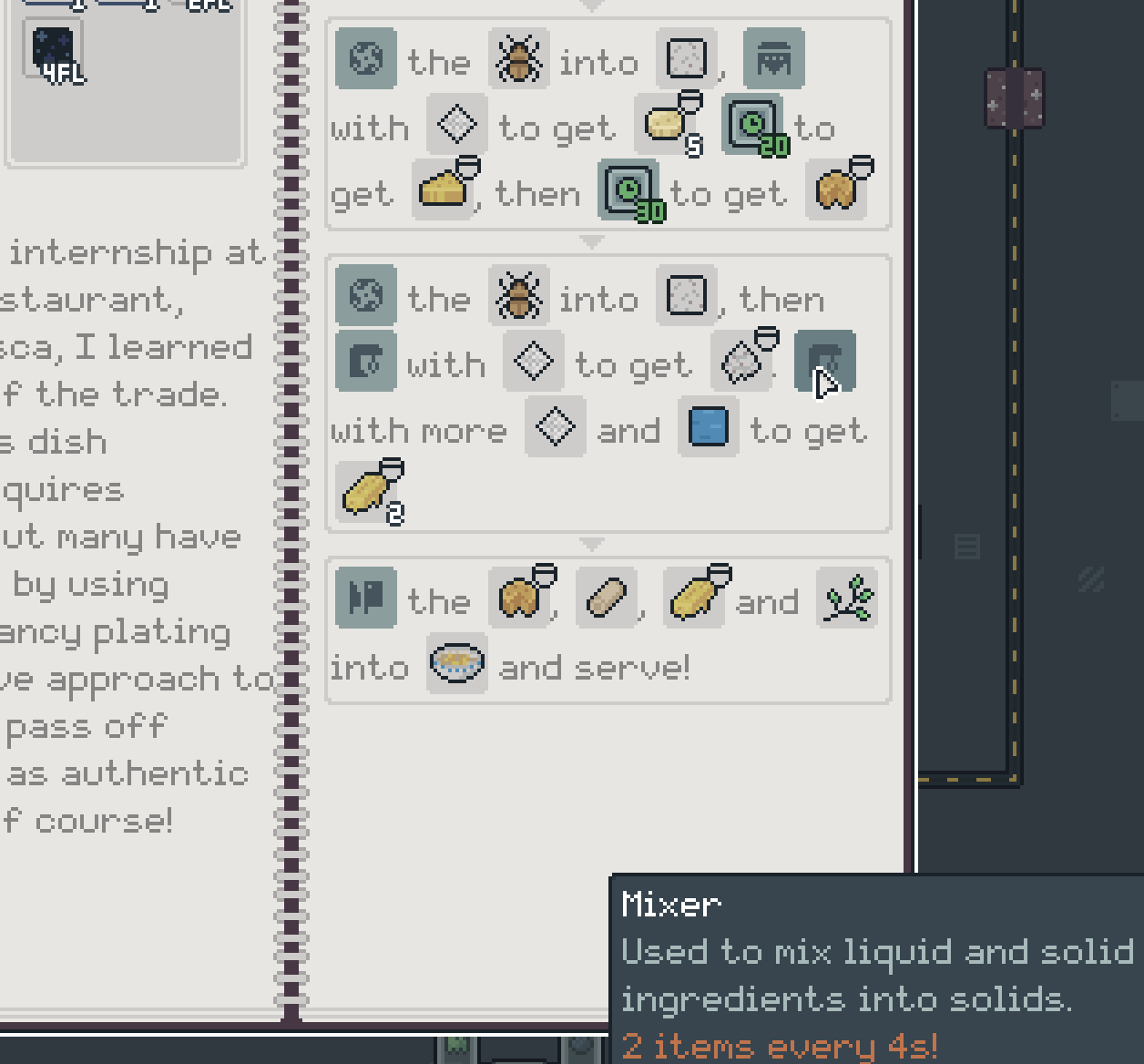
I also fixed this for specific machine tooltips too, as it wasn't always showing '2 items every 4s' for mixers set to a 2x recipe when you hovered over them or their progress UI.
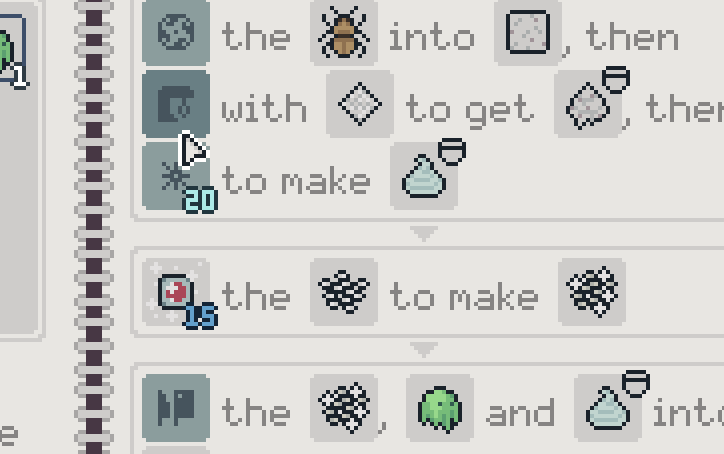
You might also notice in the picture above I've added a few more numbers to recipes - namely the wait time, steaming time, and cooling time required for certain steps. While I did add this info to the NPC 'Check Ingredients' in 1.3.0, and added it to the overlay for parcels, I think it's worth it being added here too for quick reference and planning.
There was also a couple small layout bugs on recipes so that's been cleaned up also!
Going back to everyone's fav thing, pipes, in 1.1.0 there was the "Q" Drop/Select button added, and in 1.2.0 I made it so you could place pre-set direction pipes on top of other pipes I felt there was still a couple bits worth doing.
First is making it so "Q" select (LSTICK on gamepad) will not only equip pipe when used on pipes, but it will now pre-set the rotation if you select a direction pipe. Undecided on if this should be able to target 'splitter' pipes yet as I'm not sure if that will make people expect "R" mode toggle to rotate through splits also, or whether you'd be happy to just have it as an option with "Q"?
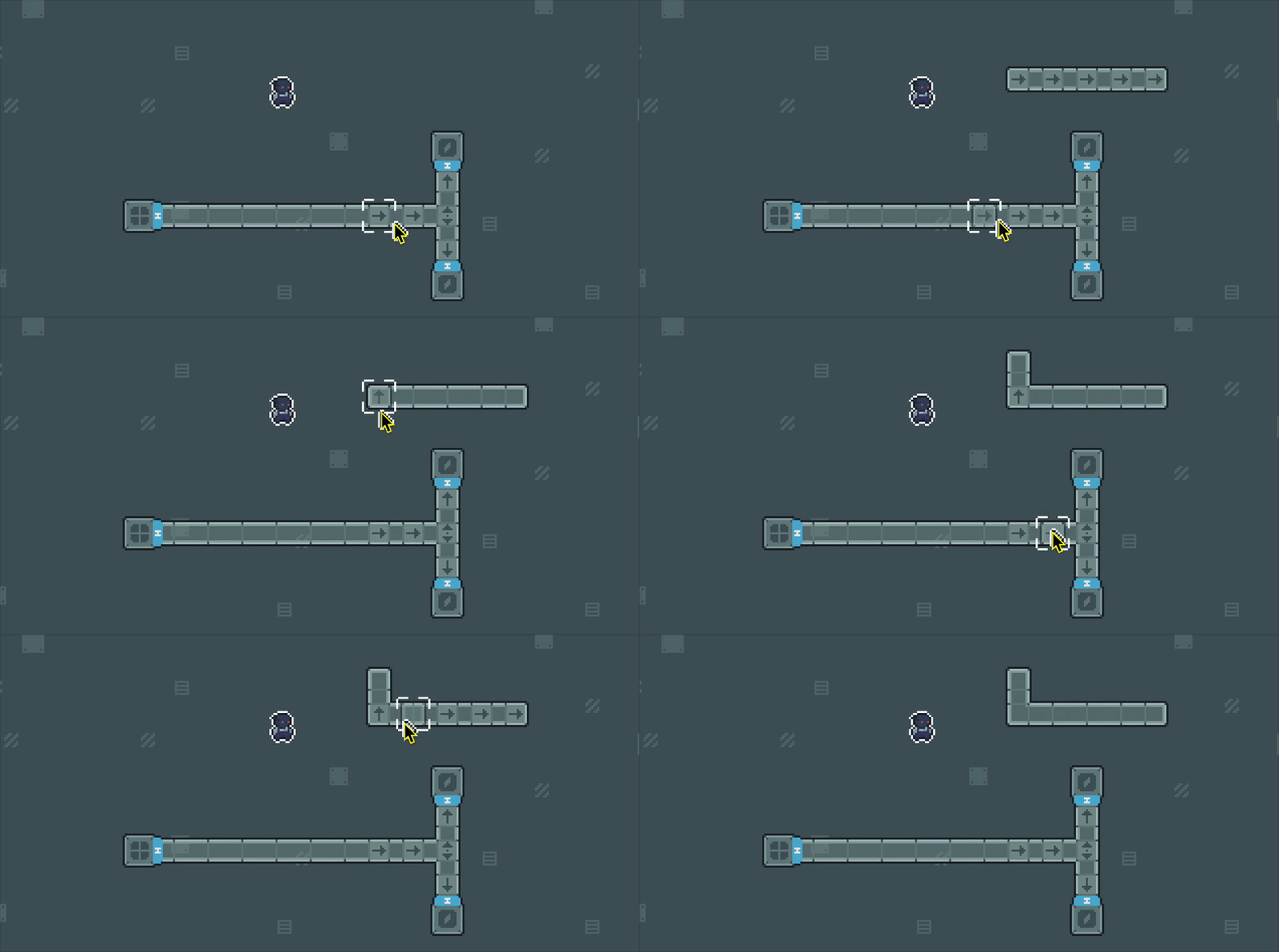
You can also now use 'blank' pipe to reset direction, which I missed when doing this originally, so that saves wrenching to clear existing directions too.
For gamepad players, I've also tweaked gamepad controls so that you can use 'Y' while building to quickly select the hammer - a sort of 'inverse' to the LSTICK select to hop between them. I've also increased the build range on Steam Deck to be a bit more generous, and fixed a couple placement bugs there.
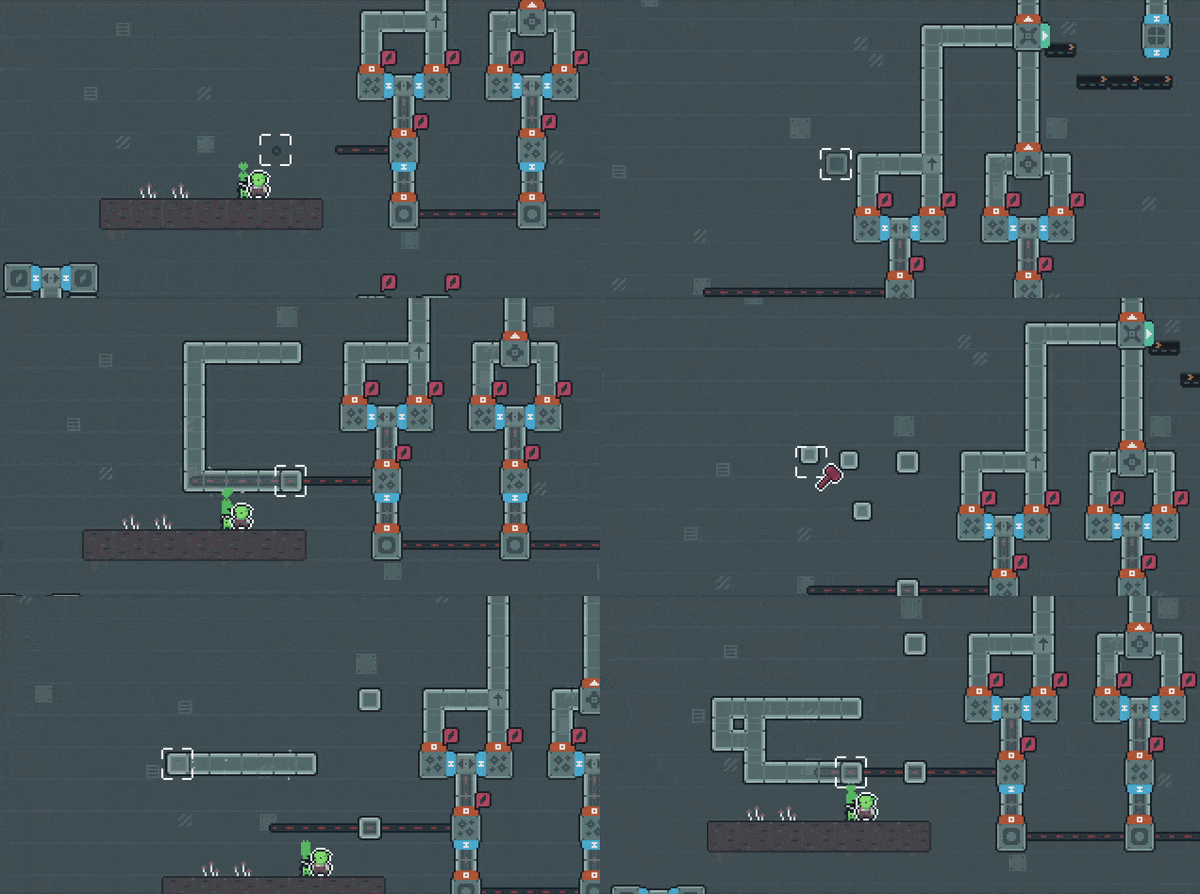
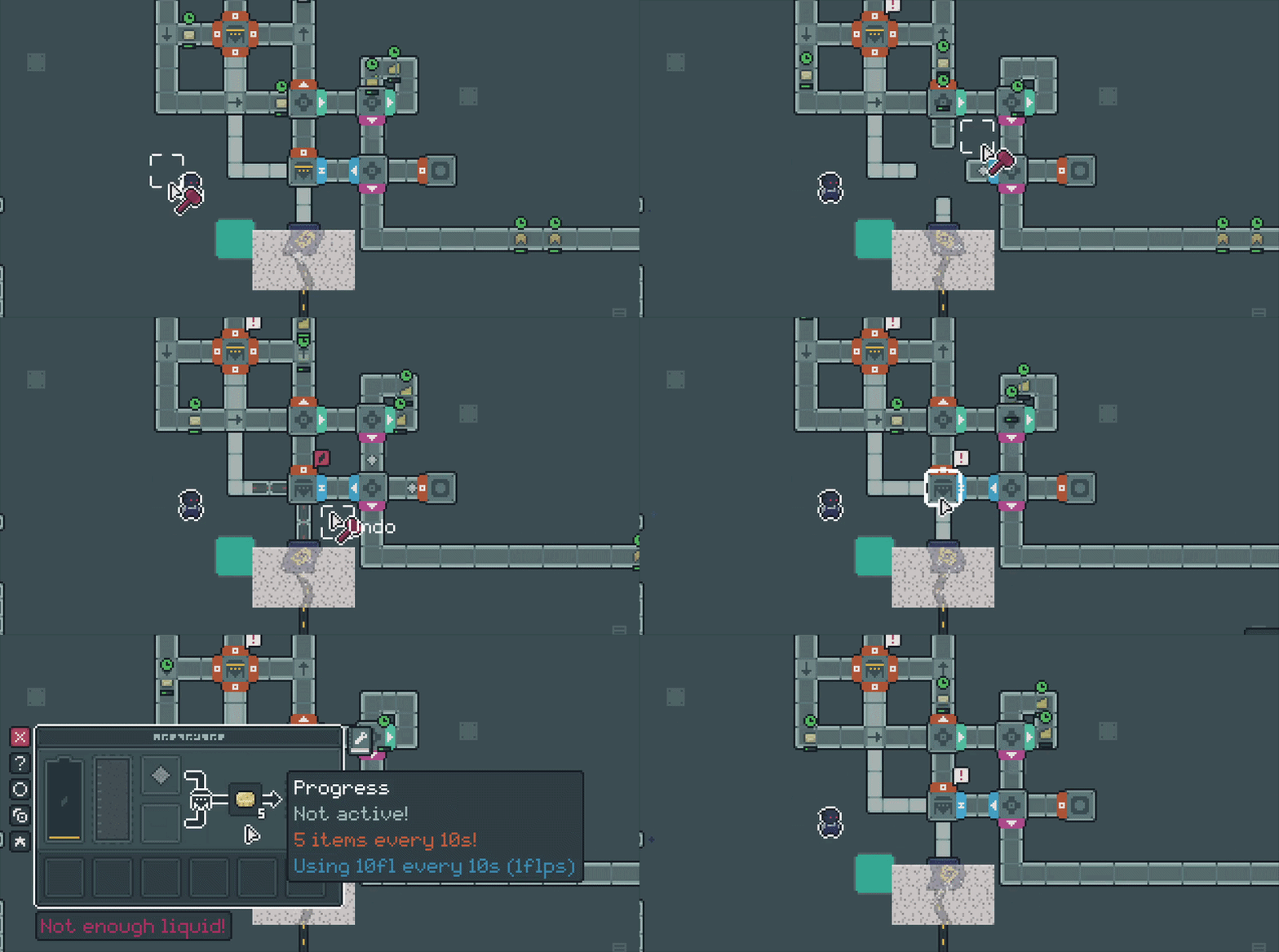
I've also tentatively added a basic 'undo' for MKB. I've had a few people mention it, and trying to dig to the bottom of things I feel the main problem is hammering a machine by accident - so for now I've added a 'CTRL+Z' option that will let you 'undo' the machine you just hammered, which will put it back, routing+settings as they were before (as long as there's still space ofc!)
It's basic, but I feel thats the biggest 'mistake' vs other things that can easily be re-placed or re-set, esp. with all the options to place stuff now, but see how you get on with it and we can go from there!
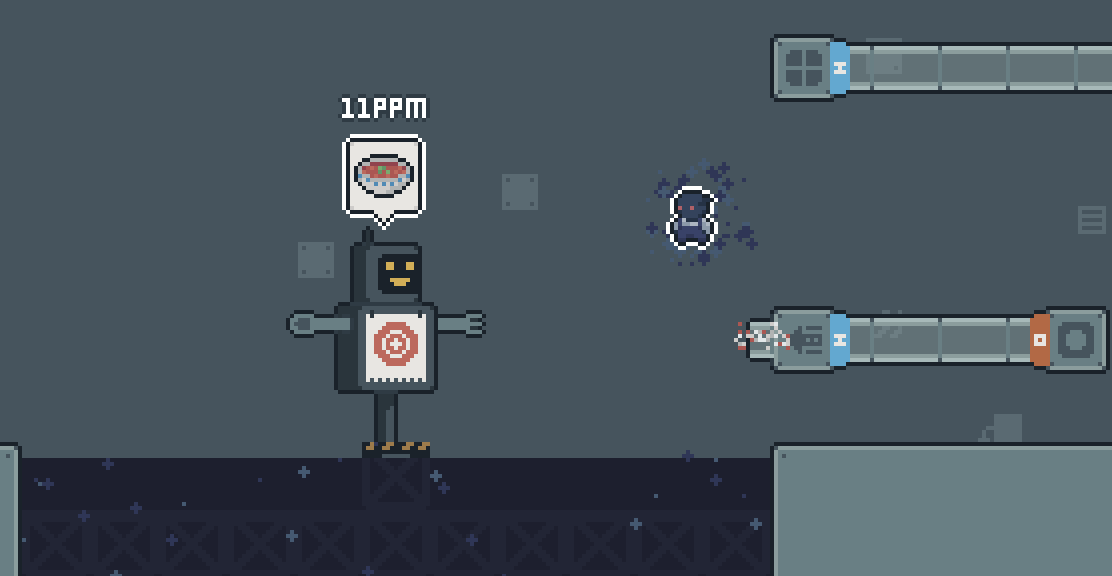
The rest is fixes, but there is a few small little bits include a 'fixed window size' option to prevent window resizing, key remapping for CREATIVE and FAVOURITE keys on MKB, and the bots in the sandbox level will now show you a rate for whatever you're sending them, so you can test some PPM stuff!
So yeah! You can read the full changes below. I'm now up-to-date with all my backlog, sorry if there were some of these things you were waiting on, if it needed any text/localisation it just takes a bit longer than my usual delivery-cannon style patch approach. Hopefully these are some nice little tweaks.
Also quick-note that some of you have sent in form submissions, but no way to contact you for me to ask any more info, so if there's something missed or not fixed that you sent in, be sure to have some way I can reply back to dig in more!
If there's anything else, or anything I've missed, as always just let me know, either through the forums here, the feedback form in-game, or just hit me up by email - [email protected]
If you've enjoyed playing the game, make sure you leave a review! <3
~ Ell
p.s. Steam have now unlocked trading cards for Snacktorio, so I'll be able to get those up and submitted soon - once approved and live I'll let you all know!
1.4.0
- Added localised text for demo section on store page
- Added key re-mapping for creative ('gob mode') for sandbox, and favouriting machines for blueprint usage
- Added 'lock window size' setting option, if active it will prevent the window being resized
- Added machine output info (X every Ys) to book entries, and recipe step machine icon hover tooltips
- Added increase build range for steam deck build mode
- Text for open map has been tweaked on MKB to make it clear you drag with left-click down
- Text in made clearer that you are not meant to know how to beat this level without beating the tutorial AND some of W1
- Text in updated to explain bottleneck bubbles only show in overlay mode now
- Select / Middle Click picker now copies the pipe direction of the pipe you selected, if any
- On MKB, you can now CTRL+Z to undo when hammering machines, as long as the space is still free
- You can now launch a dish at the bots in the sandbox and it'll show you a rate for that dinner for testing
- You can now view the version number on the pause screen
- You can now press 'Y' on gamepad in build-mode to quick-select the hammer (to be used with LSTICK select on general equip)
- Dropped items from dying will now 'remember' their last slot and be added to it if free when you pick them up
- Fixed a bug with small shelf-life washing machine setups
- Fixed gamepad 'hammer behind' press, removing a layer in front on releasing X
- Fixed placing a pump in liquid next to a different liquid pipe connected to that wetwork instead
- Fixed not being able to 'clear' direction pipe using unset pipes
- Fixed hammer/wrench in tutorial showing 'cant place that here' for generic 'no usage'
- Fixed machine tooltips not showing the correct amount for output, i.e. mixer set to butter correctly says '2 items every 4s' now
- Fixed not being able to re-place utilities under your bot when you tried to make him fall to his death >:(
- Fixed slight offstep of some recipe step icons
- Fixed LHS ingredient icons in recipes not re-opening player inventory after dialogue end
- Fixed reset mappings not resetting default drop/select key