Status
SteamPeaks
ChartsSalesUpcomingPatchesNewsCalculator
New on SteamEvery app, DLC and depot the minute Steam creates itAppsEvery app on Steam, newest change firstPackagesSubs and bundles, and what each containsDepotsDepots, manifests and install sizesTagsSteam's user tags and the games under themDevelopers & publishersCompanies and their cataloguesTechnologiesEngines, SDKs and anti-cheat found in the filesChange historyEvery PICS changelist as it lands
SignalsNineteen readings of the whole catalogueCompareAny games side by sideRecordsAll-time peaks and the days they were setReportsWeekly and monthly write-upsAlerts & newsroomWatch a game, get told when it movesSteam statusIs Steam up, right nowWeb API explorerTry the endpoints in the browser
NewsSteam's own announcements and the sales calendarCalculatorWhat a Steam account is worth, and its pile of shame
/
Sign in
/
SteamPeaks
The ultimate resource for Steam data.
ExploreChartsSalesSales and festsUpcomingPatchesNewsRecordsTrendingSignals
DatabaseAppsPackagesDepotsTagsDevelopersTechnologiesChange history
ToolsCalculatorCompareSearchAlertsSteam statusAPI
SiteMethodologyFAQDiscordSupportSign in via Steam
Not affiliated with Valve or Steam. Game names and artwork belong to their owners. All times UTC.
PrivacyCookiesFair useStatus
DrainSimNewsMuddy Mess Update
Major update

Muddy Mess Update

DrainSim · published 3 Jun 2026, 17:32 UTC · build 23550903

All newsPlayers around this dateRead on Steam

DrainSim EA 0.3.1.05 - Muddy Mess Update

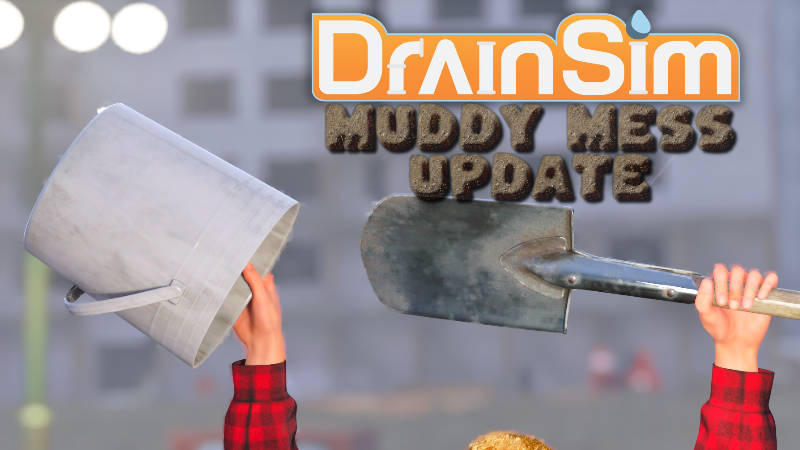
Finally giving the bucket a proper purpose.This update introduces the new digging and placing mechanic. Hold more buckets in your toolbar to fill them with dirt while digging, then place the dirt again by right-clicking. Redirect water however you want and experiment with different solutions.This update also adds the new Construction Site level, built around deeper flooding and the new digging gameplay systems.

  • Added new level - Construction Site

  • Added digging and placing mechanic

  • Buckets can now be filled with dirt while digging

  • Added digging mechanic hints and updated tutorial support

  • Added separate options for time challenges and leaderboards

  • Improved water interaction and water simulation stability

  • Improved hose and power cable navigation and placement

  • Improved navmesh and water measure performance

  • Improved exiting water movement behavior

  • Adjusted mantling and vaulting sensitivity

  • Adjusted maximum walkable slope angle

  • Adjusted climb out of water threshold

  • Fixed infinite dirt climbing

  • Fixed water height savegame issues

  • Fixed digging related memory leak

  • Fully disabled digging while swimming

  • Fixed big drains sometimes not working

  • Final fix for big drains, I promise

  • Construction Site gameplay, terrain, collision, drainage and water flow improvements

  • Construction Site: fixed south drain

  • Construction Site: fixed broken material on yellow tube

  • Parking Garage: removed floating dirt pile again

  • Fixed multiple Downtown Station and Industrial water interaction issues

  • Fixed toolbar icons and tool thumbnails sometimes not loading

  • Fixed vehicles and tools sometimes not loading on level start

  • Various gameplay fixes, collision fixes and overall polish

More from DrainSim

Other announcements

All news
Community4 Sep 2026200,000 Copies Sold!DrainSim has sold over 200,000 copies! Thank you all so much for your continued support! The Level Editor is coming to the main branch soon!In-game event13 Aug 2026[Unstable Branch] DrainSim EA 0.4.0.00 - Level Editor AlphaAfter a long wait, the Level Editor is finally here! You can find the Level Editor in the main menu. Create your own levels, test them directly in DrainSim and upload them to the Steam Workshop for others to play. The Level Editor is still in an early state, so expect some bugs and rough edges. Future updates to the editor may also break existing levels. If you want to get started, I put togeth…Community13 Aug 2026[Unstable Branch] DrainSim Level Editor (Alpha) - Getting StartedHow to play other peoples creations: · subscribe to a level you like on the workshop · start your game and go to your garage · click on the icon on the top left · click on workshop How to use the Editor: · Water simulation settings and minimap capture. next to that shows the water height of the currently selected measure volume · Add or remove mesh collision from the water simulation. · Voxel d…