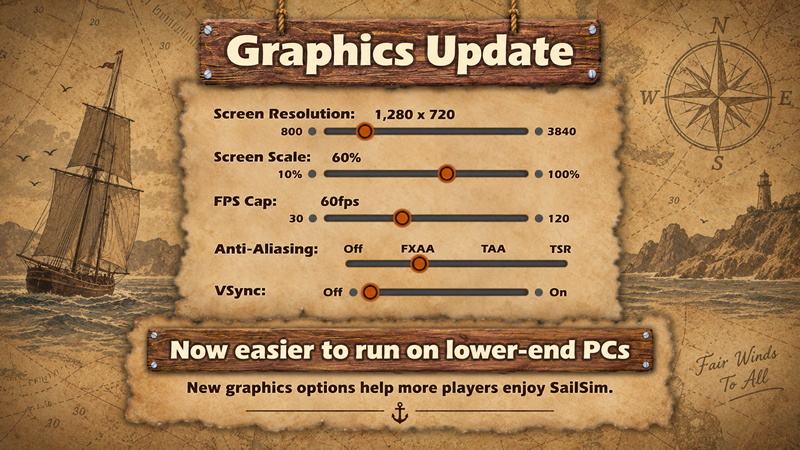
I am happy to say that SailSim now has the most needed settings to adjust controls for things like Screen Resolution, Scaling, FPS Cap, Anti-aliasing and Vsync as well as a small FPS preview.
This was done so that people with lower end machines can adjust SailSim to run on their setup, especially on devices with integrated graphics from Intel or similar.
On Windows and Linux machines you shall see an "Advanced" button in the Graphics settings which can be adjusted as needed.
For those with high end machines, you can now boost the FPS for smoother playback as well as tweak the settings as you see fit.
For Low End machines the most recommended settings are:
Screen Resolution: 1024 x 768px
Scaling: 60%
FPS Cap: 30fps
Anti-aliasing: Anything BUT "TSR"
VSync: Off
General Graphics
World Scalability - Lowest
Shadows - Lowest
Water Simulation - Should work but check out your specific FPS count
Particles - Can stay ON
Bloom - Off
In general, enable the "Show FPS" checkbox which will show you how SailSim responds to different settings. Play around with the adjustments until you are more or less satisfied.
Hopefully this addition will enable more people to enjoy SailSim without needing high end hardware.
PS: A small fix was also done to the Controller Force Feedback which was giving an annoying vibration, especially in Linux during Sail Luffing against the wind. (People had to disable Force Feedback to avoid it)