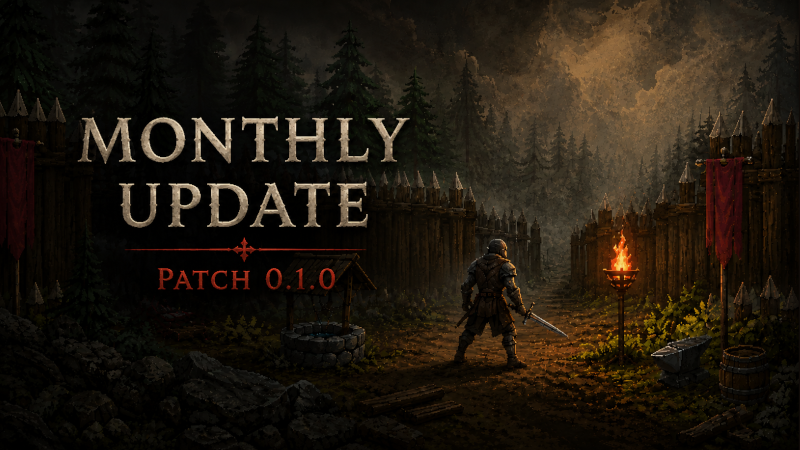
Hell Rite — Monthly Development Update
It has been a busy month in Hell Rite. This month has focused heavily on improving combat, movement, animation, inventory, equipment, world atmosphere, audio, UI, and the overall gameplay experience.
Combat and Combat Feel
Combat has received one of the biggest improvement passes this month.
Improved combat responsiveness and attack detection.
Fixed issues where some enemy types were not receiving damage correctly.
Improved attack range and arc detection.
Prevented attacks from hitting the same target multiple times during a single swing.
Improved interaction between attacks and supported destructible world objects.
Fixed attacks being triggered accidentally when interacting with UI.
Added shader-driven hit flashes for the player and enemies.
Added critical-hit visual feedback.
Added knockback reactions.
Added hit-stop effects to make successful attacks feel more impactful.
Added camera shake when attacks connect.
Added weapon impact effects at the point of contact.
Improved attack timing and recovery.
Enemy AI and Combat Behavior
Improved enemy detection and engagement behavior.
Improved pursuit and combat pressure.
Reduced unnecessary circling and retreating.
Improved obstacle avoidance and navigation.
Added enemy separation to reduce stacking.
Added stuck recovery for enemies.
Improved transitions between roaming, chasing, attacking, and recovering.
Improved support for different enemy behavior profiles.
Movement Improvements
Reworked player movement to use direct world-space directions.
Improved movement alignment with the isometric tilemap.
Improved diagonal movement.
Added clearer movement states for walking, running, and crouching.
Added crouch movement with Ctrl.
Added walking movement with Shift.
Knockback now temporarily takes control of player movement and correctly restores input afterward.
Current movement controls
WASD — Move
Shift — Walk
Ctrl — Crouch
Animation and Equipment Visuals
Improved directional animation mapping.
Improved eight-direction movement and attack animations.
Improved attack animation triggering and recovery.
Improved synchronization between player animations and equipped gear.
Improved animation updates for weapons, armor, helmets, shields, gloves, belts, and boots.
Improved idle, walking, running, strafing, crouching, damage, and attack transitions.
Improved equipment visual updates when gear is equipped or changed.
World Atmosphere and Lighting
Added a dynamic day/night lighting system.
Improved global environment lighting throughout the day.
Added warmer lighting during dawn and dusk.
Added darker, cooler lighting during nighttime.
Improved character readability in darker environments.
Added local lighting support for environmental sources.
Added flickering light behavior for torches, campfires, and similar objects.
Improved lighting response for environment sprites.
Improved ambient brightness, contrast, saturation, and light response.
Improved visibility and detail in dark areas.
Audio and Environmental Feedback
Added separate handling for music, ambience, footsteps, and sound effects.
Added smoother music and ambience transitions.
Added biome-based music changes.
Added dungeon-specific music transitions.
Added layered music support.
Added surface-based footsteps for dirt, stone, and wood.
Improved movement-based footstep timing.
Improved audio hooks for combat, equipment, abilities, UI, and projectiles.
Inventory, Equipment, and Progression
Inventory
Added a multi-slot inventory grid.
Items can occupy different grid sizes based on their type.
Added drag-and-drop support.
Improved item placement and occupancy checks.
Items now retain their positions when the inventory refreshes.
Improved handling of full inventories.
Improved equipment slot support and layout.
Character Window
Reworked the character window and player statistics UI.
Added primary attribute allocation.
Added attribute point spending and refunding.
Added an unspent attribute point display.
Added derived stat displays including:
Attack Power
Ability Power
Armor
Maximum Health
Maximum Mana
Critical Chance
Critical Damage
Movement Speed
Mana Regeneration
Fire Resistance
Cold Resistance
Lightning Resistance
Poison Resistance
Improved stat refresh and presentation.
Abilities and Action Bar
Improved ability loading and startup assignment.
Improved ability slot references and initialization.
Abilities can be used through number keys 1–7.
Improved UI interaction for ability buttons and inventory controls.
Trading and Gear
Added clearer NPC trader interaction.
Added proximity-based trader interaction.
Added on-screen trade prompts.
Improved buying and selling flows.
Added coin-based currency handling.
Improved trader funds, stock, and pricing.
Purchased gear now updates the player's visible equipment.
Improved synchronization between inventory, equipment, player stats, and character visuals.
User Interface and Quality-of-Life
A broader UI pass has been made across the game to better match the Hell Rite visual theme and create a more consistent interface.
Updated UI styling across the game.
Improved panel layouts and presentation.
Improved inventory, character, crafting, trading, and ability interfaces.
Improved UI raycast handling.
Fixed attacks triggering while interacting with UI.
Improved inventory open and close behavior.
Fixed issues requiring the inventory key to be pressed multiple times.
Improved interaction between Inventory and Character windows.
Improved action bar and tooltip support.
Improved equipment slot updates.
Improved UI initialization.
Added clearer panel and menu closing behavior.
Improved overall UI consistency and readability.
Death and Respawning
Added a player respawn system.
Added player death state and animation handling.
Added Game Over panel support.
Added manual respawn.
Added optional automatic respawn.
Added configurable respawn delay.
Added spawn point tracking.
Improved player movement handling after death and respawn.
Current Controls
WASD — Move
Shift — Walk
Ctrl — Crouch
Tab — Cycle enemy targets
Left Mouse Button — Attack or interact with selected gameplay targets
I — Open inventory
C — Open character window
E — Interact with traders and nearby world stations
1–7 — Use abilities
Esc — Close the current panel
What’s Next
Development will continue with more content, deeper progression, additional enemy variety, and further improvements to the world and dungeon experience.
This month’s work has primarily focused on strengthening the foundations of Hell Rite and improving consistency across combat, movement, inventory, equipment, UI, and the overall player experience.