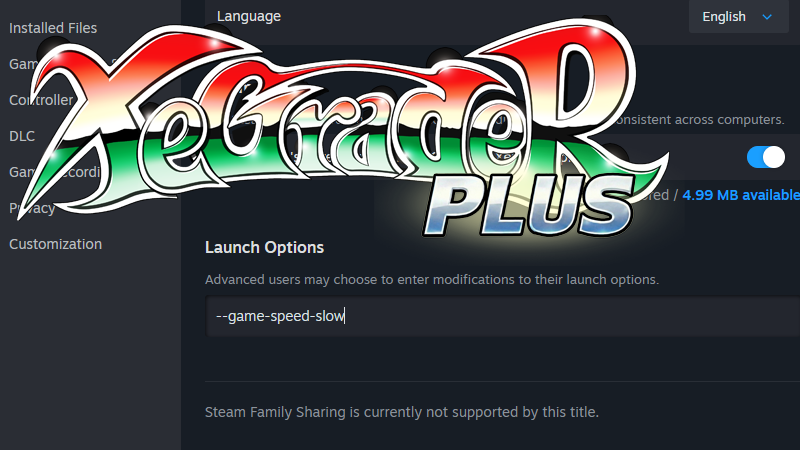
XeGrader plus supports a small set of command-line launch options for players who want to customize their experience.How to set them: Right-click XeGrader plus in your Steam library, select Properties, and enter the option in the Launch Options field under the General tab.
Available options
--game-speed-slow — Slows the overall game pace, lowering the difficulty.
--music-mode — Launches the game directly in Music Mode.
--play-psg — Replaces the in-game music with PSG-style sound. (The Origin DLC, if owned, is unaffected.)
--<language code> — Boots the game in a specified language. Example: --fr for French.
About language codes
The in-game menu offers a selection of 24 languages, but the launch option exposes all 30 supported language entries:
en (English) | fr (Français)
de (Deutsch) | nl (Nederlands)
es (Español) | pt (Português)
it (Italiano) | sv (Svenska)
fi (Suomi) | da (Dansk)
pl (Polski) | cs (Čeština)
hu (Magyar) | ro (Română)
tr (Türkçe) | latam (Español latinoamericano)
pt_br (Português do Brasil) | th (ไทย)
vi (Tiếng Việt) | id (Bahasa Indonesia)
ja (日本語) | cn (简体中文)
tw (繁體中文) | ko (한국어)
et (Eesti) | no (Norsk)
ru (Русский) | uk (Українська)
el (Ελληνικά) | bg (Български)
Enjoy experimenting!
More from XeGrader plus
Other announcements
The way to select the DLC has changedUntil now, switching the DLC game mode was done in OPTIONS, but we received requests for an easier way to switch and play. There were also requests to switch more freely between HUMAN and ELF in Arcade mode. As of v1.2.0, a CHARACTER SELECT screen has been added after the difficulty selection, and the DLC is switched there. Also, the name MSX2 has been changed to V9938. This change was made out…v1.2.2 Update NoticeXeGrader plus has been updated to version v1.2.2. Processing felt a little sluggish, so we went all in and gave it a thorough speed-up. We have confirmed that it runs comfortably on the machines listed below. Intel-NUC6CAYH Intel Celeron J3455 @ 2.30GHz Intel HD Graphics 500 SO-DIMM 8GB DELL-NotePC Vostro 3500 11th Gen Intel Core i3-1115G4 @ 3.00GHz Intel UHD Graphics 128MB SO-DIMM 16GB * The l…XeGrader plus MIDWEEK DEALXeGrader plus is on MIDWEEK DEAL for five days starting today. On Steam the base game is 28% off, and the DLC and the Complete Bundle are 32% off. The offer ends on September 4. Precise shooting is only half of it: the gimmicks and puzzles hidden in each stage are the real key to clearing them. Pixel art by Skipmore, music by Tadahiro Nitta. A demo is available and the game is Steam Deck compat…