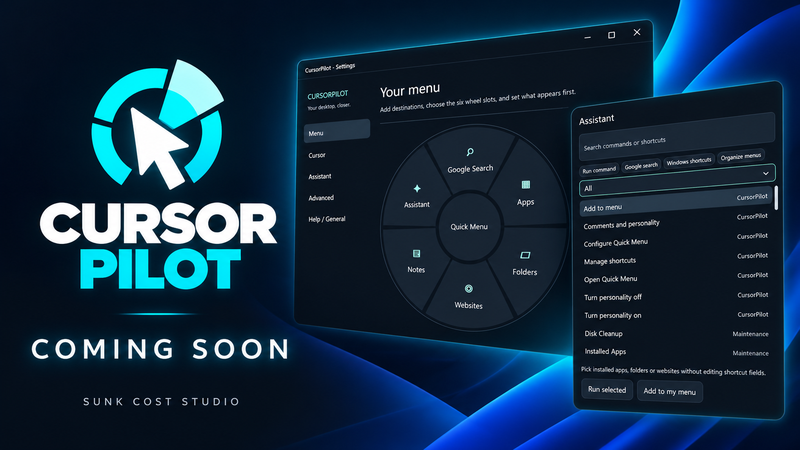
Your everyday shortcuts, just a middle-click away.
Cursor Pilot brings your apps, folders, and websites into a customizable radial menu, with useful desktop tools close at hand.
Get started with:
Radial Quick Menu — organize and open your favorite apps, folders, and websites.
Desktop Notes — keep reminders visible with individual colors and an always-on-top option.
Personalization — make it yours with themes, custom pointers, and an optional desktop assistant.
Everyday tools — access performance monitoring, Bluetooth battery information, and an on-screen keyboard.
Help shape what comes next
We’re excited to finally share Cursor Pilot with you. We want the community to help guide its development—from small improvements to ideas for future features.
Share your suggestions and report any issues in the Steam discussions. Tell us what you find useful and what could work better.
Thank you to everyone who wishlisted, tested, or supported Cursor Pilot along the way. If you give it a try, an honest review would mean a lot.
Welcome aboard!
— Sunk Cost Studio