A much-needed improvement to StreamAlertsTV's most-used Bits-in-Extension interaction.
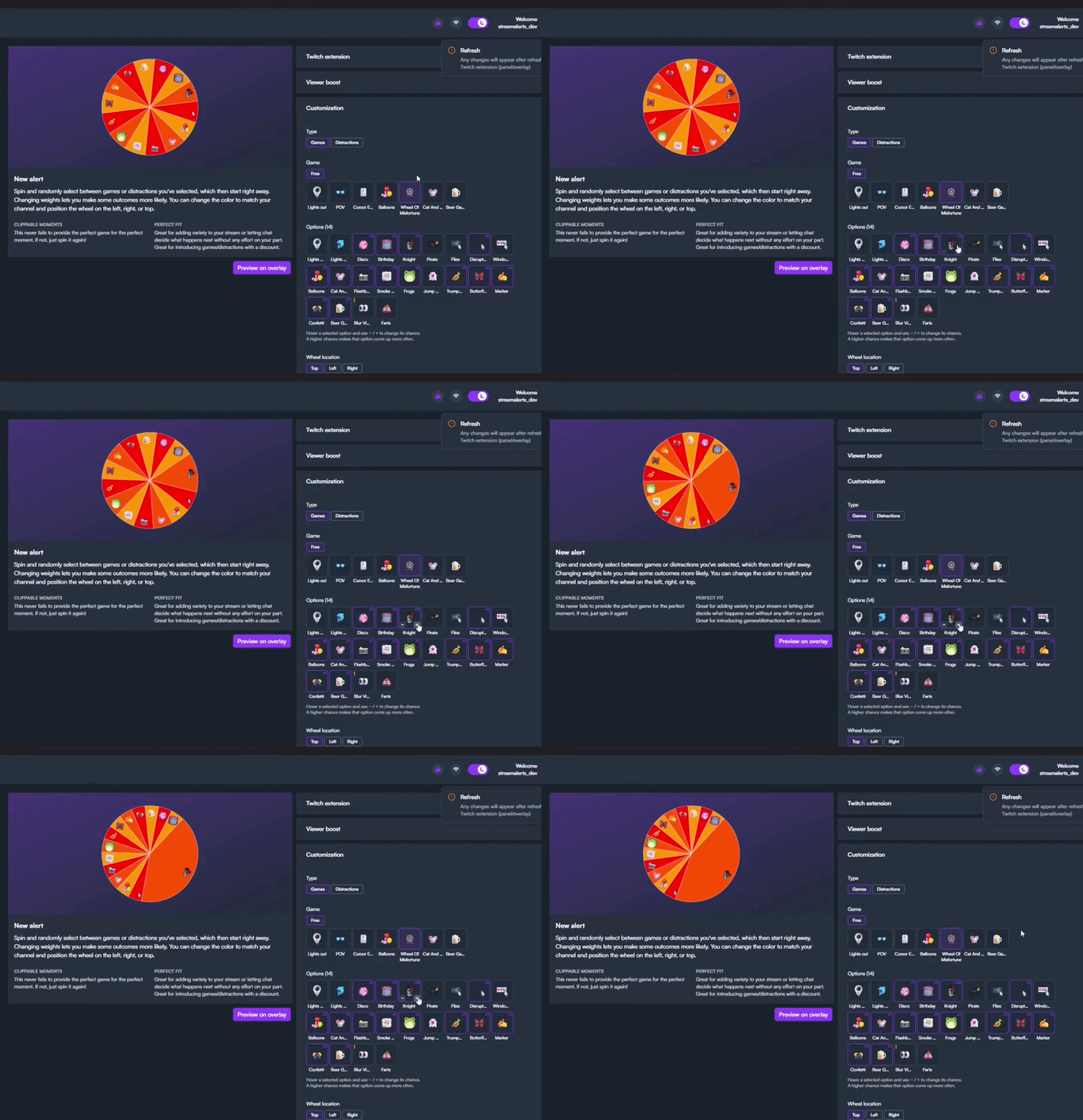
We've added:
- Give items a higher chance with weights
- Visual improvements to the customization process
- Added tips for clips
Spinning the wheel is the most popular interaction by far. By adding weights to the wheel, you, as a Twitch streamer, gain more control over the chaos. You can determine the chances, so expect some outcomes to hit more often, and others to become rarer by making a simple adjustment. Here is how:
- Add the Wheel of Misfortune as a new game
- Customize which games you want to activate
- Change weights and increase the chance by clicking on the + sign
- Make further changes, such as the color and the costs of Bits.
You can make these changes to reduce the chances of a high-impact disruption, such as the Knights POV or Lights Out. That way, if it does land, the distraction feels much more impactful. Hopefully your viewers are up for the challenge and redeem the wheel more often.
More from StreamAlertsTV
Other announcements
A Super Size update!Chat will go bigger and louder with the Super Size feature for Bits-in-Extension. Get ready to earn more! Why not spin 3 wheels simultaneously? With Super Size, your chat can use 1.5x more Bits to extend games and distractions, drop bigger flashbangs, summon more frogs, and so on. All the chaos, scaled up to eleven! · Viewers: Super Size is self-explanatory — the option is a toggle that switche…Updates on Spin The Wheel and More ImprovementsWe're excited to share the improvements rolling out in July. Read on to discover how your viewers will disrupt your next game. Names Above Alerts! Alerts now show who triggered them right above the alert itself! This way you can immediately curse the culprit who distracts you. Only fair. Wheel of Misfortune 2.0 (work in progress) We're also shaking up the Wheel of Misfortune. As the most popula…StreamAlertsTV supports WDC for World Ocean DayStreamAlertsTV x WDC: World Ocean Day Partnership StreamAlertsTV and WDC are thrilled to share an exciting partnership for World Ocean Day! Together, we are making donation notifications more impactful, chaotic, and frequent. What's New? StreamAlertsTV has created an Ocean Bundle , allowing creators to design customizable donation alerts! To display these alerts, we integrated the fundraising p…