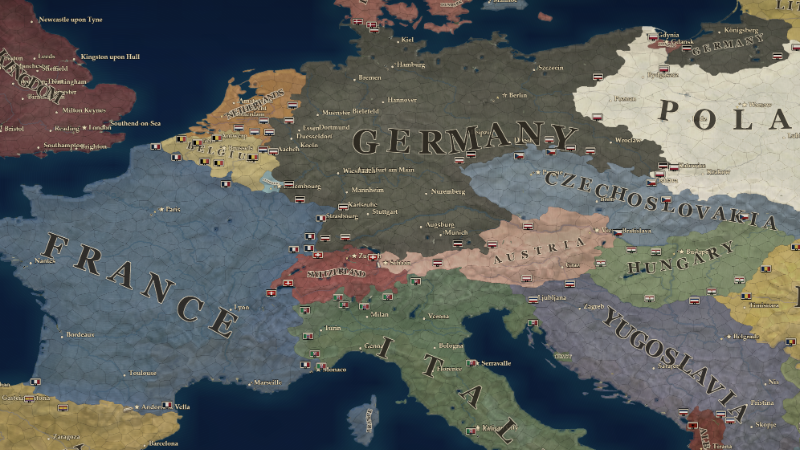
Over the past few days I've been working through the reports and suggestions received since the Alpha Demo was released.
Several patches have already been released, focusing on stability, campaign loading, performance, UI readability and scaling, onboarding, military controls and scenario corrections.
There's still a lot of work to do. Some systems are still early implementations, and I'm continuing to identify areas that need to be clearer, more intuitive or reworked entirely before Early Access.
I'll keep releasing incremental patches while working through these areas. Reports, screenshots and detailed suggestions have already helped identify and fix several issues, so please keep them coming.
Thanks to everyone taking the time to play and help improve STATO.
Full changelog:
Patch 0.1.11 — September 14
UI visual rework
Reworked panel surfaces, frames and buttons with darker materials and worn detailing for a more consistent visual style.
Updated loading screens and scenario customization to match the rest of the interface.
Refined hover and selection highlights and improved responsiveness when moving between controls.
Interface & readability
Increased text sizes across menus, tooltips and management panels.
Added a separate Text Size setting to enlarge text without enlarging the entire interface.
Improved UI scaling in nation selection and the scenario customizer.
Reorganized overlapping side panels and improved scrolling at larger UI scales.
Made top-bar indicators adapt to available space while keeping their compact layout on wider screens.
Improved city-label readability when zooming out.
Fixed truncated battalion statistics in the division designer.
Map performance
Reduced interruptions when provinces change control during war.
Avoided unnecessary rebuilding of city labels and map details during simulation updates.
Improved reuse of construction and terrain graphics when switching map modes.
Military & scenario corrections
Corrected anti-tank, motorized infantry, self-propelled artillery and truck-towed artillery symbols.
Added L, M and H markings for light, medium and heavy armor.
Updated battalion names to Cavalry, Truck-Towed Artillery and Self-Propelled Artillery.
Corrected Kaliningrad to Königsberg in the 1934 scenario.
Patch 0.1.10 — September 14
Military & interface
Reorganized military controls into a narrower army orders panel, with combat stances in a separate, color-coded row.
Improved division names and statistics, with additional values available through Details.
Added the ability to rename individual divisions.
Made friendly, allied, neutral and enemy unit markers easier to distinguish, including when zoomed out.
Offensive plans now require a front line belonging to the same army.
Enlarged the shortcut buttons and icons beneath the top bar.
Steam & window handling
Added Steam overlay support with mouse and keyboard interaction and Steam screenshots.
Reworked window handling to address duplicate game windows when switching with Alt-Tab.
Improved fullscreen, windowed mode and resolution switching with the Steam overlay.
Campaigns & diplomacy
Fixed errors when editing territories belonging to a country's last remaining provinces before starting a campaign.
Fixed a map editing error affecting uninhabitable provinces, including parts of Greenland.
Fixed incorrect map geometry being reused when generating another map with the same seed.
Fixed diplomatic conversation choices becoming clickable before the previous response appeared.
Patch 0.1.9 — September 13
Interface & readability
Increased text sizes across government, finance, industry, research, diplomacy and military panels.
Fixed UI scaling that could push menu headings and the Back button off-screen.
Improved scrolling and panel layouts at larger UI scales, including construction controls.
Kept top-bar indicators compact on ultrawide displays, with the clock at the right edge.
Organized the in-game settings and added an Exit to Desktop option.
Restored the concentric radio rings behind the main-menu logo.
Campaign briefing
Added a skippable introduction that highlights the clock, finances, resources, policies, industry, construction and diplomacy.
The briefing explains deficits and debt, production resources, parliamentary majorities, industrial budgets, procurement and war-policy restrictions.
Construction & military controls
Reduced interruptions when entering and leaving construction mode.
Restyled construction markers and kept them above other map labels.
Simplified the construction panel and refreshed the army command panel.
Added a compact collapse control for the military command tabs.
Campaigns & diplomacy
Custom nations now display their selected map color immediately after placement.
Nationalist countries in the 1934 scenario now begin with Unrestricted War Powers.
Renamed Actions to Diplomacy & Actions and clarified war-policy restrictions in the Escalate Dispute tooltip.
Fixed map-layer tooltips after using Show Routes in General Staff.
Stability
Fixed procedural campaign startup failures with certain generated nation names.
Simplified runtime error messages in the Steam version.
Patch 0.1.8 — September 13
Campaign loading
Fixed an error that could prevent campaigns from starting when terrain texture quality was set to Ultra.
Patch 0.1.7 — September 12
Campaigns & map
Reduced loading times for the 1934 scenario.
Fixed city names appearing beneath political map colors.
City names now fade out when zooming far out and reappear when zooming back in.
Fixed a loading error that could prevent a campaign from starting.
Fixed an error when viewing diplomatic actions for your own country.
Scenario editor
Added illustrated installation controls with plus and minus buttons, clearer limits and explanations when construction is unavailable.
Installation choices now reflect terrain, deposits, available space and existing buildings.
Adjustments across selected provinces now preserve their individual building levels.
Invalid building changes are caught before they can prevent scenario generation.
The editor now keeps its scroll position and selected control after edits, undo and redo.
Main menu
Added a changelog with the latest patch notes and an archive of previous updates.
The latest patch notes now open after confirming the welcome message.