Status
SteamPeaks
ChartsSalesUpcomingPatchesNewsCalculator
New on SteamEvery app, DLC and depot the minute Steam creates itAppsEvery app on Steam, newest change firstPackagesSubs and bundles, and what each containsDepotsDepots, manifests and install sizesTagsSteam's user tags and the games under themDevelopers & publishersCompanies and their cataloguesTechnologiesEngines, SDKs and anti-cheat found in the filesChange historyEvery PICS changelist as it lands
SignalsNineteen readings of the whole catalogueCompareAny games side by sideRecordsAll-time peaks and the days they were setReportsWeekly and monthly write-upsAlerts & newsroomWatch a game, get told when it movesSteam statusIs Steam up, right nowWeb API explorerTry the endpoints in the browser
NewsSteam's own announcements and the sales calendarCalculatorWhat a Steam account is worth, and its pile of shame
/
Sign in
/
SteamPeaks
The ultimate resource for Steam data.
ExploreChartsSalesSales and festsUpcomingPatchesNewsRecordsTrendingSignals
DatabaseAppsPackagesDepotsTagsDevelopersTechnologiesChange history
ToolsCalculatorCompareSearchAlertsSteam statusAPI
SiteMethodologyFAQDiscordSupportSign in via Steam
Not affiliated with Valve or Steam. Game names and artwork belong to their owners. All times UTC.
PrivacyCookiesFair useStatus
Play and Learn EnglishNews0.24 One save, always up to date — just press Continue
Game update

0.24 One save, always up to date — just press Continue

Play and Learn English · published 15 Sep 2026, 20:47 UTC · build 25331984

All newsPlayers around this dateRead on Steam

Saving, simplified

  • The game now saves automatically every time you change maps. Save stones are gone — you never need to save by hand.

  • Continue on the title screen loads your latest progress instantly. No save slots to choose from.

  • Save and Load have been removed from the in-game menu; there is only one save, and it is always current.

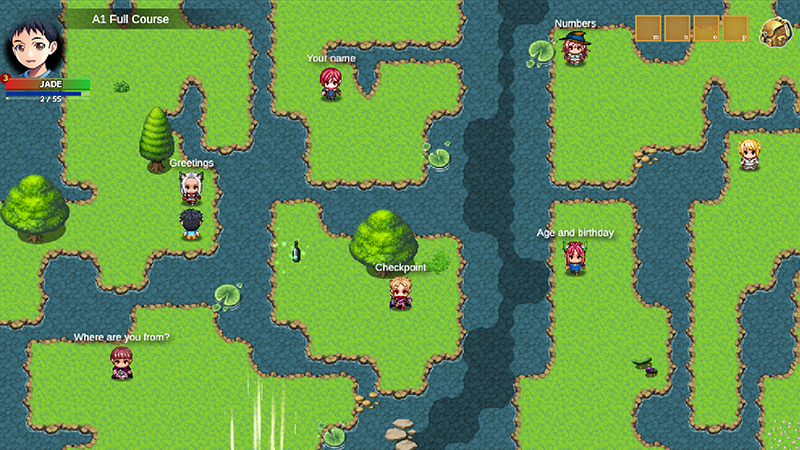
  • Every adventure — including the A1 Course — remembers where you left it. Return through its door and choose "Continue where I left off", or "Start" to begin again from scratch.

  • Existing saves keep working. If you played before this update, your save loads as usual and switches to the new system on your next map change.

Also in this update

  • Microphone settings in Options: change your microphone tolerance any time, or run the microphone test again.

  • Vocabulary classes: separate "Repeat the word" and "Repeat the sentence" options, and the example sentence is now translated into your language.

  • Practice dialogues: the answer you are asked to say is now shown in your language too.

  • The Home Stone takes you home right away — no countdown.

Fixed a crash that could happen when continuing an older save.

Thanks for playing and for your reports!

More from Play and Learn English

Other announcements

All news
Game update13 Sep 2026v0.23 — Speak naturally, leave any room, pick up right where you stoppedv0.23 — Speak naturally, leave any room, pick up right where you stopped This update answers the two things we heard most: "it only understands me if I speak word by word" and "if I leave a room, I lose everything." Speech recognition · Sentences are now judged by their content words. Say it at normal speed — a swallowed "the" or "a" no longer fails you. · Your microphone check setting finally…In-game event11 Sep 2026v0.22 — The whole course speaks your languageYour language, on every blackboard The A1 course — 21 chapters, 63 lessons, 84 boards and 8,652 exercises — is now translated into all 32 supported languages. Every word, hint and situation appears in the language you picked, next to the English you are learning. "Where are you from?" now follows you, too: a Japanese player practises "I'm from Japan. I live in Tokyo.", a Brazilian one "I'm from…In-game event23 Aug 2026Update 0.21 — Microphone Setup, Speaking XP and a Character ShopUpdate 0.21 is here! Thank you for your reviews and ideas. This update answers the two things you told us most: "the game does not understand me" and "what do I do now?" 🎤 Microphone Setup - A new screen when you start a game: a live sound bar, a noise check, and a quick test — say "I want to learn English" - If your microphone is weak, the game tells you and listens more gently. You always kn…