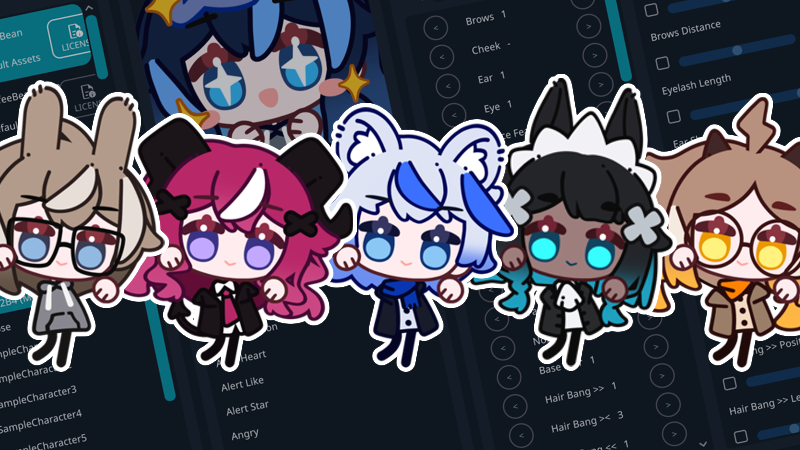
This update introduces Steam Workshop publishing tools, expands model format support, and adds new languages, parts, and animations.
Steam Workshop Publishing
Publish to Workshop: You can now publish local models and local characters to Steam Workshop directly from the main menu. Publishing features include creating new Workshop items, updating existing ones, setting Workshop title, description, visibility, and other Steam metadata, using a custom preview image or viewport capture, and automatic detection of previously published content for easier updates. Content is uploaded in the .elpack package format.
Character Publishing Compatibility: To upload a character created in a previous version of EmoteLab, please save the character again using the newest EmoteLab version before publishing.
Model Publishing: Models published to Steam Workshop must use Spine 4.3 and include a model.meta.json file. The metadata file must specify a SharedModelKey, which determines the model family to which the published model belongs. Different variants of the same model (for example, CoffeeBean_V1_0 to CoffeeBean_V1_5) should use the same SharedModelKey so they can share character data. If your model does not belong to an existing family, you may use the model file name as the SharedModelKey.
{ "SharedModelKey": "CoffeeBean"}
Workshop Browsing: Browsing Workshop items and managing subscriptions (subscribe/unsubscribe) needs to be done through the Steam Workshop page, either in the Steam client or on the Steam website. The in-app content browser is not implemented yet.
UI Changes
Model List: Steam Workshop models are now indexed and displayed in the model list.
Model Icons: The newest version of a model now uses a sparkling icon, while older versions use a sleep icon.
Asset Type Labels: Asset type labels have been shortened for improved readability. Built-in refers to assets included with EmoteLab, Third-Party refers to local models in the model folder, and Workshop refers to models subscribed to through Steam Workshop.
Open Model Folder Button: Opens the local model folder in your file explorer. New models still require an application restart before they are indexed.
Publish Model Button: Publishes the selected local model to Steam Workshop. Built-in models and models downloaded from Steam Workshop cannot be republished.
Character List: Steam Workshop characters are now indexed and displayed in the character list.
Character Type Icon: Added an icon before each character name to distinguish local and Workshop characters.
Save Character: The Save Character button now uses an icon instead of a text label for easier recognition.
Open Character Folder Button: Opens the character folder for the currently loaded model.
Publish Character Button: Publishes the selected character to Steam Workshop. Be sure to save any changes before publishing.
Reset Character Button: Now uses an icon instead of a text label and resets the character to its default state.
Delete Character Button: Now uses an icon instead of a text label and permanently deletes the selected character.
Main Menu Icons: Updated icon style throughout the main menu.
CoffeeBean Model Updates
New Animations: Alert Custom, Button, Card Swipe, Coke Shake, Dance (Scuba), Gift 1, Gift 2, Magic, Reverse, Scared 1, Scared 2, Six Seven, Six Seven (Dum), and Take My Money. For more details, please visit: https://emotelab.app/assets/CoffeeBean/animations/
New Parts: Hair Ponytail (7 kinds, 2 custom regions), Eyepatch (3 kinds, 2 custom regions), jacket, and cape with fur collar.
New Sliders: Hair Pigtail >> Position, Hair Pigtail >> Length, Hair Pigtail >> Angle, Hair Pigtail << Position, Hair Pigtail << Length, Hair Pigtail << Angle, Hair Ponytail Width, Hair Ponytail Length, Hair Ponytail Angle, and Alert Size.
Texture atlas change: Cape parts now use white outlines instead of black to maintain consistency with other outfits. Additionally, several parts that were not exactly white (#FFFFFF) have been corrected.
Languages
Machine translations: Italian and Swedish.
Community Contributors: Thank you to everyone who has contributed translations and helped improve EmoteLab's localization. See all contributors here: https://github.com/GlycoProduction/EmoteLab-localization/graphs/contributors
Spine Runtime Update
Spine 4.3 Stable: EmoteLab now uses the stable Spine 4.3 runtime and is compatible with skeleton exports from Spine Editor 4.3.00 and newer. If you have a local model created using a Spine 4.3 beta editor, please export the model again using Spine Editor 4.3.00 or newer.
Binary Spine Model Support: Local and Workshop-ready models can now use Spine binary skeleton files (.skel.bytes) in addition to JSON skeleton files.
Built-in CoffeeBean Models: All built-in CoffeeBean models have been updated and re-exported using the latest stable Spine version.
Behavior Changes
Local Model Display Information: The required file names for local model display information have changed to: Animations.csv, SkinGroups.csv, Sliders.csv, SlotGroups.csv