Status
SteamPeaks
ChartsSalesUpcomingPatchesNewsCalculator
New on SteamEvery app, DLC and depot the minute Steam creates itAppsEvery app on Steam, newest change firstPackagesSubs and bundles, and what each containsDepotsDepots, manifests and install sizesTagsSteam's user tags and the games under themDevelopers & publishersCompanies and their cataloguesTechnologiesEngines, SDKs and anti-cheat found in the filesChange historyEvery PICS changelist as it lands
SignalsNineteen readings of the whole catalogueCompareAny games side by sideRecordsAll-time peaks and the days they were setReportsWeekly and monthly write-upsAlerts & newsroomWatch a game, get told when it movesSteam statusIs Steam up, right nowWeb API explorerTry the endpoints in the browser
NewsSteam's own announcements and the sales calendarCalculatorWhat a Steam account is worth, and its pile of shame
/
Sign in
/
SteamPeaks
The ultimate resource for Steam data.
ExploreChartsSalesSales and festsUpcomingPatchesNewsRecordsTrendingSignals
DatabaseAppsPackagesDepotsTagsDevelopersTechnologiesChange history
ToolsCalculatorCompareSearchAlertsSteam statusAPI
SiteMethodologyFAQDiscordSupportSign in via Steam
Not affiliated with Valve or Steam. Game names and artwork belong to their owners. All times UTC.
PrivacyCookiesFair useStatus
WARSHIFTNewsCommanding Troops in Action Mode | WARSHIFT 2
Community

Commanding Troops in Action Mode | WARSHIFT 2

WARSHIFT · published 13 Jul 2026, 18:28 UTC

All newsPlayers around this dateRead on Steam

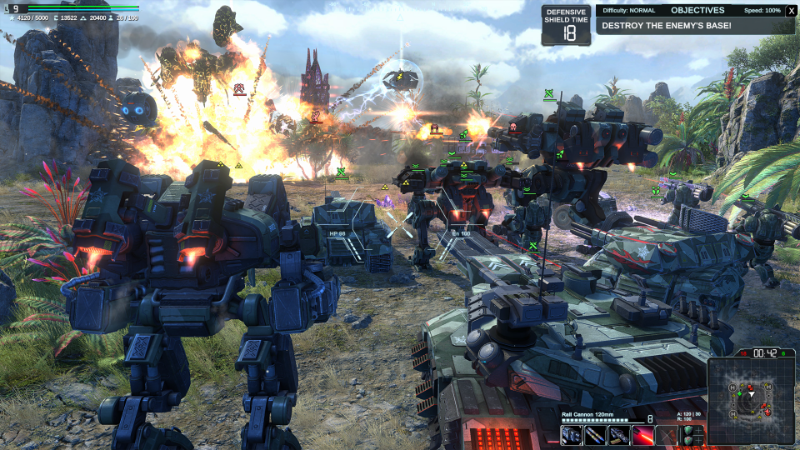
Following numerous player requests, I have added the ability to command your troops directly while playing in Action Mode. You can now lead groups of units across the battlefield or call in artillery and air support at the right moment without switching back to RTS Mode. This feature created a surprisingly engaging new way to play, and it is definitely worth trying.

To get started, create unit control groups in RTS Mode by pressing Ctrl + 1–9. You can create up to nine groups.

Then switch to Action Mode and select a unit group using the 1–9 keys. Press 0 to clear the current selection.

You can issue the following commands:

E — Send the selected units to the location targeted by sight of your combat avatar.

T — Activate Artillery Mode.

Y — Activate Guard Mode.

U — Activate Patrol Mode.

I — Stop and cancel all current orders.

I would also like to remind you that the WARSHIFT 2 Feedback Survey is still available. Your answers will help me understand what should be improved before the game’s release: WARSHIFT 2 - Player Feedback / QA Survey

More from WARSHIFT

Other announcements

All news
In-game event5 Aug 2026WARSHIFT 2 – New Alien Features, Balance ImprovementsNew Experimental Alien Abilities Most ground units of the Alien faction have received new abilities that allow them to replicate and evolve using their energy cores: Core Division This ability allows you to rapidly expand your army even far away from your base. Order a unit to create two cocoons, sacrificing itself in the process. After a short time, two new units of the same type will emerge f…Community30 Jul 2026WARSHIFT 2 Is Now Available!After many years of solo development, WARSHIFT 2 is now available on Steam! Thank you all for your support, feedback, discussions, and wishlists - it truly helped make this release possible. I hope you enjoy the game and the battles ahead. WARSHIFT 2 is also available as part of a special bundle discount for owners of the original game! New Features In WARSHIFT 2 WARSHIFT 2 features two epic st…Community10 Jul 2026Dynamic Ocean for Naval Battles in WARSHIFT 2Experience the dynamic ocean technology used in WARSHIFT 2 to bring large-scale naval battles to life. This video showcases the game’s advanced water system, including realistic waves, reflections, foam, underwater effects, ship wakes, buoyancy, and dynamic interaction between the ocean, aircraft carriers, battleships, amphibious units and floating combat avatars. The water surface changes natu…