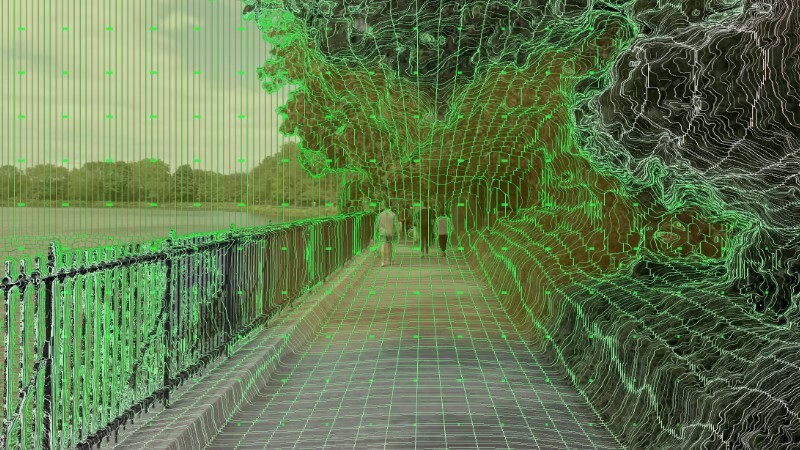
This cumulative update brings everything released between v1.33 and v1.42: a rebuilt depth engine of our own, depth taken straight from games as old as the Direct3D 9 era, a room around the screen, the screen itself in your hands, and a panel that tells you what is wrong instead of going black.
FlatVR 3D - Our Own Depth Engine
FlatVR 3D: our own depth projection algorithm, the default since v1.35 - colour-guided edge restoration (30% better edge placement), edge smoothing, and smooth opening fill, so the seam beside a near object is gone: the gap one eye sees around an edge is filled without a step and without a duplicate.
The depth stops breathing: the scale is carried between frames instead of being taken from each frame's own brightest and darkest speck - this removed the larger half of the frame-to-frame wobble on dark footage.
Experimental Depth Mesh: the picture drawn as geometry instead of shifted pixels, which gives real parallax when you move your head.
Depth From The Game Itself - Direct3D 9 and up
Direct3D 9 games now work: plain D3D9 cannot hand a texture to another process at all, so the add-on asks ReShade to create a Direct3D 9Ex device instead, which can. That opens the whole D3D9 era.
32-bit games are supported: ReShade only loads the add-on matching its own bitness, and older games are the ones still built 32-bit - precisely the ones this is for. Both versions ship, and the Setup Helper copies both.
Depth Brightness and Depth Curve: the curve a game's depth was bent by used to be one number baked into a shader, the same for every game ever made. It is now two sliders with a graph under them. Games of the D3D9 era count depth the opposite way round from modern ones, so turn on Invert Depth Map first - only then do the sliders mean anything. Old games generally want a curve above 1, modern ones the default 0.2.
The frame comes from the add-on: the picture now arrives together with the depth, so nothing is grabbed off the desktop and the two always match.
Depth edges taken from the picture: a game's depth buffer has no anti-aliasing, so the colour frame places the edge - about a quarter less flicker on thin rails.
ReShade is no longer bundled with us: the app finds and launches your own copy instead, and survives ReShade versions that change underneath it.
Ambient Light, And A Background To Choose
- Ambient Light: a new way for the screen to light the room, and the default now. The old Ambient Rays pulled the frame's edge outwards into streaks; Ambient Light spreads the whole frame across the smear instead, so its far end is the part blurred the most. A soft wash rather than streaks. Rays are kept for anyone who prefers them.
- The glow dissolves instead of stopping: it used to dim to 45% and hold there, which left a visible edge exactly where it ended. It now fades out to nothing.
- The glow is a switch of its own: the background list picks what fills the room, this picks whether the screen lights it. Off leaves a dark room dark and a panorama untouched.
- A background you choose: one list of three - pick one, key it out, or have none at all - with a background that ships with the app.
Seeing What You Set, And What Is Wrong
Mesh debug view: your settings drawn as a wireframe standing in space over the picture - red towards you, green behind the screen - with comfort warnings per surface rather than for the budget as a whole.
Test card and checkerboard room: known geometry, so a question about perspective has an answer to be judged against.
Separation in millimetres, quoted against your own measured eye distance, plus contour and wash overlays and a centre distance probe.
The panel names the problem: a game whose graphics API cannot share a texture at all is named as such, with a pointer to FlatVR's own depth estimation - there is nothing to fix in ReShade for those. An add-on running with no depth buffer chosen is a different message, and that one is fixed in ReShade's own window.
DEPTH MAP NOT FOUND across the bottom of the picture, and the same diagnosis in the headset as on the desktop - the times that answer is needed are the times there is no reason to put the headset on.
Language
The text that only lived in the code is now translated - 58 more strings, including the in-headset panel and the diagnostics above.
THIRD-PARTY-NOTICES.txt now ships next to the application.
Stability & Fixes
A frozen picture is detected instead of being served forever: capture now reports whether it is actually capturing.
Screen capture recovers itself after a fullscreen switch or alt-tab, and your last picture stays up while it reconnects.
A second Start no longer takes the app down.
Faults are reported on the desktop panel and in the headset overlay, and clear themselves when the picture returns.
A picture arriving perfectly well from a D3D9 game reported itself as an add-on too old to send one.
FlatVR could crash on exit after a session with a D3D9 game.
The add-on retried a texture it could never create on every frame, growing ReShade's log by two lines a frame on any game it cannot serve. It now says why once and stops.
Uninstalling the add-on left the other bitness behind.
A panorama was sRGB-encoded twice, so it blew out and banded.
The room turned with your head, and the panel was drawn on top of it.
The mouse the overlay took hold of, and a click in the console window that could stop the picture until restart.
Rolling Back
Right-click FlatVR in your Steam library → Properties → Betas.
Pick last-stable to go back to the previous release at any time. Your settings are kept either way.
Thank you for the reports and the feedback - a large part of this update came straight out of them.