Freeform Canvas boards, a living Nucleus graph, a home page that is a board, a refreshed Task board, a global Ctrl+K search, 50+ rebindable shortcuts, and a whole new season. Free, Lite and Plus all get a free upgrade.
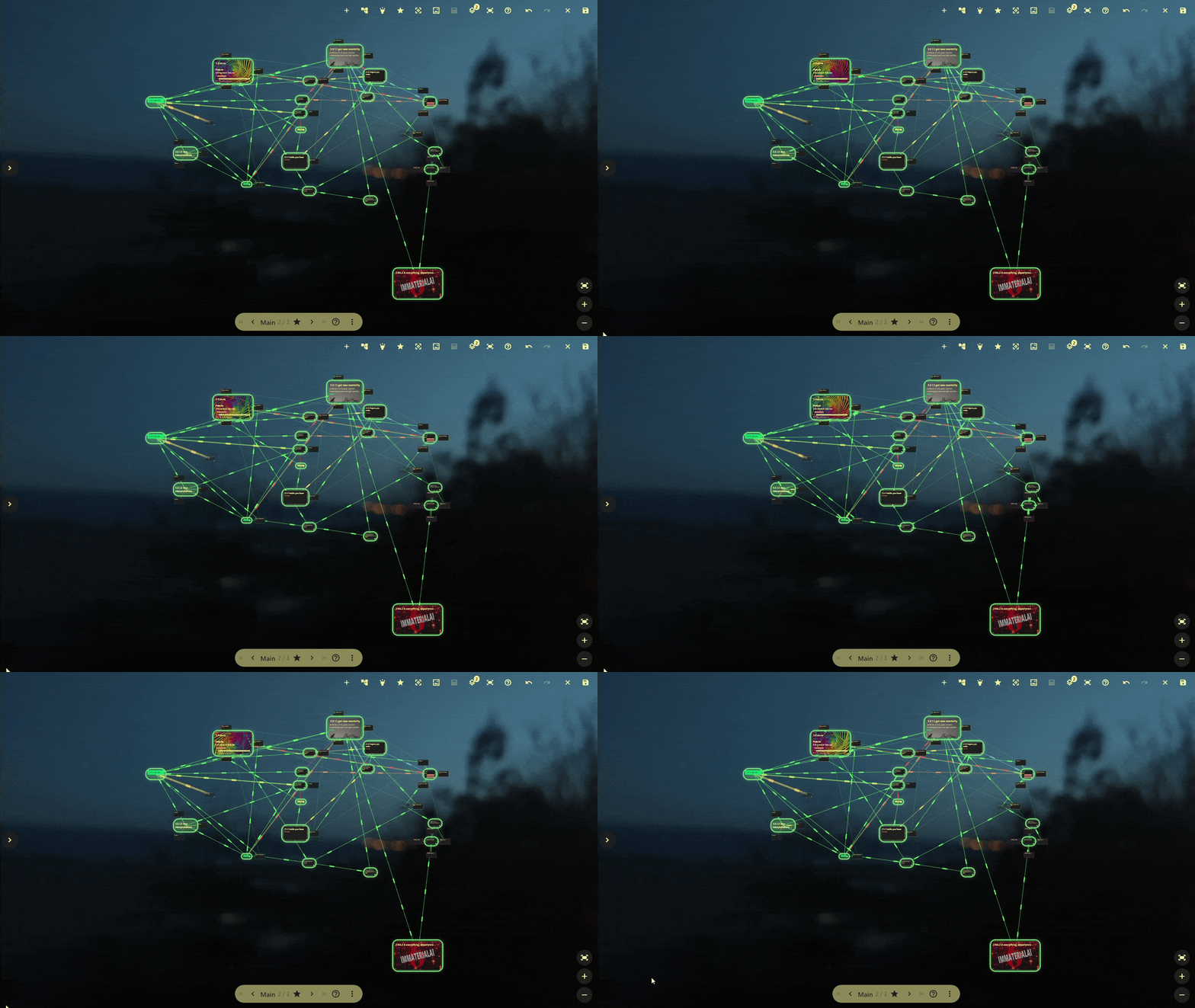
Canvas Home (Plus only), Canvases available in Lite too
The flagships
- Canvas 🔵 Lite & Plus — freeform boards where you place, drag, link and
arrange your nodes by hand. - Task board 🔵 Lite & Plus — grouped, counted, swipe-to-complete.
- Nucleus 🟣 Plus — a living, self-arranging graph of your entire mesh.
- Canvas Home 🟣 Plus — an opt-in home page that is a canvas board,
launcher and all. - Ctrl+K quick search 🔵 Lite & Plus — a command palette across everything.
- Pinned bar 🟣 Plus — a taskbar-style bar for the nodes you pin.
- Configurable shortcuts— 50+ rebindable shortcuts with an in-app editor.
- Season 4 — Return to Bliss — fresh skins and two new UI modes.
Canvas
🔵 Lite & Plus. Freeform boards you build by hand — then tune to taste. Canvas is the
most customizable surface in the app, so here's the whole toolbox:
Boards & nodes
- Multiple boards — create, rename and delete them from the Canvas launcher
(deleting a board keeps your nodes). Open a canvas node to dive into its board. - Node display mode — switch each node between card, chip and
title. - Resize in both dimensions — drag or use grow/shrink buttons (with per-display
min/max limits; buttons disable at a limit). - Richer cards — a subtitle plus up to five description lines, all sized to
content; image cards render at a compact landscape height. - Move & tidy — drag anywhere (links redraw live), arrow-key nudge
(Shift = 10px), duplicate, and Delete/Backspace.
Links & layout
- Choose which links show — all types, a subset, or hand-picked individual links;
the link-type label appears at the line's midpoint on hover. - Auto-arrange connected nodes — Force-directed, Grid or Radial,
re-arranging in real time as you drag. - Quick add-link to an existing or brand-new node (Esc cancels), and
create a node on the spot from the Add dialog. - Layers — a node can live on several; its badge lists them.
Look & highlight styles
- Highlight styles — highlight a node and its connections light up, in six
per-board styles: Glow, Ring, Pulse, Stream, Halo, Spark (several animated). - Circuit-board link effects — connected links animate to match: a directional or
both-ways flow, a breathing glow, or a twinkle — each in that link's own colour, with
travelling packets over dim solder-pads. Effects keep a constant on-screen size at any
zoom and scale with link thickness. - Highlight by Favorite, Focus, World or Tag — the palette shows which filter is
active. - Link appearance controls — tune lightness, thickness and
saturation (shared with Nucleus) for readable links on any skin.
Background & board customization
- Per-board background image that behaves like a node image.
- Live background scrim — a colour wash with adjustable opacity and
blend mode, previewed live, removable, following the board's rounded corners. - Show task status — outline nodes red / yellow / green by
to-do / in-progress / done. - Favourite / focus right on the board with zoom-sized hover buttons and a
skin-themed highlight chip.
Navigation
- Zoom & pan remembered per board; zoom out to 5%; double-tap the empty board
to fit everything. - Full undo / redo — buttons and Ctrl+Z / Ctrl+Y.
Canvas Home
🟣 Plus. Flip one switch in Settings and your home page becomes a canvas board
you browse, search and manage without ever leaving it. It's built to be shaped to your
workflow:
Layout & the side menu
- Three menu modes — hidden, rail (icons) or expanded (full
launcher) — and you can pin it open. It remembers its mode, pin state and which
sections are expanded across restarts. - The whole launcher on your home — every feature box plus a single Add button
(left-click opens the Add box, right-click the quick-add switcher). - Translucent glass drawer so your board shows through — and in this release its
text, icons and accents are legible on every skin, with feature icons on a
contrasting circle so each one stands out.
Search & filters
- On-board node search — type to highlight matches live, then press Enter to
escalate straight into the global Ctrl+K search, pre-filled with your query. - Board-wide Focus / Favorite — toggle those filters for the whole board, and list
the matching nodes honouring your current filters. - Tag & world filters live in the menu, apply app-wide, support multiple
tags, and are remembered between sessions.
The canvas switcher & board management
- Centred, self-hiding switcher — it sits at the bottom and fades out of the
way while you pan, drag nodes or draw a link (and is inert mid-gesture, so a drag can't
hit it by accident). - Page between boards with arrows, PageUp/PageDown, the mouse-wheel, or a
quick-jump menu; the landed board's name flashes as a centred toast. - Reorder the current board (on-board arrows or Ctrl+Shift+←/→), rename
(double-tap / F2 / ⋮ menu), set any board as home (Ctrl+H), duplicate
(Ctrl+D), delete (with Undo) and create (Ctrl+N) — right there.
Comfort & resilience
- Resumes on your last board, repairs a deleted home board, and shows a friendly
empty state (create button focused, so Enter makes your first board). - Respects child lock and "disable animations", and falls back to your usual home
wallpaper when a board has no background of its own. - Discover every hotkey via the shortcuts help popover (Shift+? or the cycler's ?).
For everyone (including free)
- Configurable shortcuts & Help — 50+ rebindable shortcuts, an in-app editor, a
Ctrl+? help dialog (shortcuts + gestures + a types legend), and a copyable cheat
sheet. Global undo / redo on Ctrl+Z / Ctrl+Y. - Season 4 — Return to Bliss — 12 new skins and two new UI modes:
Aurora (free, soft glowing outlines) and Monolith (🟣 Plus, bold slabs). - Optional remote database — point the app at a remote SQLite file instead of the
local one (experimental; single-writer recommended). - Faster & calmer — INSANE mode (Ctrl+Shift+I) for turbo + density, loading
skeletons instead of spinners, precached wallpaper, and localised repaints. - Everyday QOL — recent-nodes switcher (Ctrl+Shift+E), quick-add task
(Ctrl+Shift+T), world context in the top bar (Alt+1…9), persisted sort, delete/pin
confirmations with Undo, relaunch reopens your last feature, node backlinks,
copy id / deep-link, relative timestamps, inline title editing — and a broad localisation
sweep across 11 languages.
🔵 Lite & Plus
- Canvas — freeform boards (full details above).
- Task board — collapsible Focused / Other groups with counts, cleaner status
headers, slicker cards, and swipe-to-complete. - Ctrl+K quick search — nodes, worlds, types, tags and features; scope chips
(remembered), recent searches, fully keyboard-driven. - Solid colour background — black, white, cream, or any custom colour.
🟣 Plus
- Nucleus — a self-arranging graph of your whole mesh, centred on Everything
or started from any node; 5 layout algorithms and several importance metrics, driven
by your library filters, re-weighting and animating in real time, with link
lightness/thickness/saturation controls. - Canvas Home — your home page as a board (full details above).
- Pinned bar — a taskbar-style bottom bar for pinned nodes: auto-updates, highlights
the node you're viewing, drag-to-reorder, translucent so your wallpaper shows through. - World creation — the Add World flow, now reliable; Alt+1…9 switches worlds.
- v2 views — a new opt-in toggle to use the redesigned version of a view wherever
one exists. Plus gets the redesign first. - More customization — background blend mode + colour, custom background image
(desktop), the Monolith UI mode, and the classic-grid ↔ canvas-board Home view switch.
Thanks for being here for version 6, it genuinely means alot to us. Definitely feels great to be back. ENJOY!
- ImmaterialAI team
More from ImmaterialAI
Other announcements
ImmaterialAI 6 leaves the test branch NEXT WEEKFreeform Canvas boards, a living Nucleus graph, a home page that is a board, a refreshed Task board , a global Ctrl+K search, 50+ rebindable shortcuts, and a whole new season. in-app footage- Canvas Home (Plus only), Canvases available in Lite too Full updates notes coming with the release NEXT WEEKImmaterialAI 6.1.9Good morning family- Today we bring you our last big update on the test branch before we push IAI 6 to everyone. From now on until release it will be only about bugfixes, your feedback counts so feel to reach out about any issues with the release. 🟢 All Users · multiple fixes and QOL changes across multiple features 🔵 Lite & Plus Task board · A cleaner, slicker task board : collapsible Focuse…FileSurfer is LIVEThe first app that FutureSoup is publishing and TRULY believes in - FileSurfer -is now LIVE on Steam! Features Compared to other file managers, we're talking: · faster previews · automations · stats · quick search · shared settings (even bookmarks) through Steam backups · analytics dashboard · customizable themes via theme manager , app is fully theme-aware Early access Where FileSurfer is righ…