Rocking Legend Update: Controllers, Guitar Controllers and Rebinding
Rocking Legend · published · build 25308784
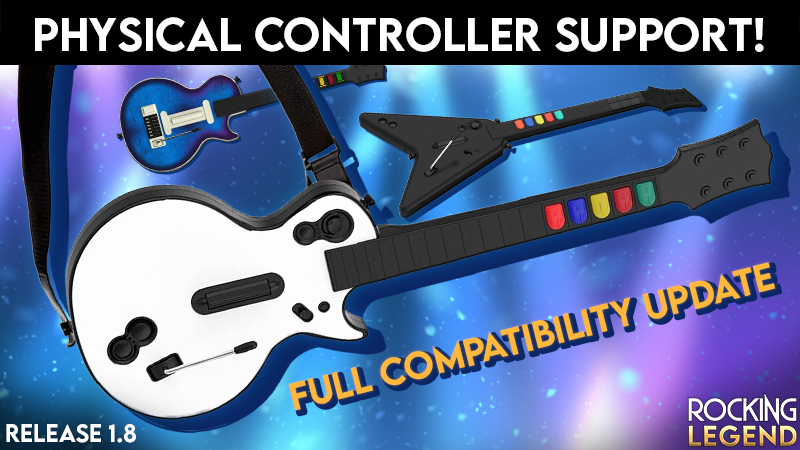
This update focuses on playing with a controller or a physical guitar controller.
Guitar controllers without Steam Input (experimental)
We've added our own recognition for guitar controllers so that they can work without Steam Input:
Xbox 360 guitars (Guitar Hero and Rock Band)
PS3 and Wii guitars (Guitar Hero PS3 and World Tour PC, Rock Band PS3 and Wii)
PS4 guitars (Rock Band 4, including PDP Riffmaster and CRKD Gibson SG in PS4 mode)
Frets, strum bar, Start, and ‘Power Surge’ ability work out of the box, and everything can be rebound in Settings → Controls.
We don't have most of these instruments in the studio yet, so this support is experimental, and your feedback will make a big difference. If your guitar doesn't work as expected:
Disable Steam Input for Rocking Legend to use our built-in recognition.
Enable Steam Input to try Steam's own controller support instead.
Xbox One and Series guitars aren't supported directly yet. You can still try Steam Input or community tools such as RB4InstrumentMapper, but we haven't tested them.
Power Surge
New default button: on controllers, Power Surge is now activated with Select / Back.
Tilt is now optional: tilt is no longer assigned by default because it triggered on its own on several guitars. If you like it, bind it in Settings → Controls by raising the guitar neck.
More reliable tilt: once bound, tilt triggers when you raise the neck, not when you lower the guitar back.
No accidental double toggles: pressing again right after an activation is ignored so that a shaky guitar won't switch Power Surge back off.
Rebinding
Analog inputs need a deliberate move: moving the guitar while pressing a fret no longer binds the wrong axis.
No more menu side effects: binding a button no longer triggers it in the menu. For example, binding the red fret no longer sends you back a page.
Menus and navigation
Right stick: it no longer moves the menu selection, so whammy bars and tilt sensors can't scroll through menus.
Recenter everywhere: you can now recenter your view in menus too, not only during songs.
Steam Frame
We've ordered a Steam Frame! Rocking Legend should already work with it through SteamVR, but as soon as it arrives, we'll test it thoroughly to make sure the game runs as well as possible.
Having trouble with your controller?
The game writes a diagnostic file here:
%USERPROFILE%\\AppData\\LocalLow\\Domurosoft\\RockingLegend\\InputDevicesReport.txt
Please attach it to your report. It tells us exactly what the game sees and helps us support your instrument.
Thanks for your support, and keep rocking!